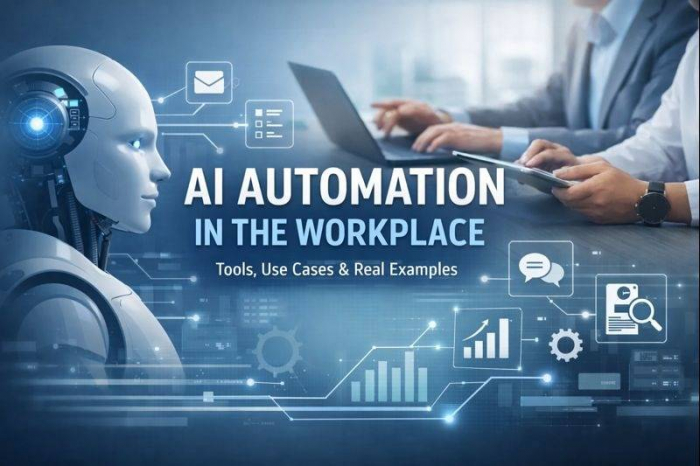
• Perform repetitive tasks
• Make decisions using data
• Generate content or responses
• Predict outcomes and recommend actions
• Coordinate workflows across tools
Unlike simple scripts, AI systems learn patterns, handle unstructured data (text, voice, images), and adapt over time.
Example:
A human sales rep reads emails, updates CRM, prioritizes leads, drafts replies.
An AI system can now read emails, extract intent, update CRM fields, score leads, and draft responses automatically.
| Category | What It Does | Limitations | Example |
| Traditional Automation | Rule-based tasks | Breaks when input changes | If X → do Y |
| RPA (Robotic Process Automation) | Mimics human clicks & keystrokes | No reasoning or learning | Copy invoice data |
| AI Automation | Understands, predicts, generates | Needs training & data | Auto-resolve tickets |
Key difference:
RPA follows rules.
AI understands context, language, and patterns.
McKinsey estimates that 60–70% of tasks involve activities that can be partially automated using AI, not traditional automation alone.
| AI Technology | What It Enables | Used For |
| Natural Language Processing (NLP) | Understands text & speech | Emails, tickets, chatbots |
| Generative AI (LLMs) | Writes, summarizes, creates | Docs, code, ads |
| Machine Learning | Learns patterns | Forecasting, scoring |
| Predictive Analytics | Predicts outcomes | Sales, churn, demand |
| Computer Vision | Reads images/docs | Invoices, IDs |
What AI automates:
● Proposal drafting + personalization
● Call/meeting summaries and action items
● CRM auto-logging (notes, next steps)
● Lead scoring / prioritization
Real examples:
● Microsoft Copilot (Forrester TEI): sales proposal writing time reduced (example model shows large per-employee weekly time savings on proposals).
● Morgan Stanley (GPT-4 assistant): deployed GPT-4-powered tools to help advisors retrieve/summarize internal research more efficiently. (Multiple public writeups exist; see case-study section below for a sourced, quantified example.)
Common tools:
● Microsoft 365 Copilot, Salesforce (Einstein/Agentforce), HubSpot AI, Gong, Zoom AI Companion, OpenAI API + CRM integrations, Zapier/Make for workflows
Quantified impact (examples):
● Forrester TEI model includes hours saved on sales proposal work and other tasks.
What AI automates:
● Content creation (first drafts, variants, translations)
● Segmentation + targeting suggestions
● Performance summaries (what worked, why)
● Creative testing (A/B copy variants)
Real examples:
● JPMorgan Chase + Persado: AI-generated marketing language produced up to a 450% lift in click-through rates in a pilot (reported by Persado and covered by Marketing Dive).
● Microsoft 365 Copilot SMB TEI: marketing employees reported ~35% time saved on content creation (survey-based appendix).
Common tools:
● Adobe (Firefly), Canva, Jasper, Copy.ai, HubSpot AI, Mailchimp AI, Microsoft 365 Copilot, ChatGPT/OpenAI API, Zapier/Make, GA4 insights + BI copilots
What AI automates:
● Self-serve AI agents resolving common issues
● Agent assist (suggested replies, tone rewrite)
● Auto-triage + routing
● Knowledge base generation + gap detection
Real examples:
● Klarna AI assistant: handled two-thirds of customer service chats, equivalent to 700 full-time agents, and reduced repeat inquiries by 25%; also reduced resolution time from 11 minutes to under 2 minutes (Klarna announcement + OpenAI post).
● Zendesk AI (Nucleus Research): customers increased automated resolution rates by 23%, reduced time to first response by 16%, and agents spent 20% less time per ticket.
Common tools:
● Zendesk AI, Intercom Fin, Salesforce Service, Freshdesk Freddy AI, Ada, Forethought, OpenAI API + RAG over help-center content.
What AI automates:
● Job description + interview question drafting
● Candidate FAQ responses
● Resume parsing + shortlist assist
● Onboarding workflows and policy drafts
Real examples:
● Unilever: used AI in hiring processes and reported saving ~100,000 hours of interviewer time per year and ~£1m annually (reported by The Guardian).
● Forrester TEI (Copilot): includes modeled weekly time saved for writing job descriptions/interview questions.
Common tools:
● LinkedIn Recruiter AI features, Greenhouse/Lever automations, Microsoft 365 Copilot, Workday AI, Eightfold, Paradox (Olivia), Zapier/Make
What AI automates:
● Invoice data extraction + matching
● Exception handling (flag anomalies)
● Narrative reporting (exec summaries)
● Close task orchestration (workflow automation)
Real examples:
● Thermo Fisher Scientific + UiPath: achieved 70% reduction in invoice processing time, with ~53% of invoices handled without human involvement (UiPath case study).
● Evros Technology Group + UiPath: reduced invoice processing from ~20 hours/week to ~4 hours/week.
● BlackLine customer case: reduced close from 15 days to 5 days (BlackLine PDF case study).
Common tools:
● UiPath, Automation Anywhere, Power Automate, BlackLine, Tipalti, Ramp, SAP Concur Verify (AI auditing), OCR/Document AI
What AI automates:
● Demand/inventory prediction
● Routing optimization
● Warehouse automation (AI + robotics)
● Predictive maintenance alerts and scheduling
Real examples:
● Amazon (next-gen fulfillment centers): reported fulfillment processing times reduced by up to 25%.
● DHL sorting robots: public DHL materials describe AI-powered sortation handling 1,000+ parcels/hour with ~99% accuracy.
Common tools:
● Blue Yonder, o9, SAP IBP, Oracle SCM, AWS Forecast, route optimization systems, robotics platforms + computer vision
What AI automates:
● Meeting recaps + action items
● Drafting PRDs / user stories
● Auto-triage intake (tagging, routing)
● Risk detection (missed deadlines, dependencies)
Real examples:
● Forrester TEI (Copilot): notes “post-meeting recaps” completed in 5 minutes rather than 30 minutes.
● Morningstar + Asana AI Studio: removed two weeks from request review timelines (Asana case study).
Common tools:
● Asana AI Studio, Jira/Confluence AI, Notion AI, Microsoft Teams + Copilot, Linear integrations, Zapier/Make
What AI automates:
● First-draft generation + summarization
● Turning structured data into narratives (NLG)
● Content repurposing (long → short, multi-format)
● Metadata tagging and searchability
Real examples:
● Associated Press + automation: expanded automated quarterly earnings coverage from ~300 to ~3,000+ reports per quarter (reported in major coverage).
● Separate reporting on the AP automation effort also describes significant increases in output and capacity.
Common tools:
● Automated Insights-style NLG, Grammarly Business, Adobe tools, CMS plugins, OpenAI API + editorial workflow automation
● Problem: High volume of repetitive support chats, slow resolution
● AI applied: AI assistant for customer service conversations
● Tools: OpenAI + Klarna’s internal systems (per OpenAI/Klarna announcements)
● Results:
○ 2/3 of chats handled by AI assistant
○ Equivalent of 700 FTE agents
○ Repeat inquiries down 25%
○ Resolution time 11 min → <2 min
● Problem: Recruiting workflows required heavy interviewer time and manual steps
● AI applied: AI-supported hiring pipeline (screening/assessment components)
● Tools: Unilever’s recruitment stack + AI components (as publicly described)
● Results: ~100,000 hours of interviewer time saved per year; ~£1m annual savings
● Problem: Improve ad/campaign performance; generate better-performing copy at scale
● AI applied: AI-generated marketing language variants
● Tools: Persado platform
● Results: Pilot saw up to 450% lift in CTR vs comparators
● Problem: Massive invoice volume requiring labor-intensive processing
● AI applied: AI-enabled document understanding + automation
● Tools: UiPath Business Automation Platform + Document Understanding
● Results:
○ 70% reduction in invoice processing time
○ ~53% invoices handled without human involvement
○ Context: processes ~824,000 invoices annually (from the same case study)
● Problem: Limited human capacity to produce earnings coverage
● AI applied: Automated narrative generation from structured earnings data
● Tools: Automated Insights-style NLG (as reported)
● Results: Earnings reports expanded from ~300 to ~3,000+ per quarter
| Team | Time Saved |
| Sales | 27% |
| Marketing | 40% |
| Support | 60% |
| HR | 75% |
| Finance | 50% |
| Metric | Avg Improvement |
| Response Time | ↓ 60% |
| Conversion Rate | ↑ 30% |
| Productivity | ↑ 35% |
| Tool | What it’s best at | Typical pricing signal | Strengths | Weaknesses / watch-outs |
| Microsoft 365 Copilot | Drafting + summarizing inside Word/Excel/Outlook/Teams | Pricing listed on Microsoft Copilot pricing pages (region varies). | Great for “docs + meetings + email” automation | Needs governance; humans must review |
| Zapier | No-code workflows across many apps | Pricing on Zapier pricing page. | Fast prototypes, huge integration catalog | Complex automations can get expensive at scale |
| Make (Integromat) | Visual workflows, branching logic | Pricing on Make pricing page. | Powerful routing/filters; good value | Steeper learning curve than Zapier |
| Intercom Fin | AI agent that resolves support conversations | $0.99 per resolution (Fin on Zendesk/Salesforce), min 50/mo (official Intercom pricing). | Strong deflection when KB is good | Budgeting depends on resolution volume |
| Zendesk AI | Ticket automation + agent copilot inside Zendesk | AI add-ons listed on Zendesk pricing (e.g., Copilot add-on) | Good metrics + enterprise controls | Best if you’re already on Zendesk |
| UiPath | RPA + Document AI for finance/ops | Pricing page lists tiers (some are contact sales). | Best for legacy UI + high-volume processes | Requires build/ops discipline |
| Asana AI Studio | AI-driven workflow intake/triage in PM | AI Studio pricing guidance on Asana pages. | Great for request routing + governance | Works best if Asana is your system of record |
Start with a workflow that is:
● High volume
● Repetitive
● Low risk if the first draft isn’t perfect
Examples:
● Support: “Where is my order?” triage + draft replies
● Sales: proposal first draft + CRM logging
● Finance: invoice extraction + routing exceptions
● PM: meeting recap + action item creation
Write:
● Trigger (email arrives / form submitted / ticket created)
● Decisions (what category? what priority?)
● Actions (reply draft, update system, assign owner)
● Human checkpoint (approve before send, exception queue)
● Rules for simple conditions (fastest, safest)
● AI when inputs are unstructured (emails, PDFs, chat)
● RPA when there’s no API (legacy UI)
For anything customer-facing or policy-heavy:
● Put approved docs in a knowledge base
● Use retrieval (RAG) so AI answers from your content, not vibes
This is one of the biggest differences between “cool demo” and “safe production.”
● Confidence thresholds (“If uncertain → escalate”)
● Restricted actions (AI drafts; humans send)
● Audit logs + monitoring
● PII handling and access control
Pick metrics that match the workflow:
● Time: minutes per ticket / hours per week
● Quality: CSAT, error rate, rework rate
● Cost: external spend avoided, FTE capacity freed, cycle time reduction
Real-world examples of measurable outcomes exist (e.g., Zendesk AI metrics, Klarna’s support impact).
• Automating bad processes
• No human oversight
• Poor data quality
● Klarna AI support results
● Zendesk AI quantified impact (Nucleus Research)
● Unilever hiring AI savings (The Guardian)
● JPMorgan Chase + Persado CTR lift
● UiPath case study: Thermo Fisher invoice automation
● Forrester TEI (Microsoft Copilot / Microsoft 365 Copilot) time-savings examples
● Amazon fulfillment processing time reduction
● AP automation output expansion
● Official pricing pages: Zapier, Make, Microsoft Copilot, Intercom, Zendesk, UiPath, Asana
AI automation is no longer experimental.
It is already cutting costs, saving time, and improving performance across every team — when implemented systematically.
Be the first to post comment!
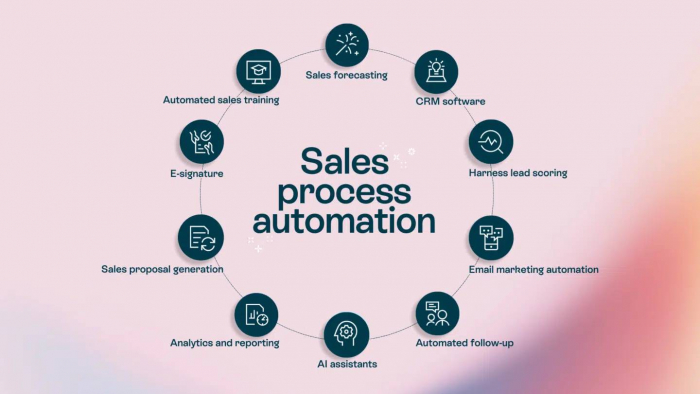
Introduction: Why Sales Automation Is No Longer OptionalToday’s B2B sales enviro...
Michael Hicklen1 month ago

Image search has quietly become one of the most powerful discovery, research, an...
Michael Hicklen1 month ago
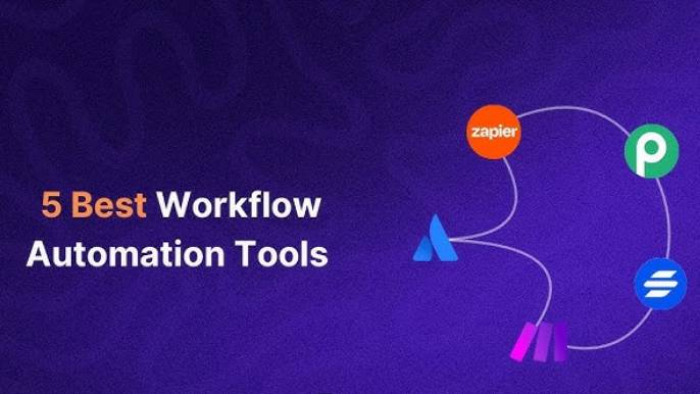
Why Workflow Automation Matters in 2026Automation tools help businesses:● S...
Michael Hicklen1 month ago
1) Foundations :What software review platforms are-Software review platforms are...
Michael Hicklen1 month ago
1. What Is a CRM?Definition-A CRM (Customer Relationship Management) system...
Michael Hicklen1 month ago
When brands think about where to anchor their DNS (Domain Name System) backbone,...
Michael Hicklen1 month ago