Designing a logo used to mean long back-and-forths with designers, steep costs, and uncertain timelines. Then AI logo makers arrived—fast, creative, and often free. I wanted to dig deeper. Which tools truly deliver value? And how can startups and professionals best use them?
Here’s a look at five standout tools: Looka, Hatchful by Shopify, Canva’s AI Logo Maker, LogoMakr, and Designhill. I'll break down their features, pricing, strengths, and ideal users. You’ll also get real-world context from Reddit discussions—not pasted awkwardly, but woven into the story. Let’s explore.
Design.com’s logo maker offers the world's largest logo library, and honestly, the numbers are impressive. With 360,000+ logo templates and over a million total design assets, you're swimming in options. Every template is crafted by professional designers and checked for originality, so you're not getting generic clip-art vibes.
What sets it apart: Design.com doesn't just stop at logos. You get AI-powered tools for websites, business cards, flyers, posters, and presentations. They even have an AI business name generator and background remover. Plus, over 62,000 custom vector shapes and 525+ exclusive fonts give you serious creative flexibility.
Automatic branding: Once you pick your logo, all your social, print, and web templates automatically inherit those colors. It's ridiculously seamless.
Pricing:
Printing and domain names: You can register a domain directly and print your logo on business cards, apparel, mugs, and mousepads. The best part? These all come with free delivery.
Why I love it: It's a one-stop shop. Logo today, branded website tomorrow, printed merch next week. The 24/7 support and voting polls (to get feedback from your team) are nice touches, too.
Best for:
BrandCrowd positions itself as the world's best logo maker, and with a 4.8 Trustpilot rating from 9,000+ reviews, users seem to agree. You're getting 350,000+ logo templates—all exclusive to BrandCrowd and designed by pros—plus a million total design templates across categories.
What I appreciate: Like Design.com, BrandCrowd gives you 62,000+ custom vector shapes, 525+ exclusive fonts, and automatic template branding. Pick your logo, and your social posts, business cards, and presentations instantly match your brand colors.
AI tools included: AI logo generator, AI business name generator, and AI background remover. The editing tools are built for non-designers, so you can jump in without any creative experience.
Pricing:
Why it works: BrandCrowd shines with its higher review count and rating. If social proof matters to you, that 4.8 rating is reassuring.
Best for:
I love how Looka balances automation with customization. You start by entering your brand name and some design preferences. Looka then generates polished logo options you can tweak. Flat colors, fonts, layouts—everything’s adjustable.
Free exploration: You can create as many logo previews as you like without paying.
Pricing:
Why I like it: You can brainstorm freely, then buy only what you need. Upgraded plans give you a mini branding suite.
Best for:
Hatchful is my favorite “just‑get‑it‑done” tool. No payment, no upsells, no surprises:
Why I love it: It’s perfect when you need something simple, fast, and free.
Best for:
Canva takes logo design further, combining templates, drag-and-drop, and AI tools.
Why I use it: You’re not just getting a logo. You get a full design lab to expand your brand assets.
Best for:
LogoMakr blends simplicity with a “pay when you’re happy” model.
Paid tiers:
Why it stands out: You can build freely and upgrade only if needed.
Best for:
Designhill offers an “AI logo in minutes” build, but also scales to custom design contests.
Pricing:
For bespoke design:
Why it’s flexible: You can use AI or go human-powered depending on your budget.
Best for:
One user shared an honest rundown of AI model comparisons, noting how Looka’s branding extras often make it feel more holistic—and worth the price. Another conversation featured a list of 15 free AI design tools, where users praised Hatchful’s zero-cost model but flagged its limited exports, and celebrated Canva for offering serious features without a paywall.
These community insights confirm what I’ve observed: Explore freely, then choose based on needs.
| Tool | Free to Try | Download Options (Free) | Paid Upgrade Cost | Best For |
|---|---|---|---|---|
| Looka | Yes | Previews only | ~$20–$65 one-time; subs $96-$129/yr | Startups or brands needing branding suite |
| Hatchful (Shopify) | Yes, fully free | PNG, transparent, social | $0 | Speed, simplicity, no budget |
| Canva | Yes | AI + templates; limited AI usage | Pro unlocks full AI/tools | Creative control across asset types |
| LogoMakr | Yes | Low-res PNG | ~$29 for vectors | DIY with optional vector output |
| Designhill | Yes | AI previews; basic free editing | $20–$125; contests $249–$999 | Scale from cheap AI to full custom work |
If I’m launching a blog or side hustle today, I’d start with Hatchful for speed. Then I’d jump into Looka to explore refined options. If I want to expand visuals—social posts, ads, mockups, I’d switch into Canva Free, maybe Pro once I see the need. If I'm rebranding or seeking higher-stakes logos, Designhill contests become attractive.
Every tool here offers value. The smart part is letting exploration guide purchase—not the other way around.
Be the first to post comment!
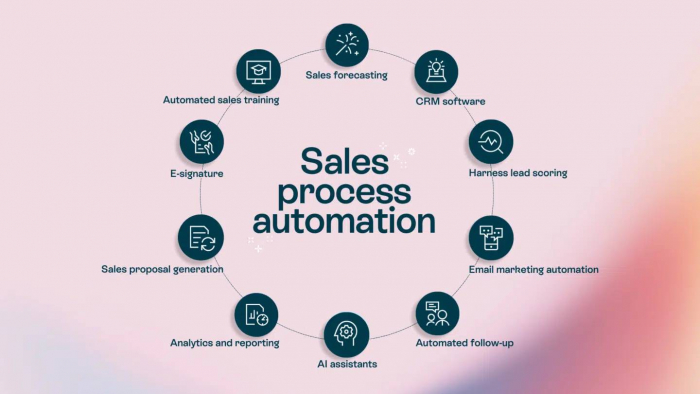
Introduction: Why Sales Automation Is No Longer OptionalToday’s B2B sales enviro...
Michael Hicklen1 month ago
Image search has quietly become one of the most powerful discovery, research, an...
Michael Hicklen1 month ago
Why Workflow Automation Matters in 2026Automation tools help businesses:● S...
Michael Hicklen1 month ago
1) Foundations :What software review platforms are-Software review platforms are...
Michael Hicklen1 month ago

1. What AI Automation in Daily Work Actually Means?1.1 AI automation in daily wo...
Michael Hicklen1 month ago
1. What Is a CRM?Definition-A CRM (Customer Relationship Management) system...
Michael Hicklen1 month ago