
AI video generation is no longer experimental. It has become a production workflow for marketers, creators, SaaS companies, agencies, and even enterprise training teams. But here’s the reality: no single tool wins in every category.
After analyzing major comparisons from Massive.io, Zapier, Synthesia, InVideo, Futurepedia, and independent tester reviews on Medium, this guide breaks down the actual strengths, pricing, limitations, and ideal users for each major AI video platform.
Let’s break down the tools properly.
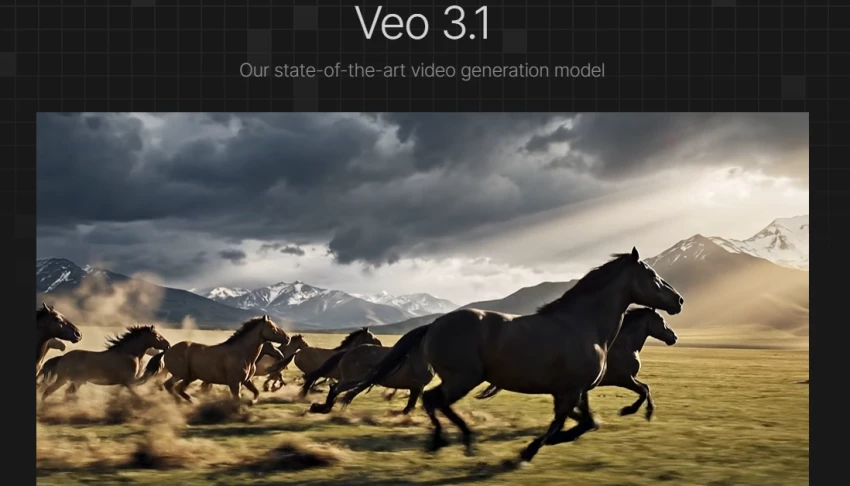
Veo consistently ranks near the top for cinematic realism in Massive.io’s comparison.
What It Does
Text-to-video generation
Strong lighting, physics, and motion coherence
High cinematic quality outputs
Pricing Snapshot
Free credits (limited)
AI Pro plan around $19.99/month
Ultra tier significantly higher with more credits and watermark removal
Pros
Strong camera movement realism
Excellent scene lighting
High-end visual quality for ads and storytelling
Cons
Credit-based system can get expensive
Short clip duration
Requires multiple regenerations for perfect output
Best For
Creators producing high-quality ads, cinematic reels, and narrative scenes.
Zapier lists Sora among the strongest text-to-video models for prompt understanding.
What It Does
Converts detailed prompts into short video clips
Strong physics modeling and motion continuity
Pricing
Available via ChatGPT Plus ($20/month tier)
Higher tiers remove watermark and increase resolution
Pros
Excellent prompt interpretation
Strong multi-object scene handling
Cons
Limited clip duration
Still needs heavy iteration
Not ideal for long-form videos
Best For
Experimental creatives and advanced concept visualizers.
Runway stands out in both Massive.io and Zapier reviews as a hybrid generator + editor.
What It Does
Text-to-video
Image-to-video
Background removal
Advanced AI editing tools
Pricing
Free plan (limited credits)
Standard plan around $15/month
Pros
Creative control beyond just generation
Strong ecosystem for refining output
Popular among content creators
Cons
Credits deplete quickly
Quality varies depending on prompt strength
Best For
Creators who want both generation and editing in one platform.
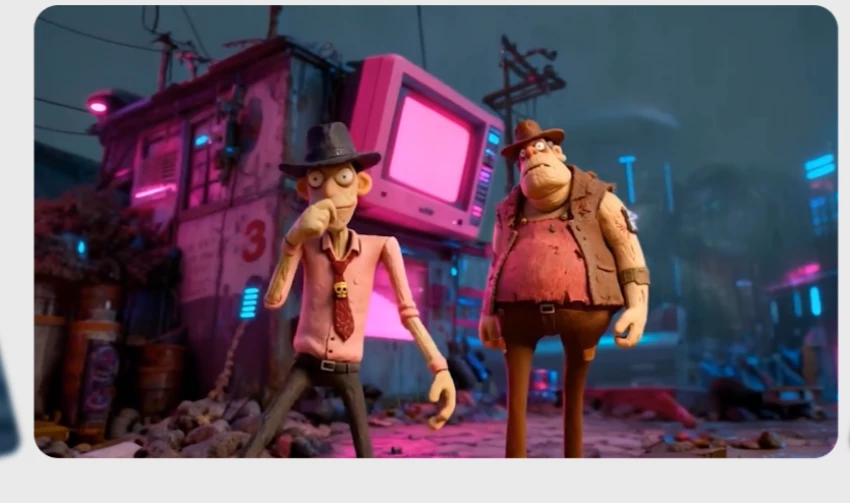
Massive.io’s side-by-side tests show Kling performing strongly in motion realism and frame transitions.
What It Does
Text-to-video
Start and end frame transformations
Stylized cinematic motion
Pricing
Entry-level plans reportedly around $10/month (varies by region)
Pros
Good visual coherence
Affordable compared to top-tier models
Cons
Short output durations
Limited sound integration in some versions
Best For
Budget-conscious cinematic creators.
Zapier ranks Luma as strong value for text-to-video.
Pricing
Free limited generations
Paid plans starting around $9.99/month
Pros
Good quality-to-price ratio
Faster iteration
Cons
Inconsistent realism in complex motion scenes
Best For
Solo creators testing ideas quickly.
_1771582362.webp)
Massive.io notes Pika for creative motion and stylized generation.
Pricing
Paid tiers around $35/month
Pros
Fun, creator-friendly effects
Good for short-form content
Cons
Slower render times during high demand
Occasionally misses prompt elements

Unlike cinematic generators, InVideo focuses on marketing automation.
What It Does
Prompt-to-video marketing videos
Voiceovers
Stock integration
Social-ready formatting
Pricing
Free plan (watermarked)
Plus plan around $35/month
Pros
Beginner-friendly
Fast production for ads and reels
Strong for faceless content
Cons
Template-based feel
Not cinematic-level realism
Best For
Marketers, agencies, small businesses.
Synthesia dominates AI avatar video creation.
What It Does
AI presenter avatars
140+ language voiceovers
Enterprise training videos
Pricing
Free limited minutes
Starter plan around $29/month
Pros
Highly scalable for training
Strong multilingual support
Cons
Avatars still not fully “human”
Less suitable for cinematic storytelling
Best For
Corporate training and product explainers.
HeyGen competes closely with Synthesia for avatar-based marketing.
Pricing
Free limited access
Creator plan around $29/month
Pros
Strong marketing-focused avatars
Localization workflows
Cons
Similar limitations as Synthesia in realism
| Need | Best Tool |
| Cinematic realism | Veo / Sora |
| Creative control | Runway |
| Budget-friendly | Luma |
| Marketing automation | InVideo |
| AI avatars | Synthesia / HeyGen |
| Short-form creator effects | Pika |
AI video generation in 2026 is powerful, but fragmented. No single tool dominates every category.
If you want cinematic quality, use Veo, Sora, or Runway.
If you want scalable marketing videos, choose InVideo.
If you want AI presenters, go with Synthesia or HeyGen.
Most serious creators now combine 2–3 tools into a workflow.
Be the first to post comment!

When I evaluate an AI video tool, I don’t just skim the homepage. I trace the fu...
Sakshi Dhingra12 hours ago

Uber Eats is officially moving beyond simple food delivery and positioning itsel...
Sakshi Dhingra1 week ago

I’ll admit it, SpicyChat AI is one of those tools you don’t exactly open with “s...
Vivek Gupta2 weeks ago
For months, the global AI industry has lived in a state of suspended animation w...
Vivek Gupta3 weeks ago

In today’s fast-moving digital landscape, intelligent software that can act inde...
Mighva Verma1 month ago

In today’s business world, customer expectations have shifted dramatically. Peop...
Mighva Verma1 month ago