
Managing remote employees is very different from managing people in an office. When teams work from different cities or even different countries, problems appear quickly. Communication slows down, tasks become harder to track, and even simple administrative tasks like leave management become complicated.
Over the past few years, I have managed several remote teams working across marketing, development, and operations. During that time I tested many remote work tools, trying to find platforms that actually improve collaboration rather than simply adding more complexity.
Some tools became essential parts of our daily workflow, while others revealed limitations only after weeks of use. In this article, I am sharing the tools that proved most useful in real-world remote management along with insights from user reviews, my own experience, and the strengths and limitations each platform brings.
Official website: https://www.teamviewer.com
One of the most common problems with remote teams is technical troubleshooting. When an employee’s system stops working or a software configuration breaks, it can take hours to diagnose the problem through messages or screenshots.
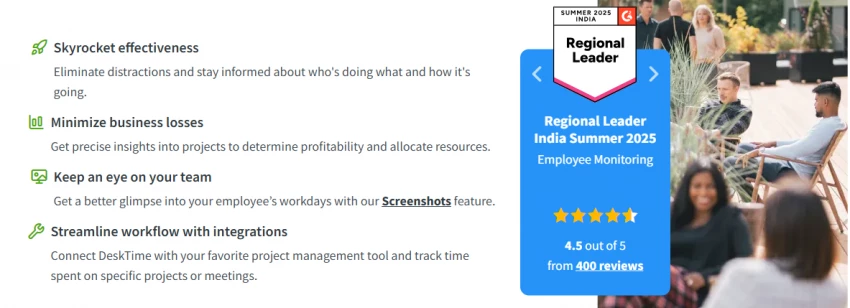
TeamViewer solved this problem for our team by allowing secure remote access to employees’ devices. Instead of asking someone to explain what they are seeing on their screen, I can connect directly to their system and resolve the issue in minutes.
The platform works across multiple operating systems including Windows, macOS, Linux, Android, and iOS, which makes it particularly useful for teams using different devices. The remote session is encrypted and requires authentication, which helps maintain security when accessing employee machines.
From my experience, the biggest advantage of TeamViewer is speed. Troubleshooting that used to require a long exchange of messages can now be solved instantly. This is especially valuable when managing technical teams where productivity can drop quickly if systems stop working.
User reviews on platforms like G2 and Gartner frequently highlight its reliability and connection stability. Many users also appreciate the ability to transfer files and communicate through built-in chat during a remote session.
However, TeamViewer also has some limitations. The interface can feel complex at first because the platform includes many advanced features designed for enterprise IT management. Pricing can also become expensive for companies that need multiple licenses. In fact, many businesses start exploring alternatives for this exact reason, looking for tools that offer similar remote access capabilities with simpler interfaces or lower pricing. Platforms like AnyDesk, Chrome Remote Desktop, Zoho Assist, and Splashtop are often considered viable options when teams want more flexible or affordable remote support solutions, as discussed in this detailed guide on TeamViewer alternatives for remote access and support
Despite these drawbacks, it remains one of the most dependable tools for remote technical support.
My rating after using it with remote teams: 8.7 / 10
Official website: https://vacationtracker.io
Leave management becomes surprisingly difficult in remote organizations. When teams operate across different countries and time zones, tracking vacations, sick days, and holidays through spreadsheets becomes chaotic.
Before adopting Vacation Tracker, our leave requests were scattered across email threads and Slack messages. That made it difficult to see who would be unavailable during important projects.
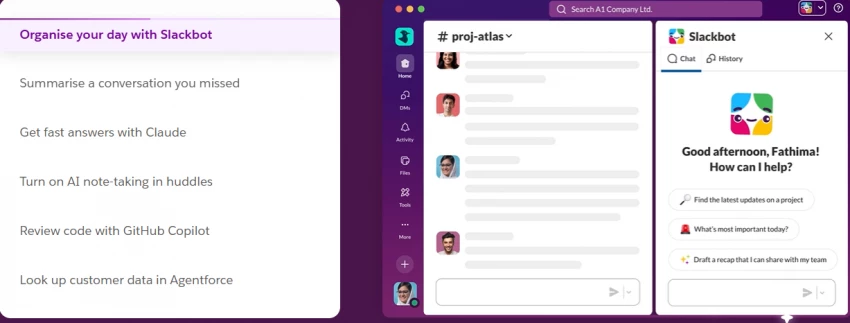
Vacation Tracker solved this problem by integrating directly with Slack and Microsoft Teams. Employees can submit leave requests inside the communication platform they already use, and managers can approve or decline them instantly.
The platform also allows companies to define policies such as paid leave, regional holidays, and rollover limits. This becomes extremely useful for organizations with international teams where leave rules vary by country.
From a manager’s perspective, the biggest advantage is visibility. I can see upcoming absences in a shared calendar and plan project timelines accordingly.
Reviews from HR teams often highlight how much time the system saves compared with manual leave tracking. Users particularly appreciate the simple approval workflow.
The limitation is that Vacation Tracker focuses only on leave management. It does not include broader HR capabilities such as payroll or performance reviews.
Even so, it solves one of the most common administrative headaches in remote organizations.
My rating based on real use: 8.4 / 10
Official website: https://workspace.google.com
For most remote teams, there is one tool that becomes the core of daily collaboration. In our case, that tool was Google Workspace.
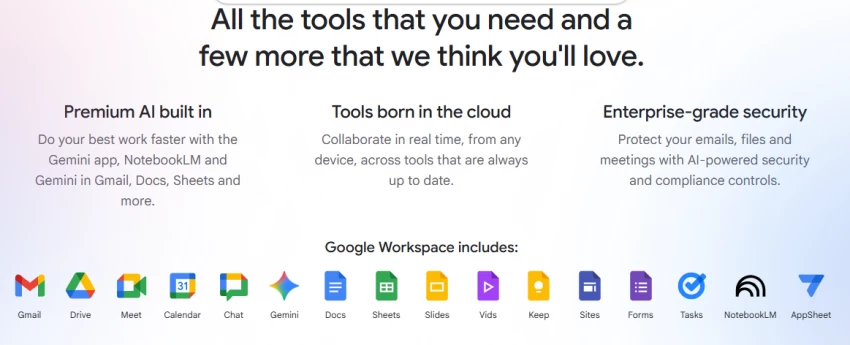
Google Workspace includes Gmail, Google Docs, Google Drive, Google Meet, and Google Calendar. Together they create a shared environment where team members can collaborate in real time.
The feature that transformed our workflow was simultaneous document editing. Multiple team members can work on the same document at the same time while leaving comments and suggestions. This eliminates the problem of having several different versions of the same file.
Google Meet also became our primary platform for internal meetings, allowing quick video calls without complicated setup.
Another advantage is integration. Google Workspace connects easily with project management platforms, CRM systems, and productivity tools.
User reviews often highlight the reliability of the platform and its real-time collaboration features. The learning curve is also relatively low because most people are already familiar with Google products.
However, managing permissions for large organizations can sometimes become complicated. When dozens of people have access to shared folders, controlling document access requires careful configuration.
Overall, though, Google Workspace has become the backbone of remote collaboration for our team.
My rating after years of use: 9 / 10
Official website: https://slack.com
Communication is the most critical factor in remote work. Without quick conversations and shared discussions, even simple decisions can take hours.
Slack replaced email as our main internal communication platform. Instead of long email threads, discussions happen inside channels dedicated to specific teams or projects.
For example, our marketing team has a dedicated channel, development projects have separate channels, and company-wide announcements are shared in a general channel.
Slack also integrates with hundreds of other tools including project management systems, document platforms, and analytics dashboards. This means notifications from those systems appear directly inside Slack conversations.
User reviews consistently highlight how Slack improves communication speed and transparency. Teams can easily search past conversations and files, which helps maintain project history.
However, Slack also introduces a new challenge: information overload. If channels are not organized properly, employees may receive too many notifications.
To solve this, we created channel guidelines and encouraged employees to mute non-essential channels.
Even with that limitation, Slack remains one of the most powerful communication tools for remote teams.
My rating: 8.8 / 10
Official website: https://trello.com
Project visibility becomes essential when managing distributed teams. Without clear task tracking, managers often struggle to understand who is responsible for what.
Trello solved this problem by introducing a simple visual workflow based on boards and cards. Each project is organized into columns representing stages of work such as “To Do,” “In Progress,” and “Completed.”
Tasks move between columns as work progresses, which provides instant visibility into project status.
For smaller teams, this system works extremely well because it keeps task management simple and visual.
User reviews often highlight Trello’s ease of use and flexibility. Teams can customize boards to match their workflow and attach files, deadlines, and comments to each task card.
However, Trello may feel limited for complex enterprise projects that require advanced reporting or automation features.
For small and medium remote teams, though, it remains one of the most accessible project management tools.
My rating: 8.3 / 10
Official website: https://desktime.com
Productivity monitoring is a controversial topic in remote work. While managers need visibility into how work is progressing, employees often worry about excessive surveillance.
DeskTime attempts to balance these concerns by focusing on productivity analytics rather than strict monitoring.
The platform automatically tracks time spent on applications and websites during the workday. It categorizes activities as productive or unproductive based on predefined rules.
From my perspective as a manager, the platform helped identify workflow bottlenecks rather than simply monitoring individuals.
Reviews from companies using DeskTime often praise its detailed reporting and automated timesheets.
However, some employees may feel uncomfortable if monitoring policies are not communicated clearly. It works best when used transparently as a productivity improvement tool rather than a surveillance system.
My rating: 8.2 / 10
Official website: https://compt.io
One aspect of remote work that companies often overlook is employee benefits. Traditional office perks such as free meals or commuting allowances do not translate well to distributed teams.
Compt addresses this challenge by offering flexible benefits management.
Instead of fixed perks, employees receive a monthly or annual stipend that they can spend on categories such as home office equipment, wellness programs, internet costs, or professional learning.
For global teams, this flexibility is extremely valuable because employees can choose benefits that suit their local circumstances.
User feedback frequently highlights how empowering this system feels compared with traditional corporate benefits programs.
The limitation is that Compt focuses specifically on benefits management and does not replace full HR systems.
Still, it significantly improves employee satisfaction in remote organizations.
My rating: 8 / 10
After several years of managing distributed teams, I have realized that the success of remote work depends heavily on the tools companies choose.
Communication platforms like Slack keep conversations flowing quickly. Collaboration systems like Google Workspace allow teams to work together on documents in real time. Project management tools such as Trello make task ownership visible. Technical tools like TeamViewer solve remote troubleshooting issues. Productivity analytics tools like DeskTime provide insight into work patterns, and benefits platforms like Compt help maintain employee satisfaction.
However, the most important lesson is that tools alone do not create productive teams. Clear communication, trust, and well-defined workflows matter far more than any software platform.
The best remote teams use technology to support collaboration rather than control employees. When the right balance is achieved, remote teams can operate with a level of efficiency that traditional offices often struggle to match.
Be the first to post comment!
A school gradebook sounds like a simple thing until you watch what happens when...
Sakshi Dhingra4 days ago

The Growing Buzz Around EditPro in the AI Editing SpaceIn 2026, the name “EditPr...
Sakshi Dhingra5 days ago
When I first started deploying large language models, I assumed that choosing th...
Sakshi Dhingra1 week ago
Few software websites have survived as many internet eras as Softonic. Launched...
Suraj Malik1 month ago
PDF files are everywhere, from business contracts and academic papers to invoice...
Suraj Malik1 month ago
The Xender APK has remained relevant for one simple reason: it solves a very rea...
Sakshi Dhingra1 month ago