Software
7 min read
ImgCreator by ZMO.AI Review: Features, Pricing and User Warnings You Should Know
Working in digital content means I regularly evaluate new AI tools that claim to simplify visual creation. ImgCreator by ZMO.AI is one such platform, offering features like text-to-image generation, photo editing, and background removal. To provide a clear perspective, I’ve tested the tool myself and carefully reviewed a wide range of real user experiences. Here’s an objective look at what ImgCreator delivers, where it struggles, and what to expect if you decide to try it.
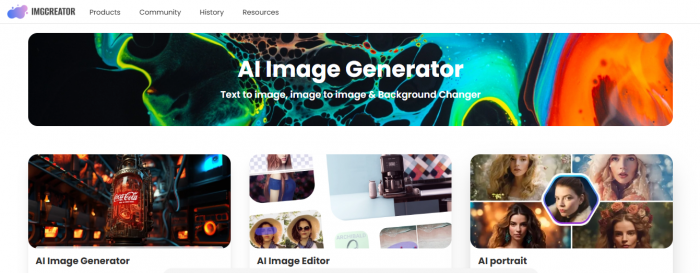
ImgCreator is an AI image generator available on both web and mobile platforms. It allows you to:
You get a set number of free credits to start, with paid plans unlocking more features and higher limits.
If you’re new to AI image tools, ImgCreator is pretty approachable. Here’s how I got started:
Step 1: Sign Up or Log In
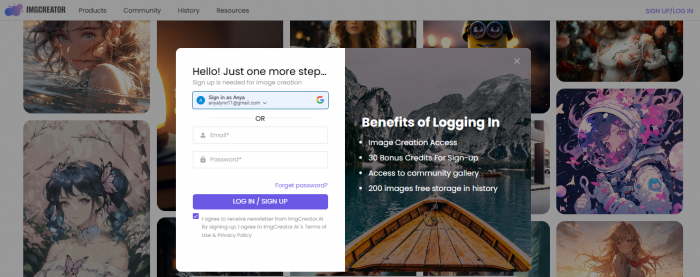
Step 2: Explore Inspiration
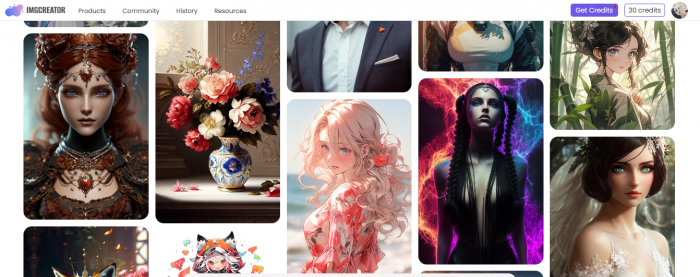
Step 3: Enter Your Prompt
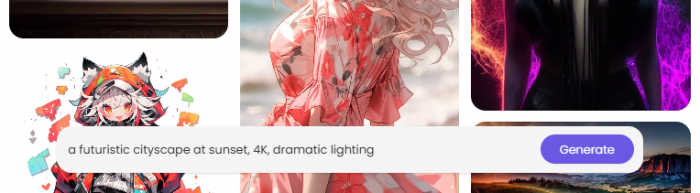
Step 4: Choose Your Model and Settings
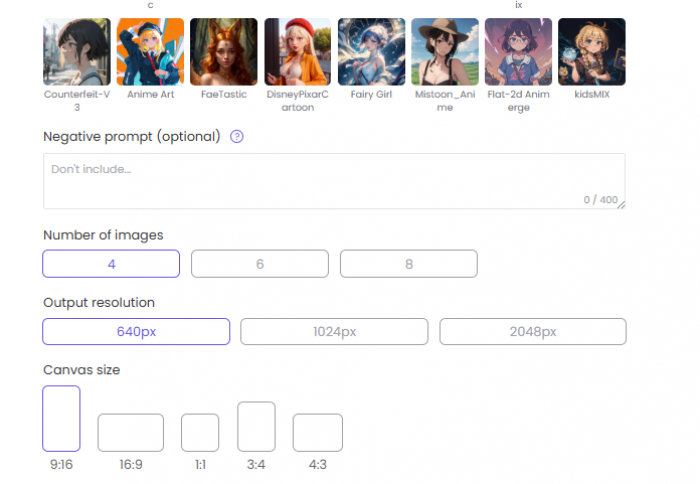
Step 5: Generate and Review
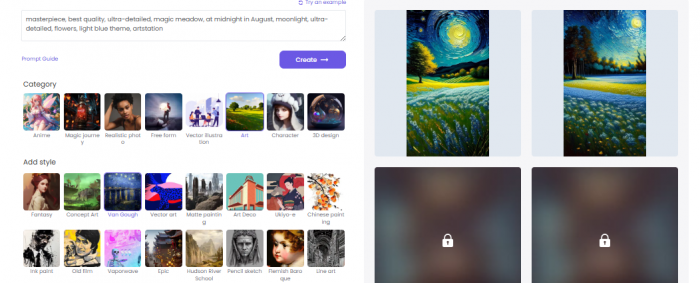
Step 6: Edit or Download
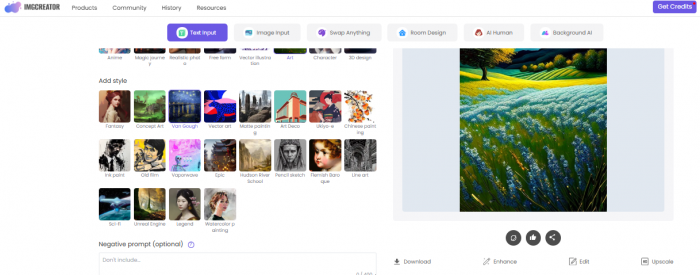
While the creative features are functional, the biggest concerns come from billing and support experiences reported by users.
Common complaints include:
Persistent Billing After Cancellation
Some users report recurring charges even after canceling.
Cancellation System Issues
Reports suggest:
Unresponsive Customer Support
Multiple users claim:
Paid Credits Not Delivered
Several users claim paid plans did not reflect correct monthly credit allocation.
_1750673119.png)
| Aspect | Positive Feedback | Negative Feedback |
|---|---|---|
| Creative Features | Users love the variety of styles and fast generation | Very few issues reported in this category |
| Ease of Use | Interface is intuitive and beginner-friendly | Some users want more tutorials or UI refinements |
| Billing Issues | Rarely praised | Major concern: auto-renewals, hidden charges, hard to cancel |
| Support Responsiveness | Minimal praise | Users report zero replies, broken contact forms |
| Platform Stability | Occasionally described as smooth | Complaints about bugs, upload failures, and lag |
ImgCreator converts written descriptions into images using AI.
What it does:
Best for: Content creators, marketers, designers, hobbyists
You can upload an existing image and let the AI modify it.
Capabilities include:
Use case: Improve photos or turn sketches into polished artwork.
Automatically removes the background from any photo.
What it’s good for:
This makes it easy to isolate subjects without manual editing.
Creates multiple images at once.
Typical batch amounts:
Batch generation speeds up workflows for creators needing many variations.
Pre-built prompt structures to help beginners generate better outputs.
Templates include:
This helps reduce guesswork with wording.
ImgCreator offers guided styles that affect output characteristics.
Common styles include:
Choosing different styles alters mood and detail.
You can upload a reference image to guide the AI’s result.
What it influences:
Model strength adjusts how loosely or strictly the AI follows prompt vs. reference.
After generation, built-in editing tools help refine results:
Retouching – Fix artifacts or improve areas
Upscaling – Increase resolution without major quality loss
Cropping & framing – Quick adjustments in browser
Useful for preparing images for print or high-resolution projects.
Canvas Ratio Control
Choose the aspect ratio before generating:
This allows better output framing for different platforms.
| Feature | Description | Best For |
|---|---|---|
| Text-to-Image | AI image generation from text | Creators & marketers |
| Image Editing | Alter existing images | Photo & design improvement |
| Background Removal | Auto remove backgrounds | E-commerce & content creators |
| Batch Generation | Multiple images at once | Volume creatives |
| Prompt Templates | Pre-built prompts | AI beginners |
| Style Options | Different artistic modes | Creative exploration |
| Reference Upload | Guide output with your image | Custom results |
| Retouch & Upscale | Improve final output | High-quality deliverables |
| Canvas Ratio Selection | Fit output to use-case | Social & print formats |
| Plan | Monthly Price | Yearly Price (per month) | Credits/Month | Resolution | Concurrent Batch | Key Features |
|---|---|---|---|---|---|---|
| Starter | $14.9 | $4.9 | 300 | Up to 1K | 4 images | Remove daily limit, Magic Journey Filter |
| Pro | $29.9 | $14.9 | 3,000 | Up to 2K | 6 images | Unlock all premium filters, Negative Prompt, batch generation, higher resolution |
| Boss | $59.9 | $24.9 | Unlimited | Up to 2K | 8 images | All premium features, Magic Journey Filter (400/month), unlock all aspect ratios, advanced tools |
| Special | $48.0 | $432.0 | — | Up to 2K | — | High-res background generations, remove ZMO.AI logo, one-click social media resizing |
Notes:
All paid plans remove daily limits and allow batch generation. Only Pro and Boss unlock premium filters, negative prompts, and advanced editing (enhance, upscale, unlimited cloud storage).
I tested ImgCreator to see how well it handles everyday visual tasks. The image generation works, and the styles are varied enough for basic needs. However, the overall experience felt inconsistent. I didn’t face billing issues personally, but after seeing how many users reported being charged after canceling, with no support response, I avoided upgrading.
If you try it, stick to the free version first and monitor your account closely. The tool has potential, but the support and billing system raise serious concerns.
Be the first to post comment!
When you need to draw something with someone right now, not after sign-ups, not...
Suraj Malik1 month ago

Choosing the right software for your business can feel overwhelming. Every vendo...
Suraj Malik1 month ago

The Allure vs. the RealityIn the crowded world of online dating, SearchingForSin...
Sakshi Dhingra6 months ago
A quick look at Apkek.org shows it isn’t a true APK platform but a general tech-...
Sakshi Dhingra6 months ago
MagicLight AI is marketed as a long-form text-to-video animation platform capabl...
Vaishali6 months ago

The rise of algorithmic trading has changed how retail traders operate. But for...
Vaishali7 months ago