
When I first discovered Gizmo AI, it immediately positioned itself as something more than a typical flashcard app. It claims to turn almost any study material into interactive flashcards using artificial intelligence, automate spaced repetition, and gamify learning so students actually stay consistent. That promise is strong. But I didn’t want to rely on marketing copy alone.
So I went deep. I explored the main website, tested the feature-specific pages like Flashcard Maker, PDF Converter, and Notes Converter, reviewed both mobile app listings, analyzed third-party reviews, checked investor backing, read Reddit debates, and examined the privacy policy.
Here is my complete, structured, and honest breakdown.
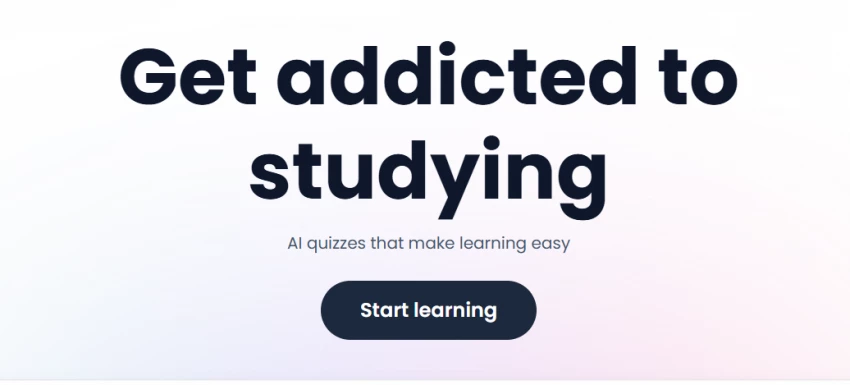
At its core, Gizmo AI is a study automation tool built around active recall and spaced repetition. The difference between Gizmo and traditional flashcard platforms is that it minimizes manual effort. Instead of forcing me to build every card from scratch, it uses AI to extract key concepts from my material and generate ready-to-study flashcards.
On the main Gizmo homepage, the company emphasizes speed and ease. It promotes the idea that I can convert content like Quizlet sets, Anki decks, YouTube videos, PDFs, notes, and PowerPoints into flashcards within seconds. The workflow is simple: upload content, let AI process it, then start reviewing immediately.
What makes Gizmo stand out is that it doesn’t just generate flashcards. It layers quizzes, streak systems, gamified challenges, and AI tutoring on top of them. That means it tries to address not just memory retention, but also study consistency.
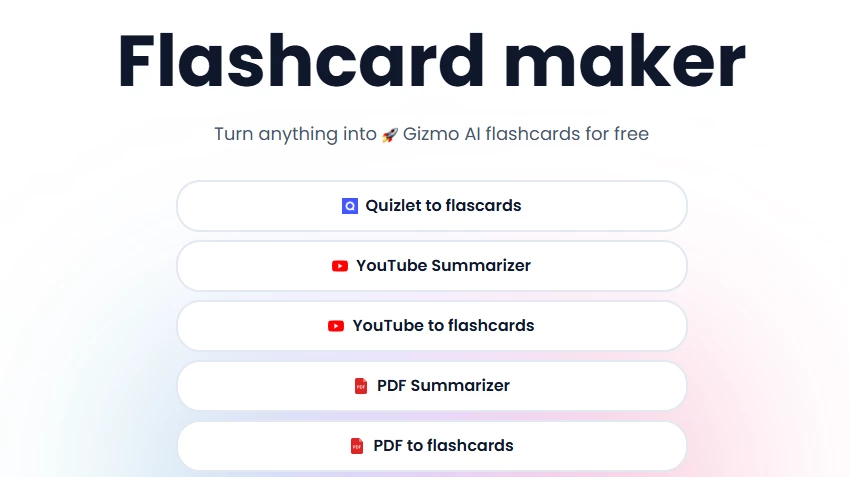
When I use the Flashcard Maker inside Gizmo AI, I immediately see that the real value lies in content transformation. Instead of building flashcards manually, which traditionally requires reading, summarizing, rewriting, and formatting, Gizmo compresses that entire workflow into a single automated step.
But the automation isn’t random. It follows a structured process.
1. Content Parsing and Structure Detection
The first thing Gizmo’s AI does is analyze the structure of the content I provide. Whether I paste text, upload a file, or import from another source, the system looks for:
For example, if I paste lecture notes on cellular respiration, the AI doesn’t just convert sentences into random Q&A pairs. It detects conceptual boundaries like “Glycolysis,” “Krebs Cycle,” and “Electron Transport Chain,” and then generates questions around those clusters.
This structural awareness is important because weak flashcard generators often ignore context. Gizmo attempts to preserve conceptual groupings before creating cards.
2. Question–Answer Pair Generation Logic
After structure detection, the AI converts information into testable prompts.
There are typically three types of flashcards generated:
Definition-based cards
Example: “What is oxidative phosphorylation?”
Concept explanation cards
Example: “Why is NADH important in cellular respiration?”
Process-based or sequence cards
Example: “What are the steps of the Krebs Cycle in order?”
If the source content is well organized, the cards tend to be clean and exam-relevant. If the content is messy, such as poorly formatted notes or fragmented PDF scans, the AI may produce overly broad or vague questions.
This is where I intervene and refine.
3. How the PDF Converter Works Internally
When I use the PDF converter, the system behaves slightly differently compared to plain text input.
Step one involves extracting text from the PDF. If the PDF is digitally structured (not scanned), the extraction is cleaner. If it’s a scanned document, OCR quality matters.
Then the AI:
Identifies chapter titles and sections
Detects bolded or italicized terms
Recognizes glossary-like segments
Separates diagrams and captions (sometimes imperfectly)
If I upload a textbook chapter, Gizmo tends to generate flashcards around bold terms and subheadings first. That works well for structured academic PDFs. However, in dense technical PDFs (like legal case studies or engineering manuals), it sometimes generates cards that are too surface-level.
In highly technical subjects, I usually rewrite the question to make it more application-focused.
4. How the Notes Converter Differs
The Notes converter is optimized for raw text.
When I paste unstructured lecture notes, the AI first reorganizes the material before generating cards. It often:
Breaks long paragraphs into conceptual segments
Rephrases incomplete sentences
Attempts to infer missing context
For example, if my notes say:
“ATP high energy molecule, produced in mitochondria, used for transport and muscle contraction”
Gizmo might convert that into:
“What is ATP and where is it produced?”
“What are two primary functions of ATP?”
This restructuring is helpful for messy notes. However, if my notes are ambiguous or shorthand-heavy, the AI may misinterpret the context.
So clarity of input directly impacts clarity of output.
5. Editing and Refinement Phase
This is the part many users underestimate.
AI-generated flashcards are drafts, not final exam-ready materials.
I usually check for:
Ambiguous wording
Overly generic questions
Missing edge cases
Inaccurate summarization
Misinterpreted abbreviations
For subjects like medicine, law, or mathematics, precision matters. One vague word in a flashcard can cause confusion later.
Gizmo reduces the time I spend creating cards, but I still spend time polishing them.
6. Strengths of the Flashcard Maker
From my experience, it performs best when:
The source material is clean and structured
The topic is conceptual rather than formula-heavy
The notes are descriptive rather than shorthand
It dramatically reduces setup time. Instead of spending 45 minutes creating cards from a chapter, I might spend 10 minutes editing AI-generated ones.
That time compression is where Gizmo’s value lies.
7. Limitations I’ve Observed
The system struggles when:
PDFs contain heavy diagrams or equations
Notes are extremely condensed
Material requires deep analytical reasoning
Context spans multiple pages
It can sometimes generate surface-level recall cards instead of application-level ones. For higher-order exams, I often modify cards into scenario-based prompts.
8. Why I Call It a Productivity Accelerator
Gizmo doesn’t replace understanding. It accelerates preparation.
The mental energy required to convert content into flashcards is significantly reduced. Instead of spending most of my study session building materials, I spend more time reviewing and testing.
That shift, from preparation to active recall, is the biggest benefit.
However, if I blindly trust the AI output without review, I risk studying flawed or incomplete material.
So I use Gizmo as a study assistant, not a study substitute.
On the Google Play Store listing, Gizmo markets itself as more than a flashcard tool. It promotes an “AI Tutor” feature designed to teach concepts, help with homework, and explain difficult material. This means Gizmo competes not only with Anki but also with AI tutoring tools.
On the Apple App Store listing, the app highlights over one million public flashcards and emphasizes gamified learning. That large content base suggests there’s already an ecosystem of shared decks, which is important for students who want ready-made study materials.
The gamification element is something I take seriously. Streaks, points, and achievement loops are not trivial features. Many students struggle with consistency more than intelligence. In that context, motivation design becomes a major competitive advantage.
The debate between Gizmo and Anki is ongoing in student communities. In discussions like this thread on Reddit’s Anki community, users compare the control Anki offers over spaced repetition intervals with the ease and automation of Gizmo.
Anki provides granular control over card types, cloze deletions, interval timing, and deck customization. Gizmo, on the other hand, simplifies the process and focuses on automation.
In my assessment, if I value precision and deep customization, Anki is superior. If I value speed and motivation, Gizmo can be more practical. They serve slightly different psychological needs.
Yes, and this is important.
According to Why NFX Invested in Gizmo, the company received venture backing from NFX. TechCrunch also reported that Gizmo raised $3.5 million in seed funding led by NFX with participation from Ada Ventures and CapitalT.
This indicates that Gizmo is not a short-term experimental app. It has investor support and a roadmap.
No, Gizmo AI is not 100% free.
While the app can be downloaded for free and offers a free usage tier, third-party breakdowns such as the one on UPDF’s Gizmo review and analysis from Mattrics explain that advanced AI usage and unlimited features require a subscription.
Pricing may vary depending on region and platform. Some sources mention weekly or yearly subscription plans, but the most accurate pricing is always shown inside the app store purchase interface.
The safest statement is that Gizmo has a free tier with limitations and paid tiers for expanded usage.
When I examined Gizmo’s profile on Trustpilot, what stood out to me wasn’t extreme praise or heavy backlash, it was moderation. The rating sits in a mid-range zone, and the review count is not extremely high compared to large edtech platforms. That in itself tells me something important: Gizmo is still growing, and public sentiment is forming rather than fully established.
What I noticed in the positive reviews is a recurring theme around efficiency. Users consistently mention that Gizmo saves them hours of manual flashcard creation. Students preparing for exams often highlight how quickly they can convert lecture notes or PDFs into usable revision material. Another frequently praised element is gamification. Streaks, quizzes, and progress tracking appear to be strong motivational drivers. For many users, this psychological reinforcement seems to matter as much as the AI itself.
However, the criticisms are equally practical rather than emotional. Several reviewers question pricing clarity, especially around subscription upgrades. Some users mention that while the app is free to download, they encountered feature limitations sooner than expected. Others point out that AI-generated flashcards occasionally lack precision or require editing, particularly for highly technical subjects.
What I find reassuring is that the complaints are mostly about refinement rather than legitimacy. I did not observe widespread accusations of scams, major billing fraud, or catastrophic technical failures. Instead, most dissatisfaction appears to revolve around expectations, especially around “how free” the app truly is and how accurate AI extraction should be.
Another subtle signal I noticed is tone consistency. Reviews, both positive and negative, tend to sound like real students describing real study workflows. That reduces the risk of artificial hype or coordinated negativity.
Because the overall review volume is moderate rather than massive, I avoid drawing absolute conclusions. A mid-sized dataset means sentiment can shift over time as the user base grows. But at present, Trustpilot reflects a product that is helpful, imperfect, evolving, and still refining its balance between automation and precision.
In short, user sentiment suggests Gizmo is valuable for productivity and motivation, but it requires realistic expectations about AI accuracy and subscription structure.
When I reviewed Gizmo’s official Privacy Policy, I found that it collects account data, uploaded study materials, device information, and payment data for subscriptions.
The company states it does not sell personal data under California privacy definitions. However, like any cloud-based AI app, it processes and stores uploaded content.
If I am uploading highly sensitive academic or institutional material, I ensure it complies with school policies.
On the Play Store data safety section, the developer declares no third-party data sharing. That is platform-reported information.
After reviewing everything from product pages to app listings, Reddit discussions, investor backing, and privacy disclosures, I conclude that Gizmo AI is a legitimate and useful study tool with clear strengths in automation and motivation.
It is not a perfect replacement for precision-heavy spaced repetition tools like Anki. It is not entirely free. It is not flawless in AI extraction accuracy.
But it is practical, modern, venture-backed, and built for students who want speed and structure.
If my biggest struggle is starting revision, Gizmo helps. If my biggest struggle is optimizing retention intervals, I may still prefer manual control tools.
Is Gizmo AI 100% free?
No. It offers a free tier but requires paid subscriptions for advanced or unlimited AI features.
Is Gizmo AI good for studying?
Yes, particularly for quickly converting notes and PDFs into flashcards and maintaining study consistency through gamification.
Is Gizmo a free app?
Yes, it is free to download on Android and iOS, but subscriptions unlock additional features.
How much does Gizmo AI cost?
Pricing varies by region and platform. Subscription details are available inside the app store purchase interface.
Is the Gizmo AI app safe?
Gizmo provides a detailed privacy policy and states it does not sell personal data, but like any AI tool, uploaded materials are processed on its servers.
Be the first to post comment!
When I test AI voice generators seriously, I don’t judge them by demo clips. I t...
Sakshi Dhingra12 hours ago
I went into this expecting one “best” AI animation tool. What I found instead is...
Sakshi Dhingra1 day ago
When I started digging into Lenso.ai, I didn’t want surface-level claims. I want...
Sakshi Dhingra1 day ago
Motion graphics is no longer “only After Effects.” Today I can generate motion s...
Sakshi Dhingra3 days ago
Blaze AI presents itself as an all-in-one AI marketing platform built specifical...
Sakshi Dhingra3 days ago
AI video generation is no longer experimental. It has become a production workfl...
Sakshi Dhingra4 days ago