Software
5 min read
MollyGram Breakdown: Features, Use Cases, Limitations, and Alternatives

Instagram doesn’t always make it easy to save or quietly view content. While screen recording or taking a screenshot is always an option, these methods often lower the quality, create extra steps, or send notifications in certain cases. For users who want to access public Instagram content without logging in, MollyGram offers one possible approach through a browser-based tool.
It does not promise anything beyond that, it simply gives access to publicly available media, with no interaction or account connection involved.
MollyGram is a website that allows anyone to view and download publicly shared Instagram content. It doesn’t require users to log in to Instagram and does not work with private accounts. The site supports access to the following types of content:
The platform does not offer any features for posting, liking, or commenting. It only displays content that’s already visible to the public on Instagram.
The process is straightforward:
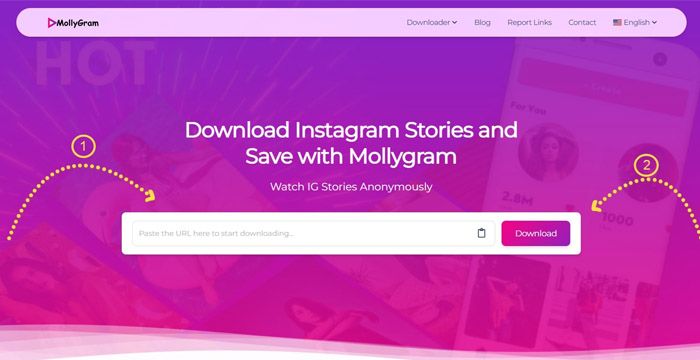
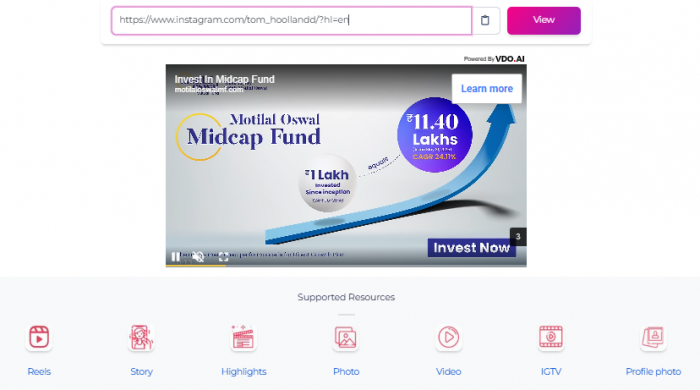


There is no login process, and no mobile app is involved. All usage happens directly in a web browser.
Screenshots are easy but limited:
MollyGram solves these issues by retrieving the raw file Instagram exposes publicly, similar to how AI fashion platforms like Bandy AI extract higher-quality image layers for virtual try-ons (here’s a full breakdown).
There’s no specific target audience for MollyGram, but it may be relevant to:
It is not designed for communication or content creation, and it does not function as a replacement for the Instagram platform itself.
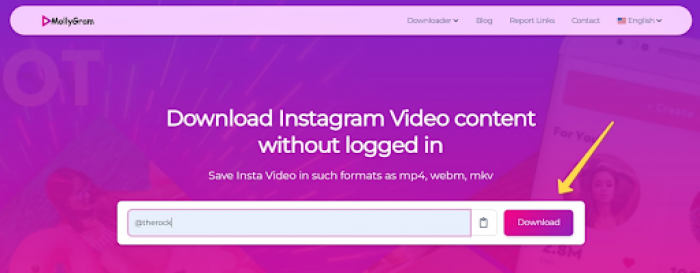
MollyGram is exclusively a web-based tool.
There is no Android app, no iOS app, and no downloadable client.
The browser version works on:
But performance varies, especially on mobile.
What Works
What Doesn’t
After using MollyGram, I found the concept useful, but the experience frustrating at times.
Frequent Errors: I often got the “Something went wrong. Please try again later” message, even with public profiles.
Slow Loading: The tool lagged or froze while fetching content, especially for stories and reels.
Annoying Ads: Almost every click triggered pop-ups or redirects, making it hard to use smoothly.
Mobile Issues: On my phone, the interface didn’t load properly—buttons were unresponsive or missing.
The tool works occasionally, but reliability is inconsistent, similar to the unpredictable performance users report from other scraping-based tools like CivitAI models with unstable outputs (see performance breakdown).
MollyGram is fine for one-off tasks, but not reliable enough for professional workflows.
The website does not request personal information.
Downloads are direct media files, not APKs or executables.
Ads may contain redirects; use caution.
MollyGram only shows already public Instagram content.
However, downloading someone else’s copyrighted content always carries responsibility. The platform warns users to respect ownership rights.
Important:
Viewing private profiles through any 3rd-party tool is unsafe, unethical, and often illegal. MollyGram does not bypass privacy.
| Feature / Tool | MollyGram | StoriesIG | InstaDP | SaveIG |
| Login Needed | No | No | No | No |
| Works with Private Accounts | No | No | No | No |
| Download Stories | Yes | Yes | Yes | Yes |
| Download Reels | Yes | No | Yes | Yes |
| Profile Photo (Full Size) | Yes | No | Yes | Yes |
| Mobile App Available | No | No | No | Yes |
| Web-Based Only | Yes | Yes | Yes | No |
Because MollyGram suffers from inconsistent uptime and ad clutter, users often look for alternatives:
A more stable downloader with fewer loading errors.
Best for profile pictures and highlights.
Cleaner interface with strong reel/story support.
Minimalist and fast, works well for story extraction.
For safer digital consumption, many users turn toward character-driven AI platforms like the AI Hoshino cultural deep-dive (symbolism analysis), offering more controlled experiences compared to unstable scraping sites.
MollyGram serves a specific function: it allows users to view and download publicly accessible Instagram content without logging in or linking a personal account. Operating entirely through a web browser, it supports access to stories, reels, posts, profile pictures, highlights, and IGTV, provided the content is from public profiles. It doesn’t enable interaction with posts, doesn’t work with private accounts, and doesn’t store or track user information. While the tool can be useful in certain scenarios, users need to remain aware of Instagram’s platform rules and avoid using such services in ways that could violate privacy expectations or content ownership rights.
Be the first to post comment!
When you need to draw something with someone right now, not after sign-ups, not...
Suraj Malik1 month ago

Choosing the right software for your business can feel overwhelming. Every vendo...
Suraj Malik1 month ago

The Allure vs. the RealityIn the crowded world of online dating, SearchingForSin...
Sakshi Dhingra5 months ago
A quick look at Apkek.org shows it isn’t a true APK platform but a general tech-...
Sakshi Dhingra6 months ago

MagicLight AI is marketed as a long-form text-to-video animation platform capabl...
Vaishali6 months ago

The rise of algorithmic trading has changed how retail traders operate. But for...
Vaishali6 months ago