Automation tools help businesses:
● Save time: Automate routine tasks like lead routing, notifications, or reporting.
● Reduce errors: Minimize human mistakes in data entry or approvals.
● Improve visibility: Track processes with dashboards and alerts.
● Scale efficiently: Grow without overloading your team.
● Create repeatable processes: Ensure workflows are consistent across teams.
Modern workflow tools now offer drag-and-drop builders, AI-powered automation, prebuilt templates, and seamless integrations. They handle everything from marketing campaigns to HR onboarding, customer support, and finance approvals.
Overview:
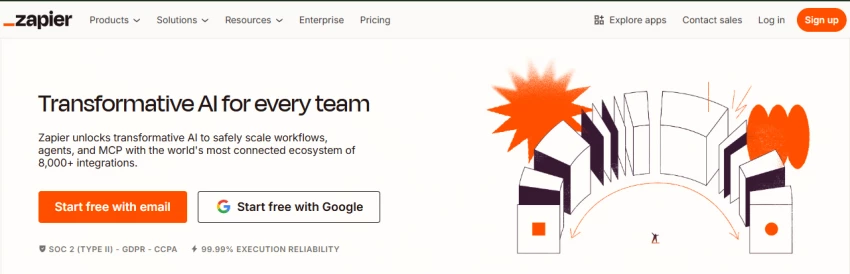
Zapier is one of the most popular workflow automation tools worldwide. It allows businesses to connect multiple apps without writing a single line of code. It’s designed for teams that want to automate repetitive tasks quickly.
Key Features:
● 6,000+ App Integrations: Gmail, Slack, Google Sheets, Shopify, Trello, and more.
● No-Code Drag-and-Drop Builder: Easy for anyone to create workflows (called “Zaps”).
● Multi-Step Automation: You can trigger multiple actions from a single event.
● AI Suggestions: Zapier now uses AI to suggest workflows based on user behavior.
● Pre-Built Templates: Quick setup for common processes like lead capture or social media posting.
AI Capabilities:
● AI-assisted workflow suggestions
● Smart triggers to optimize automation paths
Best Use Cases:
● Marketing teams: Automate social media posts, email campaigns, or lead syncing
● Sales teams: Automatically assign leads, track customer activity, or send notifications
● Small business owners/solopreneurs: Reduce repetitive admin work
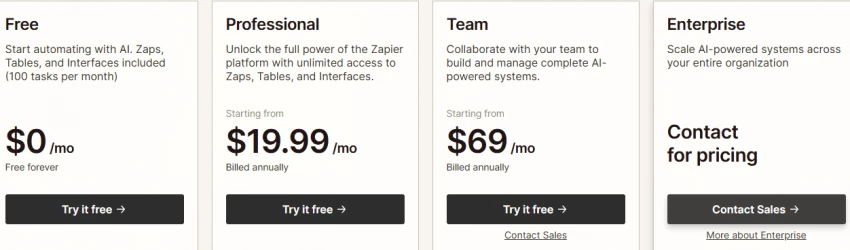
Pricing (2026):
● Free plan with basic automation (100 tasks/month)
● Paid plans starting at ~$19.99/month, offering unlimited Zaps, advanced workflows, and multi-step automation
Why It Stands Out:
Zapier is simple, versatile, and accessible to non-technical teams. It’s perfect for quickly connecting apps without IT support.
Overview:
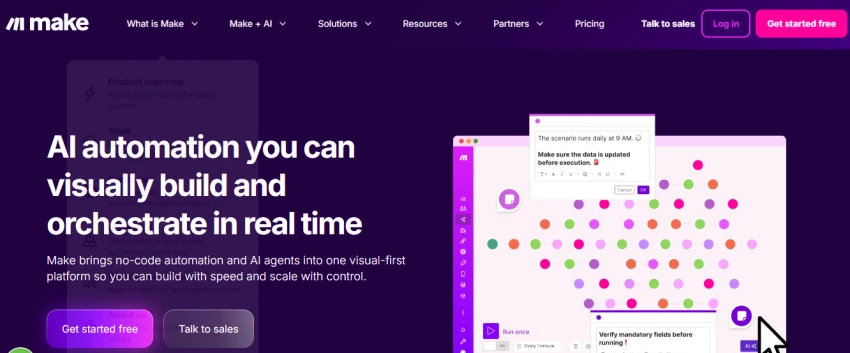
Make.com is ideal for teams that need complex, custom workflows. It uses a visual builder that allows you to design automation with conditional logic, branching, and multiple steps.
Key Features:
● Visual Workflow Builder: Drag-and-drop modules to connect apps.
● Advanced Logic: Conditions, loops, and filters for custom workflows.
● Affordable Pricing: More cost-effective for startups and mid-sized teams.
● Prebuilt Templates: Ready-to-use automation for common processes.
● Multi-Step Workflows: Trigger multiple apps in a single workflow.
AI Capabilities:
● AI can suggest workflow paths
● Automatic error detection and optimization
Best Use Cases:
● Agencies: Automate reporting and client communication
● Data-heavy teams: Integrate multiple databases or apps
● SaaS companies: Automate customer onboarding and billing processes
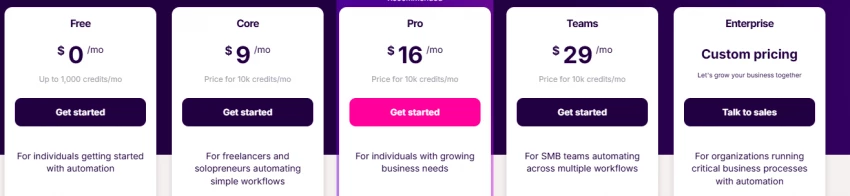
Pricing (2026):
● Free plan available with limited operations
● Paid plans start at ~$9/month, scaling by operations and features
Why It Stands Out:
Make.com is flexible and powerful for teams that need technical control without full coding. It’s a great step up from basic automation platforms.
Overview:
Kissflow is a complete workflow management system designed for enterprises and departments needing structured workflows. It goes beyond simple automation by managing end-to-end processes.
Key Features:
● No-Code & Low-Code Builder: Create workflows without coding expertise.
● Process Templates: For HR, procurement, finance, and IT.
● End-to-End Automation: Automates task assignment, approvals, notifications, and reporting.
● Dashboards & Analytics: Track workflow efficiency and identify bottlenecks.
AI Capabilities:
● Smart data extraction from forms and documents
● AI-based suggestions for workflow optimization
Best Use Cases:
● HR: Employee onboarding, leave approvals, performance review workflows
● Finance: Invoice approvals, expense management
● Procurement: Vendor requests, purchase approvals
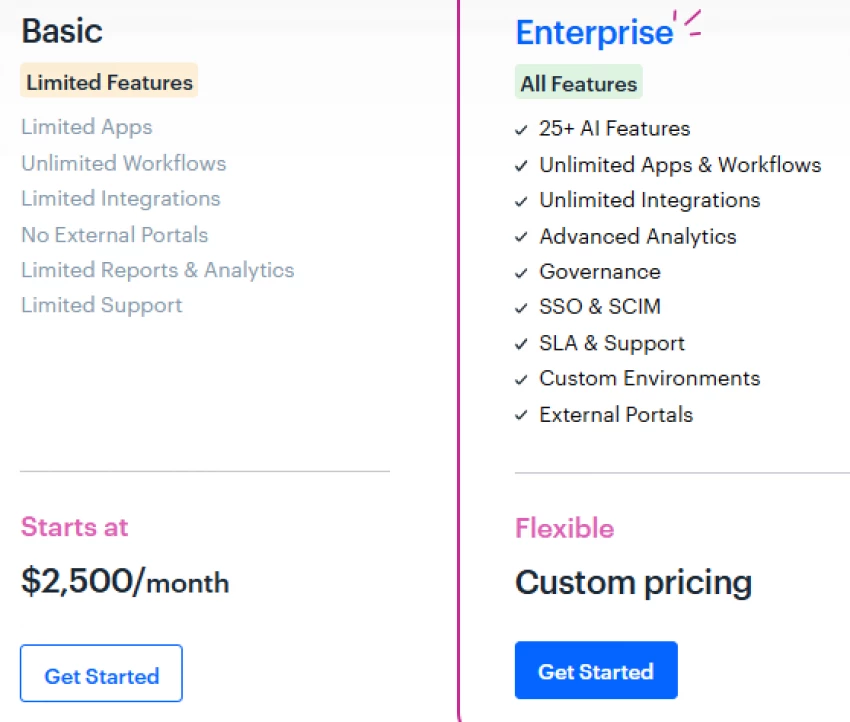
Pricing (2026):
● Starts around ~$27/user/month
● Enterprise plans available with advanced analytics, integrations, and API access
Why It Stands Out:
Kissflow is ideal for teams seeking structure and repeatable processes across departments. It is more than just a “trigger-action” tool it orchestrates entire workflows.
Overview:
Power Automate is part of the Microsoft 365 ecosystem. It’s built for enterprises and teams using Microsoft tools like Teams, SharePoint, and Outlook. It combines Robotic Process Automation (RPA) with AI to handle both digital and desktop workflows.
Key Features:
● RPA Capabilities: Automate repetitive desktop tasks and legacy applications
● Pre-Built Templates: Automate approval workflows, data sync, and notifications
● AI Builder: Use AI to process forms, analyze text, and predict trends
● Enterprise Security: Advanced compliance and access controls
AI Capabilities:
● AI-based document reading
● Predictive automation for repetitive tasks
● AI-driven process recommendations
Best Use Cases:
● Finance: Invoice approvals, expense tracking
● Operations: Vendor management, inventory updates
● IT & Compliance: Automate audits, reporting, and access requests
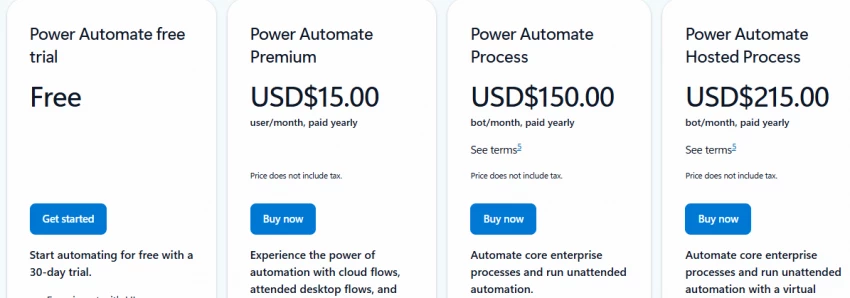
Pricing (2026):
● Free limited version included in Microsoft 365
● Paid plans start at ~$15/user/month for premium connectors and RPA
Why It Stands Out:
Power Automate is ideal for large organizations already using Microsoft apps. Its RPA and AI capabilities make it a strong enterprise solution.
Overview:
Salesforce Flow is a workflow automation tool native to Salesforce CRM, built for mid-to-large enterprises. It automates complex business logic, streamlines sales, service, and marketing processes, and leverages Salesforce’s AI, Einstein.
Key Features:
● Native CRM Integration: Works seamlessly with Salesforce data and objects
● Visual Flow Builder: Design workflows with drag-and-drop functionality
● Advanced Automation: Trigger workflows based on conditions, updates, or events
● Reporting & Analytics: Track workflow performance within Salesforce dashboards
AI Capabilities:
● Einstein AI predicts next best actions
● AI-based lead scoring and activity recommendations
● AI-generated workflow suggestions from text prompts
Best Use Cases:
● Sales: Lead assignment, opportunity updates, activity logging
● Customer Success: Support ticket routing, case management
● Marketing: Campaign automation, multi-channel workflow triggers
Pricing (2026):
● Included with Salesforce licenses (Essentials to Enterprise)
● Salesforce Flow features scale with CRM edition
Why It Stands Out:
Salesforce Flow is perfect for teams fully invested in Salesforce looking to automate sales, marketing, and support processes efficiently.
When selecting a tool, consider these factors:
1. Your Workflows:
○ Marketing → Zapier, Make.com
○ CRM → Salesforce Flow
○ Approvals → Kissflow, Power Automate
2. Team Skill Level:
○ Non-technical → Zapier, Kissflow
○ Technical/Developer → Make.com, Power Automate
3. Tech Ecosystem:
○ Microsoft-heavy → Power Automate
○ Salesforce-heavy → Salesforce Flow
4. Scalability:
○ Look for AI capabilities, prebuilt integrations, and enterprise support.
● Sales: Lead routing, CRM sync, deal updates
● HR: Employee onboarding, leave approvals, document management
● Operations: Procurement approvals, vendor management
● Marketing: Multi-channel campaign automation, lead scoring
● Support: Ticket routing, AI-based response suggestions
Automation allows your business to run smoothly 24/7 with minimal manual effort.
Workflow automation is a team multiplier, not a replacement. It removes repetitive work, reduces errors, and gives your team time for creativity, collaboration, and strategic work.
The top 5 tools in 2026: Zapier, Make.com, Kissflow, Power Automate, and Salesforce Flow, cover everything from simple automations to complex enterprise workflows. Choosing the right tool depends on your team size, technical skill, and existing software ecosystem.
Start small, automate high-impact tasks first, and gradually expand. By doing so, your business will run like a system, not a scramble.
Be the first to post comment!
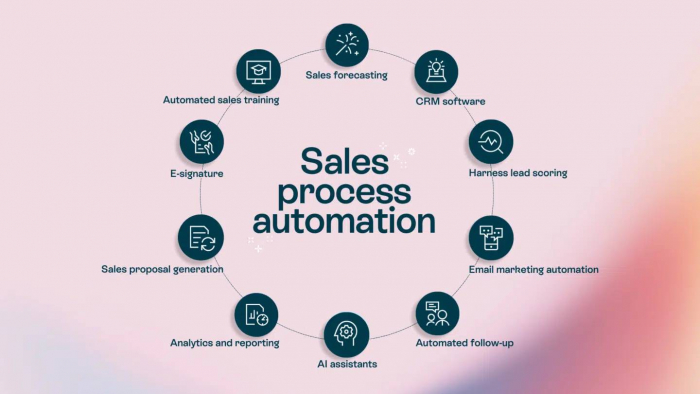
Introduction: Why Sales Automation Is No Longer OptionalToday’s B2B sales enviro...
Michael Hicklen1 month ago

Image search has quietly become one of the most powerful discovery, research, an...
Michael Hicklen1 month ago

1) Foundations :What software review platforms are-Software review platforms are...
Michael Hicklen1 month ago

1. What AI Automation in Daily Work Actually Means?1.1 AI automation in daily wo...
Michael Hicklen1 month ago
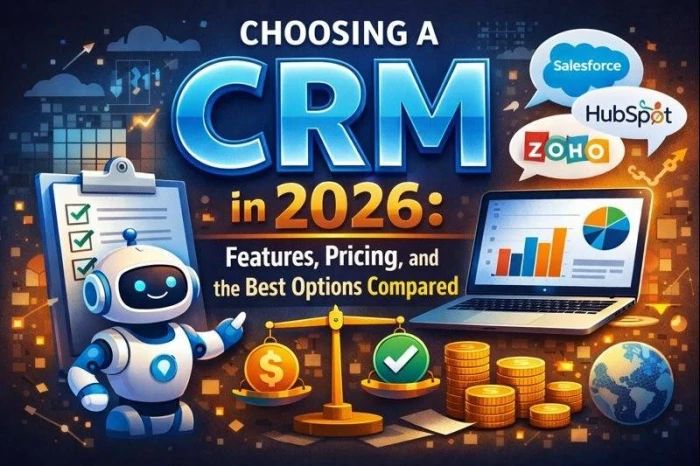
1. What Is a CRM?Definition-A CRM (Customer Relationship Management) system...
Michael Hicklen1 month ago

When brands think about where to anchor their DNS (Domain Name System) backbone,...
Michael Hicklen1 month ago