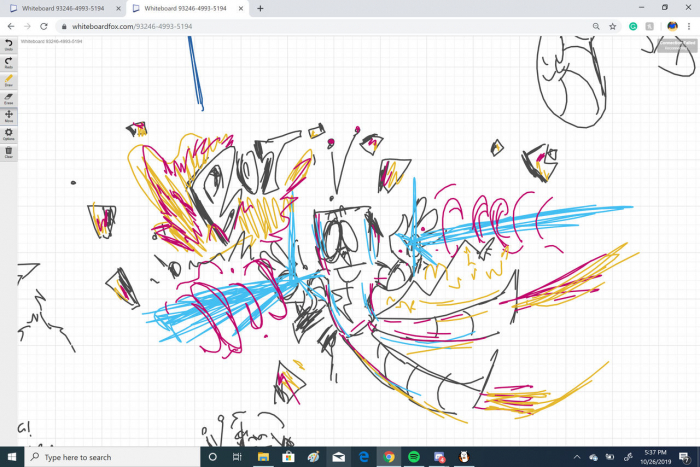
When you need to draw something with someone right now, not after sign-ups, not after downloads, and definitely not after onboarding tutorials, tools like Miro can feel heavy.
That is where Whiteboard Fox quietly stands out.
Available at https://r2.whiteboardfox.com/, Whiteboard Fox is a browser-based collaborative whiteboard built for instant sharing. No account required. No installation. Just click, draw, share the link.
It positions itself as the fastest way to start a shared whiteboard session online. But in 2026, when collaboration tools are loaded with templates, integrations, and enterprise dashboards, does simplicity still win?
Let’s break it down.
Whiteboard Fox is a lightweight online whiteboard tool developed by Springbok Solutions LLC. It runs entirely in the browser and focuses on real-time collaborative drawing.
Unlike structured collaboration platforms such as Miro or Mural, Whiteboard Fox removes complexity. There are no dashboards, no template libraries, and no workspace management systems.
Instead, it offers:
The entire philosophy is frictionless collaboration.
Multiple users can draw, write, and edit simultaneously. Updates appear almost instantly, making it suitable for live tutoring, brainstorming, and remote explanations.
The toolset includes:
Free users get 7 colors. Pro users unlock 73 colors with opacity control.
Users can drag and drop images onto the board for annotation, which is helpful for explaining diagrams or reviewing visuals.
Pinch-to-zoom on tablets and scroll-to-zoom on desktops allow users to focus on specific areas of the canvas.
Boards can be saved as PNG or PDF files, making it easy to document sessions or share notes.
Whiteboard Fox works in modern browsers across desktop, tablet, and mobile. It also supports stylus input such as Apple Pencil and Surface Pen.
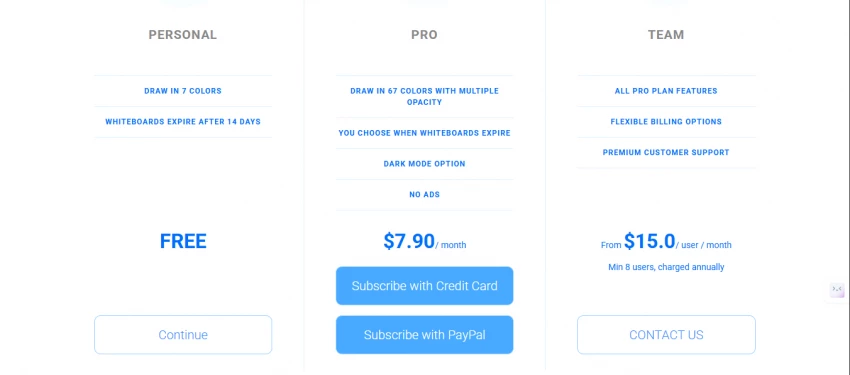
Whiteboard Fox follows a simple three-tier structure:
| Plan | Price | Key Features |
| Free | $0 | 7 colors, ads, boards expire after 14 days |
| Pro | $8/month | 73 colors, no ads, dark mode, 3 layers, boards never expire |
| Team | $15/user/month | All Pro features + premium support |
The free plan is functional but temporary. Boards expire after 14 days unless upgraded.
Its biggest advantage is speed. You can go from idea to shared canvas in seconds.
It is not built for long-term project management or large team workflows.
Whiteboard Fox is best suited for:
It may not be ideal for:
Here is a simplified comparison:
| Feature | Whiteboard Fox | Miro | Excalidraw |
| Sign-up required | No | Yes | No |
| Real-time collaboration | Yes | Yes | Yes |
| Templates | No | Extensive | Community libraries |
| Integrations | None | Zoom, Slack, Jira | Limited |
| Open-source | No | No | Yes |
| Free plan limits | 14-day boards | 3 boards | Unlimited |
| Best for | Quick sketches | Enterprise teams | Diagrams & wireframes |
Whiteboard Fox is browser-based and does not require guest accounts, which makes collaboration extremely fast. However, this convenience means that access control relies almost entirely on link sharing. Anyone with the board link can join, unless additional restrictions are applied.
Because of this, sensitive discussions should not rely solely on shared URLs. Unlike enterprise collaboration tools, Whiteboard Fox does not prominently advertise advanced access controls, audit logs, or compliance certifications.
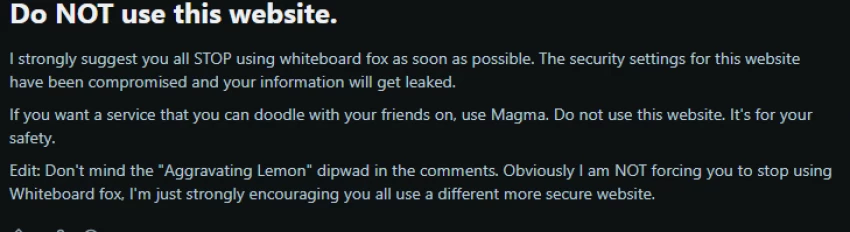
 Some users raised concerns about possible security weaknesses and alleged exposure of user information. The post strongly advised users to stop using the platform, citing fears of compromised security settings and potential data leakage.
However:
The discussion appears to reflect user suspicion and concern rather than confirmed forensic findings.
Still, perception matters. Even unverified allegations can influence trust, especially when a platform handles collaborative links that could be shared publicly.
Whiteboard Fox does not appear to have any widely confirmed security scandals. At the same time:
For casual use such as tutoring sessions or brainstorming, the risk profile may be acceptable. For highly sensitive business, legal, or personal information, organizations may prefer tools with stronger documented compliance frameworks and granular permission controls.
In short, Whiteboard Fox is best viewed as a lightweight collaboration tool rather than a secure enterprise whiteboarding system. Users should apply common-sense precautions and avoid sharing confidential data on open-access boards.
Whiteboard Fox is not trying to compete with full-featured whiteboard platforms. It is built for speed, not structure.
If you need:
Whiteboard Fox delivers efficiently.
If you need:
You may want to consider alternatives like Miro or Excalidraw.
In 2026, Whiteboard Fox remains one of the fastest ways to get a shared online whiteboard open instantly. And sometimes, that is exactly what you need.
Be the first to post comment!

Choosing the right software for your business can feel overwhelming. Every vendo...
Suraj Malik2 months ago

The Allure vs. the RealityIn the crowded world of online dating, SearchingForSin...
Sakshi Dhingra6 months ago
A quick look at Apkek.org shows it isn’t a true APK platform but a general tech-...
Sakshi Dhingra6 months ago

MagicLight AI is marketed as a long-form text-to-video animation platform capabl...
Vaishali6 months ago

The rise of algorithmic trading has changed how retail traders operate. But for...
Vaishali7 months ago

AI-powered investing tools are slowly reshaping how Indian retail investors appr...
Vaishali7 months ago