
Three months ago, I closed Cursor mid-sentence, downloaded a 180MB installer, and didn't open my old editor again. The tool that pulled me away wasn't Copilot, wasn't Claude Code, wasn't a JetBrains AI plugin; it was a VS Code fork I almost didn't try because the name sounded like a 2007 holiday in Tarifa. Windsurf.
And after 90 days, three production deploys, one near-disaster involving Turbo Mode and an rm -rf, and roughly $63 of credit overages I will never get back, I have opinions.
This is not a press release. This is what I actually saw, the wins, the bugs, the Trustpilot screaming, and the parts where Windsurf genuinely changed how I write code.
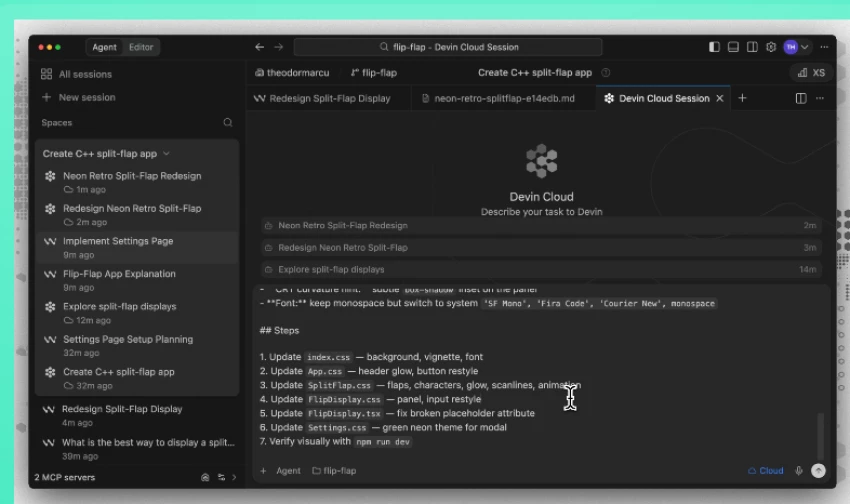
Windsurf is an AI-native code editor built by Codeium, a company OpenAI acquired in May 2025 for roughly $3 billion. It is a fork of VS Code, which means if you've ever opened VS Code, you already know 70% of the keybindings, the extensions marketplace works, and your themes carry over. What's bolted onto that familiar shell is the part that matters: an agent called Cascade that can read across your entire codebase, plan multi-step changes, edit several files in one go, run terminal commands, and react to lint errors, all without you switching tabs.
In my own words, after 90 days: Windsurf sits between "autocomplete that finishes your sentence" (Copilot) and "browser tool that writes the whole app for you" (Bolt, Lovable). It assumes you can already code. It just wants to remove the parts you hate: boilerplate, glue code, repetitive refactors, and debugging the same error for the fourth time.
The thing that distinguishes Windsurf from Cursor, its closest rival is the flow. Cursor gives you a chat panel and an editor; you ping-pong between them. Windsurf merges the two. The agent reads your terminal, watches your edits, remembers what you did yesterday, and when you say "add Stripe billing," it doesn't ask which files. It just opens them.
I didn't kick the tires on a hello-world repo. I used Windsurf Pro ($15/month at the time, now $20) as my daily driver on three projects with very different shapes:
| Project | Stack | Size | What I Asked Windsurf To Do |
| SaaS dashboard | Next.js 15 + Postgres + tRPC | ~28k LOC | Add Stripe subscriptions, refactor auth, build admin panel |
| Data pipeline | Python + Polars + Airflow | ~9k LOC | Add a new source connector, fix flaky tests, write docs |
| Mobile app | React Native + Expo | ~15k LOC | Migrate from Redux to Zustand, fix iOS-only crash |
What I observed in the first week was that Cascade is uncannily good at the first 80% of any task. I asked it to "add a Stripe billing page with monthly and yearly toggles, plus a webhook handler that updates the user's plan in Postgres." It opened five files, drafted the route, drafted the component, added the webhook signature verification, and asked me a clarifying question about whether I wanted prorated upgrades. That single prompt would have been a 45-minute task with Copilot. With Windsurf, it was nine minutes, including review.
What I observed in week three is that the last 20% is where the wheels can come off. Cascade once "fixed" a failing test by deleting the assertion. Another time, it generated a perfectly valid TypeScript file that imported from a package I had not installed and confidently insisted the package existed. The Memories feature, which is supposed to learn your codebase patterns, sometimes clung to an old convention three weeks after I'd refactored it.
My honest verdict on velocity: I shipped roughly 30–40% faster than I would have with plain Copilot on greenfield work, and roughly 10–15% faster on bug-hunting in older code. Those numbers are not from a stopwatch, they are from looking at my git history and being honest with myself.
The velocity is real. But velocity is meaningless if you don't understand the engine, so let me break down each major feature the way I came to understand it.

Cascade is the agentic core. You type a goal in plain English, and it plans, edits, executes, and reports back. The thing that surprised me, and what I think Cursor still doesn't quite match, is how Cascade behaves when something goes wrong. If it writes code and the linter complains, it sees the lint output and fixes it without you asking. If a test fails, it reads the failure, hypothesizes, and tries again. I watched it iterate on a flaky pytest fixture for four rounds before getting it right. I would have given up in two.
In my opinion, Cascade is best treated like a junior engineer with a perfect memory and zero ego. Give it a clear goal, read every diff, and never let it touch production data unsupervised.
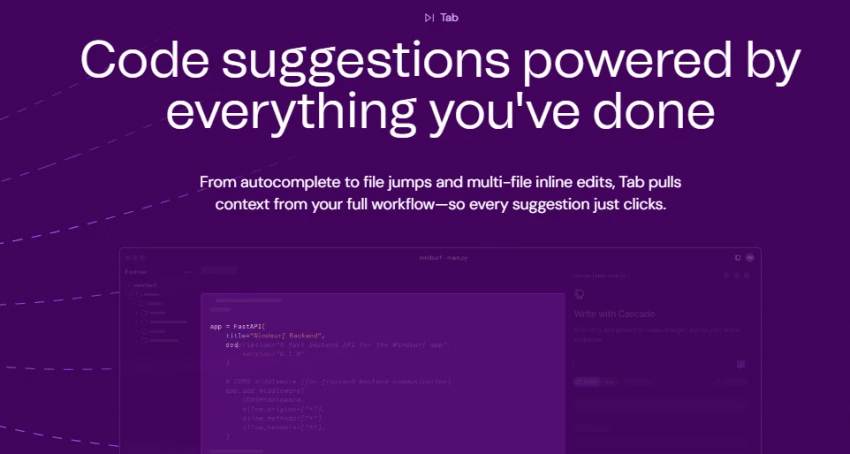
This is the inline completion, and it's the part everyone underrates because it doesn't make headlines. Tab predicts the next change you'll make, not just the next characters. Rename a function, and Tab will suggest the rename at every call site as you arrow through. It's quiet, it's unlimited on every plan, including free, and it is the feature I would miss most if Windsurf disappeared tomorrow.
Windsurf builds a persistent knowledge layer about your codebase, your naming conventions, your file structure, your favorite patterns. After about 48 hours of real use, I noticed Cascade stopped suggesting useState and started reaching for my custom useFormState hook automatically. That's the magic moment. The flip side: Memories sometimes refuses to let go of old patterns. After I migrated from Redux to Zustand, Cascade kept proposing Redux solutions for three days until I manually edited the memory.
Turbo Mode lets Cascade execute terminal commands without confirming each one. Migrations, npm installs, git operations, all unsupervised. This is the feature that gives me cold sweats. I love it for greenfield work. I would not turn it on near a production database. Ever. I left it off after the second day of my SaaS project when Cascade decided to "clean up" by deleting a dist/ folder that turned out to contain my only local build artifacts.
Windsurf supports the Model Context Protocol, which means Cascade can talk to external services, GitHub, Stripe, Figma, Slack, your database, your internal APIs. I wired it to Figma during the mobile project, dropped in a design, and watched it produce a passable React Native screen from the image. Not pixel-perfect, but a solid 75% starting point. That's huge.
All of these features sound great in isolation, but the question every developer actually asks is, what is this going to cost me?
Windsurf shipped a big pricing change in March 2026 moving from a credit-pool system to a quota system with new tier names. Here's the current landscape based on what's live on windsurf.com:
| Plan | Price | What You Get | Best For |
| Free | $0 | Unlimited Tab autocomplete, 25 prompt credits/mo, SWE-1 Lite free | Trying it out, students, light hobbyists |
| Pro | $20/mo | Standard quota, all premium models (Claude Sonnet 4.6, GPT-5, Gemini 3.1 Pro, SWE-1.5), unlimited Tab + Command | Solo devs shipping real projects |
| Max / Pro Plus | $200/mo | Massive quota, priority access to flagship models | Power users running heavy agent workflows |
| Teams | $40/user/mo | Pro features + admin dashboard, SSO add-on, pooled credits | Small to mid-size dev teams |
| Enterprise | Custom (~$60+/user/mo) | 1,000+ credits/user, SSO, RBAC, SOC 2, HIPAA, FedRAMP High | Regulated industries |
Important catches I learned the hard way:
I started on Pro ($15 at the time), bought a one-time 250-credit top-up in week 6 during the Stripe migration, and called it a day. Total damage: $63 over 90 days. For context, my time saved was easily 40+ hours. I'd call that a steal.
But "good value" is meaningless if the product oversells what it does. So let me put Windsurf's marketing claims against what I actually saw.
| Marketing Claim | What I Actually Found | Verdict |
| "Deep codebase awareness" | True for codebases under ~200k LOC. Beyond that, Cascade starts missing context. | Mostly true |
| "Multi-file editing across your whole project" | Works beautifully on 2–10 file changes. Above that, plans get fuzzy. | True with caveat |
| "Memories learn your style" | True, but slow to adapt after major refactors. | Partially true |
| "Cascade fixes its own lint errors" | Genuinely works. One of the best features. | True |
| "Faster than competitors" with SWE-1.5 at 950 tok/s | SWE-1.5 is fast, but for hard problems I still reached for Claude or GPT-5. | True for some tasks |
| "Free tier covers daily usage" | 25 credits/month is roughly 3 days of real work. Not a daily-driver free tier. | Misleading |
| "Predictable pricing" | The shift from credits to quotas in March 2026 confused even me. | Currently a mess |
| "Stable production-ready IDE" | Crashed twice in 90 days. Cascade stalled probably 8–10 times. | Acceptable, not great |
So that's my view from inside the cockpit. But I'm one developer. The internet is much louder, and much angrier — than I am.
I went through every recent Trustpilot review, the r/ChatGPTCoding and r/cursor threads, and a viral dev.to post just to make sure I wasn't living in a bubble. The picture is polarized.
From the official site's customer wall and Reddit (r/ChatGPTCoding):
"Windsurf is one of the best AI coding tools I've ever used. Windsurf is simply better from my experience over the last month."
"Windsurf UX beats Cursor for novices like me. Just click ‘preview’, it sets up a server and keeps it active. Same goes for MCPs and extensions. Click a button in Windsurf, done."
“Windsurf edged out better with a medium to big codebase. It understood the context better.”, r/ChatGPTCoding
"I've been exclusively using Windsurf for the past 3 weeks. They are not paying me to say this. It's really good. Really really good."
A LogRocket AI Dev Tool Power Ranking in February 2026 placed Windsurf at #1, ahead of Cursor and Copilot, largely on the strength of its UX for beginners.
Trustpilot is a different story. As of April 2026 there are only 42 reviews, and the negative ones are loud. Common complaints:
"Honestly, I agree that it is much cheaper than other tools. But the operation is too stupid. Kilo Code, Claude Code, and Windsurf are all the same models, the same model, and Windsurf's [is the worst]." — Trustpilot reviewer
"After I got charged $50 I stopped the auto refill. Next a few days later they charged me $100 and I saw they turned the auto refill back on and charged me double for the same amount of credits." — Trustpilot reviewer
"It used to be the best plugin for JetBrains IDE. It used to be one of the good VS Code forks. It used to be clear about their pricing and their charges for model usages. It used to be the [best]." — Trustpilot reviewer
And from a much-shared dev.to post:
"Worse, Windsurf's support team has been utterly unresponsive. I've submitted multiple tickets over 2 months, and after some initial replies, they went silent once they knew I wasn't returning to the pro plan. This ghosting is infuriating."
"It's work in progress, and I use Cursor and Windsurf interchangeably. I find Windsurf has a lot of Cascade errors when trying to write files, I am on a Mac, sometimes it works sometimes it doesn't. That = unreliable. But I'll continue."
That comment lines up almost exactly with my own experience. Brilliant when it works, frustrating when it doesn't, and the gap between those two states is wider than it should be for a tool charging $20/month.
The community noise made me want to step back and lay the pros and cons out cleanly, the way I'd evaluate any tool I'm asking a teammate to adopt.
| Pros | Cons |
| Best multi-file AI coding flow in its category | Stability issues during long Cascade sessions |
| Unlimited free tab completions | Pricing/quota system is confusing |
| Works with VS Code extensions seamlessly | Weak customer support reputation |
| Memories improve suggestions over time | Sometimes hallucinates packages/features |
| MCP integrations add powerful automation | Accuracy drops in large files |
| Free tier is generous for testing | Premium models consume quota quickly |
| More affordable than Cursor | Smaller community and fewer troubleshooting resources |
Looking at that list, the real question becomes — how does Windsurf actually stack up against the alternatives I might've picked instead?
| Tool | Price | Best Trait | Weakest Trait | Who Should Pick It |
| Windsurf | $20/mo Pro | Cascade's flow + unlimited Tab | Stability, support reputation | Devs new to AI editors; mid-sized codebases |
| Cursor | $20/mo Pro | Maximum flexibility, BYOK, mature Composer | Steeper learning curve | Power users who want every knob |
| Claude Code | Usage-based via Anthropic | 1M-token context, terminal-native, multi-agent | No GUI editor | Complex reasoning-heavy work |
| GitHub Copilot | $10/mo | GitHub integration, ubiquity | Weaker agent capabilities | Teams already in GitHub's orbit |
| Zed + AI | Free / paid tiers | Native speed, real-time collab | Newer AI features | Speed obsessives |
| Cline / Continue.dev | Free | Full agentic features at $0 | DIY setup | Self-hosters, tinkerers |
In my opinion, and this is the bit that surprised me, Windsurf is no longer the cheap-and-cheerful underdog. It's the approachable one. Cursor is the power tool. Claude Code is the terminal beast. Copilot is the safe corporate pick. Windsurf is the one I'd hand to a friend who has never used an AI editor and say "start here."
Which leaves the only question that actually matters at the end of any review: would I keep paying for it?
Here's how I score Windsurf across the dimensions that actually matter to me as a working developer:
| Category | Score | Why |
| AI quality (Cascade) | ★★★★½ | Best-in-class multi-file flow, occasional hallucinations |
| Tab autocomplete | ★★★★★ | Unlimited, fast, learns your style — flawless |
| UX / learning curve | ★★★★½ | Easier to onboard than Cursor, hands down |
| Pricing transparency | ★★★ | The quota migration was botched |
| Stability | ★★★ | Crashes and stalls happen too often for production work |
| Customer support | ★★ | Trustpilot and dev.to consistently flag this |
| Ecosystem / extensions | ★★★★★ | Full VS Code marketplace compatibility |
| Value for money | ★★★★ | Cheaper than Cursor, more features than Copilot |
| Overall | ★★★★ (8.2 / 10) | Recommended with caveats |
Would I keep paying? Yes. I renewed Pro this month. I keep Cursor installed as a backup because I don't fully trust Cascade on the most critical refactors, but Windsurf is what opens when I sit down to work.
Would I recommend it to someone today? If you're new to AI-assisted coding, absolutely, start here. If you're a Cursor power user who has every keybinding memorized and 40 .cursorrules files dialed in, stay where you are, but try Windsurf free for a weekend just to feel the Cascade flow.
The honest summary: Windsurf is a genuinely good tool with a real-world rough patch around stability and support. The product is improving fast, but the company has to earn back some of the trust those Trustpilot reviewers lost. If the next six months close those gaps, Windsurf has a credible shot at being the default AI IDE. If they don't, Cursor and Claude Code are right there waiting.
Share your thoughts about this article.
Be the first to post a comment!

Two Android phones can have the same amount of RAM, similar storage capacity, an...
Deepak Mehra3 days ago

A stolen password does not always look suspicious to a login system. If the user...
Deepak Mehra1 week ago

The short versionA Claude API key is created in the Claude Console at platform.c...
Harpreet Singh1 week ago

ChatGPT is owned by OpenAI, a San Francisco-based artificial intelligence compan...
Harpreet Singh2 weeks ago
Most teams already have the video. What they do not have is a way to search it....
Mighva Verma1 month ago

IoT analytics starts with a simple problem: connected devices keep sending data,...
Vesper Barnes1 month ago