Best AI Tools in 2026: What “Best” Actually Means

By 2026, “AI tool” can mean anything from a clever writing assistant to a system that quietly runs a chunk of your operations. That’s why most lists of the best ai tools feel unhelpful: they rank features, not outcomes.

In practice, the best AI tools are the ones that reliably remove friction from your day, improve decisions, and fit into how your team already works. Let’s break down what makes an AI tool “the best” in 2026, then walk through the categories that matter most for digital professionals, marketers, founders, and cross-functional teams.

What Makes an AI Tool “the Best” in 2026?

In 2026, “best” is less about novelty and more about trust, integration, and measurable impact. The tools worth keeping are the ones that perform consistently across real scenarios not just polished demos.

Here’s a practical way to evaluate the best ai tools for your stack:

  • Workflow fit: Does it plug into your current tools (docs, CRM, support, analytics) without forcing a process redesign?
  • Quality under constraints: Can it stay accurate when inputs are messy, incomplete, or time-sensitive?
  • Transparency: Can you see what it used, what it assumed, and where uncertainty exists?
  • Control: Can your team set rules, approvals, and guardrails especially for customer-facing outputs?
  • Time-to-value: Does it help in week one, not “after we train it for three months”?
  • Security and governance: Clear data handling, permissions, and audit trails.

If you keep those criteria in view, the “best” tool often becomes obvious: it’s the one that reduces rework, not the one with the longest feature page.
Best AI Tools for Productivity: Turning Busywork into Momentum

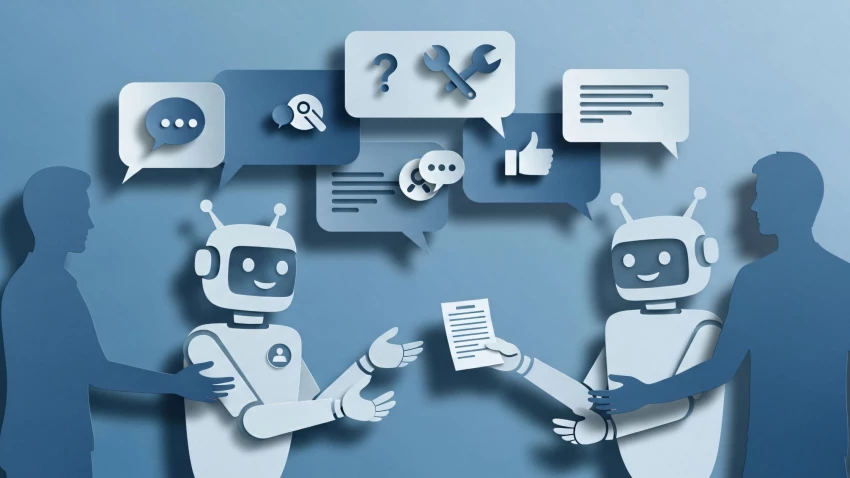
Productivity AI has matured past basic note-taking. The strongest tools now act like operational glue: they capture context, organize work, and reduce the overhead of staying aligned across meetings, messages, and documents.

Problems these tools solve

  • Meeting overload and scattered decisions
  • Time lost searching across docs, chats, and project boards
  • Slow handoffs between teams (marketing to sales, product to support, etc.)
  • Inconsistent execution because “the plan” lives in someone’s head

Features that matter most in 2026

  • Context memory: Ability to reference past work reliably, with sources.
  • Action extraction: Converts conversations into owners, deadlines, and next steps.
  • Cross-tool search: Finds the right file, thread, or ticket without manual digging.
  • Permission awareness: Shows users only what they’re allowed to see.

Real-world use case: the “Monday morning reset”

A growth lead starts the week by asking their assistant to summarize what changed since Friday: campaign performance notes, open tasks, stakeholder requests, and any customer escalations. The AI produces a short brief, links the sources, and proposes a prioritized to-do list. The best versions also flag dependencies (“This can’t ship until legal approves X”) so the week doesn’t start with surprises.

“The productivity win isn’t that AI writes faster. It’s that fewer details fall through the cracks.”

Best AI Tools for Content & SEO: Building Pages That Earn Traffic (and Trust)

For content teams, the best ai tools aren’t the ones that produce the most words. They’re the ones that help you publish pages that match search intent, reflect expertise, and stay consistent with your brand voice—without turning everything into generic filler.

Problems these tools solve

  • Slow research cycles and fragmented source material
  • Content that ranks briefly but fails to convert or retain readers
  • Updating old pages across a large site
  • Inconsistent tone across writers and contributors

Features that matter most in 2026

  • Intent mapping: Helps you align structure to informational vs. comparative vs. transactional queries.
  • Content planning support: Topic clusters, internal linking suggestions, and coverage gaps.
  • Revision intelligence: Not just writing drafts—improving clarity, structure, and accuracy.
  • Source discipline: Encourages citations, flags unsupported claims, and reduces “confident nonsense.”

Practical example: upgrading a “thin” landing page into a helpful guide

Imagine a page targeting “best ai tools” that currently lists a few names and short blurbs. A strong content/SEO AI workflow can:

  • Analyze the current SERP patterns and identify what users expect (categories, comparisons, buying criteria).
  • Recommend an outline that matches intent, not just keywords.
  • Suggest real examples and FAQs based on common objections (pricing, privacy, team adoption).
  • Help you rewrite sections for clarity while keeping a consistent editorial voice.

The result is less “AI wrote this” and more “this site understands what I’m trying to decide.” That’s the bar in 2026.

Best AI Tools for Automation: From One-Off Tasks to Reliable Workflows

Automation is where AI becomes operational. The goal isn’t to generate text; it’s to move work forward automatically routing information, triggering actions, and keeping humans in the loop where it matters.

Problems these tools solve

  • Manual triage of customer messages, leads, and internal requests
  • Repetitive updates across tools (CRM, help desk, project management, analytics)
  • Slow response times because decisions require context scattered across systems
  • Inconsistent processes across teams and regions

Features that matter most in 2026

  • Workflow orchestration: The ability to chain steps (detect → classify → enrich → act → log).
  • System connectivity: Integrations with the tools you already use.
  • Human-in-the-loop controls: Approvals for sensitive actions and clear exception handling.
  • Observability: Logs, traceability, and the ability to diagnose why an automation behaved a certain way.

Where Lorka AI fits: a customer-connection workflow that actually closes the loop

One way to understand next-generation automation is to look at how a platform like Lorka approaches customer connection work. Instead of stopping at “draft a reply,” it’s designed to help teams process incoming signals, coordinate actions, and produce outputs that are useful inside the business.

At a high level, Lorka AI can be understood through a simple workflow model:

  • Input: Customer conversations and signals (messages, requests, feedback), plus relevant business context (policies, product info, past interactions, internal notes).
  • Processing: The AI organizes and interprets the input—identifying intent, urgency, sentiment, and required next steps; it can also route items to the right owner or queue based on rules.
  • Output: Actionable results such as suggested responses, summarized threads, tagged issues, follow-up tasks, escalation notes, and structured insights that teams can use.
  • The key difference is that this kind of system goes beyond simple text generation in three practical ways:
  • It treats messages as work items: Not every customer note needs a “nice reply.” Some require a refund workflow, a bug ticket, or a retention play.
  • It standardizes decisions: Teams can apply consistent rules (when to escalate, what to ask next, what counts as “priority”).
  • It produces operational artifacts: Summaries, tags, and tasks that make work visible and trackable, instead of disappearing into inboxes.

Real-world use case: reducing support backlogs without lowering quality

Consider a SaaS team handling a surge of “billing confusion” tickets after a pricing change. A practical automation workflow looks like this:

  1. Detect and classify: Identify billing-related messages and separate “refund request” from “plan comparison” and “invoice question.”
  2. Enrich: Pull relevant account details, plan history, and policy snippets.
  3. Decide: Apply rules (for example, auto-escalate charge disputes; suggest a specific plan for certain usage tiers).
  4. Act: Draft a response and create the correct internal task (finance review, account manager follow-up, or knowledge base update).
  5. Learn: Aggregate themes so the team can fix the root cause (unclear UI copy, missing FAQ, or confusing invoice layout).

Used responsibly, automation like this doesn’t remove humans; it reserves human attention for the cases where judgment and empathy matter most.

Best AI Tools for Decision-Making: Getting to the “So What?” Faster

Decision-making tools are the most misunderstood category. Many teams already have dashboards and reports. The missing piece is interpretation: what changed, why it changed, and what to do next without spending half a day pulling context from five systems.

Problems these tools solve

  • Analysis paralysis from too many metrics and not enough narrative
  • Leadership meetings spent debating numbers instead of actions
  • Inconsistent decisions because each team uses different definitions
  • Slow feedback loops between customers, product, and revenue teams

Features that matter most in 2026

  • Decision support, not just reporting: Highlights drivers, tradeoffs, and recommended next steps.
  • Scenario thinking: “If we change X, what’s likely to happen to Y?” with clear assumptions.
  • Evidence trails: Ability to trace conclusions back to inputs (tickets, CRM notes, analytics events).
  • Alignment tools: Shared definitions, consistent tagging, and cross-team visibility.

How Lorka AI can support smarter decisions from customer data

Customer conversations are often your richest dataset—and the least structured. Decision-oriented systems can turn that mess into something leaders can act on. In a Lorka-style workflow, the AI doesn’t just summarize what people said; it helps teams see patterns and decide what to prioritize.

For example, a product lead might ask:

  • “What are the top 3 reasons users churned this month, and which segment mentions each reason?”
  • “Which feature requests are rising fastest week over week?”
  • “What is the most common point of confusion in onboarding, and which help articles fail to resolve it?”

The value comes from structured outputs: themes, counts, example quotes, affected cohorts, and suggested follow-ups (like updating an onboarding step or shipping a small UI clarification). That’s decision-making support, not content generation.

How to Choose Among the Best AI Tools: A Practical, Low-Regret Checklist

If you’re comparing the best ai tools for your team, the fastest way to avoid shelfware is to evaluate tools against one real workflow—not a dozen hypothetical ones.

A simple evaluation approach

  • Pick one high-frequency process: weekly reporting, lead triage, content updates, customer follow-ups.
  • Define a measurable outcome: time saved, faster response time, fewer errors, higher conversion, reduced backlog.
  • Test with real inputs: messy tickets, incomplete briefs, conflicting notes—what your team actually sees.
  • Check controls: approvals, role-based access, and the ability to revert or audit actions.
  • Plan ownership: assign who maintains prompts, rules, and workflows after launch.

Questions worth asking vendors (or your internal team)

  • What happens when the tool is uncertain—does it flag, ask, or guess?
  • Can we see sources and logs for outputs and automated actions?
  • How do we set boundaries for tone, policy, and compliance?
  • What does “success” look like after 30 days?

Closing: The Best AI Tools in 2026 Are the Ones That Hold Up on a Tuesday

The best AI tools aren’t defined by how impressive they look in a demo. They’re defined by whether they can handle everyday constraints: limited time, partial information, real customers, and multiple stakeholders. Productivity tools should reduce coordination cost. Content and SEO tools should help you publish useful pages people actually trust. Automation and decision-making tools should turn signals into action—reliably and with oversight.

If you’re building your 2026 stack, start with one workflow that matters, test with real data, and choose tools that produce outcomes you can measure. When AI supports the full loop—input to processing to actionable output, as seen in platforms like Lorka for customer connection work—you stop “using AI” and start running better operations.

Post Comment

Be the first to post comment!