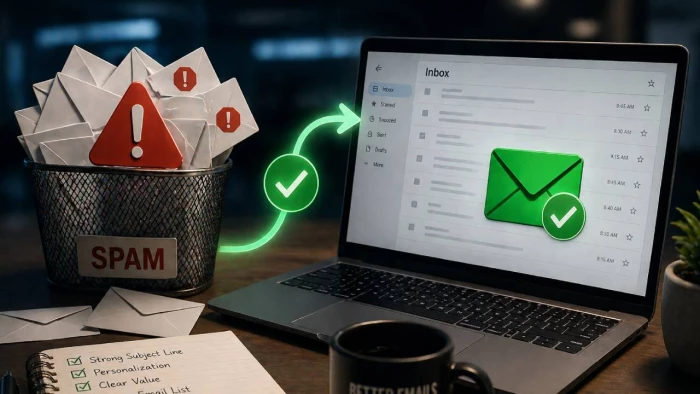
You spent an hour writing the perfect cold email. The subject line is sharp. The personalization is on point. The offer is genuinely relevant to the prospect. There’s been a lot of back and forth among the team, ensuring the copy hits.
And it went straight to spam.
This is one of the most frustrating problems in B2B sales and it’s not because the outreach was bad, but because it never got a fair shot. According to the State of Email Deliverability 2025 State of Email Deliverability 2025, 16–17% of business emails globally never reach the inbox. For cold outreach, where you are already starting without a relationship, that number can be even worse.
The good news: most of the reasons cold emails land in spam are fixable. Here are the five most common causes and exactly what to do about each one.
If your domain is missing SPF, DKIM, or DMARC records, inbox providers have no way to verify that you are actually the one sending from it. To Gmail, Yahoo, and Microsoft, an unauthenticated email looks identical to a spoofed or phishing attempt and it gets treated accordingly.
The fix: Set up all three authentication records before sending a single cold email.
● SPF (Sender Policy Framework) tells receiving servers which mail servers are authorized to send on behalf of your domain
● DKIM (DomainKeys Identified Mail) adds a cryptographic signature to your emails that proves they haven't been tampered with in transit
● DMARC ties SPF and DKIM together and tells providers what to do if authentication fails
Since 2024, Gmail and Yahoo have required DMARC for bulk senders. Without it, your emails may be rejected outright regardless of content quality.
New domains have zero sending history. Thus, inbox providers have no data on whether you are a trustworthy sender, so they apply maximum scrutiny to everything that comes from you. Sending high volumes of cold email from a fresh domain is one of the fastest ways to get blacklisted before your outreach even begins.
The fix: Warm up your domain before launching any cold outreach campaign.
Email warmup is the process of gradually building your domain's sending reputation by simulating realistic email activity such as sends, opens, replies, and spam rescues. This is recommended to be conducted before real campaigns begin as this builds and establishes a positive track record with inbox providers. When your actual emails go out, they are evaluated against a healthy reputation baseline rather than treated as an unknown risk. So the likelihood of landing in the Primary inbox is higher.
A proper warmup for a brand-new domain takes 4–8 weeks. Trying to shortcut this is one of the most common mistakes B2B teams make when setting up new outreach infrastructure. AI-powered tools like Warmy.io , however, make this process more streamlined as it can run continuously in the background.
Spam filters continue to be more advanced, but certain content patterns can still trigger them consistently. These include:
● Overuse of sales-heavy language ("Act now," "Limited time," "Free trial")
● Excessive capitalization or exclamation marks
● Image-heavy emails with little text
● Broken HTML or messy formatting from copy-pasted content
● Mismatched or suspicious links (link text that doesn't match the actual URL)
The fix: Write cold emails that read like they were written by a person, not a campaign tool. Keep formatting clean and minimal. Use plain text where possible. Avoid link shorteners, which are heavily associated with spam.
Before a major send, run your templates through a content checker to identify patterns that are likely to trigger filters. Small copy changes can make a significant difference in inbox placement rates.
A clean offer sent to a dirty list will still fail. Hard bounces, or emails that return because the address doesn't exist or has been deactivated, signal to inbox providers that you aren't maintaining your list. Bounce rates above 2% are a red flag that can rapidly degrade your sender reputation.
Purchased lists are the worst offenders here. They are typically stale, contain spam trap addresses deliberately seeded to catch senders with poor list hygiene, and often include contacts who never opted in to anything.
The fix: Verify your list before every campaign using an email verification tool that checks address validity in real time. Remove hard bounces immediately after every send. If you are using a list that is more than 6–12 months old, re-verify it before using it again.
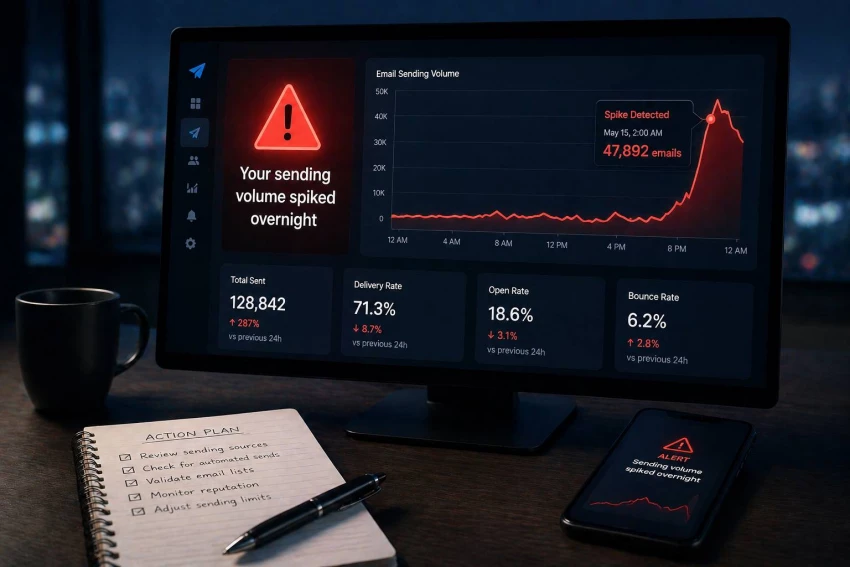
Even if your domain is authenticated and your list is clean, sending 2,000 cold emails on day one from a domain that previously sent 50 emails a day looks suspicious to inbox providers. Sudden volume spikes are a behavioral pattern strongly associated with spam operations.
The fix: Ramp up your sending volume gradually. Start with smaller daily volumes and increase steadily over weeks, not days. This mirrors normal human sending behavior and avoids triggering the automated filters that watch for unusual volume patterns.
This is another reason domain warmup matters — it establishes a sending history that makes gradual volume increases look natural rather than anomalous.
If you are unsure whether your cold emails are reaching the inbox, the fastest way to find out is to run a free email deliverability test. This shows you exactly where your emails are landing—inbox, promotions, or spam—across Gmail, Outlook, Yahoo, and other major providers, so you know what you are actually dealing with before your next campaign goes out.
Most deliverability problems are fixable. Authentication records take an afternoon to configure. List hygiene takes a few hours with the right tool. Domain warmup takes a few weeks but runs automatically in the background. The cost of not fixing them is significantly higher than the effort required to address them. Lost pipeline, wasted outreach effort, and potential blacklisting all impact your business bottom line.
Fix the foundation first. Then let your cold emails do the work they were written to do. Take the first step and run your free deliverability test run your free deliverability test.
Share your thoughts about this article.
Really useful tips! I’ve struggled with cold emails ending up in spam for a while, and the breakdown of authentication methods like SPF and DKIM was especially helpful. I’ll definitely be checking my setup.
Login to reply
For ticketing operators, not to mention fans, high-demand on-sales events can cr...
Parveen Verma1 week ago

If you've been asked to shore up your organization's threat detection this year,...
Parveen Verma1 month ago

Rising medical costs and increasing healthcare needs have made health insurance...
Parveen Verma2 months ago

Personal data circulates across hundreds of websites most people never knowingly...
Parveen Verma2 months ago
Posting on social media sounds simple until you are doing it live, every day, ac...
Parveen Verma2 months ago

UX and creative teams typically don't miss deadlines due to a lack of ideas. Whe...
Parveen Verma3 months ago