
Selecting the right website-building platform has never carried more weight than it does today. Given that thousands of businesses, freelancers, and creators are launching digital projects on a daily basis, the tools powering those sites directly determine how quickly they go live, how polished and professional they appear, and how reliably they perform when subjected to real-world traffic demands. The market has shifted considerably over the past two years. Drag-and-drop editors have become smarter, AI design tools now deliver real value, and pricing suits more budgets. Yet having so many choices actually makes it harder, not easier, to select the right one. This guide explains what distinguishes a truly capable site-building platform from a mediocre one, highlights five strong contenders that are available right now, and helps you steer clear of costly missteps along the way.

Speed and simplicity once topped the list of priorities. Those still matter, but the bar has risen. A capable website builder in 2026 must handle responsive layouts, built-in search engine tools, accessibility compliance, and performance optimization out of the box. Users expect pages that load in under two seconds on mobile without any manual tweaking of image compression or code minification.
Templates still serve as a useful starting point, but the best platforms now provide users with detailed control over spacing, typography, color palettes, and section layouts, all without confining them to inflexible grid structures. You should seek out website builders that provide reusable design blocks and global style settings, since these features allow you to maintain visual consistency across your entire site with far less effort. One font change should update across all pages automatically. This consistency shows professionalism to visitors and greatly reduces ongoing maintenance time.
A truly effective platform comes equipped with automatic sitemap generation, fully customizable meta descriptions, built-in alt-text prompts for every image, and reliable structured data support that helps search engines properly index your content. Some tools go even further by performing real-time audits that actively flag issues such as missing headings or slow-loading elements, ensuring these problems are caught before you publish your content. Your builder is outdated if plugins handle basic search visibility.
Joining a free trial is simple, but leaving the wrong platform after months of work hurts. Comparing a handful of specific features upfront saves enormous frustration later.
Some platforms promote attractively low monthly rates while deliberately restricting essential features such as custom domains, e-commerce checkout capabilities, or detailed analytics tools behind their more expensive pricing tiers. Before you commit to any particular plan, carefully map out all the features you will actually need within the next twelve months so that you can avoid paying for unnecessary upgrades later. A simple portfolio site that contains only five pages has vastly different hosting and functionality requirements than a full-scale online store that needs to manage and display 200 individual products. Check if the platform limits bandwidth, pages, or charges extra fees. The real cost only becomes clear once you carefully review the fine print.
No builder exists in isolation. You will likely connect email marketing software, payment processors, scheduling tools, or analytics dashboards. Check whether the platform supports direct integrations with the services you already use. Equally important is data portability. Can you export your content in a standard format if you decide to move? Platforms that hold your data hostage create long-term risk. If you want to explore top-rated website builder software compared side by side, structured comparison lists help clarify which platforms play well with external services.
Here are five builders that excel across different use cases in 2026, presented without a strict ranking:
1. Wix Studio - Ideal for creative portfolios and small agencies with advanced animations and collaborative editing.
2. Shopify - Best dedicated e-commerce platform with superior inventory, multi-currency, and shipping features.
3. Squarespace - Offers beautifully refined templates ideal for photographers, restaurants, and event-based businesses.
4. Webflow - Combines visual editing with clean, production-grade HTML and CSS output.
5. PageCloud - Offers a freeform editing approach that appeals to users who want pixel-level control without a steep learning curve. You can read detailed PageCloud reviews covering its strengths and trade-offs to decide whether its philosophy fits your workflow.
Each of these platforms is designed to appeal to a slightly different audience, which means that what works well for one group of users may not suit another equally. Testing two or three with real content rather than placeholder text gives you the clearest sense of daily usability.
When you begin with your project goals rather than the platform's feature list, the entire decision process shifts. A freelance consultant who works independently with clients needs strong booking and contact form capabilities to manage appointments and inquiries effectively on a daily basis. A nonprofit organization, which must serve diverse communities and meet strict legal standards, needs donation integrations that allow supporters to contribute funds easily and accessibility compliance that ensures all visitors, regardless of their abilities or disabilities, can fully interact with the website's content and features. A musician requires embedded audio players and event calendars on their website. List five must-have requirements before opening any trial account.
Consider your technical comfort level honestly. If you have never touched CSS and do not plan to learn, a builder with visual-only editing will serve you better than one that assumes some coding knowledge. On the other hand, if you anticipate needing custom functionality within a year, picking a platform with an extensible code layer now prevents a painful migration later. Following practical web design principles for layout and usability matters regardless of which tool you select, because no builder can compensate for poor content structure or confusing navigation.
Even the most capable and feature-rich platform available today cannot shield you from the consequences of strategic mistakes that arise from poor planning and misguided priorities. One frequent error is spending weeks perfecting a homepage while neglecting interior pages. Because search engines and social media links direct users to specific interior pages, visitors rarely arrive at a site by landing on the homepage first, which makes that traditional entry point far less common than it once was. Search engines and social media links, which have fundamentally changed the way users discover and access web content, typically send them directly to specific blog posts, individual product pages, or carefully crafted landing pages, bypassing the homepage entirely in most cases. Every page on your site deserves well-defined calls to action, quick load times, and mobile-friendly formatting, since any of these pages could serve as a visitor's first impression.
Another common trap that many site owners fall into is completely ignoring the analytics tools and data that are available to them once their website has been launched. A builder might offer traffic dashboards, heatmaps, or conversion tracking, but many site owners never bother to review them. Data reveals which pages are performing well, where visitors tend to drop off before completing desired actions, and what content deserves further expansion or refinement to better serve the audience. Checking these metrics each month transforms a static website into a continuously improving asset.
Finally, when you are designing your site, you should be careful to avoid the temptation of over-customizing every element, because doing so at the expense of visual consistency can undermine the cohesive appearance that visitors expect and rely upon. Random font combinations, clashing color accents, and inconsistent button styles are elements that erode user trust quickly, because they create a visual experience that feels unprofessional and disorganized to visitors. To maintain a clean and professional visual identity throughout your site, stick to no more than two typefaces, a primary palette that consists of three carefully chosen colors, and uniform spacing that remains consistent across every page and section of your design. These limitations actually accelerate the design process and lead to a more polished, professional outcome.
Choosing the right platform often determines whether your website wins customers or gathers dust. By clarifying your goals first, testing real content inside two or three builders, and watching out for hidden costs or limited export options, you position yourself to launch faster and iterate with confidence. The website builders available in 2026 are more capable and easier to use than ever before. Spending a few hours comparing options now will save you weeks of rework later.;
Share your thoughts about this article.
Be the first to post a comment!
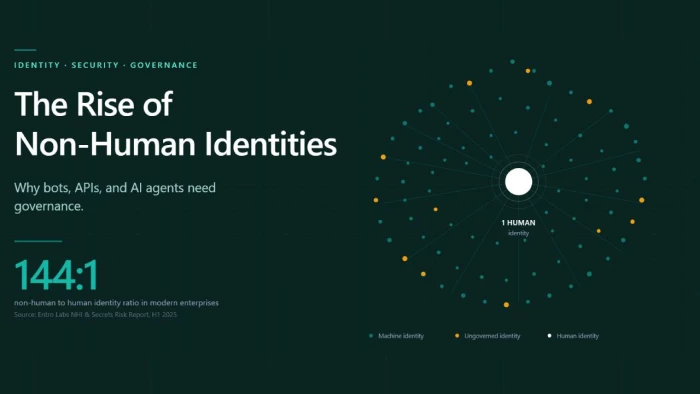
Every modern enterprise now operates two workforces. The first is the employees,...
Deepak Mehra3 weeks ago

Three months ago, I closed Cursor mid-sentence, downloaded a 180MB installer, an...
Sakshi Dhingra1 month ago
You've probably already read five articles trying to figure this out. I have too...
Sakshi Dhingra1 month ago

Locker manufacturing has come a long way from simple metal compartments used in...
Parveen Verma1 month ago

In today’s competitive digital landscape, having an online presence is no longer...
Parveen Verma1 month ago

Why this comparison is differentMost comparisons between Semrush and Ahrefs thro...
Suraj Malik2 months ago