Home > Company > MiniTool
MiniTool

MiniTool

One‑stop Software Solution for Disk Management, Data Recovery, Backup, PDF, and Multimedia Tools.

MiniTool Overview

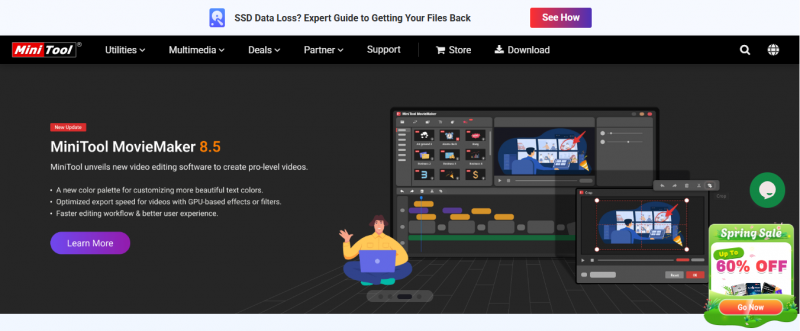
MiniTool offers partition management, data backup & recovery, system boosting, PDF editing, video editing and conversion, and screen recording all in one suite. It attracts both personal and professional users with free versions and paid upgrades for advanced functionality.

Key Features:

  • Manages and optimizes Windows disk partitions
  • Recovers lost or deleted files
  • Backs up and restores files to prevent data loss
  • Edits, merges, splits, converts, and annotates PDFs
  • Boosts PC performance with system tuning tools
  • Converts video and audio in 1000+ formats
  • Creates and edits movies easily
  • Records screen, audio, and webcam in real time
  • Downloads online videos and extracts audio

Industry‑Specific Benefits:

  • IT Support Teams: Manage partitions and optimize PCs.
  • Office Professionals: Handle PDFs, merge, split, or convert files.
  • Content Creators: Edit videos and record screens.
  • Photographers & Data Users: Recover lost images or documents.

Pros & Cons

Pros:

Data recovery tools widely praised

Partition resizing rarely corrupts disks

Free basic tool supports GPT/MBR tasks

Cloning OS to SSD works reliably

Disk wipe uses secure DOD algorithm

Cons:

Disk partitioning and recovery can cause data loss if misused
Company

MiniTool

Contact

1‑800‑789‑8263

Headquarter

nit 170‑422 Richards Street, Vancouver, British Columbia, V6B 2Z4, Canada

Follow Us

MiniTool Demo & Screenshots

MiniTool Pricing

Pricing yet to be updated!

MiniTool Reviews

MiniTool Category

MiniTool Alternatives