Home > Company > Napkin AI
Napkin AI

Napkin AI

Transform text into diagrams, charts, and slides quickly.

Napkin AI Overview

Napkin AI turns your written content into visual diagrams or slides in minutes. Ideal for presentations, reports, and social media, with easy export options. Free and paid plans available, plus team collaboration tools.

Napkin AI Features

How It Works:

  1. Text Input: Paste text or upload files.
  2. Generate Visuals: AI creates visual suggestions.
  3. Customize: Adjust layout, icons, and colors.
  4. Export: Save in your preferred format

Use Cases:

  • Quick visuals for presentations.
  • Social media content generation.
  • Diagrams for brainstorming sessions.
  • Internal report illustrations.

Competitive Advantages:

  • Easy Text-to-Visual Conversion without design skills.
  • Custom branding on paid plans.
  • Multi-format export for easy sharing.
  • Team collaboration features included.

Pros & Cons

Pros:

Turns text into clean infographics fast.

Multiple visual styles for different contexts.

Great for presentations, reports, stakeholder decks.

Strong at mapping structured frameworks, workflows.

Handles step‑by‑step, process content accurately.

Cons:

Text understanding can be shallow, surface‑level.

Often defaults to list‑style layouts only.

Layout themes feel repetitive across projects.

Struggles with abstract, messy, unstructured text.
Company

Napkin AI

Contact

NA

Headquarter

NA

Follow Us

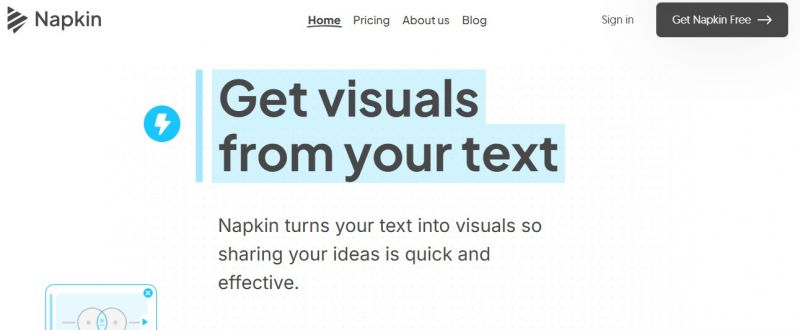
Napkin AI Demo & Screenshots

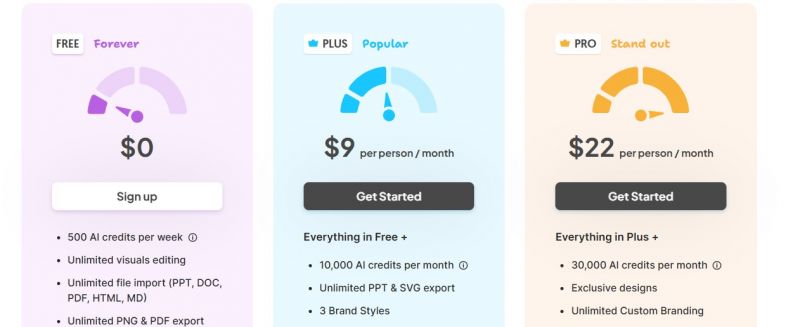
Napkin AI Pricing

Napkin AI Pricing Screenshot

*Price last updated on Feb 9, 2026. Visit napkin.ai's pricing page for the latest pricing.

Napkin AI Reviews

Napkin AI Category

Napkin AI Alternatives