Home > Company > ON1 Photo RAW
ON1 Photo RAW

ON1 Photo RAW

All New Features in ON1 Photo RAW

ON1 Photo RAW Overview

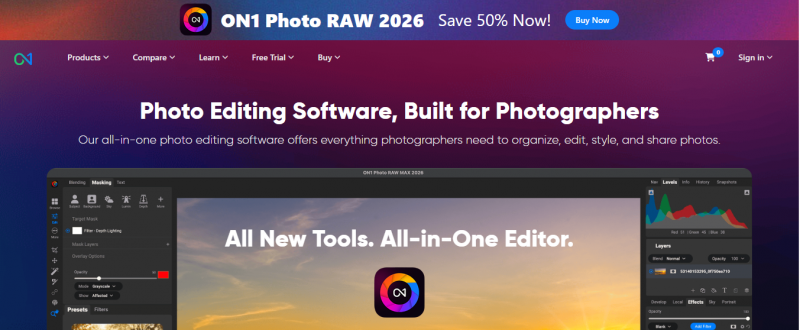
ON1 Photo RAW combines file browsing, RAW processing, layer-based editing, and effects into one application. It supports non-destructive workflows for RAW, PSD, PSB, JPEG, PNG, TIFF, HEIC, and DNG files. Users perform tone, color, exposure, and contrast adjustments in the Develop module, apply local adjustments with gradient, brush, or masking tools, and stack filters and effects in layers. AI tools enable object selection, color and tone enhancement, noise reduction, and sharpening. Advanced functions include layers for compositing, focus stacking, HDR merging, panorama stitching, and time-lapse creation. Output options cover AI resizing, batch processing, export in multiple formats, watermarking, and printing.

ON1 Photo RAW Features

Subject and Background Masks: Automatically isolate subject or background with a single click. Depth Lighting Filter: Use AI depth maps to relight scenes and adjust focus. Split Field Filter: Apply different adjustments to two areas with smooth transition. Double Exposure Filter: Blend two photos using blending modes and masking. Motion Filter: Add motion blur or panning effects with adjustable direction and speed. Resize AI: Enlarge photos using diffusion-based Highest Quality or Standard models, reducing noise automatically. Super Select AI: Tap an object to select for adjustments or effects. NoNoise AI: Remove noise while preserving details. Portrait AI: Detect and retouch faces by enhancing skin, eyes, and teeth. Generative Eraser: Remove distractions like people or objects.

Competitive Advantages:

  • Integrated AI tools throughout the editing workflow.
  • Combines organizing, editing, and exporting without switching apps.
  • Flexible ownership options (one‑time purchase or subscription).
  • Works standalone or as plugins for other editors.
  • Includes modular AI utilities like noise reduction and resizing.

Pros & Cons

Pros:

Non-destructive edits preserve original images.

All-in-one app handles browsing, RAW processing, and effects without switching software.

Wide file format support includes RAW, PSD, PSB, and HEIC.

Batch processing applies edits to multiple photos.

Cons:

Requires 8 GB RAM, with 16 GB recommended if shared with GPU.

Installation needs 6 GB hard drive space.

Limited to macOS 13+ and Windows 11.
Company

ON1 Photo RAW

Contact

Email

Headquarter

Portland, Oregon, USA

Follow Us

ON1 Photo RAW Demo & Screenshots

ON1 Photo RAW Pricing

Pricing yet to be updated!

ON1 Photo RAW Reviews

ON1 Photo RAW Category

ON1 Photo RAW Alternatives