Pixelcut provides AI tools for image and video editing tasks such as background removal, photo enhancement, generative fill, and upscaling to 4K or higher resolutions. It focuses on workflows like creating clean cutouts from videos without green screens, enhancing product shots for e-commerce, and generating or editing images with text prompts. The platform centralizes tools in an AI Image Editing Workspace, supports batch processing, and includes models like FLUX.2 for realistic generations grounded in real-time information. Features enable frame-by-frame precision, object removal with Magic Eraser, background changes, and virtual try-on for apparel on models. Exports include transparent WebM videos and high-resolution images without watermarks on free tiers.
Easy to use and helps small businesses, save time and money on marketing materials
Fast processing under a minute for HD video downloads without watermarks
Precise cutouts handle hair, clothing, and edges without artifacts
Batch processing saves hours on large photo projects
Free tier limited to 720p; 4K requires Pro subscription
Advanced models and instruction editing available only to Pro users
Processing speed and features may vary for complex scenes
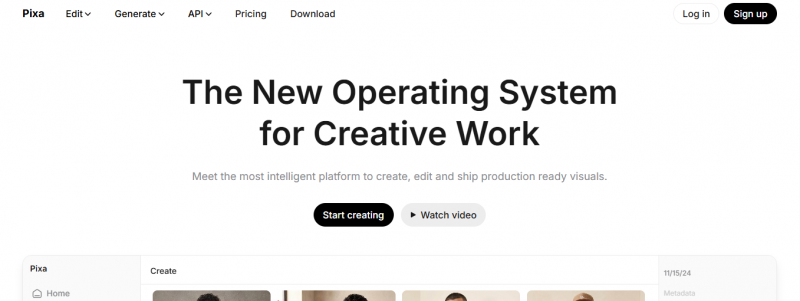
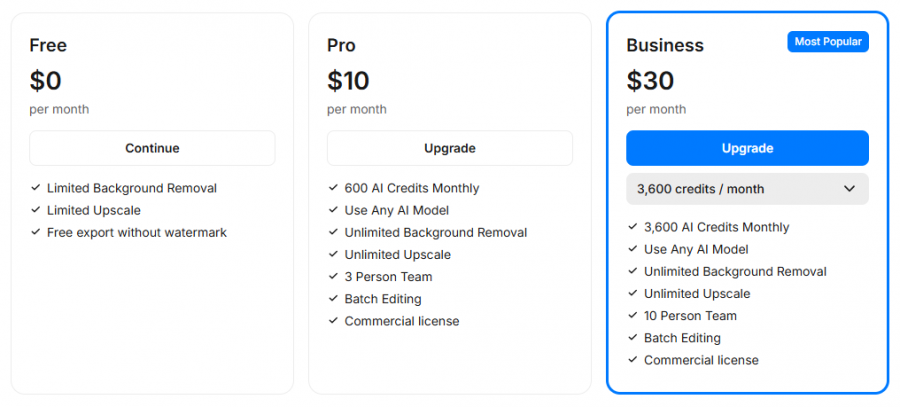
*Price last updated on Feb 18, 2026. Visit create.pixelcut.ai's pricing page for the latest pricing.