Home > Company > Scribe
Scribe

Scribe

Create Step-by-Step Guides — Fast.

Scribe Overview

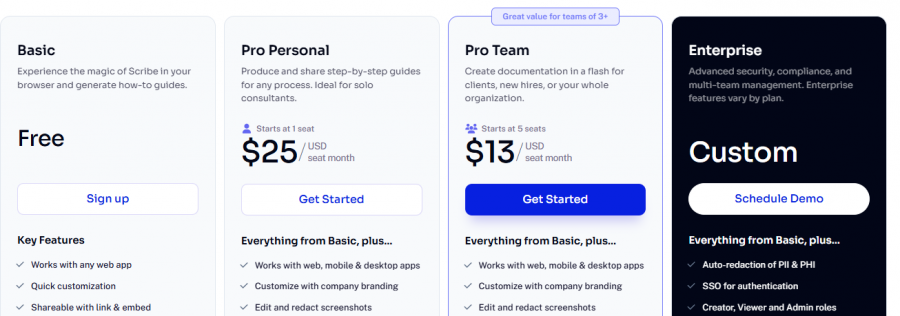
Scribe turns any user interaction on web, desktop, or mobile into step‑by‑step guides with screenshots and text. It’s used for onboarding, SOP creation, support documentation, and training playbooks. Scribe offers a free tier with browser capture and paid plans starting at $12–$23/user/month with team and enterprise features such as customization, collaboration, and advanced security.

Scribe Features

AI-generated titles and descriptions. Upload company logo, colors, and website branding. Create GIFs from steps. Format text with tips and alerts. Automatic and manual redaction of sensitive data. Share via link, email, embed, PDF, HTML, Markdown, or Confluence. Scribe Sidekick for on-demand guide access.

Core Strengths:

  • Automatically captures workflows into guides.
  • Works with web, desktop & mobile apps.
  • Generates unlimited step‑by‑step guides.
  • Customizes documentation with branding and annotations.
  • Redacts sensitive information manually or automatically.
  • Exports guides to PDF, HTML, Markdown, Word.
  • Embeds guides into wikis and tools via shareable links.
  • Includes collaboration features (comments, version history).

Pros & Cons

Pros:

Exports guides to PDF/HTML/shareable links

Annotated screenshots capture UI flows

Reduces onboarding documents manual effort

Works in browser + desktop recording

Collaboration & version control supported

Cons:

Editing complex workflows requires manual fixes

Custom design/branding options somewhat limited
Company

Scribe

Contact

Email

Headquarter

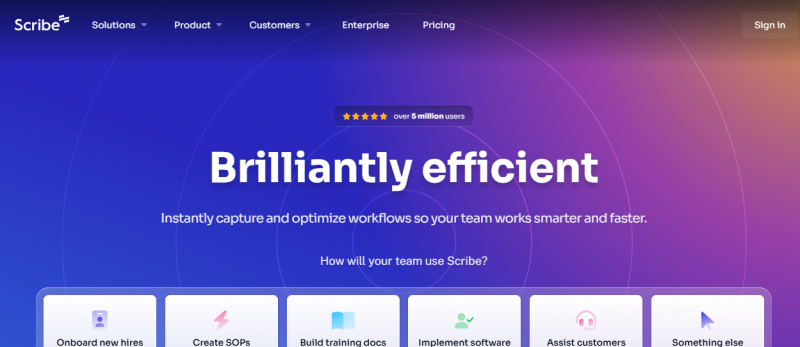
Scribe Demo & Screenshots

Scribe Pricing

Scribe Pricing Screenshot

*Price last updated on Mar 5, 2026. Visit scribehow.com's pricing page for the latest pricing.

Scribe Reviews

Scribe Category

Scribe Alternatives