
I evaluate software the way a law firm has to live with it: not by the demo, but by the Tuesday afternoon when a paralegal is staring at four hundred documents and a filing deadline. Law firms are not shopping for AI magic. They are looking for tools that reduce repetitive work, speed up research, summarize long records, support a first draft, organize a matter, and help a team work more consistently, all without weakening legal judgment, client confidentiality, or professional responsibility.
That framing matters because the AI legal assistant tools that win on a feature sheet are not always the ones that fit a real practice. The best choice depends on your practice area, your risk tolerance, your document volume, your budget, and the review process you already trust. A litigation boutique drowning in discovery has almost nothing in common with a two-person transactional shop that mostly redlines NDAs, and the right tool for each looks completely different.
If you only have five minutes, start here. The table maps a common firm need to a tool worth shortlisting, the reason it fits, and the caution that should temper the decision. Treat the recommendations as a starting point for demos, not a verdict.
| Firm need | Tool to consider first | Reason | Main caution |
| Legal research | Lexis+ with Protege, CoCounsel, Paxton AI | Answers grounded in legal sources with citation tools | Confirm jurisdiction and database coverage for your subscription |
| Litigation document review | Everlaw, Relativity aiR | Built for large document sets and review workflows | Geared to volume; overkill for a handful of documents |
| Contract drafting | Spellbook, CoCounsel, Lexis+ with Protege | Clause drafting and first drafts inside familiar tools | Drafts still need a transactional lawyer's review |
| Contract review | Spellbook, Harvey | Redlining, risk flagging, and playbook checks | Quality depends on the playbook you configure |
| Deposition or case summarization | CoCounsel, Everlaw, Paxton AI | Summaries and analysis of long records | Verify every summarized fact against the source |
| Solo firm productivity | Paxton AI, LawDroid, Clio Duo | Lower entry cost and lighter onboarding | Match the tool to your actual daily tasks |
| Large firm knowledge work | Harvey, CoCounsel | Depth across research, drafting, and analysis | Enterprise pricing and procurement; longer rollout |
| Discovery workflow | Relativity aiR, Everlaw | AI-assisted review, privilege, and prioritization | Tied to the platform you already host data on |
| Client intake automation | LawDroid | Chatbots, lead capture, and front-office automation | Not a research or document review platform |
| Practice management support | Clio Duo / Clio Work | Workflow help inside an existing system | AI depth is still maturing; verify features |
These tools are compared on practical law-firm value, not on marketing claims. The point is to help a firm decide whether a tool earns a place in real workflows, so the assessment leans on documented capabilities, public product information, and how each tool fits the way legal teams actually work. Where a fact could not be confirmed from an official source, this guide says so rather than guessing.
The factors below drove the analysis. The scoring table that follows pairs each factor with the reason it matters and the question a firm should ask during a demo.
The summary table covers all ten tools in the order discussed below. One entry, Casetext, is included because firms still search for it, but its standalone product was retired in 2025, so its row reflects current status rather than a live recommendation.
| Tool | Best for | Core strength | Main limitation | Best-fit firm |
| Harvey AI | Large-firm knowledge work | Depth across research, drafting, analysis | Enterprise access and pricing | BigLaw, large in-house |
| CoCounsel (Thomson Reuters) | Research, drafting, review | AI tied to Westlaw content | Cost and ecosystem tie-in | Small to large firms |
| Lexis+ with Protege | Lexis ecosystem firms | Authority plus Shepard's verification | Cost and ecosystem fit | Lexis subscribers |
| Spellbook | Contract drafting and review | Lives inside Microsoft Word | Contracts only, Word only | Transactional teams |
| Casetext (retired) | Historical research tool | Now part of CoCounsel | No longer standalone | See CoCounsel |
| Everlaw | Litigation and e-discovery | Review plus case-building | Not a general assistant | Litigation teams |
| Relativity aiR | Enterprise e-discovery review | Scale review and privilege | Requires RelativityOne | Large litigation teams |
| Paxton AI | Research and drafting support | All-in-one with citations | Test accuracy and fit | Solo to midsize |
| LawDroid | Intake and automation | Front-office automation | Not deep research or review | Solo and small firms |
| Clio Duo / Clio Work | Practice management support | Workflow help in Clio | AI depth still maturing | Clio users, solo to mid |
Each review follows the same shape: what the tool is and how firms use it, where it fits a workflow, a compact at-a-glance summary, and a reviewer verdict. The angle differs for each tool because the tools solve genuinely different problems.

Harvey positions itself as enterprise-grade legal AI for sophisticated teams, and the market has treated it that way. The company has raised heavily and reports adoption across a large share of the AmLaw 100 along with hundreds of in-house departments. Its official site is harvey.ai. The product spans legal research, drafting, multi-document analysis, and increasingly agentic workflows that carry a task from start toward a reviewable output.
For a large firm, the appeal is breadth and integration: one platform that handles cross-jurisdictional research, due-diligence review across a data room, and structured drafting, deployed with enterprise security and a dedicated implementation team. That same profile is the reason it rarely fits a solo or small practice. There is no light self-serve tier, procurement is involved, and the price reflects the enterprise audience.
| At a glance | Detail |
| Best-fit firm | Large firms, BigLaw, and large in-house legal teams with procurement and IT support |
| Strongest advantage | Depth and breadth across research, drafting, analysis, and emerging agentic workflows in one enterprise platform |
| Main limitation | Enterprise-only access, longer onboarding, and pricing that is out of reach for most small firms |
| Security and privacy | Public materials describe enterprise controls and isolation of client data; confirm certifications, retention, and training policies in writing |
| Human review | High. Outputs feed expert legal work and must be checked by qualified attorneys |
Reviewer verdict. If you are a large firm that can support an enterprise rollout, Harvey belongs on the shortlist for serious legal knowledge work. If you are smaller, look at tools built for your scale before assuming you need the most powerful option in the room.

CoCounsel is Thomson Reuters' AI legal assistant, and it is the clearest example of AI connected to established legal research infrastructure. It grounds answers in Thomson Reuters content rather than the open web, which is the point for firms that already trust Westlaw and Practical Law. Details live at thomsonreuters.com. CoCounsel Legal was named the American Association of Law Libraries 2026 New Product Award winner, a useful signal of how the legal information community views it.
Lawyers use it for legal research, document review and summarization, deposition preparation, contract analysis, and drafting assistance. It suits firms that want AI woven into a research stack they already pay for, rather than a separate standalone app. The trade-offs are familiar for an established platform: subscription cost, a learning curve, and the reality that value is strongest when you are inside the Thomson Reuters ecosystem.
| At a glance | Detail |
| Best-fit firm | Small to large firms and in-house teams, especially current Westlaw users |
| Strongest advantage | AI answers and drafts grounded in trusted Thomson Reuters content with traceable sourcing |
| Main limitation | Cost, an ecosystem tie-in, and a learning curve; attorney review remains essential |
| Security and privacy | Sold to professional firms with enterprise terms; confirm data handling, retention, and confidentiality terms for your plan |
| Human review | High. Verify research, citations, and summaries before client use |
Reviewer verdict. For research-heavy and mixed practices already invested in Thomson Reuters, CoCounsel is one of the most natural fits available. Price the specific plan and coverage you need, because the range is broad.
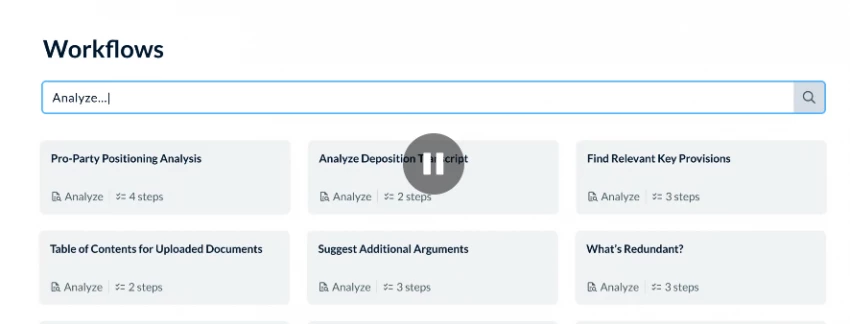
If your firm runs on LexisNexis, this is the most direct path to AI inside that world. Note the name: in February 2026 LexisNexis renamed Lexis+ AI to Lexis+ with Protege and repositioned it as an end-to-end workflow platform rather than a single assistant. The product page is lexisnexis.com. It offers conversational research, citation-aware drafting, summarization, and a large library of ready-to-use workflows, with Shepard's validation for checking authorities.
The strongest fit is a firm that already relies on LexisNexis research and wants AI grounded in that content, with verification built in. As with any research platform, jurisdiction and database coverage depend on your subscription, so that is the first thing to confirm. The main considerations are cost and ecosystem fit: the value compounds for committed LexisNexis users and is thinner for firms that are not.
| At a glance | Detail |
| Best-fit firm | Existing LexisNexis subscribers across firm sizes and in-house teams |
| Strongest advantage | Authoritative content plus Shepard's verification and a deep, expanding workflow layer |
| Main limitation | Cost and ecosystem fit; benefits concentrate for committed LexisNexis users |
| Security and privacy | Enterprise legal platform; confirm confidentiality terms, retention, and how your documents are handled |
| Human review | High. Confirm cited authorities and apply independent judgment |
Reviewer verdict. For a LexisNexis firm, Lexis+ with Protege is the obvious candidate, and the verification tooling is a real advantage. Map your jurisdictions to what your plan actually covers before you commit.
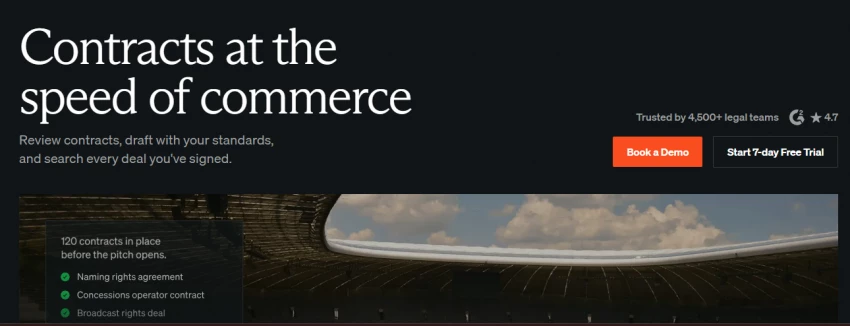
Spellbook is a contract-focused assistant that runs as a Microsoft Word add-in, which is its whole thesis: bring drafting, redlining, and risk flagging into the document where transactional lawyers already work. Its site is spellbook.com. It helps draft clauses and full agreements from precedents, flags missing or risky terms, and supports playbook checks so the same review runs the same way each time. A multi-document agent extends it toward more complex transactional matters.
It is a strong shortlist candidate for lawyers in contracts, startups, SaaS, commercial agreements, and small-business work, and for in-house teams that want faster contract work without a full contract-lifecycle rollout. It is less useful for litigation-heavy firms or deep legal research, since it does not draft motions or research case law. Two practical notes: it works in Word only, and the quality of its suggestions improves substantially once you invest time building your playbook.
| At a glance | Detail |
| Best-fit firm | Transactional and commercial practices, boutiques, startups, and in-house contract teams |
| Strongest advantage | Contract drafting, redlining, and benchmarking inside Microsoft Word, with minimal workflow disruption |
| Main limitation | Contracts only and Word only; limited value for litigation or research, and playbook setup matters |
| Security and privacy | Vendor materials list security and compliance attestations and enterprise data options; confirm retention and training terms for your tier |
| Human review | High. A transactional lawyer must review redlines and generated clauses |
Reviewer verdict. For contract-heavy teams that live in Word, Spellbook is one of the cleanest options to pilot. Test it on your real agreement types and build the playbook before judging it.
Casetext deserves a place here precisely because of what it teaches about this market. It was a beloved, affordable research tool and the original developer of CoCounsel. Thomson Reuters acquired Casetext in 2023, and the standalone Casetext product was retired in 2025; its technology was folded into Thomson Reuters CoCounsel and Westlaw, and casetext.com now redirects to Thomson Reuters. In other words, the tool many firms still search for no longer exists as independent software.
The practical guidance is simple. Firms that want what Casetext offered, AI-supported research and case analysis with brief and legal-question workflows, should evaluate CoCounsel as the direct successor, or look at independent research-focused assistants if standalone affordability and a lighter footprint matter more. This is also a reminder that legal-tech consolidation can change or end a product on a vendor's timeline, not yours, which is why product status belongs on every verification checklist.
| At a glance | Detail |
| Current status | Standalone product retired in 2025; technology absorbed into Thomson Reuters CoCounsel and Westlaw |
| Direct successor | Thomson Reuters CoCounsel |
| If you used Casetext | Confirm your migration path and current pricing with Thomson Reuters, and re-test coverage against your needs |
| Lesson for buyers | Verify ownership and product status before purchase; consolidation can change pricing and continuity |
| Human review | Unchanged. Any successor tool's output still requires attorney review |
Reviewer verdict. Do not shop for Casetext as a current product. Evaluate CoCounsel as its successor, and treat its story as the strongest argument in this guide for verifying status before you sign.

Everlaw is an e-discovery platform with AI-supported review and litigation collaboration, aimed at teams handling large document sets. Its site is everlaw.com. Beyond review and search, it leans into case-building, including a narrative feature for turning a document set into a story and assistants for writing, deposition analysis, and single-document review. In late 2025 Everlaw made several single-use AI assistant features available at no additional charge, which changes the cost calculus for smaller litigation teams.
It is strong for litigation teams that need to review, search, organize, and build a case across volume, with real-time collaboration. It is not a general-purpose AI writing assistant for every law-firm task; its value is concentrated in litigation and discovery. Firms weighing it against other e-discovery platforms should remember that switching platforms mid-matter is rarely practical, so platform choice tends to be sticky.
| At a glance | Detail |
| Best-fit firm | Litigation teams and firms handling sizable document sets; works for small to large practices |
| Strongest advantage | AI-assisted review combined with collaboration and case-building tools |
| Main limitation | Focused on litigation and discovery; not a general assistant for drafting or research across the firm |
| Security and privacy | Built for litigation data; confirm hosting, access controls, retention, and AI data handling for your matters |
| Human review | High. Reviewers and attorneys remain responsible for coding and decisions |
Reviewer verdict. For litigation and e-discovery, Everlaw is a credible primary platform, and the move to include some AI features lowers the barrier. Scope it to your matter volume and collaboration needs.
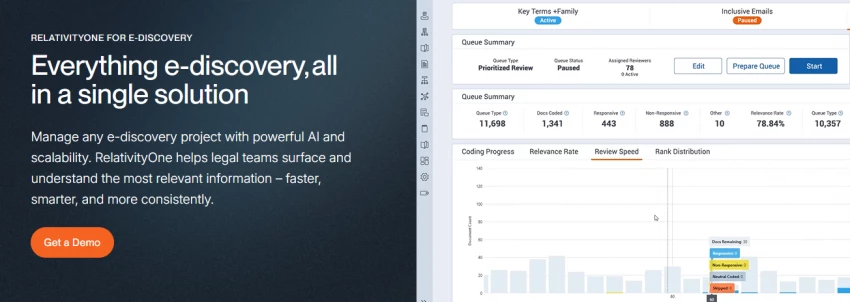
Relativity aiR brings generative AI to enterprise e-discovery inside RelativityOne, with capabilities for first-pass review, privilege detection, and case analysis. The platform page is relativity.com. A notable 2026 change: aiR for Review and aiR for Privilege moved into the standard RelativityOne package at no additional charge, shifting AI review from a premium add-on toward a default capability for teams already on the platform.
It fits large litigation matters, investigations, and high-volume document analysis, where prioritization and key-document identification can compress a months-long review. The defining constraint is that aiR works within RelativityOne, so it is most relevant to teams already hosting data there. It is more suitable for larger teams than for solo or small firms, and it is designed to make reviewers faster rather than to remove them.
| At a glance | Detail |
| Best-fit firm | Large litigation teams, corporate legal, and review operations already on RelativityOne |
| Strongest advantage | Scale review, privilege detection, and prioritization integrated with the Relativity workflow |
| Main limitation | Requires RelativityOne; not practical for firms on other platforms or with low document volume |
| Security and privacy | Enterprise e-discovery environment; confirm hosting region, access controls, and AI data handling for your matters |
| Human review | High. AI prioritizes and flags; humans decide and remain accountable |
Reviewer verdict. If you already run RelativityOne and handle large reviews, aiR is increasingly a default worth using. If you are not on Relativity, this is not a reason to migrate by itself.

Paxton positions itself as an all-in-one legal assistant for research, drafting, and document analysis, with citations built into its answers. Its site is paxton.ai. It can research case law and statutes, draft motions, contracts, and letters, summarize depositions and discovery, build medical chronologies and billing summaries, and analyze uploaded files, with an integrated workflow that runs research first and then drafts using the authorities it finds.
It is a good fit for firms that want AI assistance across several tasks without building a custom system, including solo, small, and midsize firms and in-house teams. The honest caveats are the ones Paxton's own materials echo: source grounding, jurisdiction coverage, and citation accuracy must be verified, and firms should test the tool against real workflows rather than assuming the demo reflects their matters. Paxton also notes that communications with the tool are not protected by attorney-client privilege or as work product, which is worth internalizing.
| At a glance | Detail |
| Best-fit firm | Solo, small, and midsize firms and in-house teams wanting one accessible multi-task assistant |
| Strongest advantage | Research, drafting, and document analysis with clickable citations in a single tool |
| Main limitation | Accuracy, coverage, and workflow fit must be tested; over-reliance is a real risk |
| Security and privacy | Vendor materials cite enterprise security attestations and state that data is not used to train models; confirm in writing, and note communications are not privileged |
| Human review | High. Verify citations, jurisdiction, and conclusions before relying on outputs |
Reviewer verdict. For smaller firms that want broad AI help without enterprise commitment, Paxton is worth a trial. Put its citations and coverage through a real matter before trusting them.
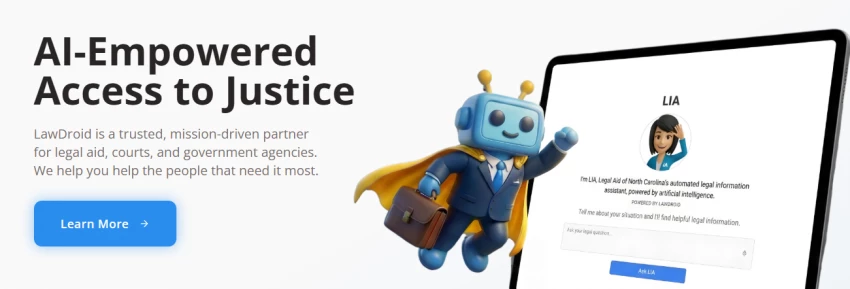
LawDroid focuses on the front office: chatbots and automation for client intake, lead qualification, FAQs, and client communication, alongside a no-code builder and an assistant for routine drafting and basic research. Its site is lawdroid.com. Firms use it to engage website visitors, capture leads into a case management system, automate document assembly from Word templates with conditional logic, and answer common questions around the clock.
It is strong for small and midsize firms that need front-office automation and want to convert more inquiries without adding staff for routine intake. It is not a deep legal research or document review platform, and its case-law research is best treated as a starting point rather than a substitute for a dedicated research tool. The clearest value is operational: responsiveness, lead capture, and time saved on repetitive client-facing work.
| At a glance | Detail |
| Best-fit firm | Solo and small to midsize firms that want intake and front-office automation |
| Strongest advantage | Client intake, lead capture, and document automation without heavy technical setup |
| Main limitation | Not a deep research or document review platform; treat its research as a starting point |
| Security and privacy | Handles prospective-client information; confirm data handling, storage, and integration security |
| Human review | Required for any substantive legal content and for intake that touches legal questions |
Reviewer verdict. If your bottleneck is intake and client responsiveness, LawDroid targets exactly that. Keep substantive legal work in tools built for it.
Clio is best known as practice management software, and its AI layer is designed for operational productivity rather than deep legal reasoning. Its site is clio.com. Clio Duo is an assistant inside Clio Manage that helps with data retrieval, billing, client communications, document summarization, smart task recommendations, and an audit log of AI activity. Clio Work extends this into an AI workspace that stays in sync with live matter data.
The bigger 2026 story is Clio's roughly one-billion-dollar acquisition of vLex, which brought Fastcase, Vincent AI, and a large legal research library into the Clio world, adding a research and intelligence layer that practice management tools have historically lacked. For firms already on Clio, that combination is genuinely interesting. The honest caveat is that the AI features are still maturing, depth varies by capability, and availability should be confirmed, since the platform is evolving quickly.
| At a glance | Detail |
| Best-fit firm | Existing Clio users, especially solo to midsize firms wanting workflow and operational help |
| Strongest advantage | AI assistance grounded in live matter data inside a practice management system, now paired with an expanding research layer |
| Main limitation | AI depth is still maturing and varies by feature; strongest value if you already run Clio |
| Security and privacy | Operates on firm and client matter data; confirm data handling, retention, and the audit and access controls |
| Human review | Required for client communications, billing accuracy, and any research output |
Reviewer verdict. For Clio firms, the AI layer and the vLex research integration make staying in the ecosystem more compelling than it was a year ago. Verify which features are live for your plan before counting on them.
Practice area changes the calculus more than firm size does. The table pairs each area with the type of AI most likely to help, specific tools worth considering, and the review risk that should stay front of mind. Tool names are candidates to evaluate, not endorsements for your specific matters.
| Practice area | Useful AI tool type | Tools to consider | Main review risk |
| Litigation | E-discovery and document review | Everlaw, Relativity aiR, CoCounsel | Privilege and relevance errors at scale |
| Corporate law | Research, drafting, and analysis | Harvey, CoCounsel, Lexis+ with Protege | Misstated authority in complex deals |
| Contract law | Contract drafting and review | Spellbook, CoCounsel | Unreviewed clauses and missed risk |
| Employment law | Research and drafting with citations | Lexis+ with Protege, Paxton AI | Jurisdiction-specific rule gaps |
| Family law | Drafting and summarization | Paxton AI, Clio Duo | Sensitive data handling and accuracy |
| Personal injury | Record and medical summarization | Paxton AI, Everlaw | Errors in medical chronologies |
| Real estate law | Document drafting and review | Spellbook, Clio Duo | Template and clause inaccuracies |
| Immigration law | Intake, drafting, and summarization | LawDroid, Paxton AI | Form and eligibility misstatements |
| Intellectual property | Research and document analysis | CoCounsel, Lexis+ with Protege | Coverage gaps in specialized sources |
| In-house legal teams | Contracts and knowledge work | Spellbook, Harvey, CoCounsel | Confidentiality of company data |
Many firms buy by task rather than by brand. This view maps common workflows to the tool category that fits, example tools to evaluate, and whether attorney review is needed. The honest answer in the last column is almost always yes.
| Workflow | Tool category | Example tools | Attorney review needed |
| Legal research | Grounded research assistants | Lexis+ with Protege, CoCounsel, Paxton AI | Yes, verify every authority |
| Contract drafting | Transactional drafting assistants | Spellbook, CoCounsel | Yes, review all drafts |
| Contract review | Redlining and risk tools | Spellbook, Harvey | Yes, confirm risk decisions |
| Discovery review | E-discovery platforms | Relativity aiR, Everlaw | Yes, validate coding |
| Document summarization | Summarization assistants | CoCounsel, Paxton AI, Everlaw | Yes, check against source |
| Client intake | Intake and chatbot automation | LawDroid | Yes, for legal content |
| Matter management | Practice management AI | Clio Duo / Clio Work | Yes, for accuracy |
| Deposition preparation | Analysis and summarization | CoCounsel, Everlaw, Paxton AI | Yes, attorney-led |
| Policy and compliance review | Document analysis assistants | Harvey, CoCounsel, Lexis+ with Protege | Yes, expert judgment |
| Knowledge management | Search and synthesis tools | Harvey, Clio Work | Yes, validate outputs |
This is where a tool selection becomes an ethics question, not just a productivity one. Client confidentiality and attorney-client privilege are not negotiable, and uploading sensitive material to a tool you have not vetted can create real exposure. Before any matter data goes near a tool, a firm should understand data retention and training policies, access controls, and the contractual terms that govern all of it.
Confirm the concrete items first: whether data is used to train models, how long it is retained, whether the vendor offers role-based permissions and audit logs, and what the vendor contract actually promises. Treat security certifications and encryption claims as facts to verify with the vendor, not assumptions, and check your jurisdiction's ethics guidance on AI use, since obligations and any client-consent expectations vary. Above all, keep a human attorney in the review loop and put an internal AI usage policy in writing.
| Review area | Question to ask the vendor | Risk if ignored |
| Client confidentiality | How is uploaded client data isolated and protected? | Confidentiality breach |
| Attorney-client privilege | Could use of the tool affect privilege? | Waiver or exposure |
| Data retention | How long is data stored, and can it be deleted? | Data lingers beyond need |
| Model training | Is our data used to train your models? | Sensitive data reused |
| Access controls | Who in the vendor and firm can access data? | Unauthorized access |
| Security certifications | Which independent attestations do you hold? | Unverified security claims |
| Encryption | How is data encrypted in transit and at rest? | Interception or leakage |
| Audit logs | Are AI actions logged and reviewable? | No accountability trail |
| Role-based permissions | Can access be limited by role and matter? | Overbroad access |
| Vendor contract | What do the terms guarantee in writing? | Promises not enforceable |
| Jurisdiction ethics guidance | Does our bar guidance permit this use? | Ethics violation |
| Client consent | Is client consent required for this use? | Consent obligations missed |
| Human attorney review | What review does the vendor recommend? | Errors reach clients |
| Internal AI usage policy | Do we have a written firm policy? | Inconsistent, risky use |
Size shapes budget, procurement, and how much onboarding a firm can absorb. The table and the matrix that follows pair firm profiles with the need that usually dominates, the tool type that fits, names to shortlist, and the buying caution that most often trips firms up.
| Firm size | Main need | Best tool type | Tools to shortlist | Buying caution |
| Solo attorneys | Affordable productivity | Lighter multi-task assistant | Paxton AI, LawDroid, Clio Duo | Avoid paying for enterprise scale |
| Small firms | Efficiency without IT | Drafting and intake tools | Spellbook, Paxton AI, LawDroid | Match the tool to daily tasks |
| Midsize firms | Consistency across teams | Research and drafting platforms | CoCounsel, Lexis+ with Protege, Spellbook | Plan training and rollout |
| Large firms | Depth and integration | Enterprise legal AI | Harvey, CoCounsel | Budget for procurement and onboarding |
| In-house legal teams | Contracts and knowledge | Contract and research tools | Spellbook, Harvey, CoCounsel | Protect company data |
| Litigation boutiques | Document review at volume | E-discovery platforms | Everlaw, Relativity aiR | Size to matter volume |
| Transactional boutiques | Fast contract work | Contract assistants | Spellbook, CoCounsel | Build the playbook early |
Run a tool through this list before a purchase decision. Each item is something to confirm from an official source or a demo, not to assume. If a vendor cannot answer clearly, treat that as information.
This snapshot reflects an editorial view for shortlisting, ordered by overall practical value across typical firm needs rather than by a single metric. The right pick for your firm depends on your work, so read the rank as a starting point. Casetext appears for completeness with its current status.
| Rank | Tool | Best use case | Best-fit firm | Biggest caution |
| 1 | CoCounsel (Thomson Reuters) | Research, drafting, and review | Westlaw firms, small to large | Price the specific plan and coverage |
| 2 | Lexis+ with Protege | Grounded research and drafting | LexisNexis subscribers | Confirm jurisdiction coverage |
| 3 | Harvey AI | Enterprise legal knowledge work | Large firms and in-house | Enterprise cost and onboarding |
| 4 | Spellbook | Contract drafting and review | Transactional and in-house teams | Contracts only, Word only |
| 5 | Everlaw | Litigation and e-discovery | Litigation teams of any size | Focused on discovery, not general use |
| 6 | Relativity aiR | Enterprise e-discovery review | Large litigation on RelativityOne | Requires the Relativity platform |
| 7 | Paxton AI | Multi-task research and drafting | Solo to midsize firms | Test accuracy and coverage |
| 8 | Clio Duo / Clio Work | Practice management support | Clio users, solo to midsize | AI depth still maturing |
| 9 | LawDroid | Intake and front-office automation | Solo and small firms | Not deep research or review |
| n/a | Casetext (retired) | Now part of CoCounsel | Use the successor | No longer standalone |
If I were advising a managing partner or a legal operations lead, I would resist the urge to name one winner, because the best AI legal assistant in 2026 is the one that fits your firm's actual work. The honest recommendation is to choose by what your firm does most days, not by which product has the largest valuation or the loudest launch.
Litigation teams should prioritize e-discovery and document review platforms, where Everlaw and Relativity aiR earn their place at volume. Transactional lawyers should look closely at contract drafting and review tools, with Spellbook the cleanest place to start for Word-based teams. Research-heavy and mixed practices should focus on tools connected to trusted legal databases, where CoCounsel and Lexis+ with Protege lead, and large firms with the budget and procedures to support a rollout should evaluate Harvey for enterprise knowledge work. Smaller firms often get more real value from intake, practice management, and lighter productivity tools such as LawDroid, Clio Duo, and Paxton AI than from enterprise software they will underuse.
| The bottom line. AI legal assistant tools can make law firms faster, but they do not remove the need for legal judgment, source checking, confidentiality review, and attorney accountability. Use them to do better work, not to skip the work that protects your clients and your license. |
Share your thoughts about this article.
Be the first to post a comment!

The same tool can be a 4.7 on one site and a 3.9 on another. Here is what is rea...
Nitin4 weeks ago

Here is the number worth pinning above your budget: in Gartner Digital Markets r...
Deepak Mehra4 weeks ago

What Artlist AI is in 2026Artlist began as a royalty-free music library. By 2026...
Deepak Mehra1 month ago

Most AI tool failures do not announce themselves. There is no crash, no angry em...
Nitin1 month ago

The best AI image generator in 2026 is Nano Banana 2 for speed, FLUX.2 for photo...
Parveen Verma1 month ago

“Useful” is a slippery word for a coding assistant. A tool can be brilliant at o...
Sakshi Dhingra1 month ago