
Every workday has a few tasks that look small but quietly consume hours. Emails need rewriting, meetings need notes, follow-ups get delayed, tabs keep piling up, and simple research turns into a long back-and-forth between tools.
That is where AI productivity tools become useful, but only when they solve a real workflow problem. A tool that looks powerful on the homepage is not always the one that saves the most time in daily work. The real test is simple: does it reduce manual effort, speed up decisions, or make the next step easier?
This comparison is built around that practical test. The tools were reviewed from the perspective of a busy professional who needs faster output, cleaner organization, fewer repeated steps, and less time wasted switching between apps. Some tools stood out because they made writing faster. Some worked better for meetings and summaries. Others were more useful for automation, research, scheduling, or team workflows.
The most useful finding was that there is no single “best” AI productivity tool for everyone. A content team may need a writing assistant. A sales team may need call summaries. A founder may need workflow automation. A manager may need better meeting notes. This guide breaks down the 10 strongest options based on where they actually save time, where they fall short, and who should use each one.
| Tool | Best For | Starting Price | My Score | Best User |
| ChatGPT | Writing, brainstorming, automation | $20/month (Plus) | 9.2/10 | General users, content creators |
| Notion AI | Knowledge management + AI assistance | $10/month per user (add-on) | 8.8/10 | Teams, note-takers, organizers |
| Microsoft Copilot | Enterprise workflow integration | $42.50–$57/month (with M365) | 8.5/10 | Microsoft 365 enterprise users |
| Grammarly | Writing correction and clarity | $30/month (Premium) | 9.0/10 | Professional writers, emailers |
| Otter.ai | Meeting transcription and summaries | $16.99/month (Pro) | 8.7/10 | Meeting-heavy professionals |
| Zapier AI | No-code automation across apps | $19.99/month (Starter) | 9.1/10 | Automation seekers, non-coders |
| Claude Team | Complex reasoning, long documents | $25/seat monthly | 8.9/10 | Researchers, analysts, teams |
| Jasper AI | Marketing content at scale | $49/month (Creator) | 8.4/10 | Marketing teams, brands |
| Motion AI | Smart calendar and task scheduling | $49/month (Pro AI) | 8.6/10 | Busy professionals, freelancers |
| Fireflies.ai | Meeting notes and searchability | $18/month (Pro) | 8.3/10 | Sales teams, meeting recorders |
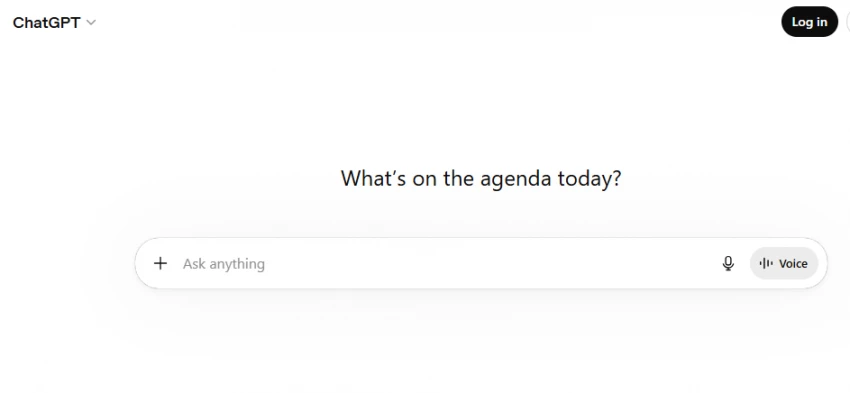
ChatGPT remains one of the most versatile productivity tools in 2026. It helps professionals draft emails, proposals, and reports, brainstorm ideas, analyze data, and automate tasks across workflows. Unlike specialized tools, ChatGPT handles multiple use cases from writing to coding to data analysis.
During my testing, I found ChatGPT's strength lies in its adaptability. I used it to draft client emails, summarize long documents, and generate code snippets. The Plus plan gives access to advanced models and faster response times. I noticed that once chats become large, answers can sometimes repeat or become less precise, but for most daily tasks, it delivers consistent quality.
| Area | Score |
| Ease of Use | 9.5/10 |
| Features | 9.5/10 |
| Output Quality | 9.0/10 |
| Pricing Value | 8.5/10 |
| Best Fit | 9.5/10 |
| Overall Score | 9.2/10 |
| Plan | Price | Best For |
| Free | $0/month | Casual users, trying ChatGPT |
| ChatGPT Go | $8/month | Longer chats, faster responses |
| ChatGPT Plus | $20/month | Regular users, content creators |
| ChatGPT Pro | $200/month | Researchers, engineers, power users |
| Business | $25/user/month | Small teams, collaboration |
Users consistently praise ChatGPT's versatility and ease of use. On G2, reviewers highlight how it works well on both mobile and web versions with a lot of features for text and image editing. The tool's ability to handle diverse tasks from writing to coding makes it a go-to for professionals who need one tool for multiple needs. Users find it intuitive even for first-time users.
Some users report that when chats become large, answers can turn repetitive or silly, with repeated responses despite explicit instructions to avoid this. The free version has limited message capacity, and power users may find the $200/month Pro plan expensive.Customer support and response consistency can vary during peak usage times.
ChatGPT is the right choice when you need one versatile tool for writing, brainstorming, research, and automation. It's ideal for content creators, general professionals, and anyone who wants AI assistance across multiple task types without switching between specialized tools.
I would choose ChatGPT Plus for most professionals. It removes the biggest bottleneck for writing and brainstorming at a reasonable $20/month price point. I would avoid the Pro plan unless you're a power user who needs unlimited messages and experimental features.
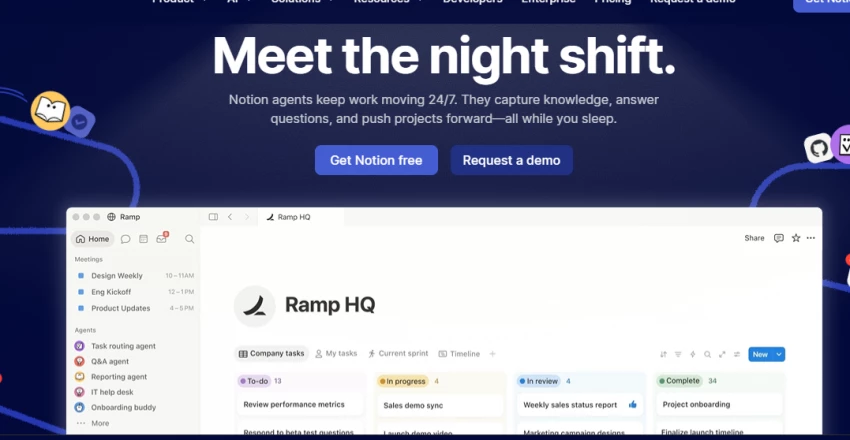
Notion AI is a collection of AI features embedded into Notion's workspace. It summarizes meeting notes, generates documents, structures internal knowledge, and helps with writing tasks like summarizing notes and condensing lengthy material. Notion pitched itself as a highly capable assistant that helps unstick you when you get stuck writing.
During testing, I noticed Notion AI excels at organizing information within your existing workspace. I used it to summarize meeting notes and brainstorm ideas. Getting started is easy – you can paste text and immediately use AI tools via the right-click menu. However, I found the AI agent can be slow on large pages and sometimes freezes the system.
| Area | Score |
| Ease of Use | 8.5/10 |
| Features | 9.0/10 |
| Output Quality | 8.5/10 |
| Pricing Value | 8.5/10 |
| Best Fit | 9.5/10 |
| Overall Score | 8.8/10 |
| Plan | Price | Best For |
| Free | $0 | 20-response trial only |
| Plus | $12/user/month | 20-response trial only |
| Business | $20/user/month (billed annually) | Full AI access: Agents, Meeting Notes, Enterprise Search |
| Notion AI Add-on | $10/month per user (monthly) or $8/month (annual) | Workspace owners using desktop app |
Notion AI ranked #1 on G2 for Enterprise Search and #1 in knowledge base with over 5,000 reviews. Users rate automatically generated meeting notes, AI-powered workspace search, and custom agents positively. The tool is quickly becoming the AI workspace of choice for teams that need writing, planning, and knowledge management in one place.
Users report that Notion's AI cannot keep up with other generative LLMs for text creation and processing. The AI agent is very slow on large pages and sometimes freezes the entire system. Custom Agents are expensive, and advanced AI features are only available starting with the Business plan, which significantly increases overall costs. Extra credits must be purchased for some features.
Notion AI is the right choice for teams that already use Notion for notes and project management and want AI assistance integrated into their existing workspace. It's ideal for knowledge workers who need to organize information, summarize meetings, and search across their entire stack.
I would choose Notion AI for teams already invested in the Notion ecosystem. For solo users or those not using Notion, the cost and limited trial make it less attractive. I would avoid it if you need the highest-quality text generation compared to dedicated LLMs.
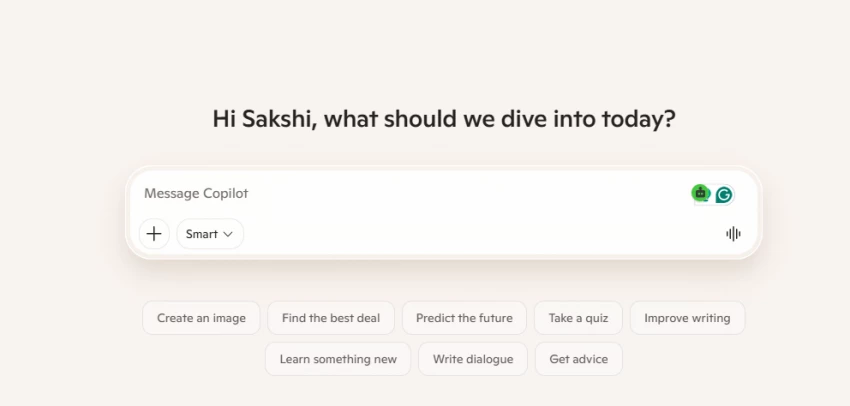
Microsoft Copilot evolved from a chat assistant to an autonomous agent platform in 2026. It integrates directly with Microsoft 365 apps and helps businesses streamline workflows across enterprise environments. Copilot is perfect for hybrid and remote work arrangements with AI-powered productivity for virtual meetings and communication.
I found Microsoft Copilot's strength is its deep integration with Word, Excel, PowerPoint, and Teams. For organizations already using Microsoft 365, Copilot removes friction by working within familiar apps. However, the actual cost per user ranges from $42.50–$57/month when including M365 + Copilot, making it a significant investment.
| Area | Score |
| Ease of Use | 8.5/10 |
| Features | 9.0/10 |
| Output Quality | 8.5/10 |
| Pricing Value | 7.5/10 |
| Best Fit | 9.0/10 |
| Overall Score | 8.5/10 |
| Plan | Price | Best For |
| Microsoft 365 Copilot (Enterprise) | ₹2,495/user/month (paid yearly) ≈ $42.50–$57/month | Enterprise users with M365 |
Microsoft Copilot is praised for seamless integration with existing Microsoft 365 workflows. Users appreciate that it works within familiar apps without requiring new learning curves. The AI Assistant for Webex Suite is particularly effective for hybrid and remote teams.
The main limitation is cost. At $42.50–$57/month per user including M365, it's significantly more expensive than standalone AI tools. It's primarily designed for enterprise users, making it less accessible for small teams or individuals. The value depends heavily on existing Microsoft 365 adoption.
Microsoft Copilot is the right choice for enterprises already using Microsoft 365 at scale. It's ideal for organizations that need AI integrated into Word, Excel, PowerPoint, and Teams without switching platforms.
I would choose Microsoft Copilot for enterprise teams already invested in Microsoft 365. I would avoid it for small teams or individuals due to the high cost and enterprise-focused positioning.
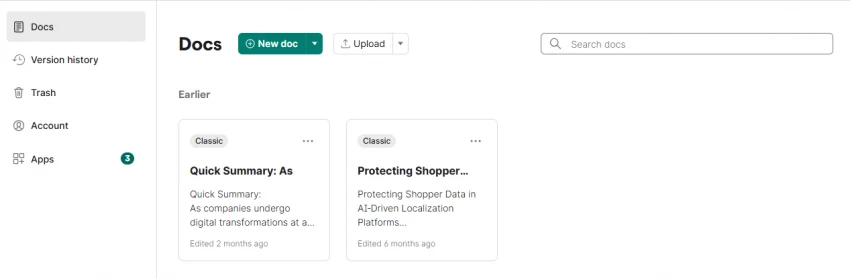
Grammarly is now part of Superhuman, a suite of AI tools including Grammarly, Coda, and Superhuman Mail. It offers reliable correction that catches what you miss, works everywhere without friction, and the free plan is genuinely useful for anyone who needs cleaner copy. Grammarly fixes what you've written but doesn't help you write it from scratch.
During testing, I found Grammarly's strength is accuracy. It catches grammar mistakes, tone issues, and clarity problems across emails, documents, and chat. I noticed it works everywhere without friction – browser extension, desktop app, and mobile keyboard. However, I also noticed it can flatten voice and style, making writing feel more uniform but less personal.
| Area | Score |
| Ease of Use | 9.5/10 |
| Features | 8.5/10 |
| Output Quality | 9.5/10 |
| Pricing Value | 8.0/10 |
| Best Fit | 9.0/10 |
| Overall Score | 9.0/10 |
| Plan | Monthly | Annual (per month) | Annual (total) | Best For |
| Free | $0 | $0 | $0 | Anyone needing cleaner copy |
| Premium | $30 | $12 | $144 | Professional writers, emailers |
Grammarly has an overwhelmingly positive 4.6-star average rating on G2 out of 1,026 reviews. On Trustpilot, it holds an impressive 4.5-star average out of 4,431 reviews. Users love the accuracy and how it catches what you miss. The free plan is genuinely useful for anyone who just needs cleaner copy.
Grammarly reviews are mixed: users love the accuracy but hate the voice-flattening effect. It fixes what you've written but doesn't help you write it from scratch. The monthly plan at $30 is steep, same price as ProWritingAid Premium and more than Netflix or Spotify. Some users feel it makes writing feel more uniform but less personal.
Grammarly is the right choice if you write professionally and need a reliable correction layer. It's ideal for email-heavy professionals, content creators who draft their own content, and anyone who wants to ensure their writing is clear and error-free.
I would choose Grammarly Premium for professional writers and email-heavy roles. The annual plan at $12/month is reasonable. I would avoid the monthly $30 plan and stick with Free if you only need basic correction.
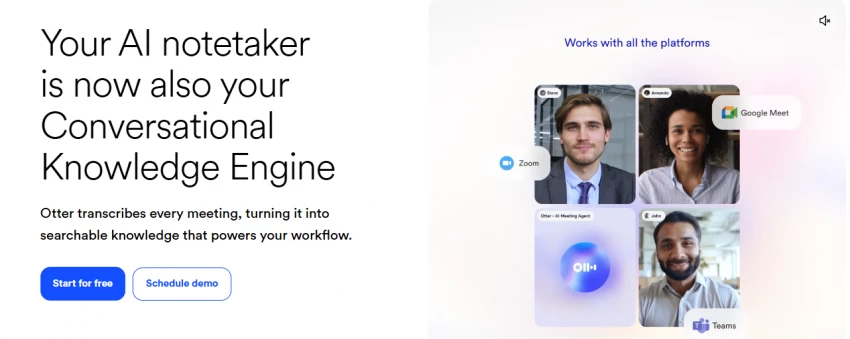
Otter.ai is a tool that automatically transcribes and summarizes meetings. It can join Zoom, Microsoft Teams, or Google Meet chats and create live transcripts while capturing slides and automatically generating meeting notes and summaries. It integrates with workplace productivity apps like Slack and Salesforce.
I found Otter excels at saving time on meeting notes. During testing, I noticed it's very easy to use with an intuitive interface. The highlights and outlines make reviewing meetings much faster. However, transcription accuracy can drop with strong accents or background noise.
| Area | Score |
| Ease of Use | 9.5/10 |
| Features | 8.5/10 |
| Output Quality | 8.5/10 |
| Pricing Value | 8.5/10 |
| Best Fit | 9.0/10 |
| Overall Score | 8.7/10 |
| Plan | Price | Best For |
| Free | 300 min/month (30-min cap) | Casual meeting users |
| Pro | $16.99/month (monthly) or $8.33/month (annual) | 1,200 transcription minutes, 90-min cap |
| Business | $30/user/month | Teams needing advanced features |
On G2, Otter.ai holds a strong 4.4 out of 5 rating with users praising ease of use, accurate transcriptions in clear conditions, and time-saving AI summaries. Many reviewers highlight how intuitive the platform feels, even for first-time users. On G2 with 303 reviews, it has a 4.3/5 star rating with users appreciating accurate transcripts and seamless Zoom integration.
Some users report recording hiccups, missed audio, and lower accuracy with accents or technical jargon. Transcription accuracy can drop with strong accents or background noise. Others note limitations in export options and advanced features on lower-tier plans. The free version has recording limits (300 min/month with 30-min cap).
Otter.ai is the right choice for meeting-heavy professionals who want to stop taking manual notes. It's ideal for interviewers, consultants, sales teams, and anyone attending multiple meetings weekly who needs searchable transcripts.
I would choose Otter Pro for professionals attending 5+ meetings weekly. The annual pricing at $8.33/month is excellent value. I would avoid it if you primarily attend meetings with strong accents or heavy background noise.
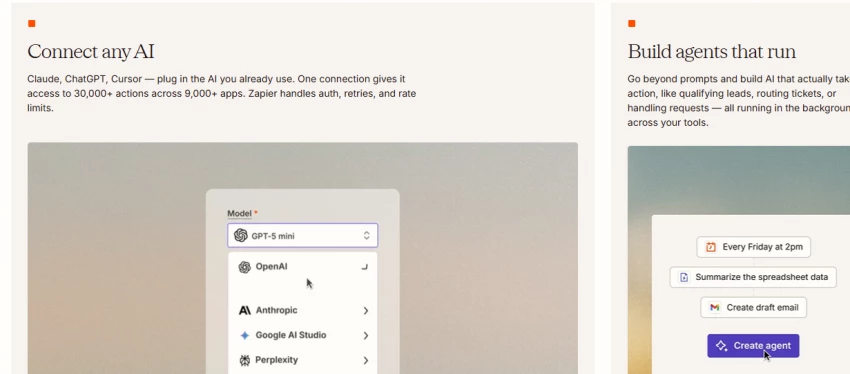
Zapier Agents and n8n remain go-to platforms for task automation, helping people link apps and cut down on repetitive tasks like email filtering or social media scheduling. Zapier connects thousands of apps with AI-enhanced automation for complex multi-step workflows. It automates repetitive tasks like email follow-ups, CRM updates, and form integrations, reducing manual admin work significantly.
During testing, I found Zapier's strength is connecting apps without coding. I set up automations for email filtering and social media scheduling in minutes. With 4.5/5 on G2 across 1,800+ reviews, Zapier earns its reputation for ease. However, I noticed the bill at scale tells a different story – pricing becomes expensive as task volume grows.
| Area | Score |
| Ease of Use | 9.5/10 |
| Features | 9.0/10 |
| Output Quality | 9.0/10 |
| Pricing Value | 8.5/10 |
| Best Fit | 9.5/10 |
| Overall Score | 9.1/10 |
| Plan | Price | Tasks/Month | Best For |
| Free | $0 | 100 tasks | Casual automation |
| Starter | $19.99/month | 750 tasks | Small automation needs |
| Professional | $49/month | 2,000 tasks | Power users |
| Team | $69/month | Shared workspace | Small teams |
| Enterprise | Custom | Unlimited | Large organizations |
Zapier holds a strong 4.5/5 on G2 across 1,800+ reviews, earning its reputation for ease of use. Users praise how it connects apps without requiring coding knowledge. The product is good for automation, with intuitive workflow building and reliable execution.
The most common complaint in recent reviews is pricing at scale. The bill at scale tells a different story – costs grow significantly as task volume increases. n8n actually outscores Zapier on G2's Flow Designer category (9.6 vs Zapier's 9.1), with n8n earning 4.8/5 overall vs Zapier's 4.5.
Zapier is the right choice for non-technical users who need to automate workflows across multiple apps. It's ideal for marketers, operations teams, and freelancers who want no-code automation without learning programming.
I would choose Zapier Starter for individuals and small teams starting with automation. I would avoid it at large scale – consider n8n for high-volume workflows to save on costs.
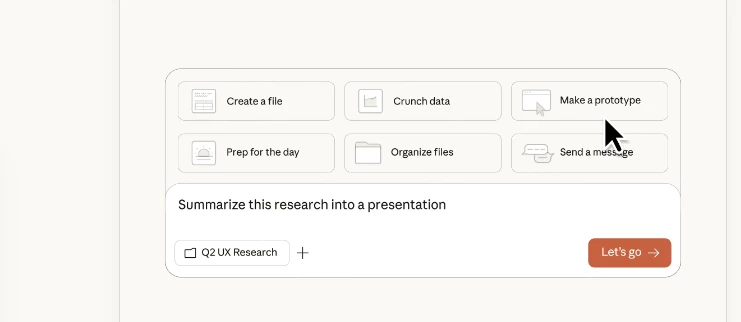
Claude Team Standard is listed from $20–$25 per seat/month, while Team Premium is listed from $100–$125 per seat/month. Claude excels at handling large context windows (200k tokens) and complex reasoning tasks. Business users can opt for the Team plan ($30/seat) or Enterprise tier, with API costs for Sonnet 4.6 at $3 per million input tokens.
I found Claude's strength is handling long documents and complex reasoning. I used it to analyze research papers and summarize lengthy reports. The 200k context window is a huge advantage for working with large documents. However, I noticed it's less focused on creative writing compared to ChatGPT.
| Area | Score |
| Ease of Use | 8.5/10 |
| Features | 9.0/10 |
| Output Quality | 9.5/10 |
| Pricing Value | 8.5/10 |
| Best Fit | 9.0/10 |
| Overall Score | 8.9/10 |
| Plan | Price (Monthly) | Price (Annual) | Best For |
| Claude Pro | $20/month | $200/year | Individual power users |
| Claude Team Standard | $25/seat | $20/seat annually | Small teams collaborating |
| Claude Team Premium | $100/seat | $125/seat annually | Teams needing higher usage |
| Enterprise | Custom | Custom | Large organizations |
Claude is praised for handling long documents and complex reasoning better than many competitors. The 200k context window allows working with entire books or lengthy research papers. Users appreciate the accuracy and nuance in analysis tasks.
Claude is less focused on creative writing compared to ChatGPT. The Team Premium plan at $100–$125/seat is expensive for small teams. API costs add up for high-volume usage at $3 per million input tokens.
Claude Team is the right choice for researchers, analysts, and teams working with long documents that require complex reasoning. It's ideal for legal, academic, and research professionals.
I would choose Claude Team Standard for small teams working with long documents. I would avoid it for creative writing or general-purpose tasks where ChatGPT offers better value.
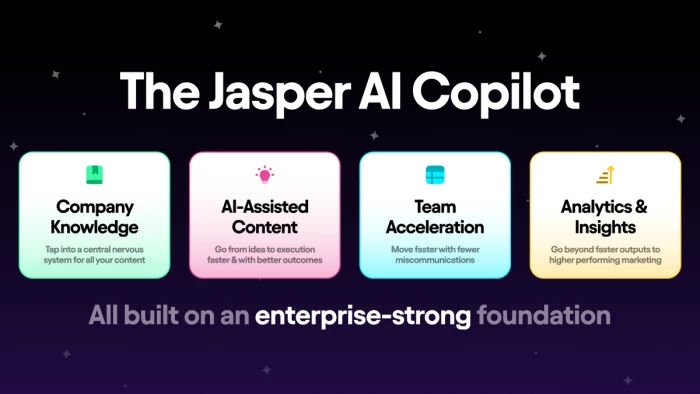
Jasper excels at maintaining tone across large content teams. As of 2026, Jasper serves over 100,000 businesses worldwide, with pricing starting at $49/month for individuals and $125/month for teams. The Creator plan is designed for individual users and small teams just beginning their AI content journey.
During testing, I found Jasper's strength is brand voice consistency. I used it to generate marketing copy across multiple channels while maintaining consistent tone. The templates for blog posts, social media, and ads are well-structured. However, I noticed it's more expensive than general-purpose AI tools and less flexible for non-marketing tasks.
| Area | Score |
| Ease of Use | 8.5/10 |
| Features | 8.5/10 |
| Output Quality | 8.5/10 |
| Pricing Value | 7.5/10 |
| Best Fit | 9.0/10 |
| Overall Score | 8.4/10 |
| Plan | Price | Best For |
| Creator | $49/month (annual) or $59/month | Solo content creators, freelancers |
| Pro | $69/month | Small teams up to 5 users |
| Teams | $125/month (annual) or $149/month | Teams up to 5 users |
| Enterprise | Custom (thousands per month) | Large organizations |
Jasper is recognized for marketing teams and brand consistency. Users praise its ability to maintain tone across multiple content pieces. The templates are well-structured for common marketing use cases.
Jasper is more expensive than general-purpose AI tools at $49/month starting price. It's less flexible for non-marketing tasks. The Enterprise plan costs thousands per month, making it expensive for large organizations.
Jasper is the right choice for marketing teams that need to produce content at scale while maintaining brand voice. It's ideal for content marketers, agencies, and brands with consistent tone requirements.
I would choose Jasper Creator for solo content creators in marketing. I would avoid it for general-purpose writing or teams on tight budgets – ChatGPT offers better value for most use cases.
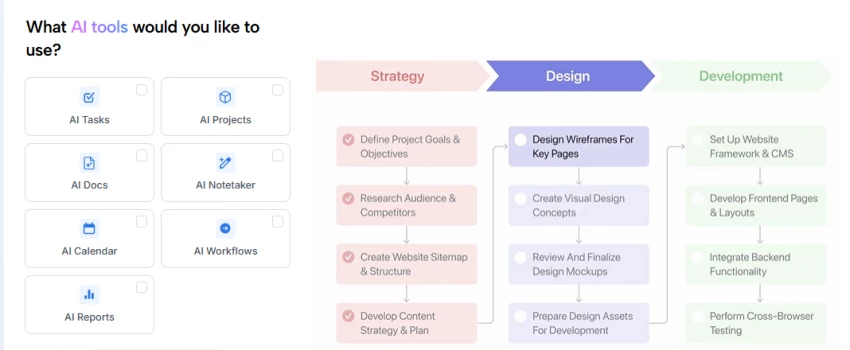
Motion AI is a smart calendar and task scheduling tool that adapts to priorities and saves significant time. Most plans range from $19 to $34 per month and are often billed annually, placing it in the higher-end productivity category. The Pro AI plan is $49/month for individual use or $29/seat for team use.
I found Motion's strength is automatic calendar rearrangement. When meetings change or new tasks appear, Motion reshuffles your schedule automatically. During testing, I noticed it saves time on manual calendar management. However, I also found the interface can be overwhelming for users who prefer simple to-do lists
| Area | Score |
| Ease of Use | 8.0/10 |
| Features | 8.5/10 |
| Output Quality | 8.5/10 |
| Pricing Value | 8.0/10 |
| Best Fit | 9.5/10 |
| Overall Score | 8.6/10 |
| Plan | Individual (Monthly) | Team (Monthly per seat) | Best For |
| Pro AI | $49 | $29 | Individual use, freelancers |
| Business AI | $69 | $49 | Teams needing advanced features |
Motion is recognized as one of the top AI tools for improving productivity in 2026, specifically for smart calendar and task scheduling. Users appreciate how it adapts to priorities and saves significant time on calendar management.
Most plans range from $19 to $34 per month, placing it in the higher-end productivity category. The interface can be overwhelming for users who prefer simple to-do lists. Pricing is expensive compared to basic calendar tools.
Motion is the right choice for busy professionals and freelancers who need automatic calendar management. It's ideal for consultants, coaches, and anyone with frequent schedule changes.
I would choose Motion for professionals with 10+ weekly meetings who struggle with calendar management. I would avoid it for users who prefer simple to-do lists or have predictable schedules.
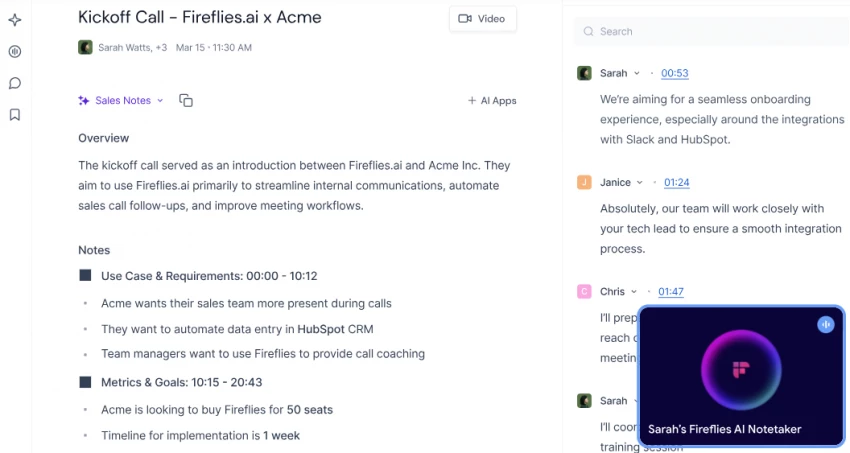
Fireflies AI is a meeting assistant that automatically transcribes and summarizes voice conversations. It lets users capture key points from lectures, interviews, and meetings without manual note-taking. Fireflies AI pricing includes Free (800 min storage), Pro ($10/month annual or $18/month monthly), and Business ($19/month annual or $29/month monthly).
I found Fireflies excels at making meetings searchable. During testing, I could search across all my meeting transcripts to find specific discussions. The AI summaries are accurate and save time reviewing meetings. However, I noticed some hidden AI credit costs that add up for high-volume usage.
| Area | Score |
| Ease of Use | 8.5/10 |
| Features | 8.0/10 |
| Output Quality | 8.5/10 |
| Pricing Value | 8.0/10 |
| Best Fit | 8.5/10 |
| Overall Score | 8.3/10 |
| Plan | Monthly | Annual (per month) | Best For |
| Free | $0 | $0 | 800 min storage |
| Pro | $18/user | $10/user | Individual meeting users |
| Business | $29/user | $19/user | Teams needing advanced features |
| Enterprise | $39/user (annual) | Custom | Large organizations |
Fireflies is recognized for meeting notes and searchability. Users appreciate the ability to search across all meeting transcripts to find specific discussions. The AI summaries accurately capture key points.
The honest cost guide exposes hidden AI credit costs that add up for high-volume usage. The $10/month Pro plan has limitations compared to competitors. Export options and advanced features are limited on lower-tier plans.
Fireflies is the right choice for sales teams and professionals who need to search across meeting history. It's ideal for account managers, recruiters, and anyone who needs to reference past meeting discussions.
I would choose Fireflies Pro for sales teams tracking client conversations. I would avoid it if you need unlimited transcription minutes – consider Otter for better value.
| Tool | Main Feature | AI Features | Collaboration | Export Options | Best Workflow |
| ChatGPT | Versatile writing and reasoning | Multi-model access, Sora video | Limited (Business plan) | Text, code, images | General productivity |
| Notion AI | Knowledge management | Meeting notes, Enterprise Search, Custom Agents | Full workspace collaboration | PDF, Markdown, HTML | Notes + project management |
| Microsoft Copilot | M365 app integration | Autonomous agents, Word/Excel/PowerPoint AI | Enterprise collaboration | Native M365 exports | Microsoft ecosystem |
| Grammarly | Writing correction | Tone detection, clarity suggestions | Real-time collaboration | Document export | Writing and editing |
| Otter.ai | Meeting transcription | Live transcript, AI summaries | Shared notes, team workspaces | PDF, TXT, SRT | Meeting-heavy workflows |
| Zapier AI | No-code automation | AI Agents, multi-step workflows | Team workspaces | Data export | App automation |
| Claude Team | Long document reasoning | 200k context, complex analysis | Team billing, connectors | Text, code | Research and analysis |
| Jasper AI | Marketing content | Brand voice, templates | Team collaboration | Multiple formats | Marketing content creation |
| Motion AI | Smart calendar | Auto-scheduling, priority adaptation | Team calendars | Calendar export | Calendar management |
| Fireflies.ai | Meeting search | Transcription, AI summaries | Shared transcripts | Multiple formats | Sales and meeting tracking |
| Tool | Public Rating | Review Source | Common Praise | Common Complaint |
| ChatGPT | Not clearly available | G2 | Versatility, ease of use, mobile/web access | Repetitive answers in long chats |
| Notion AI | #1 on G2 for Enterprise Search | G2 (5,000+ reviews) | Meeting notes, Enterprise Search, custom agents | Slow on large pages, freezes system |
| Microsoft Copilot | Not clearly available | Enterprise reviews | M365 integration, workflow streamlining | High cost, enterprise-only |
| Grammarly | 4.6/5 on G2, 4.5/5 on Trustpilot | G2 (1,026 reviews), Trustpilot (4,431 reviews) | Accuracy, works everywhere, free plan useful | Voice-flattening, monthly $30 is steep |
| Otter.ai | 4.4/5 on G2, 4.3/5 on G2 (303 reviews) | G2 | Ease of use, accurate transcripts, Zoom integration | Accuracy drops with accents/noise, export limits |
| Zapier AI | 4.5/5 on G2 (1,800+ reviews) | G2 | Ease of use, no-code automation | Pricing at scale is expensive |
| Claude Team | Not clearly available | Team reviews | 200k context window, complex reasoning | Less creative writing, expensive Premium |
| Jasper AI | Not clearly available | Marketing reviews | Brand voice consistency, templates | Expensive, less flexible for non-marketing |
| Motion AI | Not clearly available | Productivity reviews | Auto-scheduling, time savings | Overwhelming interface, expensive |
| Fireflies.ai | Not clearly available | Meeting tool reviews | Searchable transcripts, AI summaries | Hidden AI credit costs, limited Free plan |
| Need | Best Tool |
| Versatile writing, brainstorming, general AI | ChatGPT Plus |
| Knowledge management + notes | Notion AI |
| Enterprise Microsoft 365 workflow | Microsoft Copilot |
| Writing correction and clarity | Grammarly Premium |
| Meeting transcription and summaries | Otter.ai Pro |
| No-code app automation | Zapier AI Starter |
| Long document analysis | Claude Team Standard |
| Marketing content at scale | Jasper AI Creator |
| Smart calendar management | Motion AI Pro AI |
| Searchable meeting history | Fireflies.ai Pro |
After reviewing this table, choose based on your biggest time-wasting bottleneck. If you spend hours drafting emails, Grammarly or ChatGPT will help most. If meetings consume your week, Otter.ai or Fireflies.ai will save the most time. If you switch between apps constantly, Zapier AI will eliminate the most friction. Don't choose the most advanced tool – choose the tool that removes your biggest workflow bottleneck.
After comparing these tools, I would not choose the most advanced option by default. I would choose the tool that removes the biggest bottleneck in my workflow.
Best Overall: ChatGPT Plus ($20/month) delivers the best balance of versatility, features, and value. I would choose this for most professionals who need AI for writing, brainstorming, and general tasks.
Best for Beginners: Otter.ai Pro ($8.33/month annual) is the easiest tool to start using immediately with measurable time savings on meetings. The intuitive interface and instant value make it ideal for first-time AI users.
Best for Professionals: Grammarly Premium ($12/month annual) provides the most reliable correction layer for professional writing. If you write emails, proposals, or reports daily, this pays for itself in time saved on revisions.
Best Value: Zapier AI Starter ($19.99/month) offers the highest ROI for automation. If you spend hours on repetitive tasks across apps, this eliminates the most manual work for the lowest cost.
Share your thoughts about this article.
Be the first to post a comment!

The same tool can be a 4.7 on one site and a 3.9 on another. Here is what is rea...
Nitin1 month ago

Here is the number worth pinning above your budget: in Gartner Digital Markets r...
Deepak Mehra1 month ago

What Artlist AI is in 2026Artlist began as a royalty-free music library. By 2026...
Deepak Mehra1 month ago

Most AI tool failures do not announce themselves. There is no crash, no angry em...
Nitin1 month ago

The best AI image generator in 2026 is Nano Banana 2 for speed, FLUX.2 for photo...
Parveen Verma1 month ago

“Useful” is a slippery word for a coding assistant. A tool can be brilliant at o...
Sakshi Dhingra1 month ago