
A solo newsletter with 800 subscribers and a Shopify store running three automated flows a day have almost nothing in common, yet both get pointed at the same short list of email tools. That advice falls apart the moment pricing enters the picture. The free tier that looked generous turns out to cap at 250 contacts. The $9 plan bills by emails sent, not contacts stored. The platform with the cleanest editor charges extra to remove its own logo from the footer.
A small business rarely needs the most powerful email platform. It needs the one that fits its list size, budget, sales cycle, and marketing maturity, and that stays affordable as the list grows. This guide compares eight tools against the factors that actually decide the outcome: ease of setup, the real value of the free plan, how pricing behaves as contacts increase, automation depth, templates, ecommerce triggers, CRM and contact management, reporting, deliverability support, and the themes that repeat across independent reviews. Each tool is matched to the type of business it serves best, with a clear note on where it tends to disappoint. All pricing was verified against official pricing pages in June 2026.
The table below is a fast orientation. The detailed sections that follow explain the trade-offs behind each row, because the cheapest headline price is almost never the cheapest tool once a list reaches a few thousand contacts.
| Tool | Best for | Free plan | Starting paid price | Standout feature | Main limitation |
| Mailchimp | Beginners and general small business | Yes, limited | Essentials from $13/mo | Templates, AI assistant, huge integration library | Cost climbs fast as contacts grow |
| MailerLite | Simple newsletters and low cost growth | Yes | Growing Business from $10/mo | Clean editor, landing pages, unlimited sends | Automation and reporting less deep |
| Brevo | Email plus SMS and CRM on a budget | Yes | Starter from $9/mo | Billed by email volume, built in CRM | Branding removal and add-ons cost extra |
| Constant Contact | Local business and support heavy users | Trial only | Lite from $12/mo | Support, events, beginner workflow | Price scales steeply with contacts |
| Kit | Creators, bloggers, newsletters | Yes, to 10k subs | Creator from $39/mo | Creator automations, product selling | Pricey at scale, light on ecommerce |
| ActiveCampaign | Advanced automation and segmentation | Trial only | Starter from $19/mo | Best in class automation builder | Learning curve and higher long term cost |
| HubSpot | CRM led small business | Yes (free CRM) | Marketing Starter from $15/seat | CRM, forms, email, landing pages in one | Jump to Professional is steep |
| Omnisend | Ecommerce stores | Yes | Standard from $16/mo | Cart recovery, product picker, SMS, push | Built for stores, not general use |
Prices are starting paid tiers at the smallest published list size and use different billing models. Read the pricing section before comparing them directly.
Tools were judged against small business reality, not enterprise feature counts. The review uses a framework built around three questions that decide whether a platform is a good long term home: how its list economics behave, how much lifecycle capability it actually delivers, and how honest its cost structure is once add-ons are included. A usability lens sits on top, because most small teams do not have a dedicated email specialist.
| Criteria | Why it matters for a small business |
| Ease of use | Owners and small teams build campaigns themselves, so setup time and editor clarity matter more than raw power |
| Free plan or trial | A real free tier lets a business validate the tool before paying, but the limits vary widely |
| Pricing growth | The headline price is set at the smallest list. The number that matters is what the bill looks like at 5,000 and 10,000 contacts |
| Email editor | A fast drag and drop editor saves hours every campaign for non designers |
| Automation | Needed for welcome series, follow ups, abandoned carts, and lead nurturing |
| Templates | Pre built layouts help non designers launch without hiring help |
| Segmentation | Targeted sends lift engagement and protect deliverability |
| CRM and contacts | Useful for service businesses, B2B, and sales led teams that track relationships |
| Ecommerce features | Essential for Shopify and WooCommerce stores that sell on automation |
| Reporting | Opens and clicks are table stakes, revenue and conversion tracking separate the tiers |
| Deliverability support | Inbox placement decides whether any of the above matters |
| Integrations | The tool has to connect to the website, store, CRM, and payment stack already in use |
| Review signals | Recurring themes across TechRadar, EmailToolTester, G2, and Capterra, weighted toward sub 10,000 contact accounts |
This comparison combines a structured audit of each platform's official pricing across contact tiers, a plan by plan check of what each tier unlocks, and a synthesis of recurring themes from independent review sources. Scores are editorial and are weighted toward how each tool behaves for a business under roughly 10,000 contacts. They are a starting point, not a substitute for a short hands-on trial on a real list.
Each tool is scored across the dimensions that most affect a small business decision. The final column blends them into a single best fit score for the under 10,000 contact range.
| Tool | Ease | Automation | Ecommerce | CRM | Pricing value | Best fit |
| Mailchimp | 8.0 | 7.5 | 7.5 | 6.5 | 6.5 | 7.5 |
| MailerLite | 9.0 | 7.0 | 6.0 | 5.5 | 8.5 | 8.0 |
| Brevo | 8.0 | 7.5 | 7.0 | 7.5 | 8.5 | 8.0 |
| Constant Contact | 8.5 | 6.5 | 6.5 | 6.0 | 6.8 | 7.4 |
| Kit | 8.5 | 8.0 | 5.5 | 5.0 | 7.5 | 8.0 |
| ActiveCampaign | 7.0 | 9.5 | 8.0 | 8.0 | 6.5 | 8.2 |
| HubSpot | 8.0 | 8.0 | 7.0 | 9.5 | 6.5 | 8.1 |
| Omnisend | 8.0 | 8.5 | 9.5 | 5.5 | 7.5 | 8.3 |

Figure 1. Editorial best fit scores. The field is tight: the right tool depends on use case, not the top number.
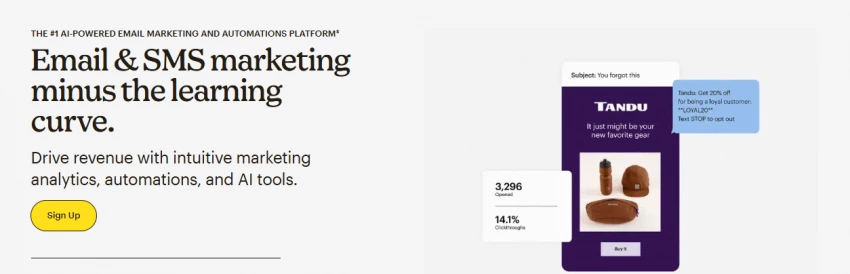
Mailchimp is the most recognizable name in small business email, and it remains a sensible first platform. The free plan exists, but it has been cut repeatedly and now covers 250 contacts and 500 monthly emails with no multi step automation and Mailchimp branding on every send. Paid plans scale by contact count: Essentials starts at $13 per month for 500 contacts, and Standard, where multi step automation and the generative AI features unlock, starts at $20 per month. Premium runs from $350 per month for larger lists. SMS and transactional email are separate purchases, and the bill counts every contact, including unsubscribed ones still sitting in the audience.
The platform earns its reputation on breadth rather than depth. The editor and template library are polished, the integration ecosystem is among the largest available, and the Intuit Assist AI tools speed up copy and design. Independent reviews consistently place Mailchimp near the top for ease of use and integrations while flagging the same two issues: pricing that climbs quickly with list size, and automation that handles basic flows well but feels shallow next to dedicated automation platforms.
| Review area | Mailchimp at a glance |
| Best for | Beginners and general small business campaigns |
| Strengths | Familiar interface, strong templates, very large integration library, useful AI assistant |
| Watch outs | Free plan is now thin, pricing rises sharply as contacts grow, unsubscribed contacts still billed |
| Automation | Good for basic welcome and follow up flows, limited for complex journeys |
| Ecommerce | Works with major stores, but ecommerce first tools go deeper |
| Support | Email and chat depend on plan, only 30 days on free |
| Verdict | A safe, easy first tool. Model the cost at your target list size before committing |
Choose it if: a business wants a familiar, low friction platform with broad integrations and does not yet need deep automation.
Skip it if: the list is growing fast or complex customer journeys are the priority, since cost and automation limits show up quickly.
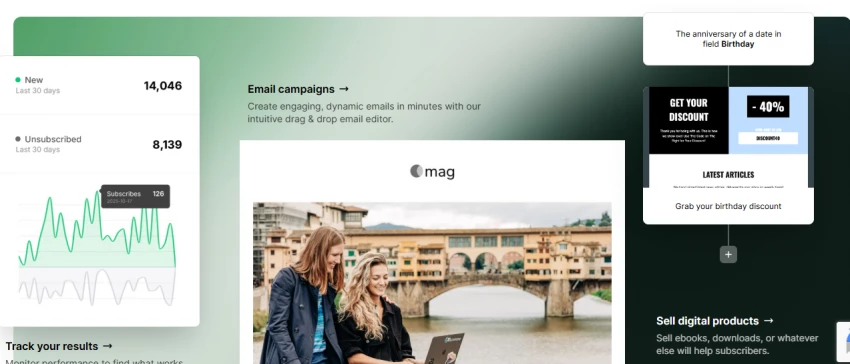
MailerLite is the value pick for businesses that care more about a clean workflow than brand recognition. The free plan covers 500 subscribers and 12,000 emails a month and still includes automation, landing pages, and ecommerce integrations, though it forces MailerLite branding. The Growing Business plan starts at $10 per month for 500 subscribers with unlimited emails, newsletter and landing page templates, and 24/7 email support. The Advanced plan, from $20 per month, adds a custom HTML editor, pop ups, more automation triggers, an AI writing assistant, and live chat. Note that the free subscriber cap was halved from 1,000 to 500 in late 2025, which pushed some users into a paid plan.
Reviewers describe MailerLite as one of the easiest platforms to learn, well suited to freelancers, creators, and small teams that want newsletters, simple automations, and landing pages without complexity. The trade off is depth: automation logic and reporting do not reach what ActiveCampaign or HubSpot offer, and the platform is better for steady newsletter growth than for behavior heavy ecommerce.
| Review area | MailerLite at a glance |
| Best for | Newsletters, creators, and simple lead capture |
| Strengths | Clean editor, strong pricing value, landing pages and websites included, unlimited sends on paid plans |
| Watch outs | Free cap cut to 500 subscribers, automation and reporting are not the deepest |
| Automation | Good for welcome series and simple multi step flows |
| Ecommerce | Basic to moderate, fine for light stores |
| Support | 24/7 email on paid plans, live chat on Advanced |
| Verdict | A strong, affordable home for small teams that value simplicity |
Choose it if: simplicity, a clean editor, and low cost matter most, especially for newsletter led growth.
Skip it if: the business needs advanced branching automation or deep ecommerce revenue tracking.
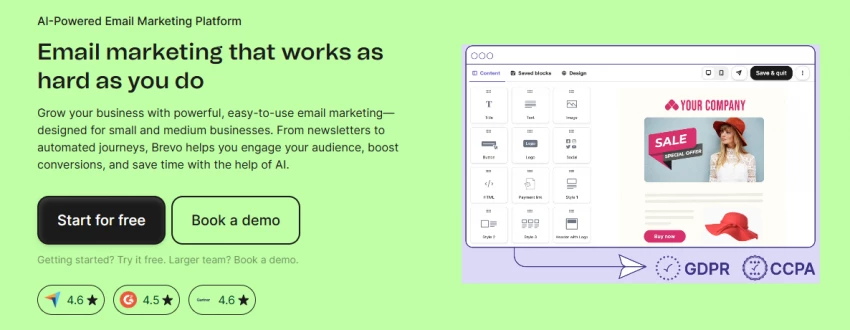
Brevo, formerly Sendinblue, stands out because it bills by emails sent rather than by contacts stored. The free plan allows 300 emails a day across a very large contact base, plus a built in CRM, transactional email, and limited automation. The Starter plan begins at $9 per month for 5,000 emails, and the Business tier, from about $18 per month, unlocks proper automation workflows, landing pages, and multi user access. The Professional plan, for high volume senders, jumps to roughly $499 per month. Two costs catch people out: removing Brevo branding is a paid add-on of around $10 to $12 per month on the Starter plan, and SMS is billed separately by destination.
For a business with a large list that does not email constantly, the volume based model can be far cheaper than contact based competitors. Brevo also bundles email, SMS, WhatsApp, live chat, and a light CRM in one place, which independent reviews praise as strong multichannel value at the price. The recurring caution is automation depth on the lowest tiers and the add-on costs that erode the headline $9 figure.
| Review area | Brevo at a glance |
| Best for | Budget conscious small business and service teams that want multichannel |
| Strengths | Email plus SMS plus CRM at a low entry price, volume based billing, generous free contacts |
| Watch outs | Branding removal and SMS are add-ons, deep automation needs the Business tier |
| Automation | Solid for small business workflows once on Business |
| Ecommerce | Good for transactional and customer messaging |
| Support | Email support on lower tiers, priority higher up |
| Verdict | Excellent value when the email volume model fits the sending pattern |
Choose it if: a business has a large list but moderate send frequency, or wants email, SMS, and a basic CRM under one bill.
Skip it if: send volume is high and unpredictable, since plans pause once the monthly email limit is hit.

Constant Contact is one of the longest running platforms and leans into hands on guidance, which makes it a fit for local businesses, nonprofits, and service providers who value a phone number and a person on the other end. There is no permanent free plan, only a trial. The Lite plan starts at $12 per month for up to 500 contacts with basic email, a welcome automation, and landing pages. Standard, from $35 per month, adds A/B testing, segmentation, and pre built automations. Premium, from $80 per month, adds advanced automation, dynamic content, SEO tools, and 500 included SMS messages. Pricing is contact based and scales steeply: doubling a Lite list from 500 to 1,000 contacts can roughly triple the price, so the smallest tier rarely lasts.
The platform's strengths are support, ease of use for non technical owners, and genuinely useful event and local marketing tools. It integrates with Shopify, WooCommerce, and the usual social and CRM tools. Reviews note that it trails the dedicated automation platforms on workflow flexibility and that mobile editing is limited, but for support and beginner comfort it ranks highly.
| Review area | Constant Contact at a glance |
| Best for | Local businesses, nonprofits, and service providers |
| Strengths | Strong phone and chat support, beginner friendly, event and local marketing tools |
| Watch outs | No free plan, contact based pricing scales aggressively, automation is basic on Lite |
| Automation | Fine for simple campaigns, advanced flows need Premium |
| Ecommerce | Works with Shopify and WooCommerce |
| Support | Stronger than most beginner tools, phone and live chat |
| Verdict | Best when guidance and support matter more than automation depth |
Choose it if: the business wants real support, simple campaigns, and event or local marketing tools.
Skip it if: advanced automation or low cost scaling is the priority, since the bill climbs fast as the list grows.
Kit, formerly ConvertKit, is built around creators rather than general marketers. Its free Newsletter plan is unusually generous, covering up to 10,000 subscribers with unlimited email broadcasts, forms, and landing pages, though it is limited to a single automation. Paid plans are subscriber based: Creator starts at $39 per month for 1,000 subscribers (about $33 on annual billing) and adds full automation sequences and integrations, while Creator Pro, from $79 per month, adds subscriber scoring, advanced reporting, a newsletter referral system, and Facebook custom audiences. Prices rose across the board in 2025, which makes Kit notably more expensive than MailerLite or Mailchimp at the entry level.
The reason creators stay is the workflow. Tag based subscriber management avoids the duplicate contact billing common on list based platforms, the visual automation builder ships with creator focused templates, and built in commerce handles digital products and paid newsletter subscriptions without a separate checkout. The clear limit is ecommerce: Kit is excellent for selling digital products and memberships, but it is not the tool for a product catalog with cart recovery and inventory.
| Review area | Kit at a glance |
| Best for | Creators, bloggers, podcasters, and newsletter operators |
| Strengths | Very generous free tier, creator first automations, built in digital product and paid newsletter sales |
| Watch outs | Paid plans are pricey after the 2025 increase, only one automation on free, light on store ecommerce |
| Automation | Strong for creator sequences and launches |
| Ecommerce | Great for digital products, weak for physical product stores |
| Support | Plan dependent |
| Verdict | The default choice for audience building and creator monetization |
Choose it if: the goal is to grow and monetize an audience through newsletters, courses, or digital products.
Skip it if: the business runs a physical product store that needs cart recovery and catalog automation.
Worth comparing against: MailerLite and Beehiiv for pure newsletters, and Omnisend or Klaviyo if the real need is store ecommerce.
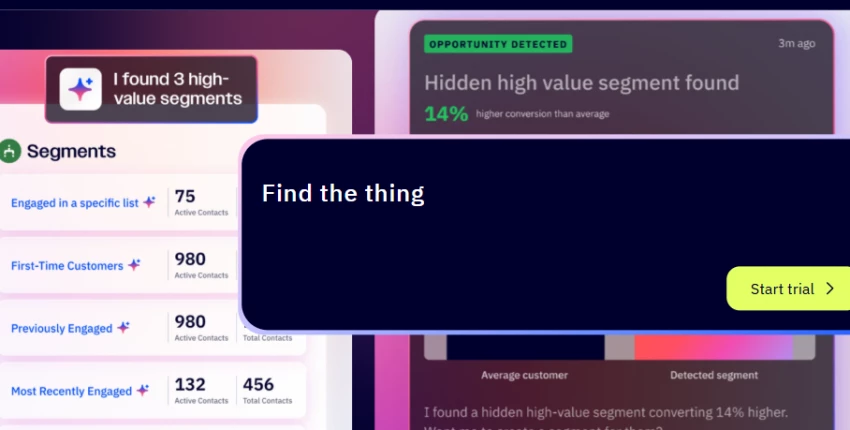
ActiveCampaign is the tool to reach for once automation directly drives revenue. There is no free plan, only a 14 day trial. Pricing is contact based: Starter runs from $19 per month for 1,000 contacts on monthly billing (around $15 annual), but it caps automations at five actions each, which serious users hit immediately. Plus, from about $49 per month, unlocks unlimited automation actions, the built in sales CRM, landing pages, and lead scoring. Pro, from about $79 per month, adds predictive sending, conditional content, and attribution reporting. CRM, SMS, and transactional email can be separate add-ons, and the platform bills for all contacts, including unsubscribed and bounced ones, so list hygiene matters.
Across independent testing, ActiveCampaign's automation builder is regularly called the most powerful in this category, with conditional logic, site tracking, lead scoring, and deal pipelines that smaller tools cannot match. The trade offs are equally consistent: a real learning curve, and pricing that rises quickly with contact count, which makes it overkill for a simple newsletter or a single location service business.
| Review area | ActiveCampaign at a glance |
| Best for | Automation heavy small businesses where workflows drive revenue |
| Strengths | Deepest automation and segmentation, strong CRM, behavior tracking and lead scoring |
| Watch outs | No free plan, learning curve, all contacts billed, add-ons raise the real cost |
| Automation | Excellent, the benchmark in this list |
| Ecommerce | Strong for behavior based campaigns and integrations |
| Support | Plan dependent, onboarding included on higher tiers |
| Verdict | Powerful and worth it when automation pays for itself, not for absolute beginners |
Choose it if: automation, segmentation, and lifecycle marketing directly affect sales and the team can invest setup time.
Skip it if: the business is a bakery, salon, or simple newsletter where most of the power would go unused.
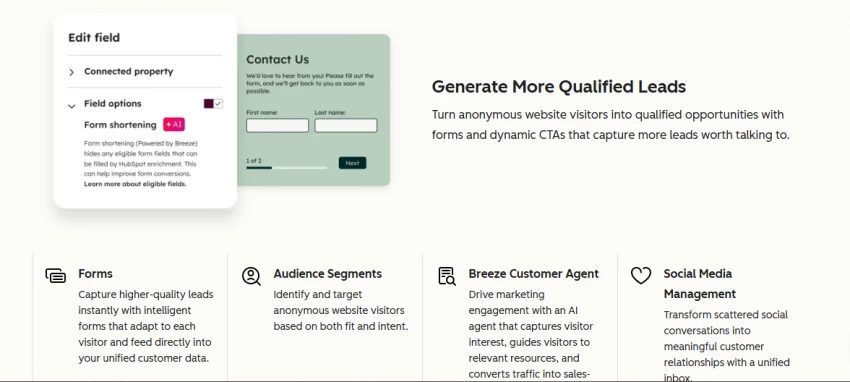
HubSpot is the choice when email needs to live inside a CRM rather than beside one. The free tier is genuinely useful, bundling a CRM, lead capture forms, email, and live chat at no cost. Marketing Hub Starter then runs from about $15 per month per seat on monthly billing (closer to $9 per seat annually), removes HubSpot branding, and includes 1,000 marketing contacts. The important number is the jump above Starter: Marketing Hub Professional, where serious automation, custom reporting, and campaign tools live, starts at $890 per month and includes three seats. That cliff is the single biggest planning consideration with HubSpot.
What justifies the cost for the right business is the unified database. Contacts, email engagement, form fills, live chat, deals, and sales activity all sit in one timeline, which is hard to replicate by stitching separate tools together. Reviews highlight strong customization, drag and drop editing, A/B testing, and CRM based personalization. It is not an ecommerce first platform, and the higher tiers become expensive, so the value case rests on whether the business wants one customer record for marketing and sales.
| Review area | HubSpot Marketing Hub at a glance |
| Best for | Service businesses, B2B, startups, and sales led teams |
| Strengths | CRM, email, forms, and landing pages in one record, strong reporting and personalization, useful free tier |
| Watch outs | Large gap from Starter to Professional ($890/mo), contacts add cost, not ecommerce first |
| Automation | Good, and much stronger from Professional up |
| Ecommerce | Not its focus, integrations exist |
| Support | Tier dependent |
| Verdict | Best when email is one part of a broader CRM and sales workflow |
Choose it if: the business wants a single customer database spanning marketing and sales, and can start on free or Starter.
Skip it if: the only need is sending newsletters, since the value of the CRM goes unused and Professional is costly.
Omnisend is purpose built for online stores, and it shows in both features and pricing fit. The free plan is unusually capable for ecommerce, covering 250 contacts and 500 emails a month plus web push, a small batch of trial SMS, and the full set of pre built store automations including welcome, cart recovery, and browse abandonment. The Standard plan starts at $16 per month for 500 contacts with 6,000 emails and unlimited automation, and Pro, from $59 per month for 2,500 contacts, adds unlimited email sends and bundled SMS credits equal to the monthly bill. Pricing is contact based, and SMS beyond any included credits is billed separately by country.
For a Shopify or WooCommerce store, Omnisend covers the revenue critical jobs: abandoned cart and browse abandonment flows, product recommendations and a product picker, order based triggers, segmentation, discount campaigns, and revenue attribution across email, SMS, and push in one place. Reviews rate it highly for ease of use and ecommerce automation, with the main criticism being a less interactive interface than some competitors. For a non ecommerce business, most of that value is wasted.
| Review area | Omnisend at a glance |
| Best for | Shopify and WooCommerce stores of any size |
| Strengths | Deep ecommerce automation, product picker, cart and browse recovery, email plus SMS plus push, revenue tracking |
| Watch outs | Limited value outside ecommerce, SMS billed separately by country |
| Automation | Strong for store based triggers and flows |
| Ecommerce | Excellent, the strongest in this list |
| Support | 24/7 on paid plans |
| Verdict | The best small business choice for an online store |
Choose it if: the business sells products online and wants cart recovery and revenue automation out of the box.
Skip it if: there is no store to connect, in which case Brevo, MailerLite, or HubSpot fit better.
Worth comparing against: Klaviyo for larger or more advanced stores that need deeper data and predictive segmentation.
Star ratings change and individual reviews are noisy, so the useful signal is the pattern that repeats across many reviews on a platform. Ratings should be checked at the time of publishing. The table below maps where to look and what theme tends to dominate for each tool, based on the consistent threads across TechRadar, EmailToolTester, G2, and Capterra.
| Tool | Where to check | Pattern that tends to repeat |
| Mailchimp | G2, Capterra, Trustpilot, PCMag, TechRadar | Praised for ease and integrations, repeatedly criticized for free plan cuts and rising cost |
| MailerLite | G2, Capterra, TechRadar, EmailToolTester | Strong on simple interface and value for money, noted for thinner automation and the reduced free cap |
| Brevo | G2, Capterra, EmailToolTester, Trustpilot | Liked for low cost multichannel and built in CRM, flagged for branding add-on and support speed |
| Constant Contact | G2, Capterra, TechRadar, Trustpilot | Valued for support and beginner fit, criticized for steep contact scaling and basic automation |
| Kit | G2, Capterra, creator and YouTube reviews | Loved by creators for monetization and workflow, questioned on price after the 2025 increase |
| ActiveCampaign | G2, Capterra, TechRadar, EmailToolTester | Top marks for automation power, recurring notes on learning curve and cost at scale |
| HubSpot | G2, Capterra, TechRadar, TrustRadius | Praised as an all in one CRM, the consistent caution is higher tier pricing |
| Omnisend | G2, Capterra, Shopify App Store, TechRadar | Rated highly for ecommerce automation and Shopify fit, minor notes on interface polish |
Reading note: treat a single five star or one star review as anecdote. The signal worth acting on is the complaint or the compliment that shows up again and again, which is what the patterns above capture.
The headline price is the most misleading number in email marketing, because the eight tools use three different billing models. Some charge by contacts stored, one charges by emails sent, and one charges per seat plus contacts. The table records the entry point and the model so they can be compared honestly. All figures were verified against official pricing pages in June 2026.
| Tool | Free plan or trial | Starting paid plan | Pricing model | Best pricing fit |
| Mailchimp | Free, 250 contacts | Essentials $13/mo | Contacts plus features | Beginners with small lists |
| MailerLite | Free, 500 subs | Growing Business $10/mo | Subscribers plus features | Low cost newsletter growth |
| Brevo | Free, 300 emails/day | Starter $9/mo | Email volume sent | Large list, lower send frequency |
| Constant Contact | Trial only | Lite $12/mo | Contacts plus sends | Local business needing support |
| Kit | Free, 10k subs | Creator $39/mo | Subscribers plus features | Bloggers and newsletters |
| ActiveCampaign | 14 day trial | Starter $19/mo | Contacts plus features | Automation heavy teams |
| HubSpot | Free CRM tools | Starter $15/seat/mo | Seats plus contacts | CRM led teams |
| Omnisend | Free, 250 contacts | Standard $16/mo | Contacts plus ecommerce sends | Ecommerce stores |
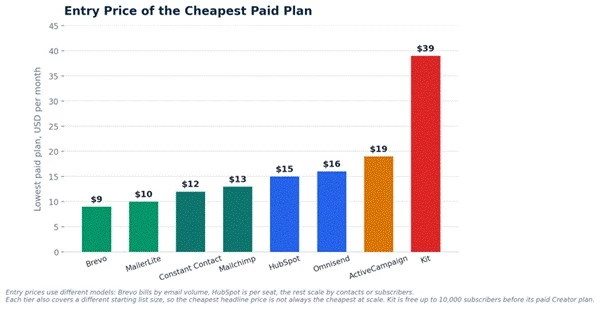
Figure 3. Entry price of the cheapest paid plan. Useful for orientation only, because the models and starting list sizes differ.
Do not compare starting prices alone. Compare contact and send limits, automation access, whether branding removal costs extra, landing pages, SMS, ecommerce triggers, support level, and crucially whether unsubscribed contacts count toward the bill. A $9 or $10 entry price can become the more expensive option at 10,000 contacts, and a tool that is free to 10,000 subscribers can still cost more once a second automation is needed.
The fastest way to a good decision is to start from the business model, not the brand. The table maps common small business types to the tool that tends to fit best and why. The charts that follow show where the real capability gaps sit.
| Business type | Best tool | Reason |
| Local service business | Constant Contact or Brevo | Easy campaigns, real support, and contact or CRM features without heavy setup |
| Beginner newsletter | MailerLite or Mailchimp | Simple editor, templates, and a gentle learning curve |
| Creator or blogger | Kit or MailerLite | Forms, sequences, newsletters, and digital product selling |
| Ecommerce store | Omnisend or Klaviyo | Abandoned cart, product automation, and revenue tracking out of the box |
| B2B or startup | HubSpot or ActiveCampaign | CRM, lead nurturing, and serious automation |
| Budget conscious business | Brevo or MailerLite | Strong capability at the lowest sustainable cost |
| Automation heavy business | ActiveCampaign | Advanced branching workflows and segmentation |
| Sales led small business | HubSpot | One customer record shared by marketing and sales |

Figure 4. Automation depth and ecommerce strength rarely come from the same tool. ActiveCampaign leads on automation, Omnisend on ecommerce.
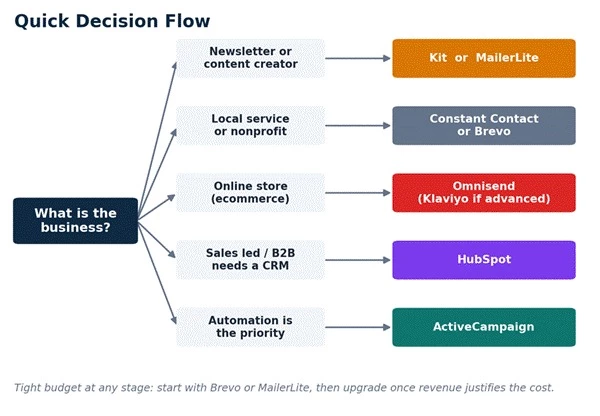
Figure 5. A quick decision path from business type to a shortlist of one or two tools.
A side by side view of where each tool is strong, moderate, or limited. It pairs with the scorecard: the scorecard rates how well, this table shows what is present.
| Feature | Mailchimp | MailerLite | Brevo | Constant Contact | Kit | ActiveCampaign | HubSpot | Omnisend |
| Free plan | Yes | Yes | Yes | Trial | Yes | Trial | Yes | Yes |
| Drag and drop editor | Yes | Yes | Yes | Yes | Yes | Yes | Yes | Yes |
| Landing pages | Yes | Yes | Yes | Yes | Yes | Yes | Yes | Yes |
| Forms and pop ups | Yes | Yes | Yes | Yes | Yes | Yes | Yes | Yes |
| Basic automation | Yes | Yes | Yes | Yes | Yes | Yes | Yes | Yes |
| Advanced automation | Limited | Moderate | Moderate | Moderate | Strong | Strong | Strong | Strong |
| CRM | Limited | Limited | Yes | Limited | Limited | Add-on | Strong | Limited |
| SMS | Add-on | Limited | Yes | Add-on | Limited | Add-on | Add-on | Yes |
| Ecommerce workflows | Good | Basic | Good | Good | Limited | Strong | Moderate | Excellent |
| Best for creators | Moderate | Good | Moderate | Moderate | Excellent | Moderate | Moderate | Moderate |
| Best for ecommerce | Good | Moderate | Good | Moderate | Limited | Strong | Moderate | Excellent |
Key: Yes means included, Add-on means available at extra cost, and Limited, Basic, Moderate, Good, Strong, and Excellent describe relative capability for a small business. Trial means a free trial rather than a permanent free plan.
There is no single best email marketing tool for every small business, and any list that claims otherwise is ignoring how differently these platforms are priced and built. Mailchimp is the familiar, low friction starting point. MailerLite wins on simple newsletters and affordability. Brevo offers the strongest value when email, SMS, and a basic CRM are needed and the volume model fits. Constant Contact is the pick for local businesses that want real support. Kit is built for creators and newsletter monetization. ActiveCampaign is the automation leader. HubSpot is the answer when email belongs inside a CRM. Omnisend is the clear choice for an online store.
The smartest move is to match the tool to the business model rather than the brand name, then confirm the monthly cost at the list size the business expects in a year, not the size it is today. A bakery, an online store, a B2B startup, a newsletter creator, and a local service provider should not end up on the same platform, and with the right fit none of them should overpay.
Share your thoughts about this article.
Be the first to post a comment!

Every second DTC founder says they want to "tell their story better." Then they...
Parveen Verma1 month ago

Plenty of sales teams burn through their week chasing leads that were never goin...
Deepak Mehra3 months ago

Understanding Knowledge Management in PracticeKnowledge management, in a practic...
Sakshi Dhingra4 months ago

Two SEO platforms. One small site, one client account, ninety days of side-by-si...
Sakshi Dhingra4 months ago

A performance marketing team does not need the greatest possible number of tools...
Sakshi Dhingra6 months ago

Growth marketing today relies on a combination of experimentation, analytics, au...
Sakshi Dhingra6 months ago