Technology
11 min read
2026 Unique Wifi Names For Strong Internet Connections
A great WiFi name should do more than make the neighbours laugh. It should be easy to recognise, simple to share and neutral enough that it does not reveal private information about your home, workplace or connected devices.
The technical name for a WiFi network name is an SSID, or service set identifier. It is the name that appears when a phone, laptop or smart device searches for nearby wireless networks. An SSID helps identify the network, but it does not make the connection faster, extend the router’s range or replace the need for a secure password. Apple describes the SSID as the name a network uses to advertise its presence to nearby devices.
That is why this is not just another recycled list of “funny WiFi names.” Along with 125 ideas, this guide explains how to choose a name that works for a home, gaming setup, development lab, startup, guest network or collection of smart devices.
| Use case | Recommended name | Why it works |
|---|---|---|
| Best overall | Signal Foundry | Distinctive, technical and easy to remember |
| Best developer name | Deploy and Pray | Familiar developer humour without being offensive |
| Best cybersecurity name | Zero Trust Zone | Clear technology reference |
| Best home name | Orbit | Short, neutral and easy to type |
| Best office name | Workflow Wireless | Professional without sounding generic |
| Best startup name | Launchpad Network | Modern and team-friendly |
| Best gaming name | Respawn Router | Recognisable gaming reference |
| Best guest name | Welcome Online | Clear and easy for visitors to identify |
| Best IoT name | Device Dock | Descriptive without revealing exact devices |
| Best funny name | Router? I Hardly Know Her | Familiar WiFi wordplay |
| Best minimalist name | Northstar | Clean and memorable |
| Best privacy-conscious name | Quiet Network | Does not identify a person, address or router model |
The names below were reviewed using five practical criteria:
NETGEAR recommends keeping an SSID below 32 characters and notes that devices must reconnect after the network name changes.
A clever WiFi name can make a network easier to identify and distinguish it from nearby routers. It can also help organise several networks in a home or office.
It cannot:
Connection performance is influenced by factors such as the internet plan, router hardware, placement, wireless band, channel congestion, interference and the capabilities of connected devices. The name itself has no effect on those factors.
Names such as NETGEAR42, Linksys123 or an ISP-generated identifier can reveal the router manufacturer and make the network harder to distinguish from other default networks.
CISA advises changing the default SSID, while Apple recommends choosing a unique name instead of common defaults such as “linksys,” “netgear,” “dlink” or “wireless.”
Avoid using:
Your SSID is visible to people within wireless range, so it should be treated as public information.
Many routers broadcast over 2.4 GHz, 5 GHz and sometimes 6 GHz. It may be tempting to name them Home-2.4, Home-5G and Home-6G, but modern devices and mesh systems generally work better when the bands belonging to the same network use one consistent SSID.
Apple recommends using a single unique, case-sensitive name across all bands. It warns that separate names can prevent devices from connecting reliably to every available band or access point.
This is different from creating separate logical networks for employees, guests or smart devices. Those networks should have different names and security settings.
A guest network should be easy for visitors to identify without exposing the name or password of the primary network.
Google recommends giving a guest network a different name and password from the main WiFi network. The FTC also recommends guest access because it limits how many people know the primary password and can help separate guests’ devices from the main network.
Calling a network Military Grade Encryption, Virus Detected or Police Surveillance does not protect it. It may confuse guests, attract unnecessary attention or make the network appear deceptive.
Actual protection comes from encryption, a strong password, current firmware and properly configured router settings.
These work well for developers, software teams, coding rooms and home labs.
| No. | WiFi name | No. | WiFi name | No. | WiFi name |
| 1 | Localhost Lounge | 6 | Runtime Residence | 11 | Cache Me Outside |
| 2 | Merge Conflict | 7 | Commit to Connect | 12 | Code and Connect |
| 3 | Deploy and Pray | 8 | Ping Stack | 13 | Production Maybe |
| 4 | Git Connected | 9 | The Dev Network | 14 | Syntax Signal |
| 5 | Packet Overflow | 10 | No Place Like 127.0.0.1 | 15 | API Access Point |
Best picks: Merge Conflict works especially well in a shared developer flat, while Production Maybe feels appropriate for a home lab that is never quite finished.
These names reference encryption, authentication and network defence. Remember that the name is only a theme; it does not indicate that the network is actually secure.
| No. | WiFi name | No. | WiFi name | No. | WiFi name |
| 16 | Zero Trust Zone | 21 | Trust No Packet | 26 | Private Key Club |
| 17 | Firewall Foundry | 22 | The Safe Subnet | 27 | Defense in Depth |
| 18 | Cipher Signal | 23 | Access Controlled | 28 | Signal Shield |
| 19 | Encrypted Airspace | 24 | Phantom Protocol | 29 | Locked Layer |
| 20 | Packet Patrol | 25 | Secure by Default | 30 | Authenticated Only |
Avoid names that falsely imitate a police force, government agency, airport or public hotspot. A themed name is fine; impersonating an official network is not.
Office networks should be easy for staff and visitors to recognise. The humour can remain subtle rather than distracting.
| No. | WiFi name | No. | WiFi name | No. | WiFi name |
| 31 | Launchpad Network | 36 | Standup Signal | 41 | Focus Mode |
| 32 | Workflow Wireless | 37 | Sprint Network | 42 | Workstream |
| 33 | Team Sync | 38 | Ops Online | 43 | Project Pulse |
| 34 | Cloud Desk | 39 | Studio Backbone | 44 | Collab Cloud |
| 35 | The Digital Office | 40 | Remote Ready | 45 | HQ Connect |
For a real business, clarity is normally more useful than a joke. A simple system might look like this:
| Network purpose | Example |
| Employee network | NovaHQ-Staff |
| Guest network | NovaHQ-Guest |
| Smart devices | NovaHQ-Devices |
| Temporary event access | NovaHQ-Event |
Do not name an internal network after a sensitive department or project. Names such as Finance Records, Executive Network or Unreleased Product Lab disclose unnecessary operational information.
A guest SSID should be welcoming, easy to spell and clearly separate from the private network.
| No. | WiFi name | No. | WiFi name | No. | WiFi name |
| 46 | Welcome Online | 51 | Lobby Link | 56 | Coffee and WiFi |
| 47 | Guest Access | 52 | Temporary Access | 57 | Guest Pass |
| 48 | Visitor WiFi | 53 | The Guest Portal | 58 | Client Connect |
| 49 | Guest Lane | 54 | Hello Internet | 59 | Reception WiFi |
| 50 | Connect Here | 55 | Meeting Room Guest | 60 | Visitor Network |
Use a different password from the main network. A separate name with the same password defeats much of the purpose of creating guest access.
These names are suited to gaming rooms, consoles, streaming setups and shared gaming apartments.
| No. | WiFi name | No. | WiFi name | No. | WiFi name |
| 61 | Low Ping Lounge | 66 | Matchmaking Hub | 71 | Frame Rate Fortress |
| 62 | Respawn Router | 67 | GG Network | 72 | The Gaming Grid |
| 63 | Critical Connection | 68 | Checkpoint Online | 73 | Victory Connection |
| 64 | No Lag Zone | 69 | Ready Player Ping | 74 | Co-op Channel |
| 65 | Boss Battle Bandwidth | 70 | Loot and Load | 75 | Final Boss WiFi |
No Lag Zone is a good name, not a technical guarantee. A wired Ethernet connection, suitable router placement and sensible channel management will matter far more to gaming performance than the SSID.
This category combines familiar classics with less overused options. These work best in homes, student accommodation and informal studios.
| No. | WiFi name | No. | WiFi name |
| 76 | LAN and Order | 86 | Wi-Fight the Feeling |
| 77 | The LAN Before Time | 87 | 404 Network Available |
| 78 | Router? I Hardly Know Her | 88 | Loading… |
| 79 | Pretty Fly for a WiFi | 89 | Password Not Included |
| 80 | Tell My WiFi Love Her | 90 | Buffering Forever |
| 81 | Nacho WiFi | 91 | One Does Not Simply Connect |
| 82 | It Burns When IP | 92 | Keep It on the Download |
| 83 | IP Freely | 93 | This LAN Is My LAN |
| 84 | Silence of the LAN | 94 | Ping Me Maybe |
| 85 | Wi Believe I Can Fi | 95 | Bandwidth on the Run |
A joke should not come at the expense of a neighbour, employee or guest. Avoid names containing personal insults, threats, sexual comments or allegations of illegal activity.
Short names are easier to recognise on televisions, consoles and smart-home devices with limited display space.
| No. | WiFi name | No. | WiFi name | No. | WiFi name |
| 96 | Orbit | 101 | Northstar | 106 | Pulse |
| 97 | NovaLink | 102 | Quiet Network | 107 | Gridline |
| 98 | Signal House | 103 | Atlas | 108 | Open Circuit |
| 99 | Lumen | 104 | Relay | 109 | Skyline |
| 100 | Beacon | 105 | Nexus | 110 | Vector |
A minimalist base name also makes it easy to create a consistent network family:
OrbitOrbit-GuestOrbit-DevicesSmart-home networks may contain lights, speakers, doorbells, televisions, appliances and sensors. Use a neutral name rather than announcing the presence of cameras, alarms or locks.
| No. | WiFi name | No. | WiFi name |
| 111 | Device Dock | 116 | Device Mesh |
| 112 | Smart Home Lane | 117 | Connected Objects |
| 113 | Sensor Network | 118 | Smart Gear |
| 114 | Things Online | 119 | Machine Room |
| 115 | Home Automation | 120 | Device Network |
Creating a separate IoT network can be useful when the router supports device isolation, guest-network controls or virtual LANs. Simply giving devices a different SSID does not guarantee isolation; the router must also enforce separation between the networks.
For readers who want the “badass” feel without threatening or inappropriate wording:
Some names are funny for a few seconds but create unnecessary privacy, security or workplace problems.
| Avoid | Example | Better alternative |
| Personal identity | Mehra Family WiFi | Northstar |
| Exact location | Flat-804-WiFi | Orbit |
| Router model | TPLink-AX5400 | Signal House |
| Password clues | PasswordIsMyDog | Quiet Network |
| Security devices | Front Door Camera | Device Dock |
| Sensitive teams | Finance Department | Workstream |
| Threats | Hackers Will Be Shot | Firewall Foundry |
| Illegal implications | Illegal Downloads | Keep It on the Download |
| Public-service impersonation | Airport Free WiFi | Welcome Online |
| Offensive jokes | Any targeted insult | A neutral pun or technical reference |
A unique SSID is useful, but privacy should come before personality.
Instead of inventing unrelated names for every network, choose one memorable base word and add a purpose label.
| Purpose | Name |
| Main network | Orbit |
| Guest access | Orbit-Guest |
| Smart devices | Orbit-Devices |
| Purpose | Name |
| Personal devices | DevLab |
| Testing devices | DevLab-Test |
| Visitors | DevLab-Guest |
| Purpose | Name |
| Staff | NovaHQ-Staff |
| Guests | NovaHQ-Guest |
| Shared devices | NovaHQ-Devices |
This structure makes troubleshooting easier because the network’s purpose remains obvious. Each logical network should have its own access rules and password where supported.
The exact menu differs by router, but the general process is similar.
Apple recommends using the router manufacturer’s application or configuration page, updating firmware and reconnecting devices after network changes. It currently recommends WPA3 Personal for stronger security or WPA2/WPA3 Transitional for compatibility with older hardware.
A brilliant SSID attached to an insecure router is still an insecure network.
| Setting | Recommended approach |
| Wireless encryption | WPA3 Personal, or WPA2/WPA3 Transitional when necessary |
| WiFi password | Long, unique and unrelated to the SSID |
| Router administrator password | Change the factory default |
| Firmware | Enable automatic updates where available |
| Guest access | Use a separate name and password |
| Hidden SSID | Leave broadcasting enabled |
| WEP and old WPA modes | Do not use |
| Router firewall | Keep enabled |
| Remote management | Disable unless genuinely needed |
| WPS | Disable when not needed |
Apple advises against WEP, old WPA modes, TKIP and unsecured networks. It also explains that hiding an SSID does not prevent detection and can introduce privacy problems.
The FTC similarly recommends updating router software, using a guest network, turning on the router firewall and disabling unnecessary remote-management, WPS and UPnP features.
Not meaningfully.
A hidden SSID stops the router from displaying its name in the ordinary list shown to casual users, but it does not make the wireless network undetectable. Devices connecting to hidden networks may also transmit additional information while searching for them.
Apple recommends disabling the hidden-network setting and relying on proper encryption instead.
The best badass WiFi name is not necessarily the most aggressive or complicated one. It is the name that you can identify immediately without revealing who you are, where you live or what equipment you own.
For most homes, I would use a short neutral base name such as Orbit, Northstar or Signal Foundry, followed by consistent labels for secondary networks:
OrbitOrbit-GuestOrbit-DevicesDevelopers may prefer Merge Conflict or Deploy and Pray. Gaming setups suit Respawn Router or Checkpoint Online. Small businesses should favour clear names such as NovaHQ-Staff and NovaHQ-Guest.
Whichever name you choose, remember the most important distinction: the SSID helps you recognise the network; the router configuration protects it.
Share your thoughts about this article.
Be the first to post a comment!
Most teams already have the video. What they do not have is a way to search it....
Mighva Verma4 weeks ago

IoT analytics starts with a simple problem: connected devices keep sending data,...
Vesper Barnes1 month ago
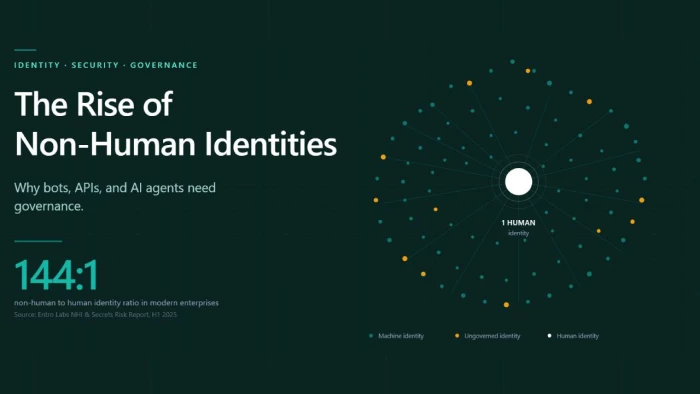
Every modern enterprise now operates two workforces. The first is the employees,...
Deepak Mehra2 months ago
Three months ago, I closed Cursor mid-sentence, downloaded a 180MB installer, an...
Sakshi Dhingra2 months ago
You've probably already read five articles trying to figure this out. I have too...
Sakshi Dhingra2 months ago
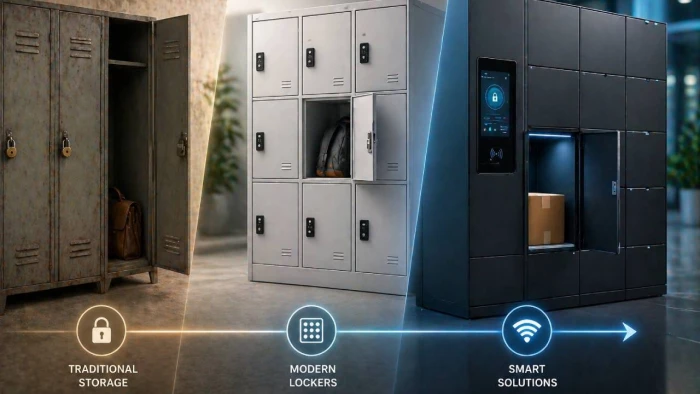
Locker manufacturing has come a long way from simple metal compartments used in...
Parveen Verma2 months ago