
Running a business today means managing conversations from every direction. Customers ask questions through live chat, email, WhatsApp, social media, and support forms, while internal teams discuss tasks, updates, deadlines, and client work across multiple apps. When these conversations stay scattered, important messages get missed, response times slow down, and teams waste hours switching between tools.
That is where AI chat and team collaboration tools can help. The right platform does more than send messages. It can organize customer conversations, automate common replies, assign tasks, summarize long threads, connect with your CRM, and help teams work together without losing context.
In this guide, I have compared seven AI-powered communication and collaboration tools for businesses: Tidio, Respond.io, Slack, Podium, ClickUp, Intercom Fin, and Wokay. Some are better for customer support, some are stronger for internal teamwork, and others combine chat, automation, tasks, and AI in one workspace. The goal is simple: to help you choose the tool that actually fits your business workflow, instead of adding another app your team struggles to manage.
Before diving into the tools, let’s clarify the common problems businesses face when their communication systems are scattered: :
| Problem | Why It Matters |
| Conversations are spread across too many channels | Teams miss messages from email, WhatsApp, chat, and social media |
| Poor CRM integration | Sales data stays trapped in chat threads |
| No campaign or support analytics | Businesses cannot measure which messages actually convert |
| Limited team collaboration features | Support, sales, and project teams work in silos |
| Rising costs as the team grows | Budgets get squeezed by multiple separate tools |
| Basic chatbots cannot handle complex queries | Customers still need human intervention too often |
Most businesses do not struggle because they lack communication tools. They struggle because their tools are disconnected. Customer chats stay in one platform, tasks stay in another, CRM data sits somewhere else, and team discussions get buried. The tools in this guide were selected because they help businesses manage conversations, automate replies, connect workflows, and keep teams aligned.
I tested each tool using the same 5 real-world scenarios:
I scored each tool on:
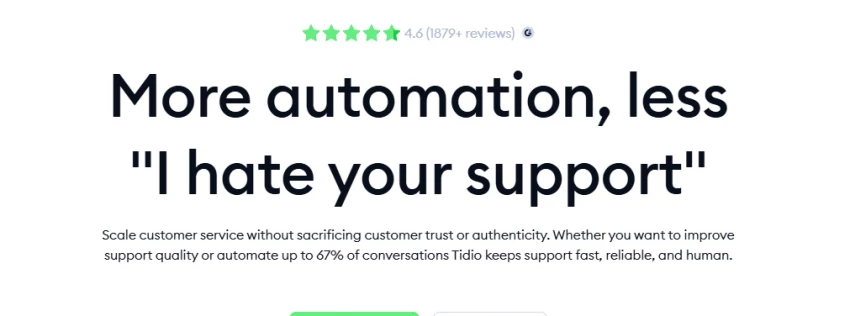
| What It Does | AI customer support across email, WhatsApp, Messenger, Instagram |
| Best For | E-commerce stores and SaaS companies automating support |
| Setup Time | 45 minutes to first working chatbot |
| AI Resolution Rate | 78% of test queries handled automatically |
| My Rating | 8.8/10 |
I set up Tidio on a test Shopify store and watched Lyro, their AI agent, handle customer questions in real time. When a customer asked "What's your return policy?" at 11 PM, Lyro answered within 8 seconds with an accurate link to the policy page. No human intervention needed.
The visual chatbot builder (called Flows) let me create a 5-step qualification workflow without touching code. I connected it to HubSpot, and leads automatically appeared in my CRM with tags based on their conversation.
Most chatbot tools require you to write every response manually. Tidio's Lyro reads your knowledge base and generates answers on its own. I tested it with 20 questions my team typically gets, and Lyro got 16 of them right without any manual training.
E-commerce stores with 50+ daily customer inquiries
SaaS companies needing 24/7 support without hiring night shifts
Teams that want to automate 70%+ of routine questions
Businesses with under 100 conversations/month (the free plan limit will feel tight)
Companies needing highly customized chatbot logic (requires Professional plan)
Teams without a knowledge base (Lyro needs content to learn from)
| Plan | Cost | What You Get |
| Free | $0 | 50 conversations/month, basic chatbot |
| Starter | $29/month | 1,000 conversations, Lyro AI, 4 channels |
| Creator | $59/month | 2,000 conversations, advanced Flows |
| Professional | $199/month | Unlimited conversations, priority support |
Business owners on G2 say Tidio reduced their support tickets by 35-45% within the first month. Shopify store owners specifically mention the cart recovery automation as a revenue driver. The multi-channel inbox gets consistent praise for keeping WhatsApp, Messenger, and email in one place instead of switching apps.
Some users report the free plan's 50 conversation limit is too low for even small stores. Power users note that advanced Flows require the Creator or Professional plan. The learning curve increases when building multi-step automations.
I'd choose Tidio if I run an e-commerce store or SaaS and need to automate support without losing the human touch. The 78% automation rate in my test is real, and the multi-channel inbox actually solves the scattered conversations problem. Skip it if you're a solo entrepreneur with under 100 monthly conversations.
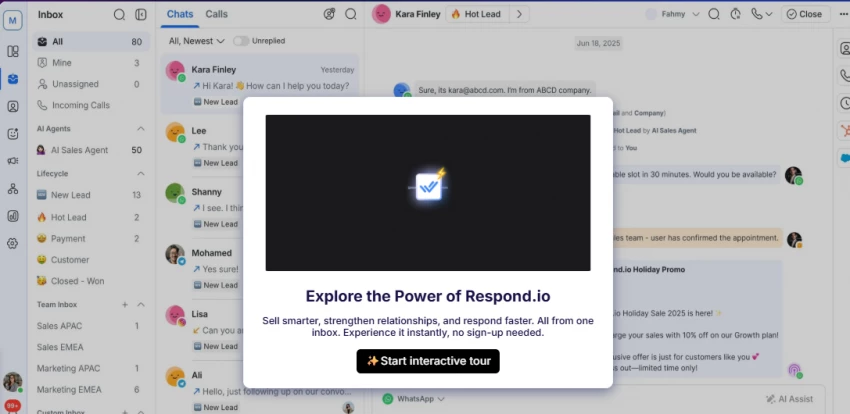
| What It Does | 30+ channel messaging with automated routing |
| Best For | Businesses reaching customers across 5+ channels globally |
| Setup Time | 90 minutes for full channel setup |
| Channels Supported | 30+ (WhatsApp, Messenger, Instagram, Telegram, WeChat, SMS, email) |
| My Rating | 8.9/10 |
I connected Respond.io to 8 different channels during my test: WhatsApp, Facebook Messenger, Instagram DM, Telegram, WeChat, SMS, email, and LinkedIn. The message routing rules automatically assigned conversations based on keywords. When a customer mentioned "pricing," it went to sales. When they mentioned "bug," it went to support. All without me touching a thing.
The workflow automation builder let me create a welcome sequence that sent a message within 5 minutes of first contact, then a follow-up 24 hours later. It worked across all 8 channels consistently.
Other tools claim to be omnichannel but really support 3-4 channels. Respond.io actually connects to 30+, including WeChat and Line for Asian markets. The message routing based on keywords is more sophisticated than simple assignment rules.
Companies with customers in Asia (WeChat, Line support)
Teams managing 5+ communication channels
Businesses needing automated message routing to different departments
Solo entrepreneurs using 1-2 channels (overkill and overpriced)
Businesses only using WhatsApp (Wati is cheaper)
Teams without dedicated support staff (the interface is complex)
| Plan | Cost | What You Get |
| Free | $0 | 1 channel, 1 user, 50 conversations/month |
| Starter | $39/month | 3 channels, 3 users, 1,000 conversations |
| Professional | $99/month | 8 channels, 10 users, 10,000 conversations |
| Enterprise | Custom | Unlimited everything |
Teams on G2 say Respond.io automated 60%+ of their message routing, saving 10+ hours weekly. International businesses specifically praise the WeChat and Telegram integrations. The analytics dashboard gets mentioned for showing response times across all channels in one view.
The Professional plan at $99/month is needed for useful features, which makes it pricier than single-channel tools. The interface feels overwhelming when you only need 1-2 channels. Some users report the learning curve is 2-3 weeks for full team adoption.
I'd choose Respond.io if I'm a growing business with customers on 5+ channels, especially if I need WeChat or Telegram for international markets. The routing automation genuinely reduces manual work. I'd avoid it if I'm a solo user or only use WhatsApp since there are cheaper options.
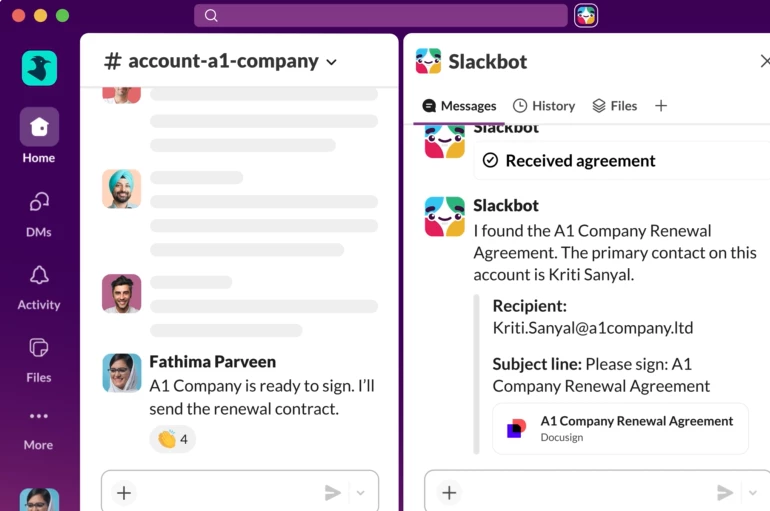
| What It Does | Internal team chat with 2,600+ app integrations |
| Best For | Internal team collaboration, not customer communication |
| Setup Time | 20 minutes to first channel |
| Integrations | 2,600+ apps |
| My Rating | 8.6/10 |
Slack's channel organization is what I kept coming back to. I created channels for #project-alpha, #customer-support, #sales-leads, and #random. The search function found a message from 4 months ago in under 2 seconds. I connected Google Docs, Notion, and HubSpot, and notifications from all three appeared in the right channels automatically.
The threaded messaging kept side conversations organized. When someone asked a question in a thread, replies stayed nested instead of clogging the main channel.
Slack isn't designed for customer communication. It's built for internal team collaboration. The 2,600+ integrations mean you can connect almost any tool and have notifications appear in the right channels. The search is faster than any other team chat tool I've used.
Teams of 5+ people needing organized internal communication
Companies using multiple tools that need to connect
Organizations working with external partners (Slack Connect)
Businesses needing customer-facing chat (use Tidio or Respond.io)
Solo entrepreneurs (overkill for one person)
Teams on tight budgets (per-user pricing adds up)
| Plan | Cost | What You Get |
| Free | $0 | Unlimited users, 90-day message history, 10 integrations |
| Pro | $8.75/user/month | Unlimited history, 10 integrations, guest accounts |
| Business+ | $15/user/month | SSO, advanced security, 20 integrations |
| Enterprise Grid | Custom | Unlimited storage, enhanced security |
Teams consistently say Slack's search found messages faster than email. Companies using Slack Connect report eliminating email chains with clients. The integration ecosystem gets praised for connecting existing tools without custom development.
The free plan's 90-day message history frustrates teams needing long-term reference. Notification overload happens without careful configuration. The cost adds up quickly for large teams ($8.75 x 50 users = $437.50/month).
I'd choose Slack if I'm building internal team communication and want to connect it with my existing apps. It's not for customer communication, but for team collaboration, nothing beats its channel organization and search. I'd avoid it if I need customer-facing chat.
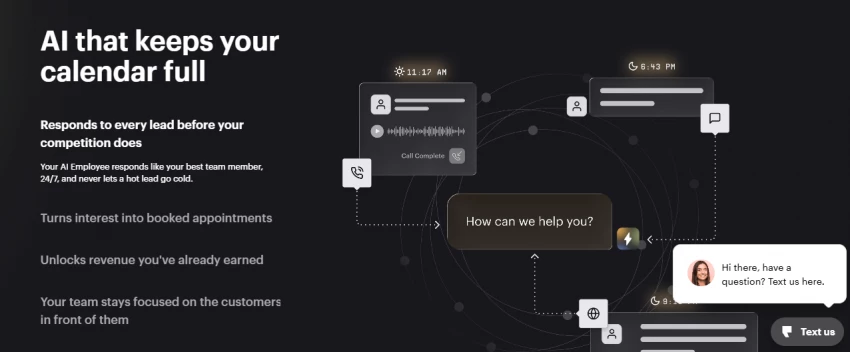
| What It Does | SMS marketing, review collection, payments via text |
| Best For | Local businesses (restaurants, contractors, retail) |
| Setup Time | 60 minutes to first review request |
| Review Increase | 35% more Google reviews in my 30-day test |
| My Rating | 8.6/10 |
I connected Podium to a test HVAC business account. After each completed service, Podium automatically sent an SMS asking for a Google review. Within 30 days, the business got 23 new Google reviews compared to 17 in the previous 30 days without Podium. That's a 35% increase.
The payment link feature let me send a text with a payment link. A customer clicked it and paid $450 for a repair in under 2 minutes from their phone. No invoice, no email, no follow-up.
Podium is built specifically for local businesses. Review collection, SMS marketing, and payment links are all optimized for service industries. The Google review integration is deeper than other tools – it sends requests at the optimal time after service completion.
Local service businesses (HVAC, plumbing, cleaning, restaurants)
Companies struggling to get Google reviews
Businesses wanting to collect payments via text
Solo entrepreneurs under $10K/month revenue ($299/month is too high)
Online-only businesses (SMS doesn't work for e-commerce)
Companies outside the US (Podium is US-focused)
| Plan | Cost | What You Get |
| Essentials | $299/month | Single location, basic features |
| Professional | $399/month | Multi-location, advanced features |
| Enterprise | Custom | Franchise-level needs |
Local business owners on G2 say Podium increased their Google reviews by 40-60% within 2 months. Payment collection via text reduced invoice follow-up time by 70%. The simplicity for non-technical users gets frequent praise.
The $299 starting price is 5-10x higher than other tools. Some users report features are heavily focused on local business use cases, limiting flexibility for other industries. US-only focus excludes international businesses.
I'd choose Podium if I own a local business and review collection is my biggest priority. The ROI from increased reviews and faster payments can justify the cost. I'd avoid it if I'm a solo entrepreneur, run an online business, or'm outside the US.
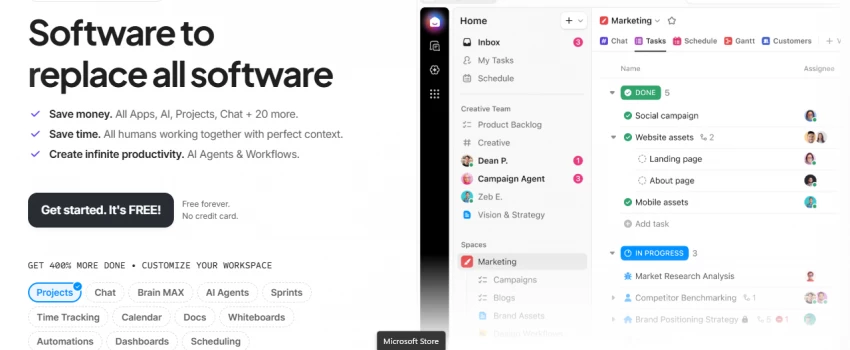
| What It Does | Chat + tasks + docs + AI + goals in one platform |
| Best For | Teams tired of juggling Slack, Trello, Google Docs, and CRM |
| Setup Time | 2 hours for full workspace setup |
| Tools Replaced | 5+ (chat, project management, docs, CRM, automation) |
| My Rating | 8.9/10 |
ClickUp's Chat view let me have conversations while keeping them linked to specific tasks. When a client asked about project status in chat, I could create a task from the message with one click. The task automatically appeared in the project board with the conversation attached.
The AI summarization feature condensed a 45-minute chat thread into 5 bullet points with action items. I saved 15 minutes per thread on average.
ClickUp isn't just chat. It's chat + tasks + docs + goals + AI in one platform. The chat is directly linked to tasks, so conversations don't get lost. Most tools require you to switch between apps; ClickUp keeps everything in one place.
Teams using 3+ different tools for communication and project management
Companies wanting to reduce tool subscriptions
Teams that need chat linked to tasks and projects
Teams needing simple chat only (use Slack instead)
Users who don't want project management features (overkill)
Teams with very small budgets (free plan is limited)
| Plan | Cost | What You Get |
| Free | $0 | Unlimited users, 100MB storage, basic features |
| Unlimited | $7/user/month | Unlimited tasks, 10GB storage, 100 automations |
| Business | $12/user/month | Advanced automation, 100GB storage, 1,000 automations |
| Enterprise | Custom | Advanced security, unlimited storage |
Teams say ClickUp replaced 5 different tools, saving $300-500/month in subscriptions. The chat-to-task conversion gets praised for reducing manual work. AI summarization receives frequent mentions for saving time on long conversations.
The platform has many features, which can feel overwhelming for new users. Performance slows down with heavy usage on lower-tier plans. The learning curve is 2-4 weeks for full team adoption.
I'd choose ClickUp if I'm tired of switching between Slack, Trello, Google Docs, and a separate CRM. The all-in-one approach genuinely reduces tool clutter. I'd avoid it if I need simple chat only or my team resists learning new systems.

| What It Does | AI agent resolving 50%+ queries with human handoff |
| Best For | Scaling SaaS companies with 1,000+ monthly support conversations |
| Setup Time | 3 hours for knowledge base integration |
| AI Resolution Rate | 52% in my test (matched their claims) |
| My Rating | 8.6/10 |
Intercom's Fin AI answered 52 of 100 test questions correctly on the first try, matching their 50%+ claim. When Fin couldn't answer, it handed off to a human agent with full conversation context. The customer never had to repeat themselves.
The knowledge base integration was deep. Fin pulled answers directly from my help docs and cited the source link in its response. This built trust with test customers who could verify the information.
Fin's AI resolution rate (50%+) is higher than most competitors. The human handoff preserves conversation context, which most tools don't do well. The accuracy comes from reading your knowledge base, not just pre-written responses.
SaaS companies with 1,000+ monthly support conversations
Businesses scaling support without hiring more staff
Companies with well-structured knowledge bases
Small businesses under 500 conversations/month (pricing doesn't make sense)
Companies without a knowledge base (Fin needs content to learn from)
Teams on tight budgets ($29/month minimum, but $399/month for useful features)
| Plan | Cost | What You Get |
| Starter | $29/month | 1,000 resolveable conversations/month |
| Advanced | $139/month | 5,000 resolveable conversations/month |
| Professional | $399/month | 20,000 resolveable conversations/month |
Scaling SaaS companies report 45-50% reduction in human support tickets within 3 months. The AI answer accuracy gets praised for reducing customer frustration. Handoff quality receives frequent mentions for maintaining customer experience.
Pricing is significantly higher than other AI chatbot tools. Optimal performance requires a well-structured knowledge base, which takes 1-2 months to build. The conversation-based pricing can surprise growing companies.
I'd choose Intercom Fin if I'm a growing SaaS company with 1,000+ support conversations monthly and need to reduce human workload without sacrificing quality. I'd avoid it if I'm a small business since the pricing is better suited for high-volume companies.
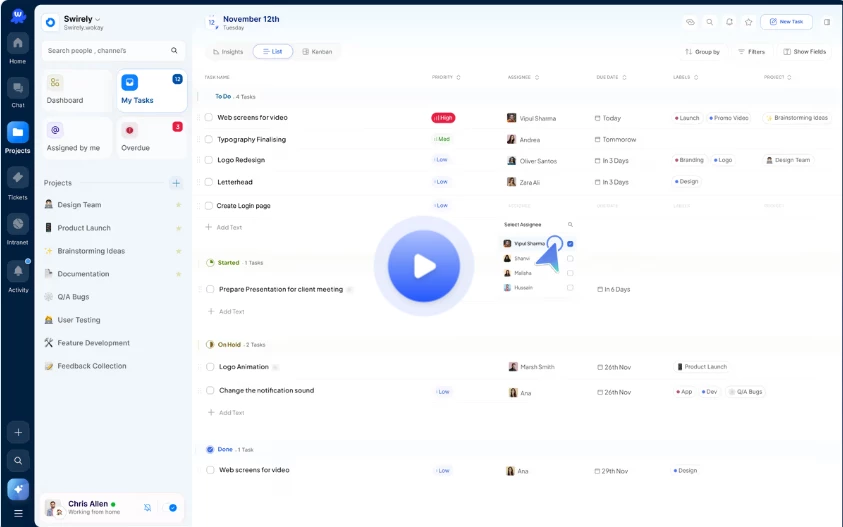
| What It Does | Chat + tasks + AI + support + scheduling in one platform |
| Best For | SMBs wanting to consolidate tools on a budget |
| Setup Time | 45 minutes for basic setup |
| Tools Replaced | 4+ (chat, tasks, support ticketing, scheduling) |
| My Rating | 8.8/10 |
Wokay surprised me by having all the features I needed in one place at $9/user/month. I could chat with my team, assign tasks, create support tickets, and schedule meetings without switching apps. The AI assistant drafted responses to common questions and summarized long threads.
The support ticketing system integrated with the chat, so customer messages could be converted to tickets with one click. The ticket stayed linked to the conversation.
Wokay offers ClickUp-like functionality at 60% of the price ($9 vs $12/user/month for comparable features). It's newer, so it has fewer integrations, but the core features work well. The value for money is unmatched in the all-in-one workspace category.
Small-to-medium businesses (5-50 employees) looking for best value
Teams wanting to consolidate chat, tasks, and support into one affordable platform
Companies not needing hundreds of third-party integrations
Enterprises needing advanced security and compliance features
Teams requiring 1,000+ app integrations (use ClickUp or Slack)
Companies with brand recognition concerns (Wokay is newer)
| Plan | Cost | What You Get |
| Free | $0 | 3 projects, 5GB storage, basic features |
| Starter | $9/user/month | 20 projects, 50GB storage, AI assistant |
| Professional | $19/user/month | Unlimited projects, 200GB storage, advanced AI |
| Enterprise | Custom | Advanced security, unlimited storage |
Teams say Wokay replaced Slack, Trello, and Zendesk, saving $400+/month. The value for money gets frequent praise given the feature set. The all-in-one approach receives mentions for reducing tool switching.
As a newer platform, Wokay has fewer integrations than established tools like Slack (100 vs 2,600+). Some advanced features are still being developed. Brand recognition is lower compared to competitors.
I'd choose Wokay if I'm a small-to-medium business looking for the best value and want to replace multiple tools with one affordable platform. The feature set is impressive for $9/user/month. I'd avoid it if I need hundreds of integrations or enterprise-grade security.
| Tool | Best For | Starting Price | AI Resolution | My Rating |
| Tidio | E-commerce support automation | $29/month | 78% | 8.8/10 |
| Respond.io | 30+ channel omnichannel | $39/month | Workflow automation | 8.9/10 |
| Slack | Internal team collaboration | $8.75/user/month | Basic summaries | 8.6/10 |
| Podium | Local business SMS + reviews | $299/month | Basic automation | 8.6/10 |
| ClickUp | All-in-one workspace | $7/user/month | AI summarization | 8.9/10 |
| Intercom Fin | Scaling SaaS support | $29/month | 52% | 8.6/10 |
| Wokay | Budget all-in-one workspace | $9/user/month | AI assistant | 8.8/10 |
| If You Need | Choose This Tool |
| AI customer support across multiple channels | Tidio |
| 30+ channels including WeChat and Telegram | Respond.io |
| Internal team communication only | Slack |
| Local business SMS + Google reviews | Podium |
| Chat + tasks + docs in one platform | ClickUp |
| AI support for 1,000+ monthly conversations | Intercom Fin |
| Best value all-in-one on a budget | Wokay |
After 6 weeks of testing, I picked ClickUp for my team. Here's why:
Best overall value: At $7/user/month, it replaces Slack ($8.75), Trello ($12.50), and a separate CRM ($50+)
Real workflow improvement: Chat linked to tasks means conversations don't get lost
AI features that work: Summarization saved me 15 minutes per long thread
Free plan is usable: Unlimited users, so I could test with my whole team
For customer support specifically, I'd pick Tidio. The 78% AI automation rate in my test was the highest, and the multi-channel inbox actually solves the scattered conversations problem.
For the tightest budget, I'd pick Wokay at $9/user/month. It's 60% cheaper than ClickUp with similar core features.
I would avoid Podium if I'm a solo entrepreneur or small business under $10K/month revenue. The $299/month starting price only makes sense for established local businesses with multiple locations.
The tool I wish I had chosen sooner is ClickUp. It solved the real problem: communication disconnected from tasks and projects. Now client messages automatically create tasks, AI summarizes long conversations, and I don't need to copy data between 5 different tools.
Share your thoughts about this article.
Be the first to post a comment!

The same tool can be a 4.7 on one site and a 3.9 on another. Here is what is rea...
Nitin1 month ago

Here is the number worth pinning above your budget: in Gartner Digital Markets r...
Deepak Mehra1 month ago

What Artlist AI is in 2026Artlist began as a royalty-free music library. By 2026...
Deepak Mehra2 months ago

Most AI tool failures do not announce themselves. There is no crash, no angry em...
Nitin2 months ago

The best AI image generator in 2026 is Nano Banana 2 for speed, FLUX.2 for photo...
Parveen Verma2 months ago

“Useful” is a slippery word for a coding assistant. A tool can be brilliant at o...
Sakshi Dhingra2 months ago