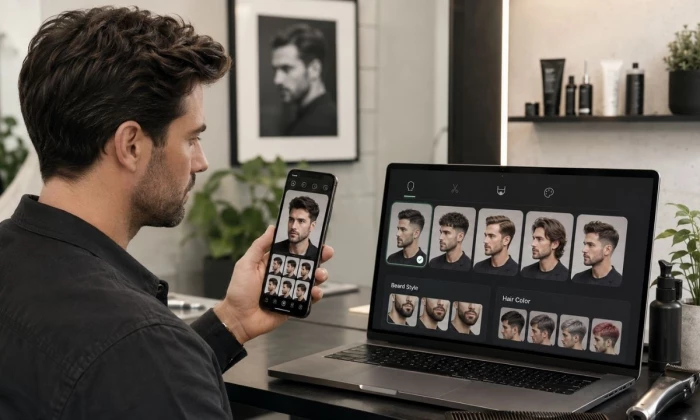
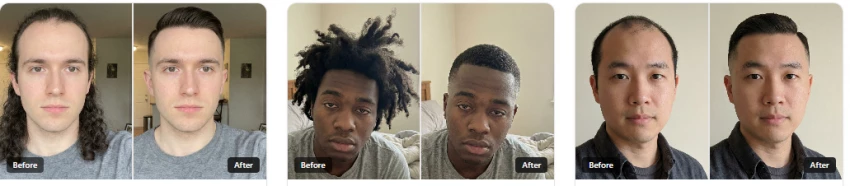
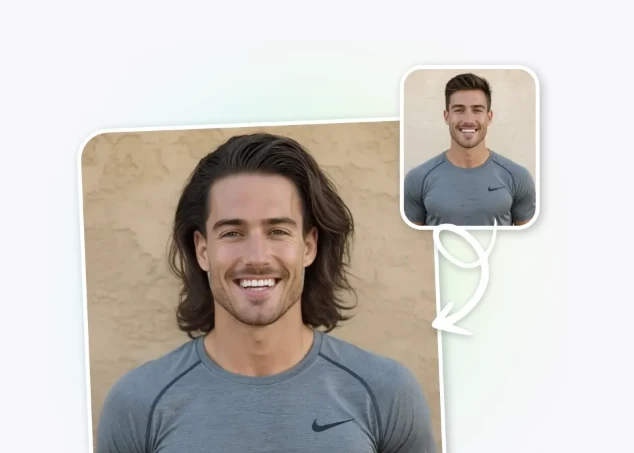
Trying a new haircut through an AI app can help you narrow down styles before visiting a barber. However, even the most polished preview cannot show exactly how your natural hair density, growth pattern, texture or hairline will behave after a real cut.
That difference matters. Some hairstyle apps produce attractive portraits but quietly reshape the face, smooth the skin or create hair volume that the user may not naturally have. The result may look impressive on social media while being almost useless as a barber reference.
For this updated comparison, I assessed each platform using its current public workflow, official feature information, supported devices, available hairstyle controls and suitability for men. I also separated verified product capabilities from subjective realism claims.
Quick Picks
A fast shortlist. BarberGPT AI is the most male-focused pick; the rest cover broader try-on, free experiments, and polished edits. Verify pricing and test realism before relying on any of them.
App
Best for
Main strength
Main limitation
BarberGPT AI
Men wanting haircut and beard ideas
Male-focused previews, no app, credit-based
Browser only, realism varies
YouCam / MyEdit
Mobile AR try-on
Men's haircut mode, color, strong blending
Upsells, library is general
Fotor
Free browser experiments
Quick hair and color in the browser
Not men-specific, beard limited
LightX
Editing plus hairstyle
Hairstyle changer inside a full editor
Hairstyle is one of many features
FaceApp
Polished profile photos
Realistic, dramatic transformations
Tends to alter the face, review privacy
AIEASE
Fast free web previews
Quick free hairstyle changes
General tool, watermarks or limits
Hairstyle AI
Photorealistic web try-on
Realistic cuts and colors
Watermarks
Evaluation Method
A useful AI hairstyle app should do more than place artificial hair above a face. I compared the tools using five practical standards.
Test area
Details considered
Identity preservation
Whether the tool appears designed to retain the user’s real jaw, forehead, skin and facial proportions
Hairline handling
Whether the generated style connects naturally with the forehead and temples
Texture range
Availability of straight, wavy, curly, coily, short and longer styles
Style control
Ability to select presets, enter prompts, change color or use a reference image
Barber usefulness
Whether the output can communicate length, shape and general direction to a professional
The same future screenshot test should use a clear, front-facing photo with neutral lighting and no beauty filter. For a stronger comparison, the publisher should test at least two consented subjects: one clean-shaven man with straight or wavy hair and one bearded man with curly or coily hair.
This matters because hairstyle-generation systems can perform differently across textures and appearances. Research into hairstyle recognition has noted that representing short, frizzy, coily and gathered styles remains technically challenging, particularly when training data does not reflect the full diversity of human hair.
Selection Criteria
Apps were chosen for relevance to men's grooming and judged on the points below, not on marketing claims. Anything that could not be confirmed is flagged for verification.
Criteria
Reason it matters
Hairstyle realism
A preview is only useful if it looks close to real hair
Men's hairstyle variety
Men need fades, crops, quiffs, buzz cuts, long hair, curls, and beard styles
Face-shape support
Not every haircut suits every face shape
Beard options
Beard shape can change the whole look
Pricing clarity
Many apps hide useful features behind paid plans
Privacy comfort
Users upload face photos, so privacy matters
Best AI Hairstyle Apps for Men
Seven real tools, each suited to a different job. BarberGPT AI leads because it is built specifically around men's cuts.
BarberGPT AI
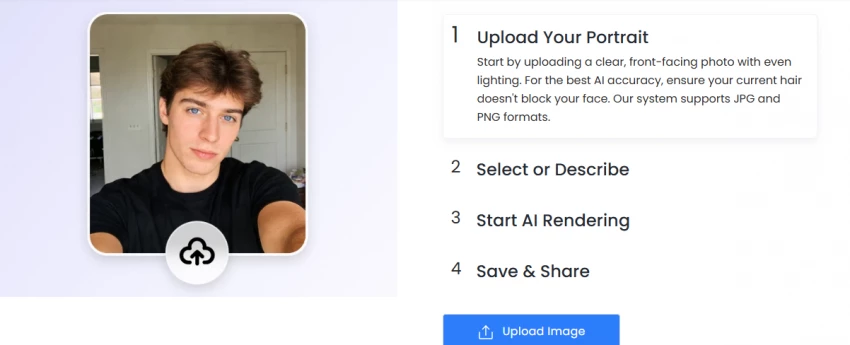
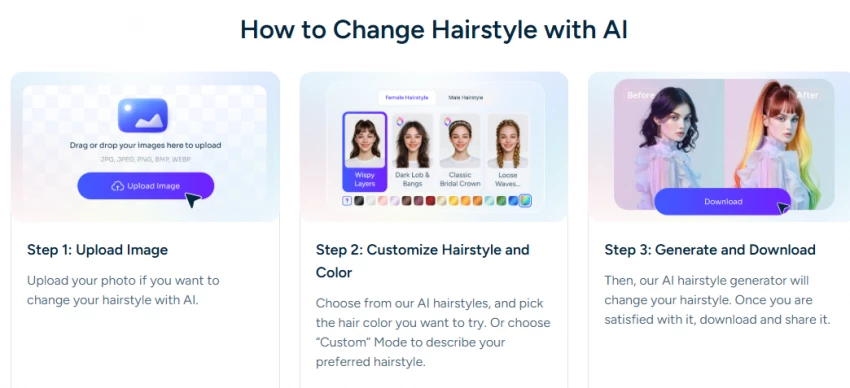
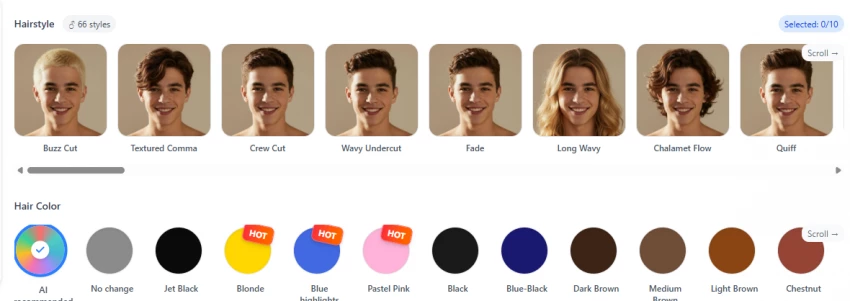
BarberGPT AI is a browser-based tool built specifically for previewing men's haircuts. You upload a clear front-facing photo, paint over your hair with a brush, pick a style, and it generates a preview in roughly thirty seconds. There is no app to install and no account needed for the first few tries, and the style library leans heavily toward male cuts such as fades, buzz cuts, crops, and curls.
• Preview ideas: yes, fast male-focused haircut previews from a single photo
• Beard and grooming: beards in the frame are supported, but test how cleanly they blend
• Useful before a barber visit: yes, the output works as a reference image
• Best for: men who want quick haircut ideas without installing anything
• Where it may disappoint: browser only with a clunkier mobile experience, realism that depends on photo quality, male-only styles, and credits that add up for heavy use
• Pricing: credit-based with no subscription, reported around $1 for 7 credits, $5 for 50, and $15 for 300
• Public feedback: limited, with no Trustpilot business profile or app-store listing, so weigh third-party reviews carefully
BarberGPT AI should be tested with at least two different male face types before publishing: one clean-shaven photo and one photo with a beard. This helps check whether the app gives realistic haircut and grooming suggestions instead of generic style ideas.
Honest take: the most men-specific tool in this list and the easiest to start with, since you can try it in a browser without an account. Treat the credit cost as the trade-off for no subscription, and judge realism only after running your own photos.
YouCam (Makeup, Online Editor, and MyEdit)
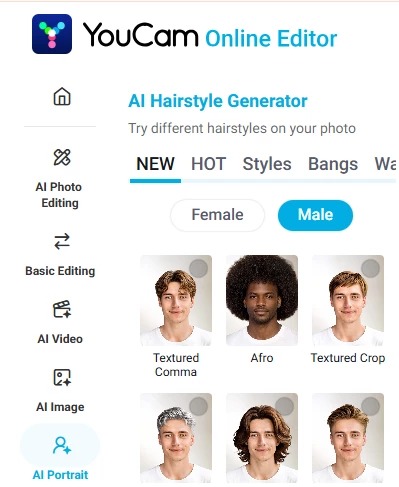
• Main purpose: a Perfect Corp beauty and grooming suite with a dedicated men's haircut try-on, available on iOS, Android, and the web
• Men's features: dozens of cuts (buzz, fades, crops, longer looks) with a separate hair color option and strong AR blending
• Output realism: generally smooth blending and good handling of lighting, but verify on your own photo
• Ease of use: beginner friendly, especially the mobile AR mode
• Pricing: freemium with paid subscriptions; some features sit behind a paywall
• Biggest strength: variety and natural blending across devices
• Biggest limitation: upsells, and a library aimed at general styling rather than barber-specific cuts
Honest take: the most versatile all-rounder here, and the best mobile option for trying many looks quickly.
Fotor AI Hairstyle Changer
• Main purpose: a browser-based photo editor with an AI hairstyle changer and color preview
• Best use: quick, low-commitment experiments with cut and color in the browser
• Output realism: fine for rough direction, less tuned to men's cuts specifically
• Ease of use: simple web workflow, no install
• Pricing: freemium with paid tiers
• Biggest strength: fast and free to start
• Biggest limitation: general-purpose, with weaker beard support
Honest take: a handy free starting point for color and rough hair direction, not a men-focused grooming tool.
LightX AI Hairstyle Changer
• Main purpose: a full mobile and web photo-editing suite that includes an AI hairstyle changer and color tools
• Best use: editing a photo and trying a hairstyle in the same place
• Output realism: varies, since hairstyle is one feature among many
• Ease of use: straightforward, with a learning curve if you use the wider editor
• Pricing: freemium with paid features
• Biggest strength: hairstyle plus broader editing in one app
• Biggest limitation: not specialized for men's grooming, with limited beard tools
Honest take: useful if you already want a general editor, but not the first pick purely for men's haircuts.
FaceApp
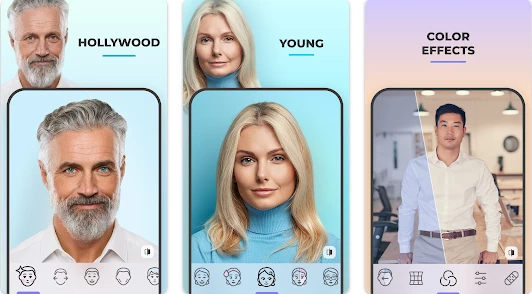
• Main purpose: a popular photo editor known for polished, realistic transformations including hairstyle and beard filters
• Best use: dramatic looks and improving profile or dating photos
• Output realism: very polished, but it tends to beautify and subtly change the face, which works against an honest haircut preview
• Ease of use: simple on iOS and Android
• Pricing: freemium with a paid Pro tier
• Biggest strength: realistic, attractive edits
• Biggest limitation: face alteration, plus a privacy history worth reviewing before uploading
Honest take: great for a flattering photo, less trustworthy when you need to judge whether a cut actually suits your real face.
AIEASE AI Hairstyle Changer
• Main purpose: a web-based AI hairstyle changer aimed at fast, free previews
• Best use: quick browser previews when you do not want to install anything
• Output realism: acceptable for rough ideas, verify on your photo
• Ease of use: simple upload-and-go flow
• Pricing: freemium, possibly with credits or watermarks on the free tier
• Biggest strength: quick and free to try
• Biggest limitation: general tool with limited beard support and possible free-tier limits
Honest take: a reasonable free web option for a quick look, with the usual caveats about realism.
Hairstyle AI
• Main purpose: a web virtual makeover that generates photorealistic try-on images with different cuts and colors
• Best use: photorealistic previews in the browser
• Output realism: can look polished, but verify the specific tool you land on
• Ease of use: upload a photo and select styles
• Pricing: typically credit-based or premium
• Biggest strength: photorealistic results when the photo is good
• Biggest limitation: the name is shared by several similar tools, so confirm the exact website before paying
Honest take: promising for realism, but check exactly which Hairstyle AI you are using, since the name is crowded.
The summary table pulls the lineup together. Realism is left open on purpose, since it should be filled only after hands-on testing.
App
Best for
Free option
Paid plan
Beard
Hair color
Realism
Best use case
BarberGPT AI
Men's cuts
Yes, few tries
Credits
Yes
Yes
Test
Barber reference
YouCam / MyEdit
AR try-on
Yes, limited
Subscription
Yes
Yes
Test
Many looks fast
Fotor
Free trials
Yes, limited
Paid tiers
Limited
Yes
Test
Color and direction
LightX
Editing
Yes, limited
Paid
Limited
Yes
Test
Edit plus hairstyle
FaceApp
Profile photos
Yes, limited
Pro
Yes
Yes
Test
Polished edits
AIEASE
Quick web
Yes, limited
Credits
Limited
Yes
Test
Fast free preview
Hairstyle AI
Web realism
Limited
Premium
Limited
Yes
Test
Realistic try-on
Beard and Face Shape Support
Men's grooming is not just hair on top. The apps that support beards, and that consider face shape, are far more useful for a real grooming decision than a hair-only filter. Most general tools treat beards as an afterthought, while a male-focused tool is more likely to handle the hair and beard together.
App
Beard style support
Face shape guidance
Grooming usefulness
BarberGPT AI
Yes, test the blend
Considers face shape
High potential for men-focused grooming
YouCam / MyEdit
Yes, beard filters
Style suggestions, general
Good for trying combinations
Fotor
Limited
Not really
Better for hair and color than beards
LightX
Limited
Not really
Hairstyle within a general editor
FaceApp
Yes, beard filters
Not grooming-specific
Polished, but it alters the face
AIEASE
Limited
Not really
Quick hair previews, light on beards
Hairstyle AI
Limited
Varies by tool
Hair-focused, verify beard support
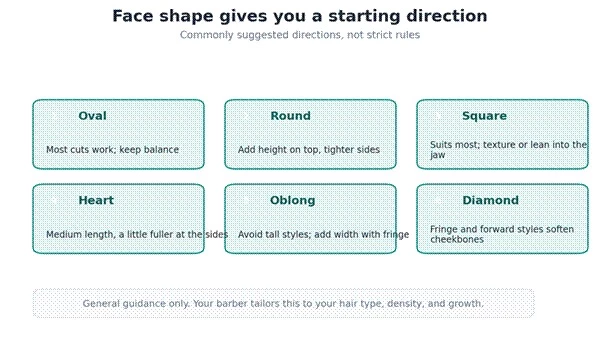
Face shape is the best place to start narrowing options before you even open an app.
General direction by face shape. Your barber tailors it to your hair.
Pricing
Pricing note
The pricing details below were checked on [date] from official app stores, pricing pages, or in-app subscription screens. Treat this as a snapshot because app pricing, free limits, trials, and subscription offers can change.
The pricing models differ in a way that matters. BarberGPT AI uses one-time credit packs with no subscription, which suits a single haircut decision. Most of the others are freemium with recurring subscriptions, where the useful exports or higher-resolution outputs often sit behind the paid tier. Confirm current prices and free limits before paying.
App
Free plan or trial
Starting price checked
In-app purchases / paid model
Best value for
BarberGPT AI
Yes, free to try; recent public listings mention 3 free generations
Public listings show credit packs from $1 for 7 generations, $5 for 50, and $15 for 300; verify at checkout
One-time credit packs, no clear subscription shown publicly
Exact paid price depends on current subscription screen and region
Freemium with subscriptions/credits for higher limits and advanced tools
Frequent hairstyle and photo try-on users
Fotor
Yes. Fotor Basic is listed as US$0 / free forever with limited free credits
Paid Pro/Pro+ pricing should be verified on the live pricing page because the public page may show dynamic or account-specific prices
Subscription plans with AI credits, higher concurrent generations, HD/transparent exports, and watermark-free features
Free experimenting plus general AI photo editing
LightX
Yes. Starter plan is listed at ₹0 lifetime with 5 daily free AI credits
Pro subscription shown at ₹408.33/month when billed yearly at ₹4,900/year; AI credit pack shown as ₹999 for 500 AI credits
Subscription plus separate AI credit packs
Editing plus hairstyle changes
FaceApp
Yes, free to download with limited features
US App Store listings show FaceApp Pro in-app purchases such as $10, $20, $60, and $100, depending on plan/offer
Pro subscription/in-app purchases; local price must be checked inside the app
Polished face and portrait photo edits
AI Ease
Yes. The hairstyle changer is presented as free, with free generations/credits
Public sources show free use plus paid subscription or pay-as-you-go options; exact checkout price should be verified inside the AI Ease account
Free credits, subscriptions, and pay-as-you-go credits for higher usage or advanced exports
Quick free hairstyle previews
Hairstyle AI
Yes, free credits for new users
Exact public package prices are not clearly displayed on the visible page; additional credits are sold after free credits
Credit-based paid access after free starter credits
Photorealistic hairstyle try-on
Pricing disclaimer
This pricing information is based on the official pricing source available at the time of writing. Plans, in-app purchases, free credits, discounts, and subscription limits may change without notice. Always verify the latest pricing before purchasing.
Best App by User Type
User type
Best app
Reason
Men trying a new haircut
BarberGPT AI or YouCam
Male-focused previews or a wide AR library
Men with a beard
BarberGPT AI
Built for men's cuts with beards in the frame (test the blend)
Men checking hair color
YouCam or Fotor
Dedicated color tools that are easy to try
Men preparing for a barber visit
BarberGPT AI
Output works as a clear reference image
Men wanting free hairstyle previews
Fotor or AIEASE
Quick free browser previews
Men wanting realistic photo edits
FaceApp
Polished edits, used with care about face changes
Men with curly hair
Test YouCam and BarberGPT
Curls are hard; compare on your own photo
Men wanting long hairstyle ideas
YouCam or Hairstyle AI
Broader style libraries for longer looks
Men improving dating or profile photos
FaceApp
Strongest at flattering, polished results
Final Verdict
For men specifically, BarberGPT AI is the pick I would start with, because it is built around male cuts, runs in a browser with no account, and produces a usable barber reference quickly. YouCam is the more versatile all-rounder, especially on mobile and for hair color, so it is the better choice if you want to try many looks or you live on your phone. Fotor and AIEASE are the easiest free starting points for a quick browser preview, and FaceApp is the one to reach for when you want a polished profile photo rather than an honest haircut test.
On realism, judge it only after your own testing, but the honest expectation is that simple cuts preview well and dramatic changes do not, and that beauty-first apps can flatter you in ways that mislead. The biggest strength of these tools is risk-free visualization and a clearer reference for your barber. The biggest weakness is that realism varies, some apps alter the face, and none of them should make the decision for you. They are worth a small spend, especially BarberGPT AI's low-commitment credits for a single haircut decision, but skip them entirely if you need real barber advice, medical hair-loss guidance, or you are not comfortable uploading a photo. Personally, before a barber visit I would run my photo through BarberGPT AI for a male-focused preview, sanity check it against my face shape, and take the best result in as a reference rather than a promise.