Most people picture a faceless YouTube channel as a single prompt: type an idea, let an AI tool spit out a finished video, hit publish. That shortcut is exactly how forgettable channels get built. A video that holds attention still needs a sharp idea, a clean script, narration that does not sound like a robot reading a phone book, visuals that actually track the story, captions that keep retention high on muted phones, and a thumbnail that earns the click in a crowded sidebar.
No single AI tool does all of that well. The seven tools in this guide each own one part of that chain. Used as a workflow rather than a magic button, they are the difference between a channel that looks automated and one that looks made. Other tools exist for each stage, and a few are mentioned in passing, but these seven cover the full faceless YouTube workflow without overlap.
Before comparing software, it helps to see the actual production line. A faceless video moves through the same stages whether it is made by one person or a small team:
1. Topic research. Find an idea people are already searching for, and confirm there is room to rank.
2. Script creation. Turn the idea into a structured script with a strong hook and clear pacing.
3. Voiceover. Generate or record narration that sounds natural, not synthetic.
4. Video creation. Assemble visuals, whether AI-generated stock footage, screen recordings, or slides.
5. Editing and captions. Tighten the cut, fix the audio, and add captions for muted viewing.
6. Thumbnail design. Create a clear, high-contrast thumbnail that earns the click.
7. SEO optimization. Write a title, description, and tags that match how people search.
8. Publishing. Upload at the right time and track what the data says afterward.
No single tool handles all eight stages well. The video generators are weak at SEO, the SEO tools cannot write a script, and the script tools cannot edit a cut. That is why the rest of this guide is organized by job, not by hype.
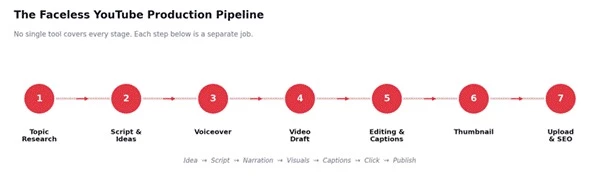
The condensed pipeline. Upload and SEO are shown as a single final stage.
This guide uses a simple framework called the pipeline-fit method: each tool is judged on how well it performs one stage of the faceless workflow, not on how impressive it looks in isolation. Every tool was rated on five practical dimensions, namely workflow role (how clearly it owns a stage), ease of use, output quality, control over the result, and value for the money.
The evaluation combines hands-on use of each tool with current feature and pricing checks against official sources in June 2026, plus a review of published creator feedback across public platforms. Two points of transparency matter. First, the scores later in this guide are editorial and practical, meant to reflect workflow usefulness, and they are not official aggregate user ratings. Second, every one of these tools updates frequently and commercial-use terms vary by plan, so pricing here is accurate at the time of writing and can change. The single biggest variable in the final result is not the tool, it is the quality of the idea and script fed into it.
A fast overview before the detailed reviews. The role column shows where each tool sits in the workflow.
| Tool | Best For | Role in Faceless YouTube | Best Channel Type | Beginner Friendly | Main Limitation |
| ChatGPT | Scripts and ideation | Ideas, outlines, hooks, scripts | Any niche | High | Needs fact-checking and editing |
| InVideo AI | Fast AI video | Turns scripts or prompts into videos | List and news videos | High | AI footage can mismatch the script |
| Pictory | Script and blog to video | Explainer-style videos | Educational, finance | High | Better for explainers than cinematic |
| ElevenLabs | AI voiceover | Natural narration | Documentary, facts | High | Commercial rights need a paid plan |
| CapCut | Editing and captions | Cuts, captions, Shorts | Shorts, tutorials | Medium | Templates look overused |
| Canva | Thumbnails and graphics | Thumbnail and brand design | Finance, facts, tech | High | Templates need real customizing |
| VidIQ | YouTube SEO | Keyword and topic validation | Any niche | Medium | Scores are not guarantees |
Each tool below is reviewed the same way: what it is best for, where it fits in the workflow, how it would be used for a faceless video in practice, where it feels limited, the channels it suits, current pricing, and a plain verdict.
ChatGPT is the planning room for a faceless channel, not the factory floor. It is where the idea, the angle, and the words get worked out before a single asset is generated. It sits within the wider category of AI content generator tools, but for video its value lands squarely at the scripting stage.
Best for: scriptwriting, ideation, and the editorial scaffolding around a video, including topic ideas, outlines, hooks, intro variations, story pacing, titles, descriptions, and community post copy.
Where it fits in the workflow: the first creative stage, after topic validation and before voiceover. Everything downstream inherits the quality of the script written here.
How I would use it for a faceless video: I would feed it the validated topic and ask for three competing angles, then a tight outline for a seven-minute video, then several hook options for the first fifteen seconds. After choosing a direction, I would draft the full script in plain spoken language, rewrite the weakest paragraph by hand, and add one concrete example the model could not have known.
Where it feels limited: it invents confident-sounding details, so claims need checking against primary sources. Default output drifts toward generic phrasing and repetitive openings, and pasting a script verbatim tends to produce flat, interchangeable videos. It writes language, not lived experience or original reporting.
Best channel fit: works across niches, and earns its place fastest on script-heavy formats such as history mysteries, finance explainers, and product comparisons.
Pricing: the free tier covers light scripting with tight message limits; the Plus plan is 20 dollars per month for heavier use and the full model set. Pricing and model availability change often, so check the official ChatGPT site before subscribing.
Practical verdict: the strongest planning and drafting tool in this stack, on one condition: treat its output as a first draft to fact-check and sharpen, never as a finished script.
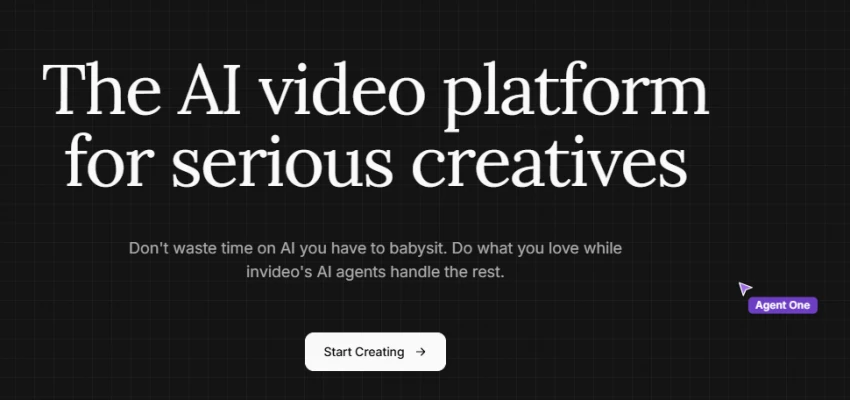
InVideo AI is the fastest way to turn a script or a prompt into something that already looks like a finished video. Among AI video generator tools, it leans toward speed and assembly rather than frame-by-frame control.
Best for: rapid AI video creation, where a text prompt or a finished script becomes an assembled video with stock footage, music, and an AI voiceover in a single pass.
Where it fits in the workflow: the video draft stage. It produces the first watchable cut that later gets refined in an editor.
How I would use it for a faceless video: I would paste a finished script rather than a one-line prompt, let it assemble a rough cut, then go scene by scene swapping any stock clip that does not match the narration. I would mute its built-in voice and drop in narration from a dedicated voice tool, because that one change lifts the result more than anything else.
Where it feels limited: AI-selected footage does not always match the meaning of a line, so review is mandatory. Weak prompts produce generic, interchangeable videos, voiceover pronunciation can need manual correction, and the credit and minute system caps how much can be produced each month.
Best channel fit: list-style and news-style videos, such as a piece on seven budget travel mistakes to avoid, where stock footage and a brisk pace suit the format.
Pricing: a free plan exists with a watermark and limited generation; paid plans start around 25 dollars per month, with a higher tier for heavier output, and monthly limits do not roll over. Pricing may change, so check the official InVideo AI site before subscribing.
Practical verdict: excellent for speed and for getting from script to draft, weakest when treated as a one-click publisher. The output is a starting point, not the finished video.
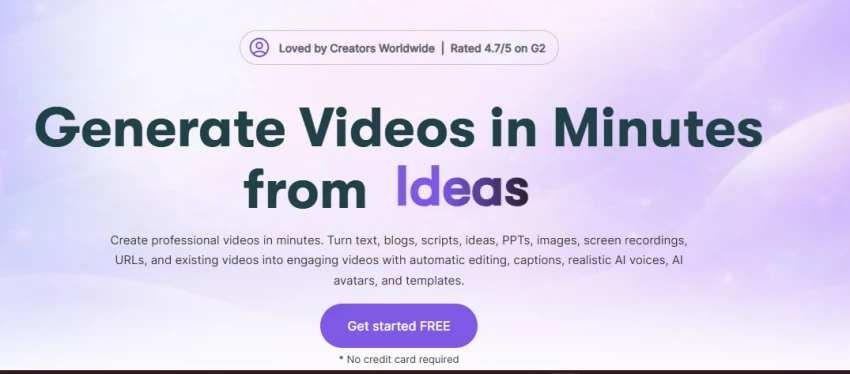
Pictory is built for one specific move: turning written content into a clean, narrated explainer video. Where InVideo AI thrives on loose prompts, Pictory is happiest with a finished article or a long script.
Best for: script-to-video and blog-to-video, where existing text becomes a straightforward video with captions, stock visuals, and AI narration.
Where it fits in the workflow: the video draft stage, as an alternative to InVideo AI when the source is a written article or a detailed script rather than a loose idea.
How I would use it for a faceless video: I would take an existing blog post or a long-form script, let Pictory segment it into scenes with matched stock footage and auto captions, then upgrade the visuals on any section where the default library looks weak.
Where it feels limited: it is stronger for explainer and summary formats than for cinematic storytelling, and high-retention niches often need better visuals than the automatic selection provides. Output can feel template-driven without manual attention.
Best channel fit: educational and finance explainers, and any channel that repurposes written articles into video.
Pricing: Pictory runs on a free trial rather than a permanent free plan, with paid plans starting around 19 to 25 dollars per month and scaling up for more video minutes. Pricing may change, so check the official Pictory site before subscribing.
Practical verdict: a reliable text-to-video workhorse for explainer content. Less suited to channels that depend on mood, original footage, and cinematic pacing.
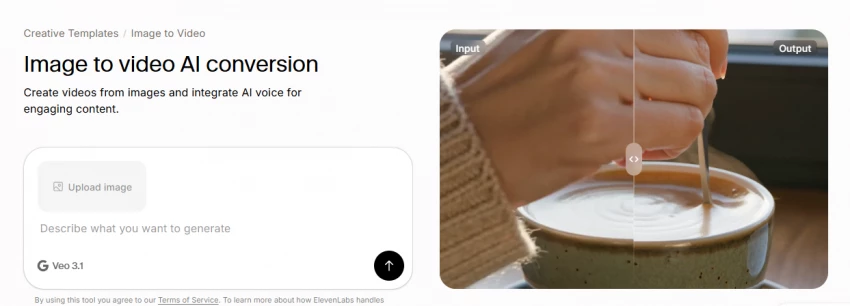
Voice is where most faceless videos quietly fail, and ElevenLabs is the tool that fixes it. It is one of the most capable AI text-to-speech tools available, and for narration-led channels the difference in quality is audible.
Best for: natural AI narration, with a large voice library, tone control, multilingual options, and voice cloning for creators who want a consistent signature voice.
Where it fits in the workflow: the voiceover stage, between the finished script and the video assembly. The narration generated here drops cleanly into InVideo AI, Pictory, or CapCut.
How I would use it for a faceless video: I would generate the narration from the final script, pick one voice and stay with it for consistency across the channel, then adjust stability and clarity until the delivery sounds natural rather than over-smooth. For any mispronounced name or acronym, I would fix the spelling or use the pronunciation controls before the final render.
Where it feels limited: commercial usage rights begin on paid plans, so monetized videos cannot legally use free-tier audio, and the free tier also requires attribution. Pronunciation sometimes needs manual fixing, and leaning on a single default voice across the platform can make content feel repetitive.
Best channel fit: documentary-style and facts channels, and any narration-led format where voice quality carries the video.
Pricing: the free tier allows roughly ten minutes of speech per month with no commercial rights; the Starter plan is 5 dollars per month and is the first tier that permits monetized use, with the Creator plan around 22 dollars per month for heavier output and professional voice cloning. Confirm the commercial and voice-rights terms on the official ElevenLabs site before publishing anything monetized.
Practical verdict: the clearest quality upgrade available to a faceless channel. The rule that matters: confirm the plan includes commercial rights before publishing monetized content.
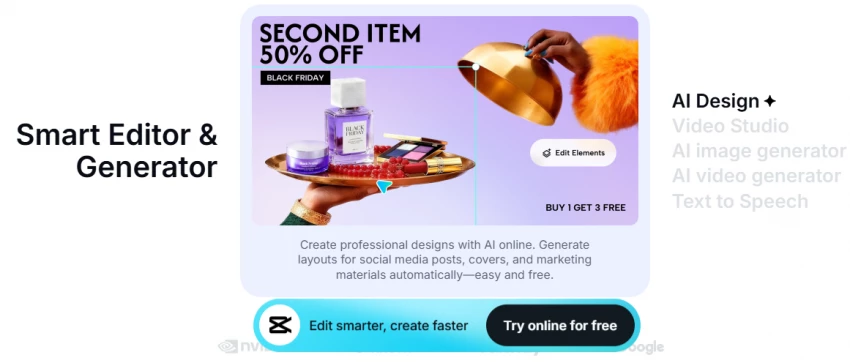
CapCut is where a rough AI cut becomes something people actually finish watching. It is also the practical bridge for repurposing long videos into clips for other platforms.
Best for: editing and retention work, including captions, jump cuts, Shorts formatting, templates, audio cleanup, resizing, and basic effects.
Where it fits in the workflow: the editing and captions stage, after the first draft and before the thumbnail. It is also the main tool for turning long videos into Shorts.
How I would use it for a faceless video: I would import the AI draft, cut the dead air and slow openings, add burned-in captions for muted viewing, and tighten the pacing in the first thirty seconds where most drop-off happens. For Shorts, I would resize to vertical and use captions and quick cuts to hold attention.
Where it feels limited: popular templates are recognizable and overused, so leaning on them makes videos look like everyone else's. Long-form editing still needs manual work, and piling on effects and transitions can make a video look cheap rather than polished. Music rights also need checking, since not all in-app tracks are cleared for monetized use, which matters for avoiding copyright claims. The same caption-and-cut workflow applies when repurposing clips with AI social media tools.
Best channel fit: Shorts-first channels and tutorial channels, plus any workflow that needs fast, caption-heavy editing.
Pricing: the free plan is unusually capable, with the full editor, captions, 1080p export, and no watermark on most exports; Pro pricing varies by region and purchase channel, commonly in the 8 to 20 dollars per month range, and adds 4K export, the full AI toolkit, and a broader commercial license. Pricing may change, so check the official CapCut site before subscribing.
Practical verdict: the best value editor in this stack, especially for short-form. The free tier handles most faceless workflows; the only real discipline is restraint, since the easiest way to look amateur is to over-use its templates and effects.
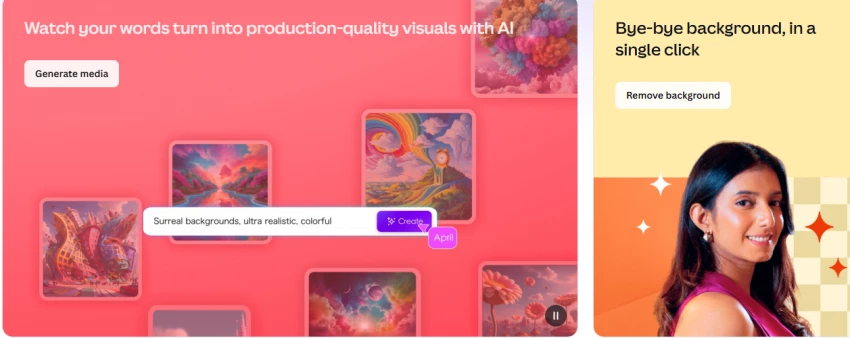
Canva is the click. On YouTube the thumbnail decides whether a good video gets watched at all, and Canva is the practical default for making them. It overlaps with AI image generator tools and AI presentation tools, but its day-to-day job here is thumbnails and channel branding.
Best for: thumbnail design and visual branding, plus text overlays, brand kits, simple animations, presentation-style graphics, and infographics.
Where it fits in the workflow: the thumbnail and graphics stage, near the end of production but central to performance, since the thumbnail and title together drive click-through.
How I would use it for a faceless video: I would design a thumbnail with one clear focal point, a few large readable words, and contrast strong enough to survive shrinking to a phone-sized box, then build a simple brand kit of colors, fonts, and layout so every thumbnail on the channel looks like a set rather than a string of one-offs.
Where it feels limited: its templates are everywhere, so an untouched template thumbnail blends into the feed instead of standing out. Thumbnails need genuine customization, and crowding too much text into the frame tends to lower click-through rather than raise it.
Best channel fit: finance, facts, education, and tech channels, where clean, legible thumbnails with strong typography perform well.
Pricing: the free plan is genuinely usable for thumbnails and basic graphics; Pro runs roughly 13 to 15 dollars per month, cheaper billed annually, and adds the background remover, brand kits, and premium assets. Pricing may change, so check the official Canva site before subscribing.
Practical verdict: the practical default for thumbnails and branding. Its strength is speed and accessibility; the work that actually moves click-through is customizing past the template, not the template itself.
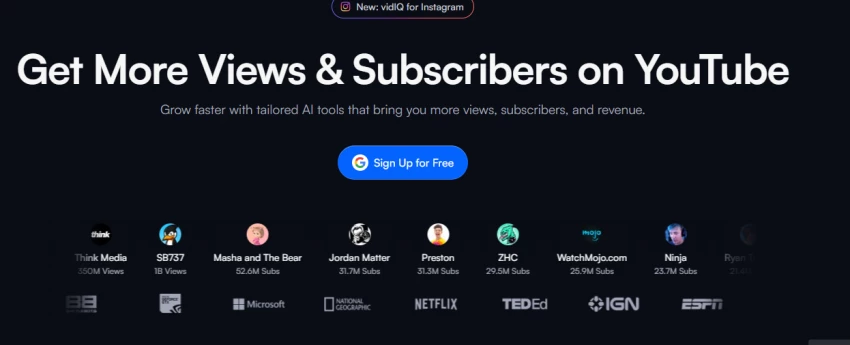
VidIQ answers the question that should come before any video gets made: will anyone actually search for this? It belongs with the broader set of AI SEO tools, focused specifically on YouTube.
Best for: topic validation and YouTube SEO, including keyword research, competitor analysis, trend discovery, title and tag suggestions, video optimization, and channel analytics.
Where it fits in the workflow: both ends of the workflow. At the start it validates demand for a topic; at the end it informs the title, description, tags, and upload timing.
How I would use it for a faceless video: I would check a topic for search demand and competition before committing to a script, then use it again at upload to refine the title against what is already ranking and to set tags and a description that match the real query. I would treat its scores as one signal among several, not as a verdict.
Where it feels limited: keyword scores are estimates, not guarantees, and high search volume does not always mean a topic is easy to rank for. The most useful features sit behind paid plans, which can feel steep for a brand-new channel, and the data still needs checking against the live YouTube results page.
Best channel fit: any niche, since topic validation matters everywhere, and especially useful for channels competing in crowded categories.
Pricing: a free plan offers limited daily keyword lookups and basic analytics through a browser extension; paid plans start in the 7.50 to 10 dollars per month range billed annually and scale up for advanced research and coaching. Pricing may change, so check the official VidIQ site before subscribing.
Practical verdict: the difference between guessing and choosing. It does not pick winning topics on its own, but it stops a lot of videos that were never going to find an audience.
Put together, the seven tools form one production line. This is the order they run in:
1. VidIQ to find and validate topic opportunities before writing anything.
2. ChatGPT to build the outline, hook, full script, and title ideas.
3. ElevenLabs to generate the voiceover from the final script.
4. InVideo AI or Pictory to assemble the first video draft.
5. CapCut to edit, add captions, and improve pacing.
6. Canva to design the thumbnail and supporting graphics.
7. VidIQ again to optimize the title, description, tags, and upload timing.
Beginners do not need all seven on day one. A simple starter stack is ChatGPT, ElevenLabs, CapCut, Canva, and VidIQ. With that set, a creator can validate a topic, write and narrate a script, build visuals from slides or screen recordings inside CapCut, design a thumbnail, and optimize the upload, all without a dedicated AI video generator at the start. A video tool like InVideo AI or Pictory can be added later, once the workflow is steady.
The table below gives the detailed practical scores, and the chart that follows shows the same ratings at a glance. These are editorial scores based on workflow usefulness, not official user ratings, so the overall figure is a holistic judgment rather than a strict average of the columns.
| Tool | Workflow Role | Ease of Use | Output Quality | Control Level | Best For | Overall Score /10 |
| ChatGPT | Scripts and ideas | 9.0 | 8.5 | 8.0 | Planning and drafting | 8.5 |
| InVideo AI | Video draft | 8.5 | 7.8 | 7.0 | Fast list and news videos | 8.0 |
| Pictory | Video draft | 8.5 | 7.5 | 7.2 | Explainer and blog-to-video | 7.8 |
| ElevenLabs | Voiceover | 8.8 | 9.5 | 8.5 | Narration-led channels | 9.0 |
| CapCut | Editing and captions | 8.5 | 8.7 | 9.0 | Shorts and tutorials | 8.7 |
| Canva | Thumbnails | 9.2 | 8.7 | 8.5 | Click-through and branding | 8.8 |
| VidIQ | YouTube SEO | 8.3 | 8.0 | 8.0 | Topic validation | 8.4 |
Different formats lean on different stages. These combinations match the tools to what each channel type actually needs.
| Channel Type | Best Tool Combination | Why It Works |
| Finance explainer | ChatGPT, ElevenLabs, Pictory, Canva, VidIQ | Structured scripts, clean narration, simple visuals, and validated topics suit explainer pacing. |
| History or documentary | ChatGPT, ElevenLabs, InVideo AI, Canva, VidIQ | Narration carries the story, so voice quality and footage assembly matter most. |
| Motivational Shorts | ChatGPT, ElevenLabs, CapCut, Canva | A fast short-form loop with emotional voiceover, tight captions, and bold thumbnails. |
| Product review | ChatGPT, ElevenLabs, InVideo AI, Canva, VidIQ | Comparison scripts plus stock or product footage, with SEO to capture buyer searches. |
| Tech tutorial | ChatGPT, ElevenLabs, CapCut, Canva, VidIQ | Screen recordings edited in CapCut, clear narration, and keyword-driven titles. |
| Facts or list | ChatGPT, ElevenLabs, InVideo AI, CapCut, Canva | Rapid list scripts, assembled drafts, and punchy edits for retention. |
| Educational | ChatGPT, ElevenLabs, Pictory, Canva, VidIQ | Explainer structure, accessible visuals, and topics validated for real search demand. |
Tools fix execution, not judgment. These are the failures that survive even the best stack, and they are the reason most automated channels stall:
• Weak topic selection. No tool rescues a video nobody is searching for.
• Robotic scripts. Pasting raw AI text without rewriting produces flat, interchangeable videos.
• Poor voiceover. A cheap or monotone voice signals low effort within the first few seconds.
• Random stock footage. Clips that do not match the narration break trust and tank retention.
• Clickbait thumbnails. A thumbnail that oversells wins the click and loses the viewer, which hurts long-term reach.
• Copyrighted music or visuals. Unlicensed tracks and footage invite claims, strikes, and demonetization, and not all in-app music is cleared for monetized use.
• Posting fully automated spam. High-volume, zero-effort AI uploads are exactly what platform policies target.
• No editing after AI generation. An unedited AI draft almost always looks like an unedited AI draft.
• Ignoring monetization policies. Reused or mass-produced content can fail YouTube Partner Program review.
• Publishing without fact-checking. One confidently wrong claim can sink a channel's credibility, especially in finance, health, and history.
There is no single best tool for faceless YouTube, because no single tool covers the whole workflow. There is a best tool for each job:
| Category | Winner |
| Best overall AI video creation tool | InVideo AI |
| Best script and planning tool | ChatGPT |
| Best voiceover tool | ElevenLabs |
| Best editing tool | CapCut |
| Best thumbnail tool | Canva |
| Best YouTube SEO tool | VidIQ |
| Best blog or script-to-video tool | Pictory |
The right starting point depends on the goal:
• For beginners, the best starter stack is ChatGPT, ElevenLabs, CapCut, Canva, and VidIQ.
• For faster full-video creation, use ChatGPT, InVideo AI, ElevenLabs, Canva, and VidIQ.
• For explainer-style videos, use ChatGPT, Pictory, ElevenLabs, Canva, and VidIQ.
The pattern across every one of these stacks is the same. AI handles the mechanical work, and a human still decides the idea, sharpens the script, and judges whether the result is worth publishing. That division of labor, not any single tool, is what separates a faceless channel that grows from one that gets ignored.
Share your thoughts about this article.
Be the first to post a comment!

The same tool can be a 4.7 on one site and a 3.9 on another. Here is what is rea...
Nitin1 month ago

Here is the number worth pinning above your budget: in Gartner Digital Markets r...
Deepak Mehra1 month ago

What Artlist AI is in 2026Artlist began as a royalty-free music library. By 2026...
Deepak Mehra2 months ago

Most AI tool failures do not announce themselves. There is no crash, no angry em...
Nitin2 months ago

The best AI image generator in 2026 is Nano Banana 2 for speed, FLUX.2 for photo...
Parveen Verma2 months ago

“Useful” is a slippery word for a coding assistant. A tool can be brilliant at o...
Sakshi Dhingra2 months ago