Instagram Reels have become one of the most powerful organic discovery engines on social media. Over the past year, I have tested multiple AI-powered reel creation tools across different workflows, including educational explainers, AI tool reviews, faceless niche pages, repurposed podcast clips, and promotional brand reels. What became clear very quickly is that not all AI real tools are built for the same purpose. Some are designed for script-to-video automation. Some specialize in repurposing long-form content into viral short clips. Others focus on design flexibility or professional editing enhancement.
In this detailed breakdown, I am going deeper into each major AI reel creation platform, explaining how it actually performs in real use, where it stands out, where it falls short, and who should realistically use it.
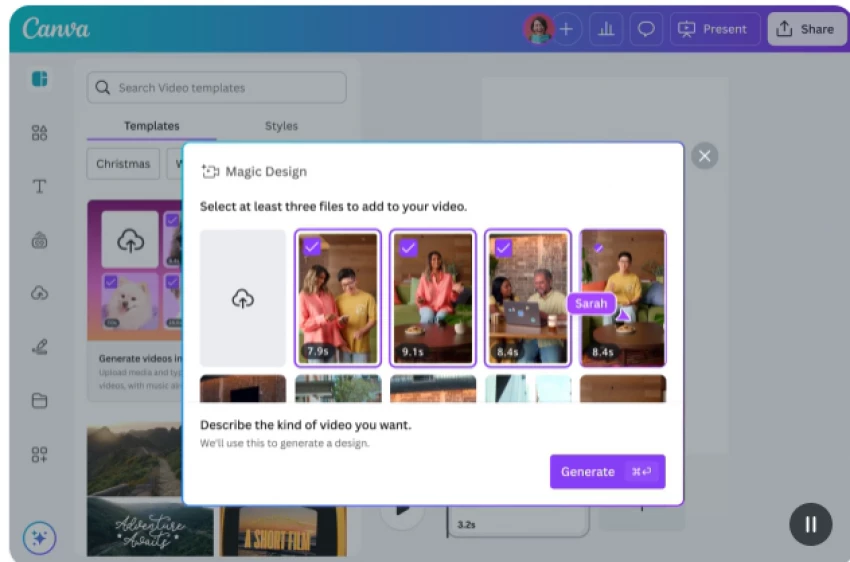
Canva’s AI Reel Maker has positioned itself as a beginner-friendly yet brand-consistent solution for vertical content creation. When I started using it for Instagram Reels, the biggest advantage I noticed was ecosystem integration. Canva is not just a reel generator. It is a complete content environment. The AI capabilities are embedded across writing, design, video animation, and formatting.
The Magic Write feature helps generate scripts and captions. The text-to-image generator creates supporting visuals. The background remover and animation tools allow quick scene enhancement. Most importantly, Canva understands vertical formatting. The templates are already optimized for 9:16 ratio, safe zones, and mobile-first viewing behavior. That eliminates common beginner mistakes such as misplaced captions or cropped visuals.
However, Canva does not aggressively automate content discovery or viral clipping. It does not analyze long videos and extract hook-worthy moments. It assumes you already know your message and simply need a structured way to present it visually. In my experience, Canva works best when the creator already has a script or content idea and wants polished execution without technical editing complexity.
For coaches, educators, SaaS brands, and personal branding creators who care deeply about visual consistency and brand identity, Canva performs extremely well. For high-volume automation-driven creators, it may feel slightly manual.
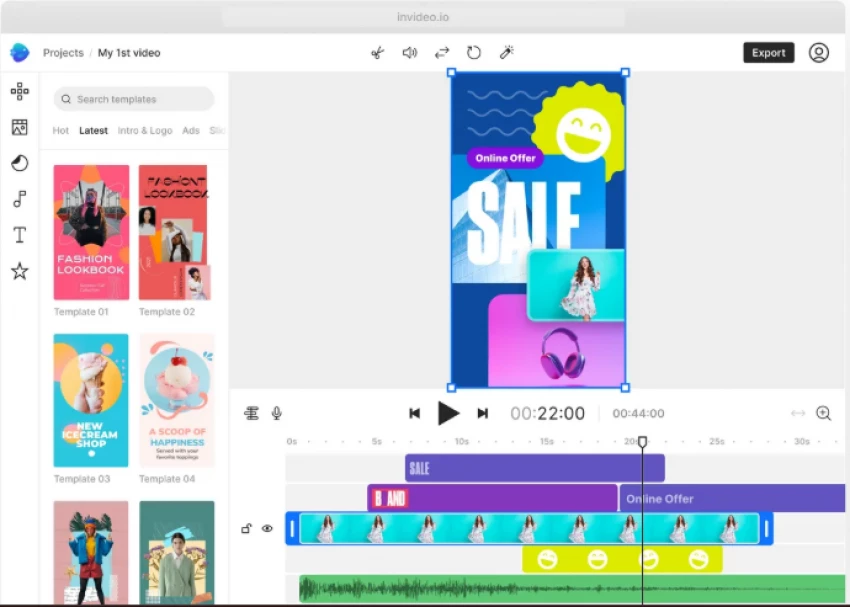
InVideo’s AI Instagram Reels Maker takes a more automation-heavy approach. When I tested it with simple prompts such as “Create a reel about AI productivity hacks,” it generated scenes, stock footage, subtitles, transitions, and background music automatically. The experience feels closer to an AI director assembling a short-form narrative rather than a traditional editor.
The most impressive aspect of InVideo is speed. It reduces the time from idea to final export dramatically. For faceless Instagram pages or creators managing multiple niche accounts, this can be a serious advantage. The AI matches stock visuals contextually with script segments and formats everything vertically without requiring manual resizing.
However, automation comes with trade-offs. The first drafts sometimes feel templated or stock-heavy. If brand uniqueness and storytelling nuance are important, additional editing is required. It is not a replacement for creative direction, but it significantly accelerates production.
InVideo is particularly strong for affiliate marketers, motivational pages, educational snippets, and content experiments where volume matters more than handcrafted detail.
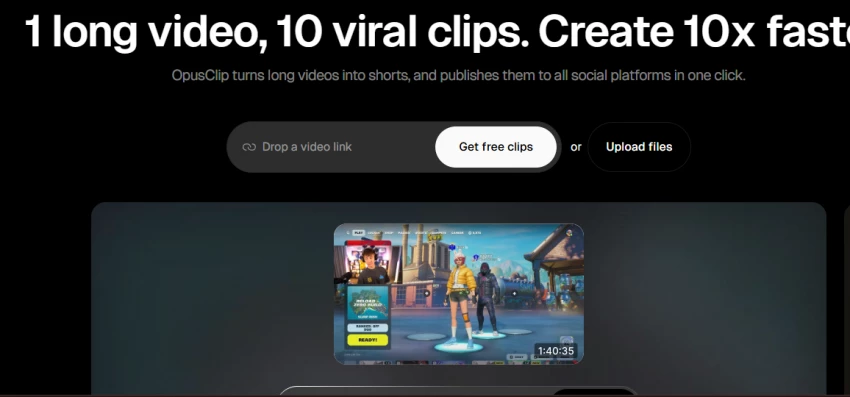
Opus Clip focuses on repurposing long-form content into short-form Reels. When I uploaded a 40-minute webinar, Opus automatically analyzed the content and identified segments with strong engagement potential. It reframed the selected clips vertically, added dynamic captions, and optimized pacing.
What differentiates Opus is its AI-driven virality scoring. It attempts to predict which clips are most likely to perform well based on hook density, emotional tone, and audience retention modeling. This makes it extremely powerful for podcast creators, YouTubers, educators, and founders building authority through long-form content.
It is not ideal for starting from scratch. Opus thrives when there is existing video material to repurpose. If you do not create long-form content, its full strength cannot be utilized.
In my workflow, Opus becomes the bridge between YouTube and Instagram Reels. It reduces repurposing friction and increases content ROI.
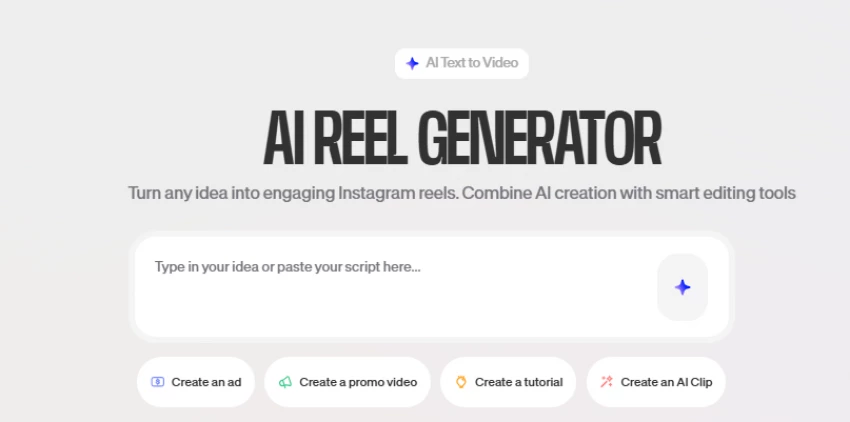
VEED sits between automation and professional editing. It offers AI-powered scripting assistance, automatic subtitle generation, background removal, eye-contact correction, and translation capabilities. When I used VEED, I noticed the output felt more refined compared to heavily automated tools.
The subtitle customization options are particularly strong. Since caption aesthetics significantly influence watch time on Reels, this level of styling control makes a noticeable difference. VEED does not overwhelm users with automation but enhances editing efficiency with AI assistance layered into the workflow.
It requires slightly more hands-on involvement compared to InVideo, but the creative control is higher. For creators who want AI support without losing editorial control, VEED feels balanced.
It works especially well for thought leadership content, educational reels, and polished brand storytelling.
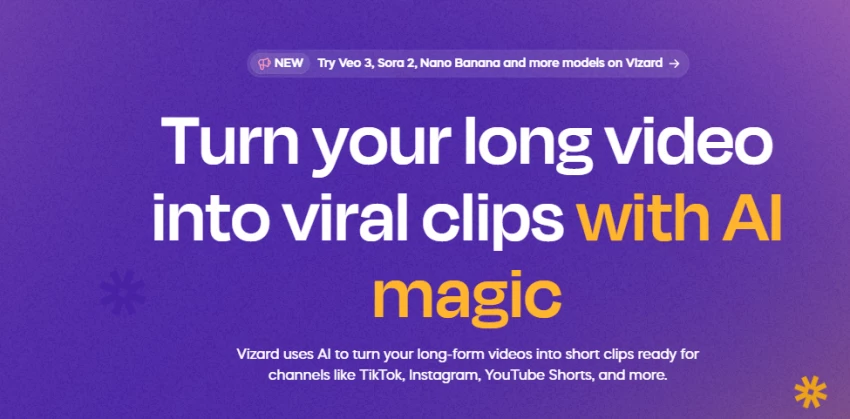
Vizard specializes in long-to-short transformation similar to Opus, but its scene detection and speaker recognition feel more structured. When I tested interview-based content, Vizard recognized speaker changes and reframed accordingly. It created cleaner, context-aware clips rather than random cuts.
This makes it particularly effective for interview creators, webinar hosts, SaaS founders, and educators who rely on conversational content. The automatic captioning is accurate and formatted for short-form retention.
However, Vizard is not built for cinematic script-to-video creation. It is optimized for repurposing, not for storytelling from scratch. If your strategy involves high-production promotional reels, you may need additional tools.
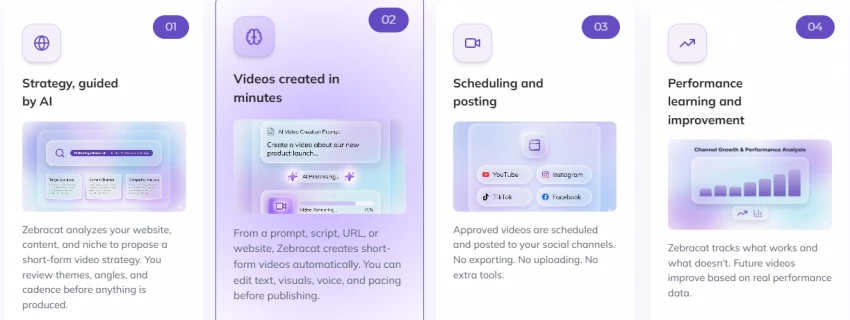
ZebraCat positions itself as a prompt-to-video storytelling engine rather than a traditional editor. When I tested it for product explainer reels, the workflow felt closer to briefing an AI creative assistant than editing on a timeline. I entered a short marketing prompt describing a SaaS product, highlighted key benefits, and within minutes, ZebraCat structured a short narrative using stock visuals, animated text overlays, transitions, and background music. The tool attempts to interpret intent and assemble a persuasive flow, which makes it particularly useful for marketing-focused reels rather than lecture-style educational clips.
What impressed me most was its contextual visual matching. When the script mentioned automation or productivity, the platform selected tech-oriented motion graphics and dashboard-style visuals. When growth or scaling was referenced, it shifted toward analytics-driven imagery and upward trend symbolism. For early-stage startups or founders who need quick promotional reels without hiring an editor, this significantly reduces production friction. It transforms raw messaging into a structured short-form marketing asset within minutes.
However, automation always introduces a trade-off. The first output often looks clean but slightly templated. Because ZebraCat relies heavily on stock libraries and AI-generated pacing, the visual identity may feel similar to other automated marketing videos unless refined manually. If strong brand differentiation is important, additional customization is necessary. That usually means exporting the draft and enhancing it inside a more advanced editing environment.
This is where the conversation naturally moves toward editing control and distribution flexibility, especially when comparing dedicated editing platforms with Instagram’s built-in tools.
After generating a reel with an automation-focused platform like ZebraCat, the next decision is whether to polish it inside a full-featured editor such as CapCut or finalize it directly within Instagram’s native Reels editor.
CapCut provides significantly deeper editing control. It allows AI background removal, keyframe animation, advanced transitions, text-to-speech features, and customizable auto-captions. When I want to elevate a marketing reel beyond stock-template pacing, CapCut gives me the flexibility to adjust scene timing, layer motion graphics, and fine-tune visual rhythm. It becomes the refinement layer after AI generation. If ZebraCat builds the structure, CapCut enhances the cinematic feel and brand identity.
Instagram’s native Reels editor, on the other hand, is optimized for speed and platform integration. It connects directly with trending audio, filters, and interactive features. For reactive content or trend participation, publishing inside Instagram can streamline the workflow. While it does not offer the same depth of control as CapCut, it reduces friction when speed matters more than precision.
In practical strategy terms, ZebraCat can serve as the rapid content generation layer, CapCut as the professional enhancement layer, and Instagram’s native editor as the final publishing and trend-alignment layer. Connecting these tools intentionally rather than treating them as isolated options creates a more powerful reel creation system.
However, even this layered system raises a deeper question. If ZebraCat generates the structure and CapCut refines the visuals, where does the actual idea, hook, and storytelling framework originate? Editing tools shape how a reel looks and feels, but they do not decide what the reel says or how it captures attention in the first three seconds. That creative foundation typically begins before any video software is opened, which leads directly into the next critical discussion: Can ChatGPT Create Instagram Reels?
ChatGPT cannot generate a finished video file. However, it plays a powerful strategic role in reel creation. I use it to write hooks, generate script variations, structure storytelling arcs, suggest visual breakdowns, create caption frameworks, and optimize CTA placement.
When combined with AI reel generators, ChatGPT becomes the strategic brain behind the video. It enhances messaging clarity, hook strength, and audience retention strategy. In my workflow, ChatGPT handles concept development, while tools like Canva, Opus, or VEED handle execution.
There is no universal best tool. The answer depends entirely on your workflow.
If you create from scratch and value branding, Canva is highly reliable.
If you prioritize automation and scale, InVideo accelerates production.
If you repurpose long-form content, Opus or Vizard deliver exceptional efficiency.
If you want AI-assisted editing with creative control, VEED is strong.
If you create startup-focused promotional reels, ZebraCat can work well.
The real advantage does not come from choosing one tool. It comes from building a layered workflow where scripting, repurposing, design, and editing are optimized together.
After deeply testing these platforms, I no longer search for a single “best AI reel tool.” Instead, I build systems. AI tools should accelerate clarity, not replace creativity. Instagram rewards emotional hooks, retention pacing, and authentic storytelling. AI can enhance those elements, but it cannot manufacture them alone.
The creators who win long term are not the ones who automate the most. They are the ones who use AI strategically while maintaining strong narrative control.
If your goal is serious growth, focus on message strength first. Then choose the AI tool that supports your specific content strategy rather than chasing the most automated option.
Be the first to post comment!
I don’t judge an AI image generator by “one pretty output.” I judge it by what h...
Sakshi Dhingra1 day ago
AI music generation has matured quickly over the last few years, but the reality...
Sakshi Dhingra2 days ago
AI study tools are everywhere right now. Some feel overhyped. Some feel confusin...
Sakshi Dhingra2 days ago

When I test AI voice generators seriously, I don’t judge them by demo clips. I t...
Sakshi Dhingra3 days ago
When I first discovered Gizmo AI, it immediately positioned itself as something...
Sakshi Dhingra3 days ago
I went into this expecting one “best” AI animation tool. What I found instead is...
Sakshi Dhingra4 days ago