BarberGPT AI is useful when someone wants to preview a haircut before actually going to the barber. You upload a photo, try a hairstyle, and get a rough idea of how a new look may suit your face. For men who are confused between a buzz cut, fade, slick back, undercut, long hair, or a cleaner formal hairstyle, this kind of AI haircut preview can save a lot of second-guessing.
The only issue is that BarberGPT AI mainly focuses on hairstyle simulation. It may not feel enough when you want beard previews, face makeover options, hair color testing, profile photo improvement, or a more polished final image. That is why many users look for BarberGPT AI alternatives that offer more than just a basic haircut preview.
Below are some of the best direct alternatives to BarberGPT AI, explained in a practical way so you can understand what each tool does, where it performs well, and when it may not be the right choice.
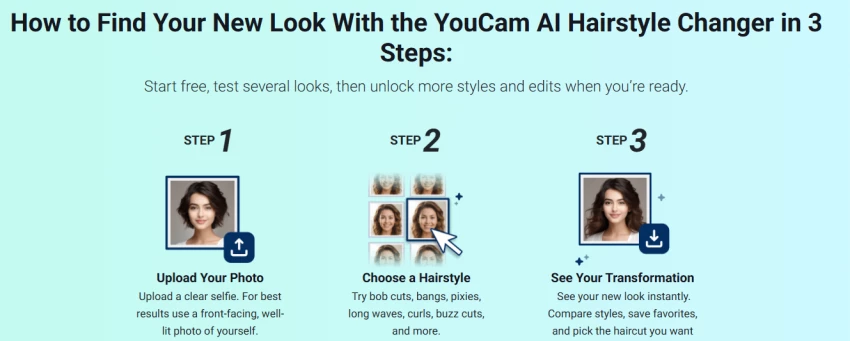
YouCam is one of the most useful BarberGPT AI alternatives for people who want to try different hairstyles and hair colors in a more natural-looking way. It is known for beauty and face-editing tools, but its AI hairstyle features are also helpful for checking how a new haircut or hair color may look before making a real change.
The tool works well when you want to test different hair lengths, shades, bangs, volume changes, and makeover-style looks. The face mapping is usually smooth, so the hairstyle does not always look like a flat sticker placed on top of your head. This makes YouCam a good choice if you want a cleaner and more polished hairstyle preview than a basic filter.
Compared to BarberGPT AI, YouCam feels broader because it is not only about men’s haircut previews. You can also test hair color, face touch-ups, and beauty-style edits. This is useful if you want to see your complete look, not just the haircut. For example, if you are thinking about changing your hairstyle and also want to know whether a different hair shade will suit your face, YouCam gives you more room to experiment.
However, YouCam may not be perfect for very specific barber-style cuts. If you are looking for detailed men’s haircuts such as low fade, taper fade, skin fade, textured crop, or crew cut variations, the tool may feel limited compared to prompt-based AI editors. It is better for general hairstyle previews, hair color changes, and polished face-aware edits.
YouCam is best for users who want a realistic hairstyle preview with smooth blending. It is a strong option if your main need is hairstyle try-on and hair color testing, but not necessarily detailed barber planning.
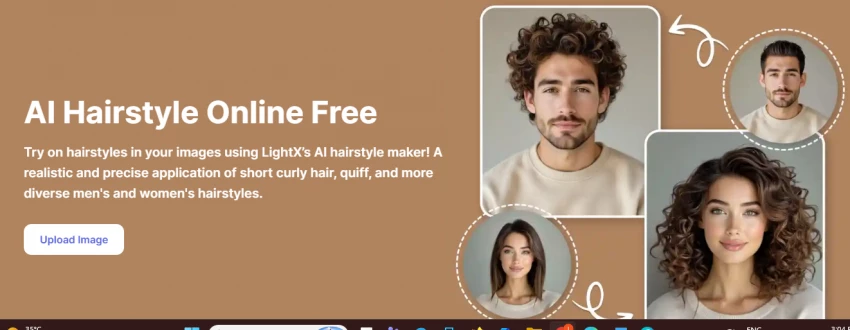
LightX is a strong alternative to BarberGPT AI because it gives you more control through prompts. Instead of only selecting from fixed hairstyle options, you can describe what you want. For example, you can ask for a buzz cut, taper fade, undercut, quiff, slicked-back hairstyle, long hair, curly hairstyle, bald look, or even a beard style.
This makes LightX useful for people who already have a haircut idea in mind. If you saw a hairstyle on Instagram, Pinterest, or a celebrity and want to check whether something similar may suit you, LightX gives you the flexibility to describe that look. This is where it feels more open than BarberGPT AI.
Another good thing about LightX is that it is not limited to hair only. You can use it for beard previews, face edits, headshots, and other AI photo changes. So if you want to test a full grooming look, such as a fade with a beard or a slick hairstyle with a formal headshot-style finish, LightX can be more useful.
The main drawback is that the results depend heavily on how clearly you write your prompt. If your prompt is too simple, the output may look generic. If your prompt is detailed and clear, the result can be much closer to what you imagined. So, LightX is not always a one-click tool. It works better for users who are comfortable giving instructions.
LightX is best for users who want custom hairstyle and beard previews. It is a better choice than BarberGPT AI when you need more creative control instead of only fixed hairstyle options.
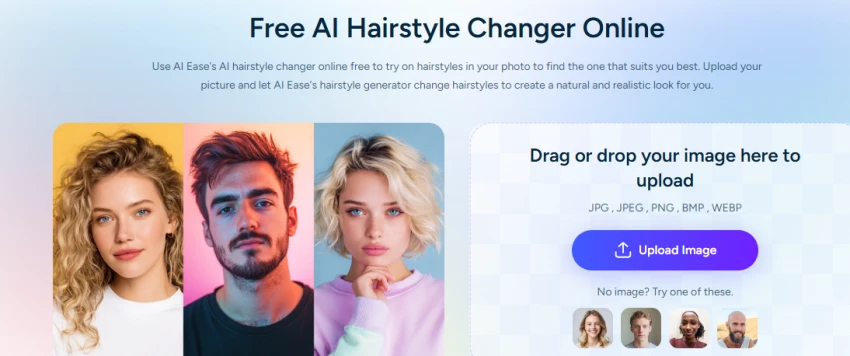
AI Ease is a simple and beginner-friendly BarberGPT AI alternative for quick hairstyle previews. It works well if you do not want to spend too much time learning a tool or writing detailed prompts. You upload a photo, choose or describe a hairstyle, and get a preview.
The biggest advantage of AI Ease is ease of use. It is useful for people who just want a quick idea of how a haircut may look. If you are confused between short hair, medium hair, long hair, fringe, or a different overall style, AI Ease can help you compare options quickly.
Compared to BarberGPT AI, AI Ease feels more accessible because it is simple and direct. It does not require heavy editing knowledge. It can be useful for casual users who only want to test hairstyles before making a decision.
However, the output may not always be as polished as premium hairstyle tools. It may not give you the same level of detail, control, or professional-looking export. So, it is better for early hairstyle exploration rather than a final image you would confidently show to a barber.
AI Ease is best for users who want fast and simple hairstyle try-on. It is a good option when you want a free or low-friction alternative to BarberGPT AI.
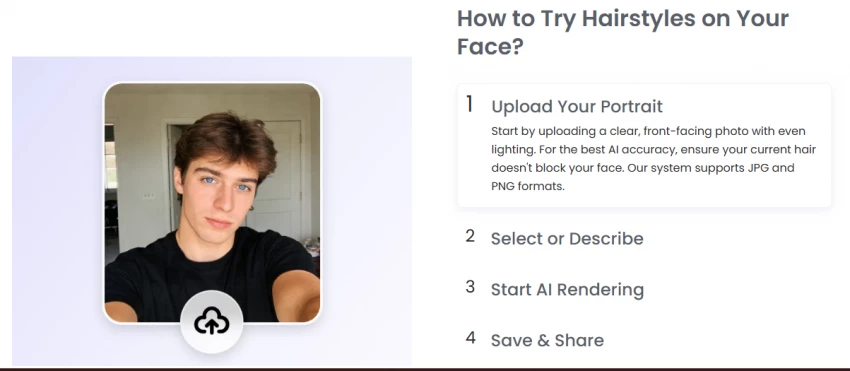
Fotor is a more complete alternative to BarberGPT AI because it combines hairstyle changing, hair color editing, beard options, photo enhancement, and general AI editing tools. It is useful when you want to test a haircut and also improve the overall image.
With Fotor, you can try different hairstyles, change hair color, adjust your image quality, and make your photo look cleaner. This makes it useful for people who want both grooming previews and a better final photo. For example, you may use it to check a new hairstyle and then improve the photo for social media, a dating profile, or a display picture.
Compared to BarberGPT AI, Fotor feels more versatile. BarberGPT AI is mainly focused on haircut preview, while Fotor gives you a wider editing environment. You can work on your hairstyle, beard, skin tone, background, and overall image presentation in one place.
Fotor is also useful for hair color testing. If you want to see whether brown, black, blonde, grey, or a highlighted look may suit you, Fotor can be helpful. The results are usually decent when the original photo is clear and well-lit.
The limitation is that some hairstyle or color changes may look slightly artificial, especially if the photo is low quality or the chosen hairstyle is too different from your real hair. Still, for everyday users, Fotor is one of the better all-round BarberGPT AI alternatives.
Fotor is best for users who want hairstyle try-on, beard editing, hair color testing, and photo enhancement together.
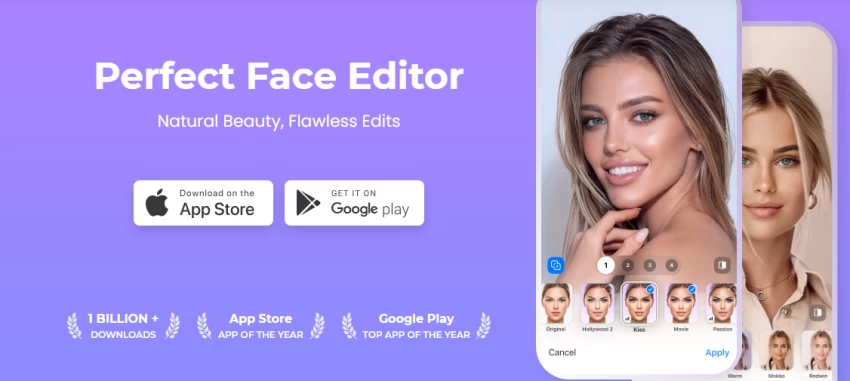
FaceApp is a popular face transformation app and can work as a BarberGPT AI alternative when you want quick grooming experiments. It is especially useful for testing beard styles, mustaches, clean-shaven looks, hair color changes, and general face makeovers.
The main reason people may choose FaceApp over BarberGPT AI is speed. It is easy to use, works well on mobile, and gives quick before-and-after results. If you simply want to know whether you look better with a beard, without a beard, with a mustache, or with a different hairstyle, FaceApp can give you a fast preview.
FaceApp is not a dedicated haircut simulator, so it should not be treated as the most accurate tool for barber references. Its strength is full-face transformation rather than detailed haircut planning. It can make a look appear more polished or dramatic, but that does not always mean the haircut or beard will look the same in real life.
Compared to BarberGPT AI, FaceApp is better for beard and face makeover previews. BarberGPT AI is more focused on men’s hairstyles, while FaceApp gives you a wider range of face transformation options.
FaceApp is best for users who want quick beard, mustache, hair color, and face makeover previews. It is useful for casual grooming decisions, but not the best choice for accurate haircut planning.
| Tool | Best For | Why It Is a Good Alternative to BarberGPT AI | Limitation |
| YouCam | Hairstyle and hair color try-on | Gives polished and natural-looking hairstyle previews | May not offer detailed men’s fade styles |
| LightX | Custom hairstyle and beard prompts | Lets you describe the haircut or beard style you want | Output depends on prompt quality |
| AI Ease | Quick free hairstyle previews | Simple and beginner-friendly | Less control and polish |
| Fotor | Hairstyle, beard, color, and photo editing | Works as an all-round grooming editor | Some edits may look artificial |
| FaceApp | Beard and face makeover | Very fast for beard, mustache, and face changes | Not a proper haircut simulator |
If you want a direct alternative for hairstyle try-on, YouCam, LightX, AI Ease, and Fotor are the strongest options. These tools are closest to BarberGPT AI because they help you test hairstyles before making a real grooming decision.
If you want to test beard styles, FaceApp, LightX, Fotor, and PhotoDirector are better choices. These tools are more useful for checking whether stubble, a mustache, a goatee, a full beard, or a clean-shaven look suits your face.
BarberGPT AI is a useful starting point if your main goal is to preview a haircut before visiting a barber. It helps you get a rough idea of how a new hairstyle may look on your face, especially when you are confused between short hair, long hair, fades, undercuts, or cleaner formal styles.
But if you want more than a basic haircut preview, the alternatives above are more practical. YouCam is better for polished hairstyle and hair color try-ons. LightX is stronger when you want custom hairstyle or beard previews through prompts. AI Ease works well for quick and simple hairstyle testing. Fotor is a better all-round option because it combines hairstyle, beard, hair color, and photo enhancement tools. FaceApp is useful when your focus is beard, mustache, clean-shaven looks, and quick face makeover previews.
The best choice depends on your exact need. For a simple haircut preview, YouCam or AI Ease can work well. For custom barber-style ideas, LightX is more flexible. For a complete grooming and photo-editing experience, Fotor is the stronger option. For quick beard and face transformation, FaceApp is more convenient.
Overall, BarberGPT AI is good for hairstyle simulation, but these alternatives give users more freedom to test a complete look before making a real grooming decision.
Share your thoughts about this article.
Be the first to post a comment!

Artificial intelligence is beginning to influence entire transportation networks...
Deepak Mehra1 day ago

Quick answerBlackbox AI is an AI coding assistant used for generating code, debu...
Harpreet Singh2 days ago

I did not set out to write a warning. I set out to find a cheap, fast tool that...
Nitin3 days ago
Job hunting in 2026 feels like a part-time job you never applied for. You refres...
Deepak Mehra5 days ago

You-TLDR is useful when you do not want to sit through a full YouTube video just...
Harpreet Singh5 days ago

Type "openfuture ai" into Google and you will find a strange mix of results. Hal...
Sakshi Dhingra5 days ago