
Emoji Kitchen, Google’s experimental yet wildly popular mash-up tool built into Gboard and the standalone EmojiKitchen.dev site, has redefined how users express themselves online. What started as a quirky side feature in 2020 has evolved into a core component of digital communication, blending creativity, humor, and emotional nuance in ways static emojis never could.
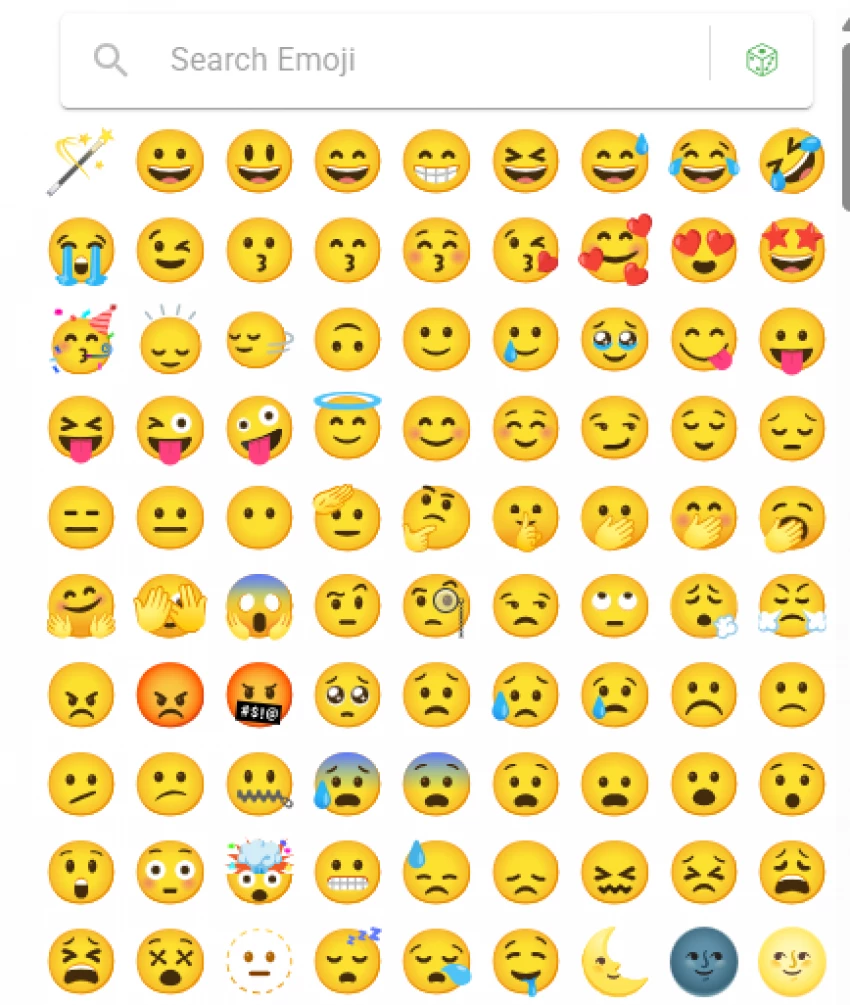
This shift in expressive design leads us into the next section: how exactly Emoji Kitchen changes the way we communicate.
By allowing users to combine two emojis, for instance, a heart and a fire symbol, to form entirely new reactions, Emoji Kitchen turns basic icons into dynamic emotional hybrids. It’s available directly through Gboard on Android, and accessible to iOS or desktop users through Google Search or the official EmojiKitchen.dev browser interface.
With over 100,000 combinations, regularly updated by Google’s emoji design team as confirmed by Emojipedia, users can create mash-ups that feel far more personal and expressive than standard emojis.
This level of personalization brings us naturally to a closer look at the platform’s technical side, its features, performance, and how it compares to competitors.
Emoji Kitchen is more than just an artful playground; it’s a technically refined ecosystem within Gboard. According to Android Police, its core features include:
The 9to5Google report reveals that 3 billion stickers have been shared globally since the feature’s launch. Its domain authority (DA 46) and 300+ backlinks signal growing community trust and consistent engagement.
Understanding its capabilities helps us appreciate its real-world use, so let’s move into a step-by-step look at how to access Emoji Kitchen on different devices.
Using Emoji Kitchen is refreshingly simple across platforms:
On Android (via Gboard):
Open any chat app, tap two emojis, and watch Gboard instantly generate mix suggestions. You can then tap the heart icon to save your favorites, visible in your Gboard sticker library. More detailed usage guidance can be found in Google’s support article.
On iOS or Desktop:
Visit EmojiKitchen.dev, or simply search “Emoji Kitchen” on Google. The browser interface lets you combine emojis, preview results, and download stickers for use in WhatsApp, Messenger, or even emails.
Pro Tip: Updating Gboard regularly ensures access to the latest emoji combinations and redesigned UI elements.
Once users master the basics, the natural question is, how does Emoji Kitchen compare to other major emoji platforms? Let’s explore that next.
While traditional emoji sites like GetEmoji and EmojiCopy focus on copy-paste convenience, Emoji Kitchen uniquely empowers creation. It bridges the gap between personalization and practicality.
| Platform | Monthly Traffic (2025) | Key Feature | Domain Authority |
| Emoji Kitchen | ~1 M | Gboard mash-up creation | 46 |
| GetEmoji | 2.5 M | Copy/paste emojis | 80+ |
| iEmoji | 134 K | Searchable emoji database | 50 |
| EmojiCopy | 237 K | Bulk copy lists | 60 |
In terms of SEO and SERP positioning, Emoji Kitchen dominates long-tail keywords like “emoji mix generator” and “create custom stickers”, as per Google Trends.
Such growth also inspires new creative use cases across classrooms, campaigns, and social platforms, our next focus.
Educators are increasingly using Emoji Kitchen in language learning and storytelling, letting students visually express complex emotions or abstract ideas. Meanwhile, marketers and social media teams use the tool to design campaign-specific sticker sets, creating engagement that feels native to modern chat culture.
Teachers, for instance, can combine 🌍 + 🎓 to symbolize “global learning,” while brands can merge 💡 + ❤️ to represent “creative passion.” These use cases illustrate how Emoji Kitchen is becoming a micro-language within online ecosystems.
However, with great creative freedom comes the question of privacy, so how safe is Emoji Kitchen really?
Google’s privacy documentation assures that Emoji Kitchen does not require user accounts or external logins. All stickers generated in Gboard are processed locally, with favorites stored on your device. The Play Store listing for Gboard confirms no data is shared with third parties.
The browser tool EmojiKitchen.dev likewise notes zero tracking scripts or data collection, aligning with global standards for privacy compliance.
This secure foundation positions Emoji Kitchen well for continued innovation, especially with AI and voice integration on the horizon.
A recent 9to5Google leak revealed Gboard’s next-gen design featuring AI-powered suggestions and potential voice-based emoji creation. Users could soon say, “make me a sleepy pizza emoji,” and see it instantly generated.
Additionally, Unicode 15.1 updates introduce more base emojis for mash-ups, further expanding creative potential. These innovations signal a shift toward a voice-driven, AI-assisted emoji ecosystem, and Emoji Kitchen is poised to lead it.
But before we look too far ahead, let’s assess whether this tool truly delivers value for everyday users.
Pros:
Infinitely expressive, lets users personalize tone and emotion.
Cross-platform (Android + browser).
Easy to use, free, and backed by Google’s stable infrastructure.
Suitable for education, branding, and social engagement.
Cons:
Limited iOS integration, browser use only.
Not every emoji pair produces results.
Commercial licensing requires case-by-case verification.
Overall, Emoji Kitchen stands as a playful, reliable, and culturally resonant addition to everyday communication. Its balance of artistry, accessibility, and user delight makes it hard not to recommend.
Finally, to wrap it up, let’s summarize its key value in just a few lines.
Emoji Kitchen transforms static emojis into personalized art pieces. By fusing two base emojis through Gboard or EmojiKitchen.dev, users unlock an expressive range never seen before. With thousands of handcrafted mash-ups, built-in favorites, and a vibrant user base, it remains one of Google’s most loved micro-features in 2025.
And as with every trend in tech communication, user curiosity drives deeper questions, so let’s address the most common ones next.
How do I save favorite Emoji Kitchen stickers?
Simply tap the heart icon on any generated sticker inside Gboard’s Emoji Kitchen. Your selection is saved under “Favorites,” making reuse effortless.
Is Emoji Kitchen available on iOS?
Yes, via browser. iOS users can visit EmojiKitchen.dev or use the Google Search version to create and share stickers.
Are Emoji Kitchen stickers private?
Absolutely. Stickers are generated locally on-device, with no server-side tracking or data sharing.
Can I use Emoji Kitchen combos commercially?
Most combinations are for personal use. For commercial campaigns, refer to Google’s emoji licensing guide and ensure compliance.
Let’s close with a humanized reflection on what this creative tool represents for digital culture today.
Emoji Kitchen isn’t just a feature; it’s a movement in digital storytelling. It invites us to blend logic and emotion, code and creativity, into small but powerful visual statements. As communication becomes faster and more visual, Emoji Kitchen humanizes the digital world, reminding us that even in text bubbles, art and connection still matter.
So whether you’re an educator designing lessons, a social-media manager sparking trends, or just a friend trying to send the perfect reaction, Emoji Kitchen lets you express exactly what words can’t.
Because at its core, it’s not just about emojis, it’s about emotion, creativity, and connection.
Be the first to post comment!

Performance marketing is evolving at an unprecedented pace. With a growing relia...
Sakshi Dhingra1 day ago

I didn’t come across Influencers Gone Wild through recommendation or advertising...
Sakshi Dhingra4 days ago

Growth marketing today relies on a combination of experimentation, analytics, au...
Sakshi Dhingra1 week ago

Online reviews are often framed as a decision-making tool for buyers. But behind...
Suraj Malik2 weeks ago

What Is Marketing Automation?Marketing automation is the use of software to...
Cheshta Upmanyu1 month ago
Magento stands out as one of the most robust solutions for growing brands that w...
Mighva Verma1 month ago