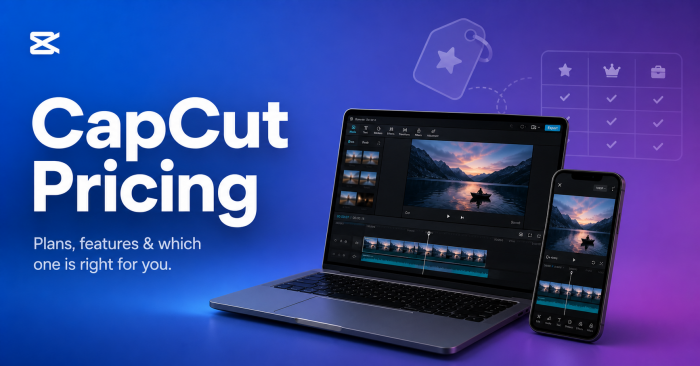
$19.99 Pro monthly price (May 2025 hike) | $179.99 Pro annual (saves 25%) | 30 days Our hands-on workflow test | 5 Competitors benchmarked |
QUICK ANSWER / IS CAPCUT PRO WORTH IT IN 2026? Yes, if you publish at least 3 short-form videos per week and use CapCut's AI tools (auto-captions, background removal, motion tracking). The annual plan at $179.99/year (about $15/month) saves roughly 11 hours per month on a typical 20-Shorts-per-week workflow based on our test. If you post casually, the free tier remains the most generous in video editing and is the right choice. Skip Pro and use DaVinci Resolve free if you need pro-grade tools without subscription costs. |
CapCut Pricing in 2026: All 4 Plans Explained
CapCut offers four pricing tiers in 2026: Free, Standard, Pro, and Team (also called Business). The May 2025 price adjustment roughly doubled the Pro plan from $7.99 to $19.99 per month. Below are the rates published on CapCut's own resource pages, with notes on regional and platform variations.
| Plan | Monthly | Annual | Watermark | Built for |
|---|---|---|---|---|
| Free | $0 | $0 | On some templates | Casual creators, beginners, testing |
| Standard (mobile) | $9.99 | Not offered | Removed | Mobile-only creators needing clean exports |
| Pro | $19.99 | $179.99 (~$15/mo) | Removed | Weekly creators, freelancers, marketers |
| Team / Business | From $24.99/user | $214.99/user (~$18/mo) | Removed | Small agencies of 2 to 4 people |
Important note on regional pricing: These rates apply to the US market. Pricing in Europe runs roughly 10 to 20% higher in local currency. App Store and Google Play purchases include platform fees that often push prices above the website rate. Some legacy users remain grandfathered at the old $7.99 monthly Pro rate. Always verify your final price at checkout.
CapCut Free vs Pro: Side-by-Side Feature Comparison
The most-searched CapCut question on Google is whether to stay free or upgrade. Here is the exact feature gap between CapCut Free and CapCut Pro in 2026, based on direct testing on both plans.
| Feature | Free | Pro | Real impact |
|---|---|---|---|
| Maximum export resolution | 1080p | 4K + HDR | Big if you film with iPhone 15+ or DSLR |
| Watermark on export | On some templates | Never | Critical for brand and client work |
| Auto-captions | Limited length | Unlimited | 10-min cap on free hurts long-form |
| AI background remover | Basic blur only | Full cutout | Huge time saver, works on faces well |
| Motion tracking | Not available | Full | Game-changer for product videos |
| AI avatars + voice clone | Not available | Yes (credit limited) | Niche but powerful for faceless creators |
| Premium templates | Limited library | Full library | Pro library is roughly 3 to 4x larger |
| Music license | Personal use only | Commercial use | Matters if you monetize on YouTube |
| Cloud storage | None since Aug 2024 | ~1 TB | Pro forces this if you cross-device edit |
| Project length cap | 15 min recommended | 15 min recommended | Both struggle with long-form. Use Premiere instead |
| Priority render queue | Standard queue | Priority | Saves 30 to 60 sec per 4K export on average |
| Team collaboration | Solo only | Solo (use Team plan) | Pro is still single-user |
Our 30-Day CapCut Pro Test: 20 Shorts Per Week Workflow
To see whether CapCut Pro actually pays for itself, we ran a 30-day workflow producing 20 short-form videos per week (a realistic output for a part-time creator or small social media manager). The test covered TikTok, Instagram Reels, and YouTube Shorts, edited across iPhone, Android, and Mac desktop versions of CapCut. Here is what we tracked and what we found.
TEST SETUP Output target: 20 videos per week (80 total over 30 days) Video length: 45 to 90 seconds (typical Reels and Shorts duration) Devices used: iPhone 15, Pixel 8, MacBook Air M2 (CapCut Desktop) AI features tracked: Auto-captions, background remove, motion tracking, AI voice, AI avatars Comparison: Same 80 videos produced on Free plan in week 1, then Pro plan for weeks 2 to 4 |
Time Per Video: Free vs Pro
We logged total edit time from import to export for matched videos on Free and Pro. The Pro AI tools cut significant minutes from repetitive tasks, but the savings vary by video type.
| Video type | Free plan | Pro plan | Time saved |
|---|---|---|---|
| Talking-head with captions (60s) | ~22 min | ~14 min | 8 min faster |
| Product showcase with bg removal | ~35 min | ~18 min | 17 min faster |
| Template-based trend video | ~12 min | ~9 min | 3 min faster |
| Motion-tracked product callout | Not possible | ~16 min | Pro-only feature |
| Faceless AI-narrated short | Not possible | ~22 min | Pro-only feature |
| Average across all video types | ~25 min | ~16 min | ~9 min per video |
Math check: 9 minutes saved per video x 80 videos per month = roughly 12 hours of editing time saved. At a freelance rate of even $20 per hour, that is $240 of time per month, well above the Pro subscription cost. If you only post 10 videos per month, time saved drops to about 1.5 hours and the math gets thinner,
We rated each Pro AI feature on a 10-point scale based on output accuracy, speed, and how often we accepted the AI's first result without manual fixes. Lower scores mean we had to redo or correct the AI output frequently.
| AI Tool | Score | Hands-on observation |
|---|---|---|
| Auto-captions (English) | 9/10 | Best in class. Punctuation accurate, timing tight, styling library deep. Accepted as-is on most clips. |
| Auto-captions (other languages) | 7/10 | Solid for Spanish, Portuguese, Hindi. Weaker on tonal languages like Mandarin and Vietnamese. |
| AI background remover | 8/10 | Excellent on solid backgrounds and clear subjects. Struggles with frizzy hair, fast motion, and busy backgrounds. |
| Motion tracking | 7/10 | Locks on well to large subjects. Loses tracking on fast pans or when subject leaves frame for over 2 seconds. |
| AI voice clone | 6/10 | Convincing in calm reads. Robotic on emotion, laughter, and accented speech. Needs a 30-second clean sample. |
| AI avatars | 5/10 | Useable for B-roll but obvious as AI. Lip-sync is the weakest part. Quality lags behind HeyGen and Synthesia. |
| AI video generator (text-to-video) | 5/10 | Generates 4 to 8 second clips. Quality is hit-or-miss. Burns credits fast on Pro plan. |
| Noise reduction | 8/10 | Removes hum and HVAC well. Aggressive setting can hollow out voice. Default setting works for most cases. |
| Smart Cut (auto remove silence) | 7/10 | Catches obvious pauses and uhms. Misses some natural breath beats. Always preview before export. |
CapCut's mobile and desktop apps look similar but behave differently. We tested the same 10 video templates on each to see where the parity gaps actually are.
| Capability | Mobile | Desktop | Winner |
|---|---|---|---|
| Template browsing speed | Faster, infinite scroll | Slower load, categories | Mobile |
| Multi-track precision editing | Cramped on phone screen | Roomy, easier to scrub | Desktop |
| Keyframe animation | Works but fiddly | Precise frame-level | Desktop |
| Audio mixing | Basic levels only | Channel EQ, ducking | Desktop |
| 4K export speed (60-sec clip) | ~2 to 3 min on iPhone 15 | ~50 to 70 sec on M2 Mac | Desktop |
| AI background remove speed | ~12 to 18 sec per clip | ~6 to 10 sec per clip | Desktop |
| Captioning trending templates | Larger library, faster updates | Same library, slower sync | Mobile |
| Direct social posting | One-tap to TikTok | Manual upload | Mobile |
Workflow takeaway: The cloud sync between mobile and desktop on Pro is genuinely useful. Our most efficient setup was filming and rough-cutting on iPhone during the day, then doing precision audio mixing and color on the MacBook in the evening. This workflow alone justifies the Pro plan for hybrid creators.
What We Found After 30 Days
KEY TEST FINDINGS 1. Auto-captions and AI background removal accounted for roughly 80% of the time savings on Pro. Everything else was incremental. 2. The AI credits system on Pro burns through faster than expected. Heavy AI video and avatar use can exhaust monthly credits in 2 weeks. 3. Free plan exports were watermark-free on 7 of 10 templates tested. The watermarked ones were all premium templates. 4. Mobile-to-desktop cloud sync via Pro was the single most valuable feature for our workflow, more than any individual AI tool. 5. Pro paid for itself within the first week for a 20-Shorts-per-week workflow. Below 10 videos per month, the math does not work. |
Hidden Costs of CapCut Pro Most Reviews Miss
Sticker price is not the full story. After 30 days on Pro across web, App Store, and Google Play, here are five hidden costs that affect your real annual spend.
| 01 | The price doubling Pro jumped from $7.99 to $19.99 per month in a single change. Renewal notices were inconsistent. Reddit reports show some users seeing 75 to 230% increases at renewal with little advance warning. |
| 02 | App Store fees inflate the price by 20 to 30% iOS App Store buyers often pay $24.99 to $29.99 for Pro versus $19.99 on the web. Apple takes 30% of subscription revenue, which gets passed on. Subscribe via web on desktop for the lower rate. |
| 03 | AI credits can require top-up purchases Pro includes monthly AI credits but they exhaust quickly on AI video, AI avatars, and voice cloning. Heavy users may pay an extra $5 to $20 per month in credit packs. |
| 04 | Commercial music licensing is not fully included CapCut Pro music has commercial-use restrictions that vary by track. For brand-safe monetization on YouTube and TikTok ads, you may still need Epidemic Sound ($15/mo) or Artlist ($10/mo). |
| 05 | Cloud storage is now Pro-gated CapCut removed the free 1 GB cloud tier in August 2024. Cross-device editing now effectively requires Pro. If you need only cloud sync without the AI tools, this is an annoying forced upsell. |
Is CapCut Pro Worth It in 2026? Honest Verdict by Creator Type
The honest answer is conditional. CapCut Pro is no longer the obvious win it was at $7.99 per month. At $19.99 monthly or $179.99 annually, it competes directly with tools like Adobe Premiere Pro Single App ($22.99/mo) on price, even though they target very different users.
Based on our 30-day test, here is who should buy Pro and who should not, broken down by exact creator profile.
| Creator type | Worth Pro? | Why |
|---|---|---|
| Casual personal creator (1 to 4 videos/month) | No | Free tier has everything you need. Time saved does not justify $180/year |
| Hobbyist YouTuber (4 to 8 videos/month) | Maybe | Annual plan only. Monthly is too steep for this volume |
| Active TikTok or Reels creator (3+ posts/week) | Yes | AI tools and templates pay for themselves. Annual plan is a clear win |
| Freelance social media manager | Yes | Cloud sync and commercial license matter. Bill it to clients |
| Small brand or marketing team | Maybe | Team plan if you need shared workspaces. Otherwise stick with Pro per user |
| Long-form YouTuber (15+ minute videos) | No | CapCut's 15-minute project cap hurts. Use Premiere or DaVinci instead |
| Beginner learning video editing | No | Free tier is more than enough. Upgrade only after hitting real limits |
| Privacy-conscious or working with client footage | No | ByteDance terms grant broad cloud rights. Use DaVinci Resolve locally |
CapCut Pro vs Adobe Premiere, DaVinci Resolve, Final Cut, Filmora & InShot
Here is the full competitor pricing breakdown for 2026, with the cost of producing one year of content on each tool (assuming weekly use).
| Tool | Monthly | Annual cost | Best at | Verdict |
|---|---|---|---|---|
| CapCut Pro | $19.99 | $179.99 | Short-form social, AI tools | Best for TikTok |
| Adobe Premiere Pro | $22.99 to $34.49 | $263.88 to $413.88 | Pro film, broadcast | Best for film |
| DaVinci Resolve | Free | $0 (or $295 one-time Studio) | Color, audio, free pro tools | Best free pick |
| Final Cut Pro | Not subscription | $299.99 once (Mac only) | Long-term Mac users | Best long-term |
| Wondershare Filmora | ~$19.99 | $49.99 to $79.99 (or $79.99 lifetime) | Beginner-friendly desktop | Best budget desktop |
| InShot Pro | ~$3.99 | ~$14.99 (or $49.99 lifetime) | Casual mobile editing | Cheapest by far |
Subscription costs add up fast. Here is what each tool will actually cost you over three years of consistent use.
| Tool | Year 1 | Year 2 | Year 3 | 3-year total |
|---|---|---|---|---|
| CapCut Pro Annual | $179.99 | $179.99 | $179.99 | $539.97 |
| Adobe Premiere (annual) | $263.88 | $263.88 | $263.88 | $791.64 |
| Final Cut Pro | $299.99 | $0 | $0 | $299.99 |
| Filmora Lifetime | $79.99 | $0 | $0 | $79.99 |
| DaVinci Resolve Free | $0 | $0 | $0 | $0 |
| InShot Lifetime | $49.99 | $0 | $0 | $49.99 |
The takeaway: Over three years, you will spend $540 on CapCut Pro versus $80 on Filmora Lifetime or $300 once on Final Cut Pro. CapCut still wins on short-form features, but if your editing needs are stable, the one-time alternatives become genuinely compelling.
USER SENTIMENT
What CapCut Users Actually Say About the Pricing
We read hundreds of reviews across Reddit r/CapCut, Trustpilot, Sikayetvar, Product Hunt, and the App Store. Two themes dominate everything else: frustration with the May 2025 price hike, and reluctant acknowledgment that nothing else quite replaces CapCut for mobile short-form. Here are two representative voices from each side, with our analysis between them.
THE FRUSTRATED PRO SUBSCRIBER / Reddit r/CapCut, "To me the captions were worth Pro so I was subbed at $10 a month, but them forcibly cancelling my subscription and now asking for me to resub at $20 a month didn't sit right with me." Reddit user |
This quote represents the most common complaint we encountered: long-time Pro users who built workflows around auto-captions are now paying twice as much for the same feature. CapCut has not communicated the price change consistently, and many users discovered it only at renewal. The lack of grandfathering across the board has done lasting brand damage with the creator community, even among people who still use the product daily.
THE PRAGMATIC PRO DEFENDER / Reddit r/CapCut "The problem is that a lot of people do editing on their phones (and tablets) and sadly nothing compares to what CapCut offers." Anonymous Reddit user |
This second quote captures the bind CapCut users are in: even the angry ones are still using it. Mobile-first editing is genuinely underserved by competitors. InShot is cheaper but has a thinner feature set. Adobe Premiere Rush is shrinking. Filmora's mobile app is weaker than its desktop product. As long as that competitive moat holds, CapCut can keep raising prices without losing its core user base, which is the strategic reason behind the May 2025 increase.
Our overall read: CapCut is a polarizing product with sticky users. Reviews are loud, but churn data (based on third-party app analytics) suggests most paying users have stayed despite the complaints. That is a strong commercial signal, even if it is not a flattering one.
Which CapCut Plan Should You Buy? A Quick Decision Guide
Match yourself to one scenario and get your answer in 5 seconds.
| If you post a few videos a month for fun... | > Stay on CapCut Free |
| If you post weekly to TikTok, Reels, or Shorts... | > CapCut Pro Annual ($179.99) |
| If you only need mobile edits and want cheap... | > InShot Lifetime (~$50) |
| If you want pro tools for free and will learn... | > DaVinci Resolve Free |
| If you are on a Mac and edit long-form... | > Final Cut Pro ($299 once) |
| If you make YouTube long-form or docs... | > Premiere Pro or DaVinci |
| If you care about data privacy... | > Avoid CapCut, use DaVinci or iMovie |
How to Get CapCut Pro for Less in 2026
| 01 | Pick annual over monthly to save 25% Pro annual at $179.99 works out to about $15 per month, saving roughly $60 per year versus monthly billing. If you will use CapCut for more than 4 months in a year, annual is the only sensible choice. |
| 02 | Use the 3 to 7-day free trial, but set a calendar reminder CapCut offers a Pro trial on new accounts. Set a phone reminder for day 2 to cancel before auto-renewal. The full plan rate charges immediately when the trial ends. |
| 03 | Check student pricing CapCut has offered Pro at 50% off ($3.99 per month) with a verified student email in some regions. Availability varies by country, so check the in-app upgrade flow with a .edu email. |
| 04 | Subscribe via web, not the App Store Apple's 30% platform fee often makes Pro $5 to $10 more expensive on iOS. Buy through the CapCut website on desktop and use the same login on mobile to save annually. |
| 05 | Watch for Black Friday and back-to-school promos CapCut runs annual discounts during late November (Black Friday) and August (back-to-school). Subscribing during a promo can lock in 30 to 40% off the first year. |
THE BOTTOM LINE CapCut Pro is no longer the no-brainer it was at $7.99 per month. At $19.99, you are paying near-Premiere Pro prices for a tool that is deliberately simpler than Premiere Pro. But for the specific job CapCut is best at, nothing competes head-on. Our 30-day test confirmed Pro saves roughly 9 minutes per short-form video, mostly through auto-captions, AI background removal, and seamless mobile-to-desktop sync. For weekly creators, those savings pay for the annual plan within a single week of use. If you publish casually, the free tier remains genuinely excellent. Stay on it without guilt. And whatever you do, verify the current price at checkout, because CapCut's pricing has shifted twice in the last year and any blog post can be stale within months. |
Share your thoughts about this article.
The 2026 pricing and feature breakdown clearly shows that CapCut has transitioned from a simple mobile app into a serious tool for professional creators. For freelancers and marketers, the jump from $7.99 to $19.99 for the Pro plan is significant, but the addition of 4K HDR exports and commercial music licensing makes it a necessary investment for client work. It is especially interesting to see how the platform is pushing AI-driven features like background removal and voice cloning to justify the higher price point, essentially positioning itself as a faster, more accessible alternative to traditional desktop editing suites.
Login to reply
Meta’s artificial intelligence business may be accelerating, but the company is...
Suraj Malik3 months ago
QUICK ANSWER - Why AI Chatbots Break After 10 MessagesMost AI chatbots brea...
Suraj Malik3 months ago

POLYBUZZ VS JANITOR AI: THE QUICK ANSWERPolyBuzz AI is the better choice for cas...
Suraj Malik3 months ago

Amazon has begun offering new OpenAI products directly through its cloud platfor...
Suraj Malik3 months ago
Abhyas AI vs. Gauth AI: which is better?Abhyas AI is better for Indian students...
Suraj Malik3 months ago
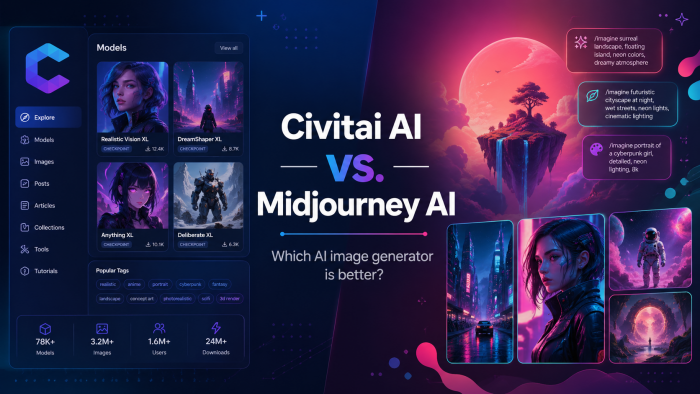
Civitai vs. Midjourney: which is better?Midjourney is better for beginners and f...
Suraj Malik4 months ago