Knowbase AI sits in a category that barely existed three years ago and is now crowded: tools that turn a pile of files into something a person can simply talk to. Upload contracts, lecture notes, meeting recordings, or a year of PDFs, ask a question in plain language, and get an answer with a citation pointing back to the exact page or timestamp. That is the pitch. This review tests how much of that pitch holds up, where the tool earns its keep, and where it quietly runs short.
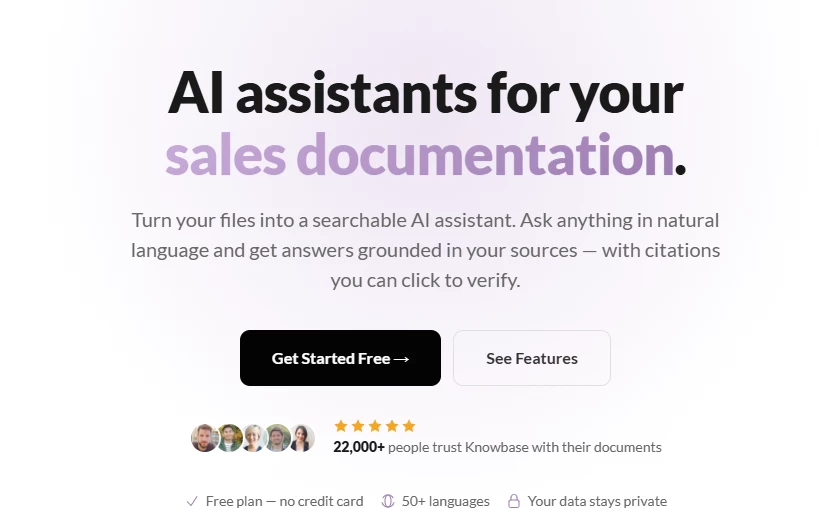
The short version: Knowbase is a capable, affordable, single-purpose tool with an unusually clean approach to citations and a genuinely useful free tier. It is not an enterprise knowledge platform, and the gap between how it markets itself and what independent reviewers say about it is worth understanding before any money changes hands.
| What it is | An AI document-intelligence tool that turns files, audio, video, and connected sources into a searchable chat with clickable citations. |
| Best for | Individuals, students, researchers, and small teams who want fast answers from their own documents without building anything. |
| Skip if | An organization needs SSO, audit logs, role permissions, on-premise hosting, or a deep third-party review track record before buying. |
| Real cost | Free tier is real and usable. Paid plans run from 19 USD to 99 USD per month, with query and storage caps that matter more than the headline price. |
| The honest catch | Public review-platform presence is thin. Claims about accuracy, uptime, and support rest mostly on the vendor's own pages and a handful of directory listings rather than a large body of verified user reviews. |
The cleanest way to describe Knowbase is a hybrid of a file drive and a chatbot. Files go into a personal library. Each file is processed through embedding and, for audio or video, transcription. After that, the content becomes available through a conversational interface. A useful mental shortcut, repeated across several independent write-ups, is Dropbox crossed with ChatGPT.
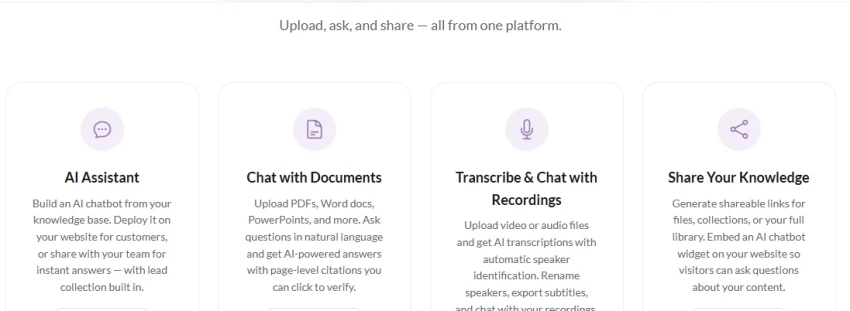
Three things separate it from a generic chatbot. First, answers stay grounded in the uploaded material rather than the open internet, which reduces invented facts. Second, every answer carries numbered references that link to the exact page, paragraph, or video timestamp the answer came from. Third, the same chat can reach across an entire library at once rather than one file at a time, a feature the product calls Chat-All.
Supported inputs are broad. The platform handles PDF, DOCX, DOC, PPTX, TXT, and MD documents, plus MP4, MP3, AVI, MOV, and WMV media, and YouTube links pasted directly into the library. Google Drive, Notion, Dropbox, and custom web domains can be connected and searched in real time rather than uploaded.
Worth knowing for trust reasons: Knowbase originated as a small, founder-led project rather than a venture-scale company. Directory records list Maciej Morzywolek as the developer, and the founder has publicly described it as a personal project aimed at helping people organize knowledge through a ChatGPT-style interface. That origin explains both its strengths, a tight and unfussy product, and its limits, a thin support and compliance footprint compared with enterprise incumbents.
The product positions itself for a wide audience, from students to executives. Testing and the structure of the plans suggest the fit is narrower and clearer than the marketing implies.
Students and researchers handling papers, textbooks, and lecture recordings benefit most. Page-level and timestamp citations turn a semester of material into something queryable, and the free tier covers light use. Independent professionals such as consultants, analysts, and solo founders who need quick answers from contracts, reports, and call recordings also fit well, since the tool removes folder-digging without requiring any setup.
Larger organizations with compliance requirements are the wrong audience. There is no evidence of enterprise-grade access controls, single sign-on, audit logging, or on-premise deployment on the public pages. Teams that need a governed internal wiki with permissions and approval workflows will find purpose-built knowledge platforms a better match. Anyone whose buying process depends on a deep bench of verified third-party reviews should also pause, because that body of evidence does not yet exist for Knowbase.
The flow is deliberately short. A file is uploaded or a source is connected. Processing happens in the background, near-instant for a short PDF and longer for a feature-length video that needs transcription. A question is typed into the chat. The answer arrives with numbered citations, and clicking one jumps straight to the source location.
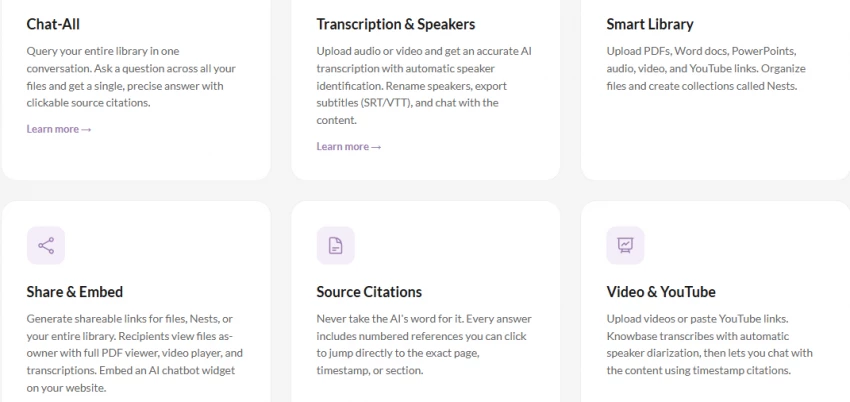
Transcription is the standout mechanic. Audio and video are converted to text with automatic speaker identification, so a recording shows who said what. Speakers can be renamed to real names, and questions can be scoped to a single speaker, for example asking what one named participant said about a budget. Subtitles export to SRT and VTT. According to the official transcription page, the model covers more than ninety languages and handles accents and specialized vocabulary, with accuracy that tracks input quality: clean studio audio approaches human-level, while noisy phone recordings degrade.
The citation system is the feature most worth the attention. In a market where invented answers remain the central risk of AI assistants, an answer that always points back to a verifiable location is a meaningful trust mechanism rather than a cosmetic one. It is the single most defensible reason to choose this tool over pasting documents into a general chatbot.
A single conversation can query every uploaded file plus connected Google Drive, Notion, and approved web domains, returning one synthesized answer with citations rather than forcing a file-by-file search.
Audio and video are transcribed with automatic speaker separation, editable speaker names, speaker-scoped questions, and subtitle export. This is the feature that pushes Knowbase past being a document-only tool.
Every answer includes numbered references linking to the precise page, section, or timestamp. This is the core trust feature and the strongest argument for the tool.
Files are organized into collections called Nests, supporting documents, media, and YouTube links in one place.
Files, Nests, or an entire library can be shared by link, and recipients can chat with the content without an account. An AI chatbot widget can be embedded on a website as a floating bubble or side panel, with customizable colors and greeting, plus built-in lead collection.
One-click OAuth connections to Google Drive, Notion, and Dropbox, plus a web-search connector on higher tiers that searches specified domains in real time.
The vendor states that uploaded documents are never used to train AI models, that files stay private unless explicitly shared, and that access can be revoked at any time. These are stated policies on the product pages; they are reasonable claims for the category but have not been independently audited in any public certification that surfaced during research.
Pricing is transparent and published openly, which is a point in the tool's favor. Annual billing saves twenty percent over monthly. The free plan is genuinely functional rather than a locked demo, though its caps are tight.
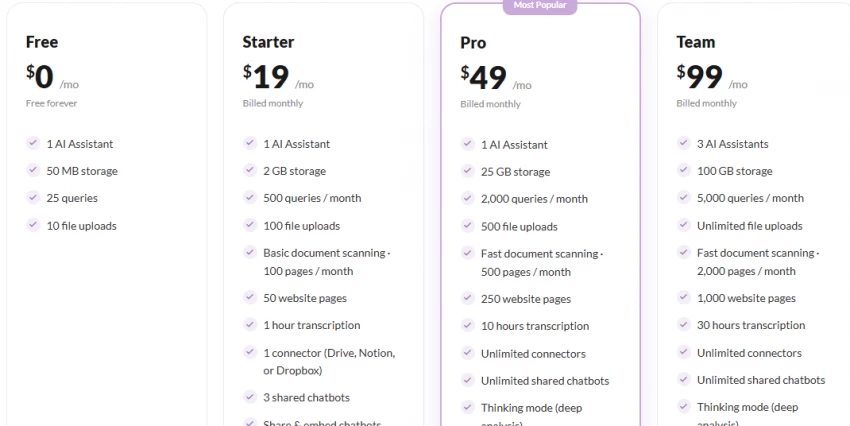
Across hands-on exploration and aggregated independent commentary, a consistent picture emerges. Setup is effortless: no configuration, no schema, no onboarding wall. Document chat returns relevant, grounded answers quickly, and the citation links work as advertised, which is not always true of competitors that claim citations but point vaguely at whole documents.
Transcription quality is the most variable part of the experience. Clean recordings produce strong results; noisy or heavily accented audio produces errors that then propagate into chat answers, since the chat can only be as accurate as the transcript beneath it. Speaker diarization is helpful but not flawless, occasionally merging or splitting speakers in crowded recordings.
The friction points reported most often are the usage caps and an interface that some users find busy once a library grows large. Neither is a dealbreaker for the target audience, but both shape day-to-day use more than the feature list suggests.
Consider a researcher loading twelve PDFs and three recorded interviews ahead of writing a literature summary. Document chat surfaces the relevant passages across all twelve papers in one Chat-All query, with citations that make fact-checking fast. The interviews, recorded on a laptop microphone in a shared office, transcribe with enough errors that names and a few technical terms need manual correction before the speaker-scoped questions become reliable. The net effect is a real time saving on the documents and a smaller, caveated saving on the audio. That asymmetry is the honest shape of the product.
Pros
Cons
The most important limitation is not a feature gap but an evidence gap. A thorough search across major review platforms turned up no substantial body of verified user reviews on G2, Capterra, or Trustpilot, and no significant Product Hunt discussion footprint of the depth buyers usually rely on. Directory listings exist, but they largely repeat the vendor's own description. This does not mean the tool is bad; it means independent verification of uptime, support responsiveness, and accuracy at scale is currently limited. That uncertainty should be priced into any decision, especially for business use.
The second limitation is structural: usage caps. The third is scope. This is a focused document-intelligence tool, not a knowledge-management platform with governance, workflows, and permissions. Judged as the former it performs well; judged as the latter it falls short, and some of its own marketing language invites the harder comparison.
The chat-with-documents space includes general assistants, document-first tools, and full knowledge platforms. The right alternative depends on whether the priority is citations, team governance, or raw model power.
| Tool | Core strength | Where it beats Knowbase | Where Knowbase holds up |
| ChatGPT (file upload) | General reasoning power | Stronger model, broader tasks beyond documents | Persistent library, cleaner per-page citations, transcription |
| NotebookLM | Source-grounded research with citations | Backed by a major vendor, strong free offering, audio overviews | Wider file and media support, embeddable sharing, connectors |
| Document360 / GitBook | Structured team knowledge bases | Governance, permissions, publishing workflows | Far simpler setup, conversational retrieval, lower entry cost |
| Dropbox / Drive + general AI | Storage at scale | Storage capacity and ecosystem maturity | Purpose-built citation and chat layer over the files |
The most direct comparison for most readers is NotebookLM, which occupies nearly the same use case with the weight of a large vendor behind it. Knowbase counters with broader media and file-type support, real sharing and embedding, and external connectors. Buyers who prize institutional backing will lean one way; buyers who need the wider input range and embeddable widgets will lean the other.
This section is where honesty matters most. A search across the platforms buyers usually consult, G2, Capterra, Trustpilot, Product Hunt, Reddit, and Quora, did not surface a meaningful volume of verified, independent reviews for Knowbase. Software directories such as SaaSHub, AlternativeTo, and several AI-tool catalogs list the product, but those entries largely reproduce the vendor's own description and carry few or no user ratings.
The practical implication: a reliable aggregate star rating cannot be reported, because the underlying review volume does not exist in public form. Any article presenting precise G2 or Capterra scores for this tool should be treated with suspicion, because the data to support such scores was not locatable during research.
| Platform | Public rating found | Notes |
| G2 | None located | No substantive review profile found at time of writing |
| Capterra | None located | No substantive review profile found |
| Trustpilot | None located | No substantive review profile found |
| Product Hunt | Listing only | No deep discussion footprint located |
| AlternativeTo | Listed, no reviews | One like, no written user reviews at time of writing |
| Reddit / Quora | None located | No notable threads located |
This table reflects searches at the time of writing. Review presence can grow over time, so these platforms are worth re-checking directly before any purchase decision.
| Category | Score (out of 10) | Comment |
| Ease of use | 9 | Near-zero setup, immediate productivity |
| Citation quality | 9 | Best-in-class for the category |
| Feature range | 8 | Broad inputs, strong transcription, useful connectors |
| Value for money | 7 | Fair pricing held back by tight query caps |
| Enterprise readiness | 4 | No published governance or compliance controls |
| Trust and track record | 5 | Thin independent review evidence |
| Overall | 7 | Excellent for individuals and small teams; not an enterprise platform |
Knowbase AI does one thing and does it well: it turns a personal collection of documents and recordings into a fast, citeable conversation. The citation system is the standout, the free tier is honest, and the pricing is transparent. For students, researchers, solo professionals, and small teams, it is an easy tool to recommend trying, precisely because trying it costs nothing.
The reservations are equally clear. Usage caps bite sooner than the price suggests, enterprise controls are absent from the public record, and the independent-review evidence base is thin enough that confident reliability claims cannot be made. The right move is to use the free tier as a real evaluation, map expected monthly questions against the query caps, and treat any source quoting precise platform star ratings for this tool with caution, because that data does not currently exist in verifiable public form.
Yes. The free plan includes 50 MB of storage, 25 queries per month, and 10 file uploads, with no credit card required. It is suitable for testing but tight for sustained daily use.
It supports PDF, DOCX, DOC, PPTX, TXT, and MD documents, plus MP4, MP3, AVI, MOV, and WMV media and YouTube links. Google Drive, Notion, and Dropbox can also be connected and searched directly.
The vendor states that uploaded documents are never used to train AI models and stay private unless explicitly shared. This is a stated policy rather than an independently audited certification.
The two overlap closely. NotebookLM has the backing of a major vendor, while Knowbase offers wider file and media support, embeddable sharing widgets, and external connectors. The choice depends on whether institutional backing or input breadth matters more.
Generally no. There is no public evidence of single sign-on, audit logging, role-based permissions, or on-premise hosting, so organizations with compliance requirements should consider a dedicated enterprise knowledge platform.
Share your thoughts about this article.
Be the first to post a comment!

The same tool can be a 4.7 on one site and a 3.9 on another. Here is what is rea...
Nitin1 month ago

Here is the number worth pinning above your budget: in Gartner Digital Markets r...
Deepak Mehra1 month ago

What Artlist AI is in 2026Artlist began as a royalty-free music library. By 2026...
Deepak Mehra1 month ago

Most AI tool failures do not announce themselves. There is no crash, no angry em...
Nitin2 months ago

The best AI image generator in 2026 is Nano Banana 2 for speed, FLUX.2 for photo...
Parveen Verma2 months ago

“Useful” is a slippery word for a coding assistant. A tool can be brilliant at o...
Sakshi Dhingra2 months ago