I moved to Remaker AI because it bundled face swap, background edits, image generation, and one-tap enhancement into a single tab. That convenience is real, and it is the reason a lot of people start there.
The cracks showed up later. A face swap that looked clean on my phone fell apart at full resolution. A product cutout left a grey halo around the model's hair. The quick enhancer flattened the skin tone on a portrait I actually cared about. None of that makes Remaker AI a bad tool. It just confirmed something simple: a single all-in-one editor rarely wins every job.
So I ran the same set of images through a handful of other AI photo editing tools and started choosing by the edit I actually needed, cleaner cutouts in one place, real design templates in another, deeper manual control somewhere else. This is my shortlist of 5 Remaker AI alternatives, what each one does better, where Remaker AI still earns its place, and how to pick based on the work in front of you rather than a feature list.
Short on time? Here is where each tool lands before the detail.
• Best overall Remaker AI alternative: Fotor, for AI editing plus the manual photo controls an all-in-one tool usually skips.
• Best for social media and design workflows: Canva AI, for turning edited images into finished posts, ads, and presentations.
• Best for background removal: Cutout.Pro, for clean cutouts, hair detail, and product visuals at volume.
• Best for browser-based photo editing: Pixlr, for layers, masks, and real hands-on control in the browser.
• Best for mobile portrait editing: FaceApp, for fast, natural face and selfie transformations on mobile.
• Best for quick AI image enhancement: Fotor, for a quick, controllable one-pass enhancement and upscale.
A note before you buy. Pricing, credits, watermark rules, export quality, upload limits, privacy terms, and commercial usage rights change often with these tools, and features move between free and paid tiers. Confirm the current details on each official website before you publish or pay.
A quick side-by-side before the full reviews. Treat the free-plan and privacy notes as starting points, not final word, and verify on each official site.
| Tool | Best For | Main Strength | Main Limitation | Free Plan or Trial | Privacy / Safety Note | Ideal User |
| Fotor | All-around AI editing plus classic controls | Broad toolkit; strong photo restore and enhance | Best AI tools and HD exports need a paid plan | Free tier (watermark, capped AI); trial | Cloud-based; check storage and AI-training terms | Creators wanting one flexible editor |
| Canva AI | Social media and finished designs | Templates plus Magic Studio AI in one place | Not built for face swap; shared AI credit cap | Generous free plan; limited monthly AI uses | May use designs to train AI by default; opt out on paid tiers | Marketers, social creators, non-designers |
| Cutout.Pro | Background removal and product visuals | Clean cutouts, hair and edge detail, batch and API | Credit-based; weak for all-in-one creative design | Free starting credits; unlimited previews | States encryption and 24h deletion; reported 2024 breach disputed | eCommerce sellers, product and ID shots |
| Pixlr | Browser-based manual editing | Layers plus AI face swap and generative fill | Steeper learning curve for beginners | Free tier (ads, limited AI credits) | Private mode for AI on paid tiers; check upload storage | Hands-on editors wanting control |
| FaceApp | Mobile portrait and selfie edits | Convincing face, age, and expression transforms | Narrow to faces; weak cutouts and design | Free with Pro subscription | Cloud face processing; broad content license; team based in Russia | Mobile users editing selfies |
Each tool below covers what it does, where it beats Remaker AI, where Remaker AI may still feel better, and the pricing and privacy points worth checking first.
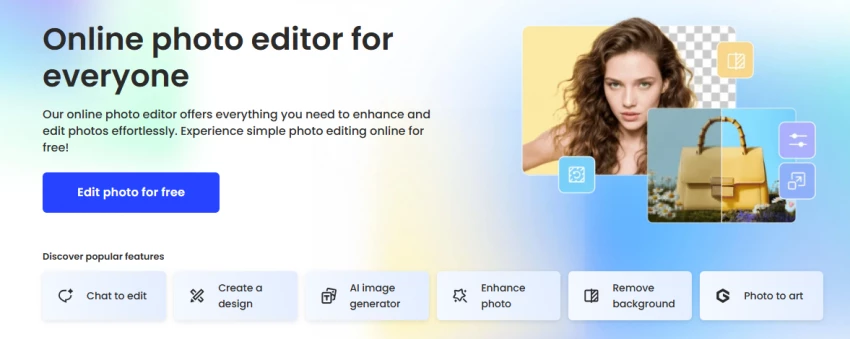
Fotor sits in a useful middle ground. It is a full online photo editor with crop, sliders, curves, and filters, and it layers AI on top: background removal, an AI photo enhancer, portrait retouch, an AI image generator, and old-photo restoration. If Remaker AI feels like a row of one-click AI buttons, Fotor feels like an editor that also happens to have those buttons.
Main AI editing features. AI background remover, AI photo enhancer and upscaler, AI portrait retouch (skin, blemishes, reshape), AI image generator (text to image), photo restoration and colorization, plus templates and collage tools for light design.
Where it edges out Remaker AI. Fotor gives you manual controls to fix what the AI gets wrong, so you can dial in a result instead of accepting one automatic pass. Its photo restoration and colorization are genuine standouts, the kind of work a quick all-in-one editor rarely does well.
Where Remaker AI may still feel simpler. For a fast face swap or a single-task edit, Remaker AI's stripped-down flow is less to think about. Fotor's broader interface can feel like more tool than you need when all you want is one effect.
Pricing or free-plan note. Fotor keeps a free tier, but exports carry a watermark and AI is heavily capped (recent listings mention around 1 AI enhancement per day and background removal as preview only). Paid plans are commonly listed near $8.99 a month for Pro and about $19.99 a month for Pro+, with annual billing lowering the effective monthly cost (roughly $3.33 for Pro and $7.49 for Pro+ in recent listings). Treat these as ballpark figures and confirm live prices, watermark rules, and export limits on Fotor's official pricing page.
Privacy and safety. Fotor processes uploads in the cloud. Check how long images are stored and whether they feed product improvement or AI training in the current privacy policy.
Best-fit user. Creators and small teams who want one flexible editor for enhancement, retouching, cutouts, and light design, not just quick AI effects.
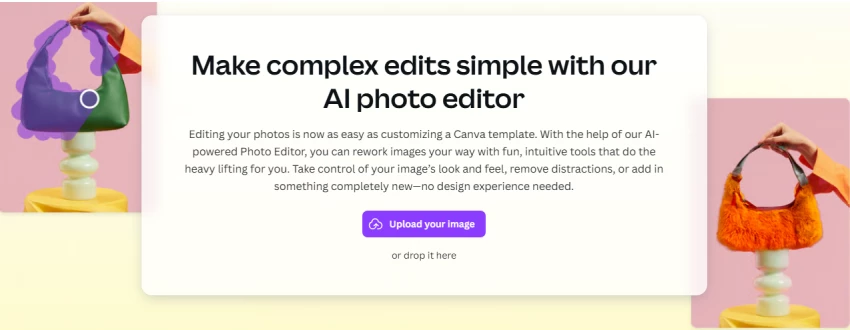
Canva is not a photo editor first. It is a design platform with strong AI baked in through Magic Studio, and that changes what you get out the other end: not just a cleaned-up image, but a finished post, thumbnail, presentation, or ad.
Main AI editing features. One-click Background Remover, Magic Edit and Magic Eraser for object removal and replacement, Dream Lab text-to-image generation, Magic Resize across platforms, Magic Write for captions, and a library of templates with brand kits.
Where it edges out Remaker AI. If your edited image needs to become marketing, Canva wins easily. You can remove a background, drop the subject into a branded template, resize it for every platform, and add copy without leaving the tab. Remaker AI hands you an edited image; Canva hands you the asset.
Where Remaker AI may still feel better. Canva is not built for specialized face swap, and its AI image work runs on a shared monthly credit pool that heavy users can burn through. For a quick face swap or a single enhancement, Remaker AI is more direct.
Pricing or free-plan note. Canva's free plan is genuinely usable and now includes a limited monthly pool of Magic Studio AI uses. Canva Pro is commonly listed around $15 a month (lower with annual billing, often near $120 a year in recent pricing) and unlocks the Background Remover, Brand Kit, and a larger AI credit allowance (recent listings cite about 500 credits a month shared across Magic tools). Confirm the current price, credit allowance, and plan limits on Canva's official pricing page.
Privacy and safety. By default, Canva may use designs to help train its AI, though Pro and Enterprise users can opt out in account privacy settings. Check that setting before uploading anything sensitive.
Best-fit user. Marketers, social media creators, and non-designers who need finished, on-brand visuals quickly.
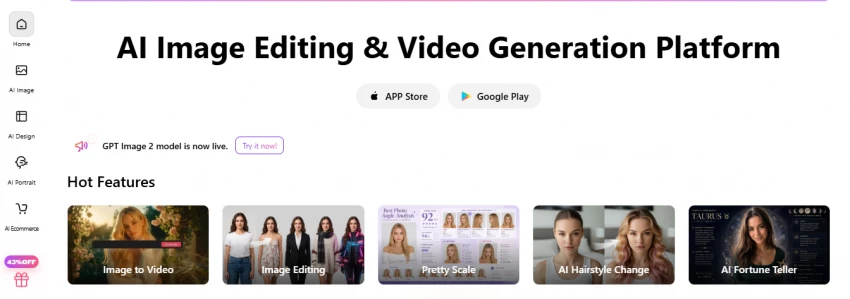
Cutout.Pro is narrower, and better for it. Background removal is the headline, and the edge detection on hair, fur, and fine outlines is among the cleaner results you will get from an automated tool. Around that sit enhancement, upscaling, restoration, ID photos, and eCommerce staging.
Main AI editing features. AI background removal for photo and video, object removal, an image enhancer and upscaler, old-photo restoration and colorization, AI passport and ID photos, plus batch processing and API access.
Where it edges out Remaker AI. For cutouts and product visuals, Cutout.Pro is more reliable, especially at volume. Batch processing and an API make it practical for a full catalog, and video background removal is a real differentiator most all-in-one tools lack.
Where Remaker AI may still feel better. This is not an all-in-one creative playground. There is little design layer, face swap is not a strength, and the credit model means you think about cost per image. For casual mixed editing, Remaker AI is more forgiving.
Pricing or free-plan note. Cutout.Pro runs on credits rather than flat access. A free account typically includes a small batch of credits (recent listings mention around 5) with unlimited low-resolution previews, while HD downloads spend credits. Subscriptions are commonly listed starting in the $5 to $6 a month range for a small bundle and scaling up, with pay-as-you-go credits also available. Standard images usually cost 1 credit and HD output 2, so real cost depends on volume and resolution. Verify current rates, rollover rules, and export resolution on Cutout.Pro's official pricing page.
Privacy and safety. Cutout.Pro publicly states it encrypts uploads, follows GDPR, holds SOC 2 Type II certification, and auto-deletes processed images after 24 hours. Note, though, that third-party researchers reported a 2024 incident involving user emails, hashed passwords, and IP addresses, which the company has disputed. If you handle client or sensitive images, read the current policy and terms before uploading.
Best-fit user. eCommerce sellers, product photographers, and anyone who needs clean cutouts or ID-style photos at scale.
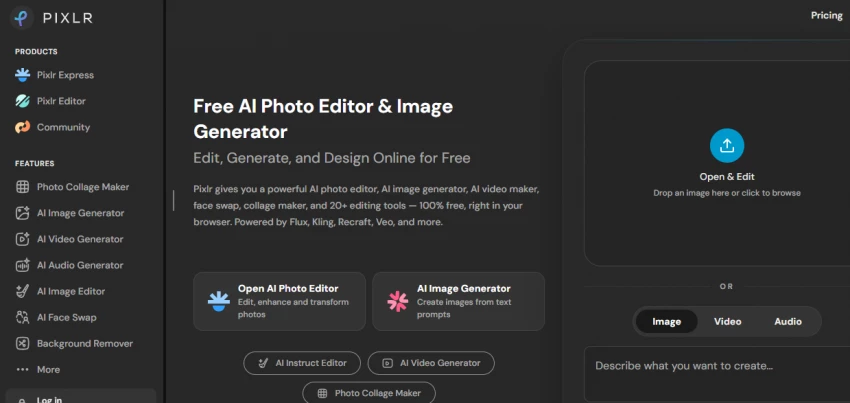
Pixlr is the closest thing on this list to a Photoshop-style editor that runs in your browser. You get layers, masks, and selection tools alongside a deep set of AI features, including AI Face Swap, generative fill and expand, background removal, and upscaling.
Main AI editing features. Layer-based editing in Pixlr Editor and a simpler Pixlr Express, AI Face Swap, generative fill and expand, AI background and object removal, super-scale upscaling and denoise, plus filters, retouching, and a template designer.
Where it edges out Remaker AI. Control. When an AI result is close but not right, you can mask, paint, and refine by hand. For people who want both AI speed and manual finishing, Pixlr covers more of the workflow than a button-driven tool ever will.
Where Remaker AI may still feel better. That control has a cost: a steeper learning curve. Beginners may find Remaker AI's simplicity far less intimidating, and Pixlr's free tier shows ads and limits AI credits.
Pricing or free-plan note. Pixlr keeps a free, browser-based tier (with ads and a small monthly AI credit allowance). Paid plans are commonly listed starting around $1.99 a month for Plus (about 80 monthly AI credits, ad-free) and roughly $7.99 a month for Premium (a much larger pool, often cited near 1,000, plus a private mode for AI generations). Pixlr has restructured its plans more than once, so confirm the current tiers, credit counts, and what each AI action costs on Pixlr's official pricing page.
Privacy and safety. Pixlr's higher tiers add a private mode for AI generations, which matters if you do not want generated content reused. As with any browser editor, check how uploads and generated images are stored.
Best-fit user. Hands-on editors and designers who want layer-level control plus AI, without installing software.
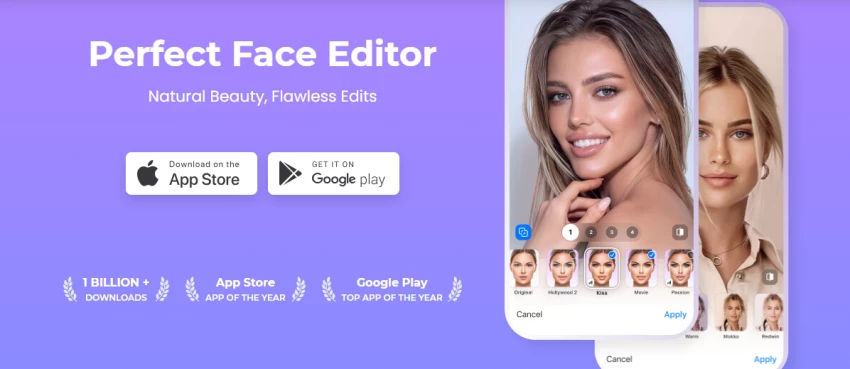
FaceApp does one category extremely well: faces. Age filters, expression changes, hairstyle and beard edits, makeup, and portrait retouching are fast and convincing on a phone. It is the most narrowly focused tool here, and it is not trying to be a full editor.
Main AI editing features. Realistic age and de-age filters, expression and smile edits, hairstyle, beard and color changes, makeup and skin retouch, background and lens-blur effects, all in mobile-first iOS and Android apps.
Where it edges out Remaker AI. For pure face and selfie transformation on mobile, FaceApp's results are often more polished and natural than a general tool. The aging filter in particular is still a benchmark others chase.
Where Remaker AI may still feel better. FaceApp is not a Remaker AI replacement for background removal, AI image generation, or product editing. Its scope is faces, full stop. If you need a broader toolkit, this is not it.
Pricing or free-plan note. FaceApp is free to download with a Pro subscription for the full filter set. Pricing varies by app store and region, with annual plans commonly cited around $20 a year in recent listings, though monthly and lifetime options appear too. Confirm the live price in your own App Store or Google Play listing, since store pricing differs by country.
Privacy and safety. This is the section to read twice. FaceApp processes faces in the cloud, and its team is based in St. Petersburg, Russia, which has drawn ongoing scrutiny. Its terms grant a broad, royalty-free, worldwide license to use and modify the content you upload for the purpose of providing the service, and the app collects device and usage data. The company says it only uploads photos you select and may cache them briefly. If face data privacy matters to you, read the current privacy policy and terms closely before uploading personal photos.
Best-fit user. Mobile users who mainly want quick, high-quality face and selfie edits.
Feature lists blur together. The differences show up in the work. This table maps common editing needs against where Remaker AI lands and which alternative tends to do that specific job better, and why.
| Editing need | Where Remaker AI lands | Stronger alternative(s) | What changes |
| Face swap quality | Quick, fine for casual shares | Pixlr, FaceApp | More natural blends and finer control over the face |
| Background removal | Built in, fine for simple subjects | Cutout.Pro, Canva | Cleaner edges on hair and fine detail, plus batch options |
| Image enhancement | One-tap enhance | Fotor, Cutout.Pro | More control, restore and colorize, less skin flattening |
| AI image generation | Built in, simple prompts | Canva, Pixlr, Fotor | Generation tied into a design or editing workflow |
| Portrait editing | Basic retouch | Fotor, FaceApp | Deeper retouch presets and natural face edits |
| Product image editing | Limited | Cutout.Pro | Clean product cutouts, staging, and eCommerce visuals |
| Social media design | Not its focus | Canva | Templates, sizing, brand kit, and finished posts |
| Manual editing control | Mostly automated | Pixlr | Layers, masks, and true hands-on adjustment |
| Mobile experience | App available | FaceApp | Fast, mobile-first face and selfie edits |
| Beginner friendliness | Simple, all-in-one | Canva, Fotor | Guided templates and a gentler learning curve |
| Export and watermark rules | Verify on official site | Varies by tool | Free tiers often watermark; confirm before publishing |
| Commercial usage clarity | Verify on official site | Varies by tool | Check license and commercial rights before client use |
Ratings use a 10-point scale and reflect workflow usefulness, editing quality, feature depth, ease of use, pricing clarity, privacy transparency, and output control. The Overall figure is weighted toward all-around usefulness as a Remaker AI replacement, which is why a balanced tool can rank above a specialist that scores higher on one feature. The method is described in full at the end.
| Tool | Ease of Use | Face Editing | Background Removal | Image Enhancement | Design Control | Overall Rating |
| Fotor | 8.5 | 7.5 | 8.0 | 8.5 | 7.5 | 8.5 |
| Canva AI | 9.0 | 6.5 | 8.5 | 7.5 | 9.5 | 8.3 |
| Cutout.Pro | 8.0 | 6.0 | 9.5 | 8.0 | 5.5 | 7.9 |
| Pixlr | 6.5 | 7.0 | 7.5 | 7.5 | 8.5 | 7.6 |
| FaceApp | 9.0 | 9.0 | 4.0 | 7.0 | 3.5 | 7.3 |
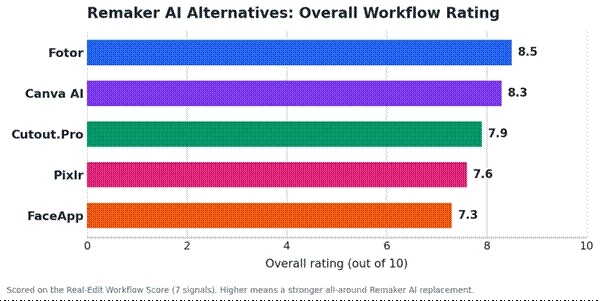
Figure 1. Overall workflow rating across the 5 Remaker AI alternatives, on a 10-point scale.
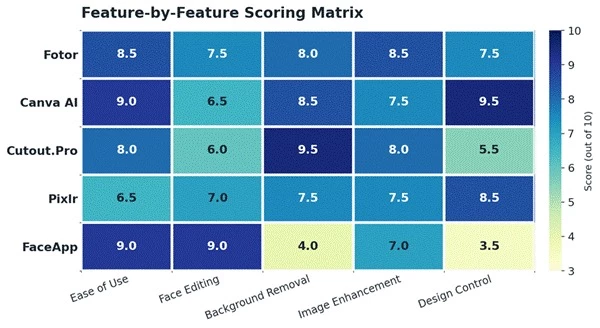
Figure 2. Feature-by-feature scores. Darker cells are stronger; lighter cells flag where a tool is weak.
The best pick depends less on which tool is objectively strongest and more on what you edit most. The radar below shows how each tool spikes in different places, which is the whole reason no single answer fits everyone.
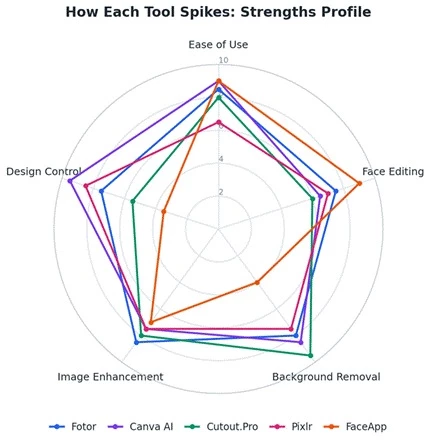
Figure 3. Strengths profile. Specialists spike on one axis; all-rounders hold a more even shape.
• Users who want quick face edits: FaceApp on mobile, or Pixlr if you want to refine the swap by hand.
• Users who need background removal: Cutout.Pro for clean, high-volume cutouts; Canva for a fast one-click result inside a design.
• Social media creators: Canva AI, for templates, resizing, and finished posts in one place.
• Bloggers and SEO teams: Fotor or Canva, for quick featured images, enhancement, and consistent visuals at scale.
• eCommerce sellers: Cutout.Pro, for product cutouts, staging, and batch processing.
• Designers who need manual control: Pixlr, for layers, masks, and hands-on finishing.
• Mobile users editing selfies: FaceApp, for fast, natural face and portrait edits on a phone.
• Marketers creating campaign visuals: Canva AI, for on-brand graphics, ads, and presentations.
• Beginners who want simple tools: Fotor or Canva, for gentle learning curves and guided templates.
After running the same images through all 5, my recommendation comes down to the edit you do most often.
For a balanced AI photo editor that also gives you real manual controls, Fotor is the best overall Remaker AI alternative. For creators who need finished designs and social content, not just edited images, Canva AI is the pick. For background removal and product visuals, Cutout.Pro is the most reliable. For browser-based editing with genuine hands-on control, Pixlr earns it. And for mobile portrait and selfie edits, FaceApp is still the sharpest tool for that one job.
There is no single best answer here. The best Remaker AI alternative depends on whether you value speed, background quality, design templates, portrait edits, or manual control. Pick the tool that matches the work in front of you, and confirm its current pricing, credits, watermark, export, privacy, and commercial terms on the official site before you publish.
Share your thoughts about this article.
Be the first to post a comment!

The same tool can be a 4.7 on one site and a 3.9 on another. Here is what is rea...
Nitin1 month ago

Here is the number worth pinning above your budget: in Gartner Digital Markets r...
Deepak Mehra1 month ago

What Artlist AI is in 2026Artlist began as a royalty-free music library. By 2026...
Deepak Mehra1 month ago

Most AI tool failures do not announce themselves. There is no crash, no angry em...
Nitin1 month ago

The best AI image generator in 2026 is Nano Banana 2 for speed, FLUX.2 for photo...
Parveen Verma1 month ago

“Useful” is a slippery word for a coding assistant. A tool can be brilliant at o...
Sakshi Dhingra1 month ago