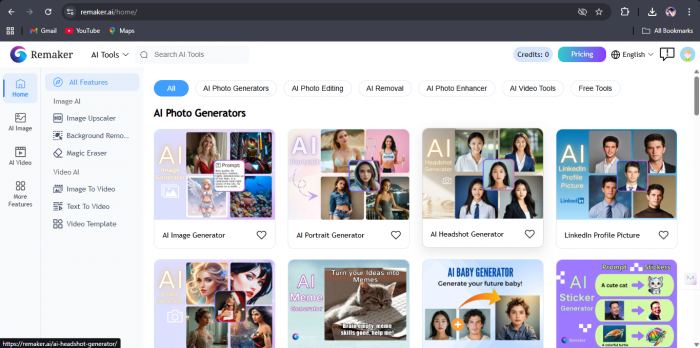
Ever stared at a photo and thought, “This would be hilarious if I could just swap one face real quick” but immediately closed Photoshop because, honestly, who has the patience? That’s exactly the mindset I was in when I tried Remaker AI. I wasn’t looking for a professional editing suite or cinematic magic, just something quick, fun, and usable without a learning curve.
What hooked me almost instantly was how little effort it demanded. Upload an image, pick a feature, wait a few seconds, and boom-results. No tutorials, no confusing sliders, no design degree required. Compared to many AI tools that overwhelm you with options, Remaker AI feels refreshingly simple.
That said, this isn’t a miracle machine. It doesn’t try to be overly smart or creative on its own, and it definitely won’t replace professional tools. But if your goal is fast visual experimentation without headaches, Remaker AI knows exactly what lane it wants to stay in.
Official website: https://remaker.ai/
Remaker AI is a creative AI tool built specifically for image and face transformation. Its core strength lies in features like face swapping, quick image enhancement, and fast visual remakes—tasks that usually take time, patience, or proper editing skills elsewhere.
Here’s the click-bait truth: Remaker AI isn’t chasing perfection—it’s chasing speed and impact.
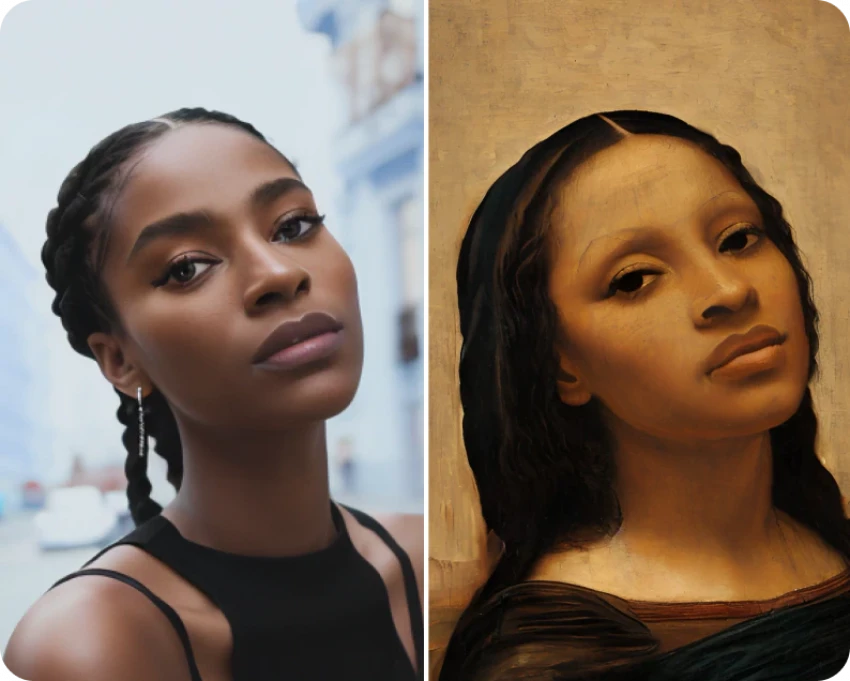
Instead of drowning you in sliders and manual controls, it makes most decisions on its own. When your input image and prompt are solid, the results can look surprisingly good (you’ll see that in the examples below). When they’re not, the AI doesn’t hide it—it reflects exactly what you give it.
Here is the prompt i used with the output:
side face Indian brown girl with cute shy smile in saree
_1771314491.webp)
That’s what makes Remaker AI interesting. It’s not trying to replace professional tools. It’s built for experimentation, content creation, and quick visual ideas. For casual creators, marketers, and anyone curious about AI visuals, it delivers fast, fun results—sometimes impressive, sometimes imperfect, but rarely boring.
After actually spending time with Remaker AI, here’s a more specific breakdown of what I noticed while using it—not marketing claims, just what I personally experienced.
| What I Checked | What I Actually Noticed While Using It | My Rating |
| Free Credits Experience | When I signed up, I received around 30 free credits, which was enough to test face swaps and image remakes a few times without paying upfront. | ⭐⭐⭐⭐☆ |
| Getting Started | No setup friction at all. From upload to first result took me under 2 minutes, including figuring out the interface. | ⭐⭐⭐⭐☆ |
| Processing Time | Most face swap or image remake tasks took roughly 15–30 seconds to process. I rarely had to wait longer than that. | ⭐⭐⭐⭐☆ |
| Output Quality | With clear, well-lit images, the results looked clean. | ⭐⭐⭐☆ |
| Control Over Results | There aren’t many sliders or manual controls. You mostly rely on the AI’s judgment, which is fast—but limiting. | ⭐⭐☆☆☆ |
| Fun & Experimentation | This was surprisingly addictive. I ended up testing multiple variations just because the results came back so quickly. | ⭐⭐⭐⭐☆ |
| Professional Reliability | I wouldn’t trust it for client delivery or serious design work. It’s more for creative play and content ideas. | ⭐⭐☆☆☆ |
This isn’t a “deep-analysis” tool-it’s more of a plug, play, laugh, repeat experience.
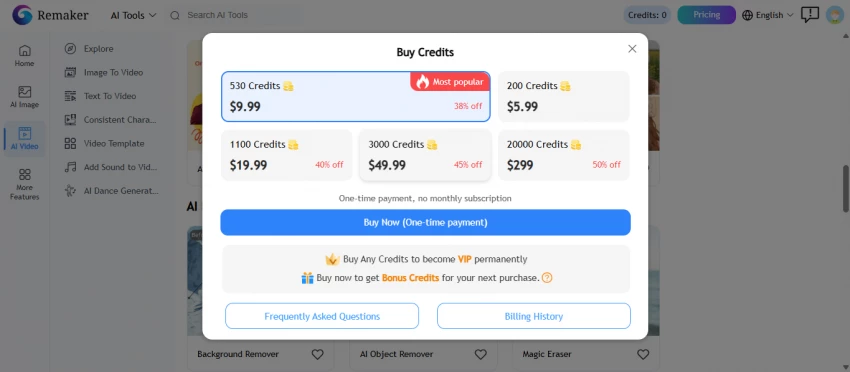
Remaker AI typically offers free or trial access with usage limits, alongside paid options for extended features or higher limits. Compared to heavy-duty editing software, the pricing feels reasonable-but you’re also not getting professional-level depth.
If you’re comparing it to full creative suites, it won’t compete. But compared to other lightweight AI image tools, it sits comfortably in the middle.
Worth it?
✔ Yes, if you use it often for casual or creative work
✖ No, if you expect studio-level results
After spending time experimenting with Remaker AI and testing it across different images and scenarios, it’s clear where the tool shines and where it draws the line. Remaker AI is designed for speed, simplicity, and creative experimentation rather than precision-heavy or professional editing workflows.
Overall, Remaker AI feels like a creative shortcut rather than a full editing solution. If your goal is fast, entertaining visual content without a learning curve, it’s worth trying. However, users looking for consistent, high-end results or deep customization may want to explore more advanced alternatives.
Be the first to post comment!
Autodraft AI entered the AI writing tools market with a clear promise: structure...
Suraj Malik1 day ago
In the crowded world of AI developer tools, attention is often captured through...
Suraj Malik1 week ago

1. Introduction :In 2026, AI in sales no longer means simple automation or...
Cheshta Upmanyu2 weeks ago