Every developer knows that one small coding problem can quietly steal half an hour. A missing syntax detail, an unfamiliar function, a confusing error message, or a block of old code can slow down the entire workflow. This is exactly where tools like Blackbox.ai are trying to fit in.
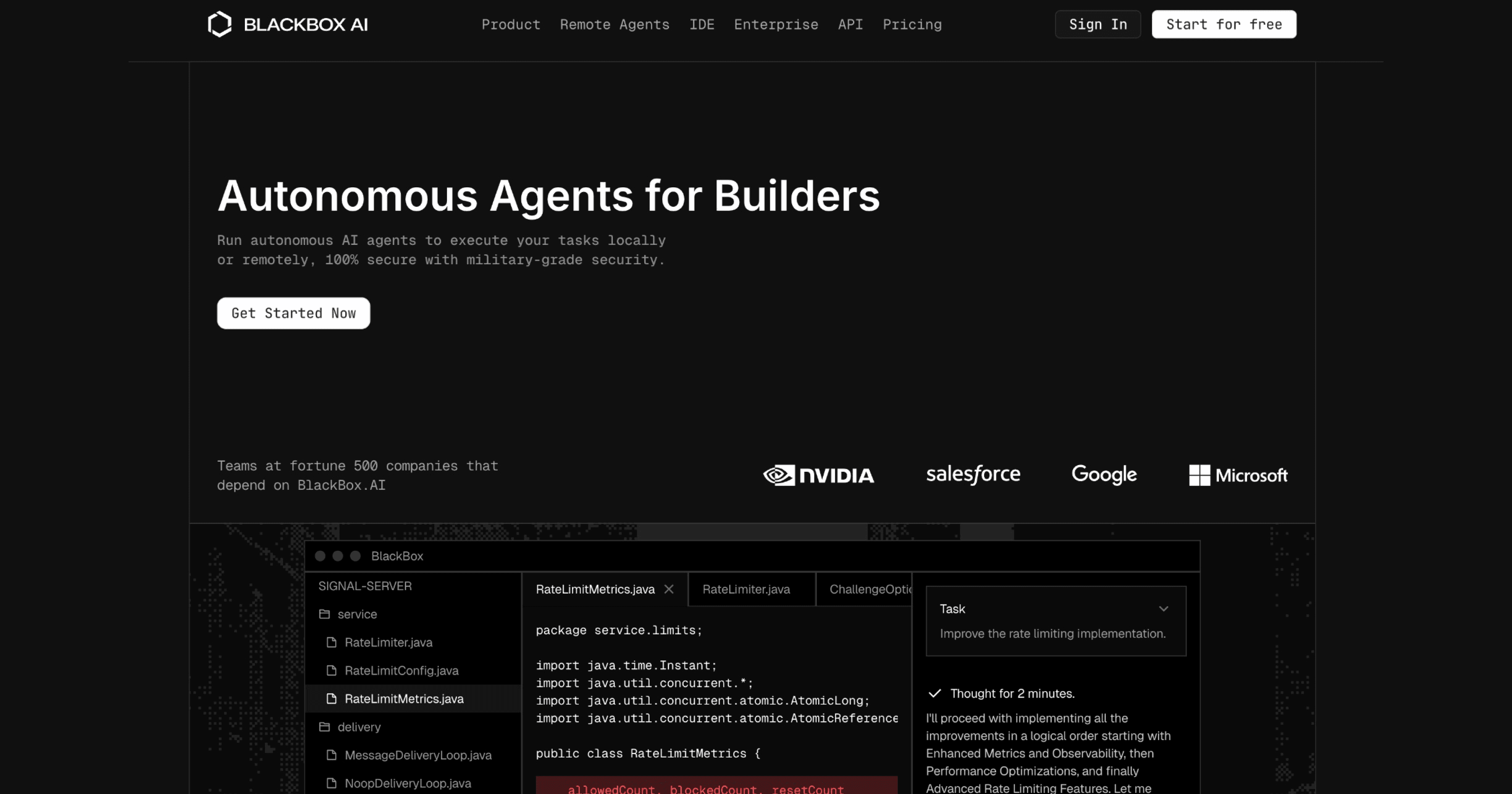
Blackbox.ai is not just another AI chatbot waiting for long prompts. It is built for those quick development moments when you need a code example, a clearer explanation, a debugging suggestion, or a second way to solve the same problem. What started as a simple AI coding assistant has now grown into a broader developer tool with VS Code support, Chrome extension features, multi-agent workflows, CLI/API access, and model-based coding help.
That makes Blackbox.ai interesting because it does not always try to replace the developer’s workflow. Instead, it slips into the places where developers already work: the browser, the editor, the codebase, and the small gaps between writing, fixing, and understanding code.
What Blackbox.ai Actually Helps With
Blackbox.ai covers several practical development tasks. It can generate code, explain existing code, debug errors, rewrite functions, create examples, and help users understand unfamiliar logic.
Core functions include:
Generating small to medium-sized code snippets
Explaining existing code in plain language
Translating logic between programming languages
Offering implementation examples for common tasks
Helping with debugging and error messages
Suggesting cleaner code structure
Supporting editor-based coding through VS Code
Helping with browser-based coding through the Chrome extension
Supporting agent-based workflows for more advanced users
These features are designed to support a developer’s thinking, not replace it. The output should still be reviewed, edited, and tested before being used in a real project.
How Developers Use Blackbox.ai When No One’s Watching
Blackbox.ai is most useful when it fills the small gaps that appear during normal coding work. Developers rarely move in a straight line. They check documentation, read old files, test snippets, search errors, compare approaches, and switch between languages.
Blackbox.ai can support many of these moments without forcing the user to change the entire workflow.
Developer Moment
How Blackbox.ai Helps
Reading unfamiliar code
Explains functions, logic, and structure in simpler language
Switching between languages
Gives syntax examples and code translations
Fixing an error
Suggests possible reasons and fixes
Writing boilerplate
Generates functions, scripts, components, or API examples
Reviewing code
Suggests cleaner or shorter alternatives
Working inside VS Code
Provides completions, edits, and coding assistance
Reading code on GitHub
Uses browser extension support for code questions
Comparing solutions
Multi-agent workflows can show different implementation options
This makes Blackbox.ai more of a workflow companion than a traditional standalone tool. It works best when developers already know what they want and need help moving faster.
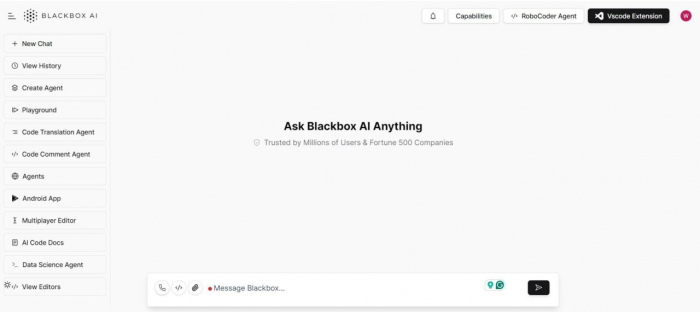
The Interface That Refuses to Get in the Way
The interface of Blackbox.ai is minimal by design. There are no dashboards, achievement systems, or progress charts. The layout focuses almost entirely on the input and output areas.
This simplicity reduces cognitive overhead. Developers do not need to configure settings or learn new UI patterns before getting value. The tool feels closer to a smart utility than a full application.
Optional extensions and integrations follow the same principle: reduce context switching rather than introduce new complexity.
The Pricing Layer Behind the Workflow
Blackbox.ai has paid plans for users who need more access, more models, agent features, or team-level controls. As of the current official pricing page, the main paid plans are Pro at $10/month, Pro Plus at $20/month, and Pro Max at $40/month. Enterprise pricing is available for larger companies that need extra security and deployment options.
Plan
Price
Best For
Pro
$10/month
Individual users who need stronger AI access
Pro Plus
$20/month
Developers who want app builder, multi-agent execution, coding agent support, and Slack integration
Pro Max
$40/month
Teams and power users who need collaboration, billing management, security controls, SAML SSO, and analytics
Enterprise
Custom
Large organizations needing training opt-out, custom SLAs, dedicated support, and on-premise deployment
Advantages and Disadvantages of Blackbox.ai
Blackbox.ai can be very useful for developers who want quick coding help without leaving their normal workflow. It works well for code explanation, debugging support, VS Code assistance, and browser-based coding tasks, but it still needs careful human review.
Like any AI coding assistant, it should be treated as a support tool, not a complete replacement for developer judgment.
Advantages
Disadvantages
Helps generate code quickly from simple prompts
AI-generated code can still be wrong or incomplete
Useful for explaining unfamiliar code in plain language
Not reliable enough to use without testing
Supports VS Code workflows for editor-based coding
Some advanced features may require paid plans
Chrome extension helps with browser, GitHub, and page-context tasks
Chrome extension reviews are mixed
Can help debug errors and suggest possible fixes
May not always understand full project context
Multi-agent workflows can compare different coding outputs
Multi-agent features may feel complex for beginners
Useful for students, freelancers, and developers working across languages
Users should avoid sharing private or sensitive code
Can save time on repetitive coding tasks
Billing, subscription, and support feedback should be checked before upgrading
What the Domain Signals Without Saying Much
From a domain perspective, Blackbox.ai shows standard, modern web practices that align with developer expectations.
Observable technical characteristics:
Secure HTTPS connections
Fast page load times
No forced downloads or executables
Minimal use of intrusive advertising
The site emphasizes function over presentation, which aligns with its role as a background tool rather than a showcase product.
Blackbox.ai Reviews and User Feedback
Blackbox.ai has mixed user feedback, which makes this section important. The tool has strong visibility among developers, especially through the VS Code extension, but public review platforms show both positive and negative experiences.
On the positive side, developers often use Blackbox.ai for code suggestions, debugging help, model access, VS Code workflows, and fast coding support. The Visual Studio Marketplace listing shows more than 5.2 million installs, which suggests strong adoption among editor-based users.
On the other side, the Chrome Web Store listing shows a lower rating of 2.7 out of 5 from around 1.2K ratings, even though it has 400,000 users. Trustpilot also shows a mixed picture, with 97 reviews and a 2.6 TrustScore. The review summary highlights topics such as subscription management, payments, user experience, and customer service.
Review Source
Current Signal
What It Means
VS Code Marketplace
5.2M+ installs and 553 ratings
Strong developer adoption inside VS Code
Chrome Web Store
400,000 users, 2.7 rating, 1.2K ratings
Popular extension, but user experience appears mixed
Trustpilot
2.6 TrustScore from 97 reviews
Users should review billing and support feedback before upgrading
This does not mean Blackbox.ai is bad. It means users should test the free/basic experience first, check billing terms carefully, and avoid depending on any paid plan until they are confident the workflow fits their needs.
Not a Copilot, Not a Tutor, So Where Does It Fit?
Blackbox.ai now sits in a middle space between traditional AI coding assistants and full agent platforms. It is more coding-focused than a general chatbot, but more flexible than a single autocomplete tool.
Tool Type
Typical Strength
Where Blackbox.ai Fits
GitHub Copilot-style tools
Strong inline autocomplete inside IDEs
Blackbox.ai adds browser, VS Code, agent, CLI, and API workflows
General AI chatbots
Strong explanations and planning
Blackbox.ai is more focused on coding tasks and developer surfaces
AI-first editors like Cursor
Deep editor-based AI workflow
Blackbox.ai may suit users who do not want to fully change editors
Agent platforms
Multi-step code execution and automation
Blackbox.ai is moving toward agent-based coding while still keeping quick assistance
This positioning explains why Blackbox.ai can coexist with other developer tools instead of fully replacing them.
Who Gets the Most Value, and Who Might Feel Lost
Blackbox.ai aligns best with users who already have coding experience and want to reduce friction.
Most suitable for:
Working developers and engineers
Professionals juggling multiple languages or frameworks
Users comfortable reviewing AI-generated output
Less suitable for:
Complete beginners seeking structured lessons
Teams needing enforced coding standards
Projects requiring guaranteed correctness without review
Final Verdict
Blackbox.ai is no longer just a lightweight browser-based coding assistant. It has grown into a broader AI coding platform with VS Code support, Chrome extension features, code generation, debugging help, multi-agent execution, CLI/API access, and team-focused options.
Its best use is not replacing developers. Its best use is helping developers move faster during the small but frequent moments where they need a quick example, a second opinion, a code explanation, or a different way to solve a problem.
The tool is useful, but it should be used with caution. Developers should review all AI-generated code, avoid sharing sensitive information, test outputs properly, and check user reviews and billing terms before upgrading to a paid plan.
In a software world full of ambitious AI platforms, Blackbox.ai stands out when it works quietly in the background: available when needed, useful when the task is clear, and easy to leave behind when the developer is ready to return to the actual code.