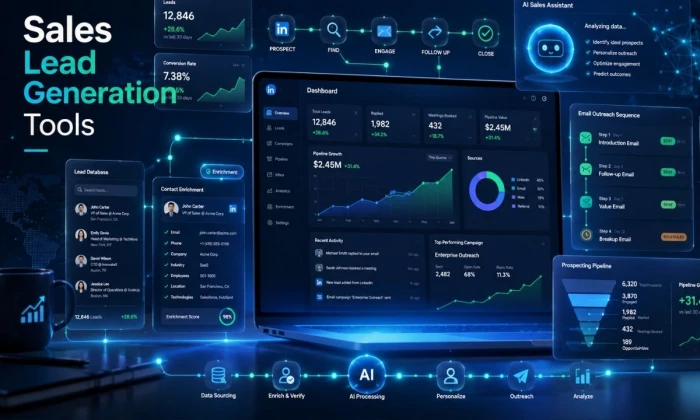
Plenty of sales teams burn through their week chasing leads that were never going to buy, then wonder why a stack of carefully written emails gets ignored. The tools below can help with that, but they will not rescue a weak plan. Sales lead generation tools only pay off when a team already knows who its ideal customer is, has a message worth reading, keeps its data clean, and follows up in a way that respects the buyer's time.
So this is not another roundup of the shiniest platforms. The point is not to send more email. The point is to find the right people and start better conversations. The right software makes that easier. It does not make it automatic.
This guide walks through nine well-known sales lead generation and outreach tools, where each one fits in a real workflow, what it does well, where it falls short, and what to check before paying. Treat it as a way to shortlist, not a final verdict on your stack.
This comparison reflects practical experience with outbound sales tooling and a close read of each vendor's own documentation, rather than marketing copy. Tools were assessed on how they fit the real stages of finding and reaching prospects: list building, contact data, verification, research, outreach, follow-up, and reporting.
One choice runs through the whole guide. It avoids quoting exact prices, database sizes, email accuracy rates, credit limits, and integration lists. Those numbers change often, vary by plan and region, and an out-of-date figure is worse than no figure. Each tool section points to what to verify on the official site instead.
Sales software pricing, credits, features, and compliance terms change frequently. Confirm current pricing, free plans or trials, contact database coverage, email credit limits, CRM integrations, outreach automation limits, deliverability tools, compliance documentation, email verification accuracy, cancellation terms, and regional availability on each official site before you publish a decision or sign a contract.
Before comparing tools, it helps to see the full path from a cold prospect to a real reply. Most teams that struggle are weak at one or two stages, not all of them. Find the gap first, then buy for the gap.
| Stage | Main goal | Tool type needed | Common mistake |
| Define ICP | Decide who is actually worth contacting | Planning, CRM notes, research | Skipping it and buying a broad list |
| Build prospect list | Collect target accounts and people | Prospecting database, LinkedIn search | Choosing volume over fit |
| Enrich contact data | Fill in role, company, and contact gaps | Enrichment tool | Trusting enrichment without spot checks |
| Verify email addresses | Cut bounces and protect sender reputation | Email verification | Sending to unverified lists |
| Research company context | Understand the buyer's situation | Sales intelligence, LinkedIn, web | Mass personalizing with no real insight |
| Write personalized outreach | Earn a reply, not just a send | Sequence tool, AI assist | Generic templates sent to everyone |
| Send sequences | Deliver and follow up consistently | Sales engagement or cold email tool | Over-automating and ignoring deliverability |
| Track opens, replies, meetings | Measure what actually works | Engagement tracking, analytics | Counting sends instead of replies |
| Sync CRM records | Keep one source of truth | CRM with outreach integration | Activity that never reaches the CRM |
| Improve messaging on results | Iterate on what gets replies | Reporting, A/B testing | Repeating weak messaging at higher volume |
A quick way to narrow the field. Match your main need to a sensible starting point, and read the caution before you commit.
| Sales need | Best tool to consider | Reason | Main caution |
| All-in-one prospecting and outreach | Apollo.io | Database, sequences, and enrichment in one place | Data accuracy varies; watch credit limits |
| Enterprise contact database | ZoomInfo | Deep company and contact intelligence | Cost and contract complexity |
| LinkedIn-based prospecting | LinkedIn Sales Navigator | Best for finding and researching decision-makers | Not an email or CRM tool on its own |
| CRM-connected sales activity | HubSpot Sales Hub | Outreach tied to customer records | Lighter prospecting database than dedicated tools |
| Enterprise sales engagement | Outreach or Salesloft | Structured cadences and analytics across a rep team | Setup and cost; built for scale, not solo use |
| Personalized cold email campaigns | Lemlist | Strong personalization with deliverability features | Lead data often comes from elsewhere |
| Email finding and verification | Hunter.io | Find and verify emails from known domains | Not a full engagement or CRM platform |
| Data enrichment and workflow automation | Clay | Combine many data sources into custom flows | Learning curve and credit-based cost |
| Small team outbound setup | Apollo.io, or Hunter.io plus Lemlist | Covers finding, verifying, and sending without heavy overhead | Still needs a clear ICP and a clean list |
The chart below places the nine tools by how broad they are and which team size they suit best. It is editorial positioning to help you orient quickly, not a precise score.
| Tool | Best for | Main strength | Main limitation | CRM / workflow fit | Best-fit team |
| Apollo.io | All-in-one prospecting and outreach | Database, sequences, enrichment together | Data accuracy varies; credit limits | Built-in workflow plus integrations | Startups, SDR teams, agencies |
| ZoomInfo | Enterprise B2B data | Depth of company and contact intelligence | Cost and complexity | Strong CRM integrations | Enterprise revenue teams |
| LinkedIn Sales Navigator | Relationship-based prospecting | LinkedIn search and account research | No native email, CRM, or sending | Feeds other tools; limited direct sync | Social and ABM sellers |
| HubSpot Sales Hub | CRM-centered outreach | Outreach tied to customer records | Lighter prospecting database | CRM is the core | SMB and midmarket process builders |
| Outreach | Structured sales engagement | Process control and governance | Heavy and costly for small teams | Deep CRM sync | Larger SDR and AE orgs |
| Salesloft | Cadence and coaching | Activity visibility and coaching | Setup effort for small teams | Deep CRM sync | Mature sales orgs |
| Lemlist | Personalized cold email | Personalization plus warm-up and multichannel | Lead data often external | Integrations and CRM connectors | Founders, agencies, outbound teams |
| Hunter.io | Email finding and verification | Simple, accurate domain and email tools | Not a full engagement or CRM suite | Integrations plus light campaigns | Lean teams with known targets |
| Clay | Enrichment and workflow automation | Multi-source waterfall plus AI | Learning curve and credit cost | Integrates and pushes to CRM | Growth and RevOps operators |
Apollo combines a B2B contact database, list-building filters, email sequences, and basic enrichment in one platform. A small team can prospect and run outreach without stitching several tools together, which is why it is a common first all-in-one pick for startups, SDR teams, agencies, and small B2B teams.
Best workflow use: Building a targeted list, enriching it, and launching multi-step sequences from the same place
Lead-finding and outreach features: Contact and company search with filters, sequences, email outreach, data enrichment, and CRM-style record keeping plus integrations
Where it saves time: Removing the handoff between a separate list tool, enrichment tool, and sending tool; one login covers most of the early funnel
Main limitation: Data accuracy can vary by region and role, and credit limits on lower plans shape how much you can search and enrich. Spot-check records before sending
Data and privacy: As a contact-data provider, review its data sourcing, GDPR and CCPA handling, and opt-out process in its documentation before bulk outreach, especially for EU contacts
Best fit: Lean teams that want prospecting and outreach in one tool
Verdict: For most startups and small SDR teams, Apollo is the easiest single starting point. Just treat its data as a strong lead, not gospel, and verify a sample before you trust a whole list.
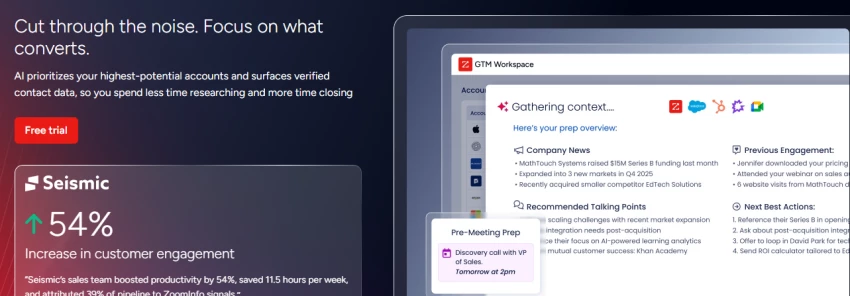
ZoomInfo is built for depth: large-scale company and contact intelligence, firmographics, org context, and intent signals aimed at enterprise sales and revenue teams. It is less a sending tool and more the data layer underneath a bigger stack.
Best workflow use: Territory planning, account-based selling, and feeding clean account and contact data into a CRM and engagement stack across a large team
Lead-finding and outreach features: Extensive company and contact data, advanced filters, intent signals, and integrations with major CRMs and engagement tools
Where it saves time: Research and account planning at scale, and keeping a large team working from consistent account intelligence
Main limitation: Cost and complexity. It is usually priced for larger budgets and annual contracts, and it can be more than smaller teams need
Data and privacy: Because it aggregates large amounts of contact data, review its compliance documentation, data sourcing, retention, and regional rules carefully, particularly for GDPR and CCPA, before rollout
Best fit: Enterprise sales and revenue teams that need data depth and can manage the contract
Verdict: When the bottleneck is data depth across many accounts and reps, ZoomInfo earns its place. For a small team, the cost and overhead are usually hard to justify.
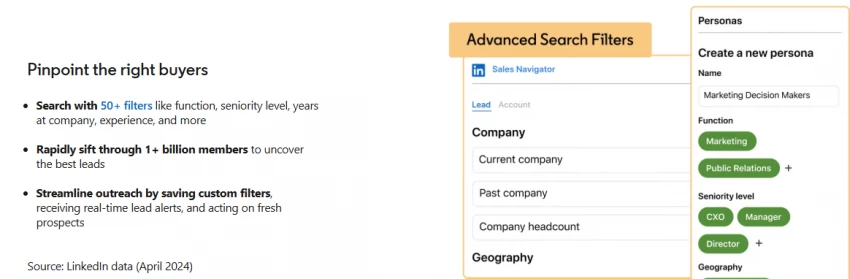
Sales Navigator turns LinkedIn into a focused prospecting and research surface: advanced people and company search, saved leads and accounts, alerts, and relationship signals. It is where many teams identify the right people before any outreach begins.
Best workflow use: Finding the right decision-makers, watching for job changes and triggers, and researching context before you reach out
Lead-finding and outreach features: Advanced search filters, lead and account lists, alerts, and warm-intro and relationship signals; it pairs with an email or sequence tool that does the actual sending
Where it saves time: Identifying and qualifying the right people, and gathering real context that makes outreach relevant
Main limitation: It is not an email outreach or CRM platform on its own, and it does not hand you verified email addresses. You still need a way to contact and track prospects
Data and privacy: Respect LinkedIn's terms on scraping and automation. Aggressive third-party automation against LinkedIn can put the account at risk
Best fit: Social sellers and account-based teams that lead with research and relationships
Verdict: As a research and targeting layer, it is hard to beat. Just remember it is the start of outreach, not the whole engine.
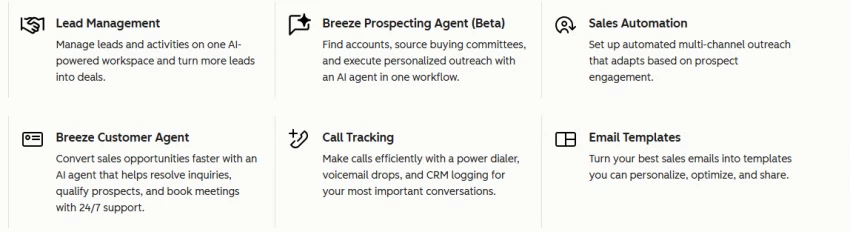
Sales Hub ties outreach to the customer record. CRM, email tracking, templates, sequences, meeting links, and pipeline management live in one connected system, so every touch sits against the contact it belongs to.
Best workflow use: Small and midsize teams building a repeatable process where every email, call, and deal stage lives against the contact record
Lead-finding and outreach features: CRM, sequences, templates, email tracking, meeting scheduling, pipeline and activity tracking, plus a large integration marketplace
Where it saves time: Keeping outreach and pipeline in sync, with reporting managers can actually use, and no separate CRM-to-outreach plumbing
Main limitation: Its built-in prospecting database is lighter than dedicated lead tools, so many teams pair it with a prospecting source
Data and privacy: Review its data handling, consent tracking, and access controls. HubSpot publishes security and compliance documentation worth checking for your region
Best fit: SMB and midmarket teams that want CRM discipline at the center of outreach
Verdict: If your real problem is process and pipeline hygiene rather than finding contacts, Sales Hub is a comfortable home base. Plan to add a prospecting tool alongside it.
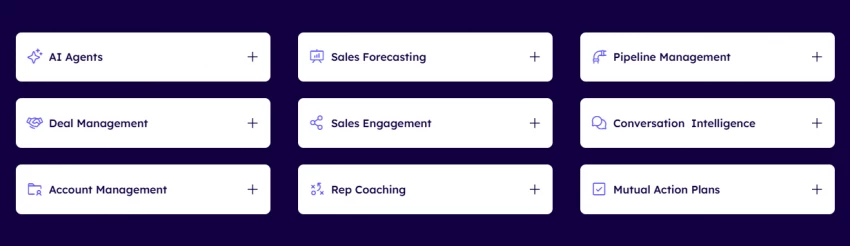
Outreach is a sales engagement platform built for structure: sequences, task management, analytics, governance, and CRM sync designed to keep many reps consistent. It shines when outreach has to run the same way across a whole floor.
Best workflow use: Larger SDR and AE teams that need outreach to run the same way across the team, with managers controlling process and content
Lead-finding and outreach features: Multi-step sequences, task workflows, analytics, content governance, and deep CRM integration
Where it saves time: Standardizing motions across a big team and surfacing what is working at the team level, not just per rep
Main limitation: It can be heavy and expensive, and is usually more than freelancers or very small teams need
Data and privacy: As an engagement platform handling prospect communications, review data retention, access roles, and compliance settings before rollout
Best fit: Scaling revenue orgs that need process control
Verdict: For a real sales floor that needs consistency and oversight, Outreach is built for the job. For a two-person outbound effort, it is overkill.
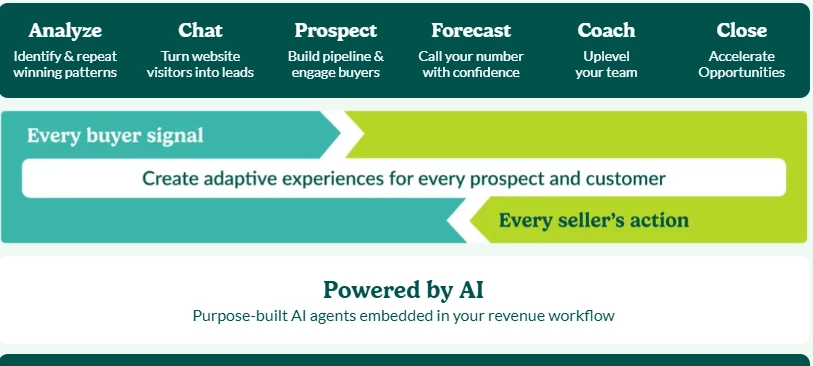
Salesloft is a sales engagement platform with a strong emphasis on cadences, activity tracking, coaching, and analytics for mature sales organizations. It sits in the same category as Outreach, with coaching and visibility as its center of gravity.
Best workflow use: Revenue teams where managers need visibility into rep activity and messaging quality, and where coaching drives performance
Lead-finding and outreach features: Cadences, email and call workflows, engagement tracking, conversation and coaching tools, pipeline support, and analytics
Where it saves time: Managing rep activity at scale and turning call and email data into coaching, rather than guesswork
Main limitation: Setup effort and a feature depth small teams may not use. It is built for organizations, not solo operators
Best fit: Mature sales orgs focused on cadence discipline and coaching
Verdict: Salesloft and Outreach live in the same neighborhood. Pick Salesloft when coaching and activity visibility are the priority and you have the team to use it.
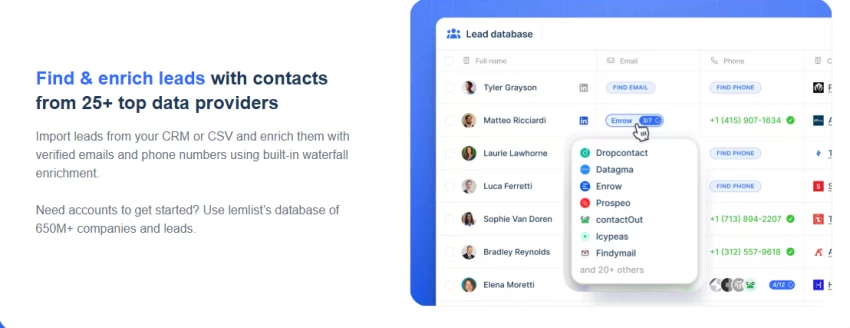
Lemlist focuses on personalized cold email and multichannel outreach across email, LinkedIn, calls, and SMS. It pairs strong personalization and campaign testing with a bundled warm-up tool (lemwarm) for deliverability, which is unusual at its level.
Best workflow use: Founders, agencies, and outbound teams that win on creative, personalized cold email and want deliverability features in the same place
Lead-finding and outreach features: Email sequences, deep personalization (including variables and images), AI-assisted copy, multichannel steps, A/B testing, and lemwarm warm-up included with paid plans; it also offers a built-in B2B lead database, though many teams still source data elsewhere
Where it saves time: Building personalized campaigns and protecting sender reputation without buying a separate warm-up tool
Main limitation: Lead data may still need to come from another source for deep targeting, and per-inbox warm-up economics matter at scale
Best fit: Founders and agencies focused on personalized outbound
Verdict: For creative, personalized cold email with deliverability built in, Lemlist is a strong pick. Pair it with a good data source and keep personalization genuine, not gimmicky.
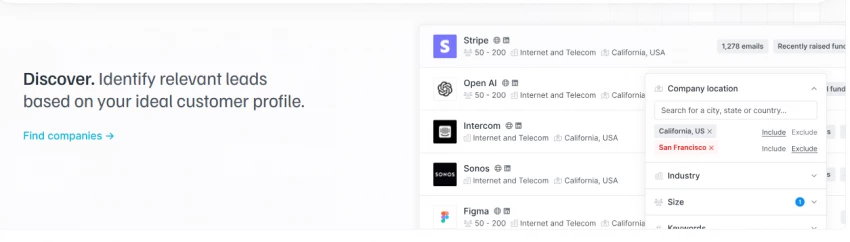
Hunter is a focused email-finding and verification tool: domain search, email finder, and email verification, with a simple Campaigns feature for light outreach. It does a narrow job and does it cleanly.
Best workflow use: Lean teams that already know their target accounts and need verified business emails fast, plus basic sending
Lead-finding and outreach features: Domain search, email finder, bulk verification, a simple Campaigns feature, and integrations with an API for plugging into other tools
Where it saves time: Quickly finding and verifying addresses from known companies or domains, which cuts bounces before they happen
Main limitation: It is not a full sales engagement or CRM platform. Deep sequences, coaching, and rich prospecting filters live elsewhere
Best fit: Small teams with known targets that need accurate emails without a heavy suite
Verdict: Hunter does one job well. As a finding-and-verification layer, often alongside a separate sending tool, it is a reliable, low-friction choice.
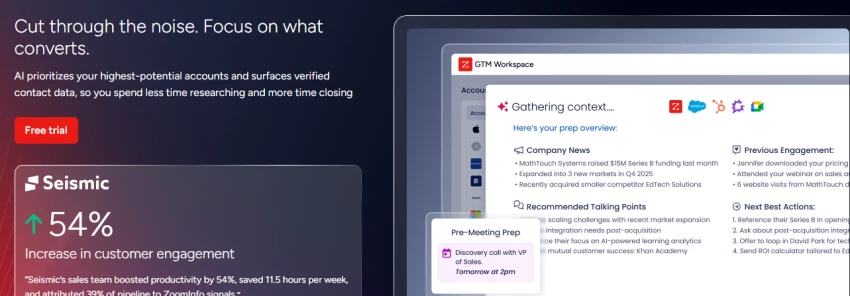
Clay is a data enrichment and workflow automation platform. Its waterfall enrichment chains many data providers in sequence to fill gaps, and an AI agent can research and personalize, all inside a spreadsheet-like interface. It is the most flexible, and the most demanding, tool in this list.
Best workflow use: Growth and RevOps teams that want to combine multiple data sources, enrich at high match rates, and build custom prospecting and personalization systems
Lead-finding and outreach features: Multi-provider waterfall enrichment, AI research and personalization, integrations and CRM push, and flexible automation across data sources
Where it saves time: Once built, a Clay workflow can enrich and personalize at a level single-source tools cannot match, with strong coverage on hard-to-find contacts
Main limitation: A real learning curve and setup complexity. Credit-based pricing can be hard to predict if waterfalls are not tuned, and it does not handle deliverability for you
Best fit: Technical growth and RevOps operators building custom outbound systems
Verdict: Clay is the most powerful enrichment layer here, with a price in time and credits to match. With a RevOps owner it is excellent; without one, simpler tools deliver faster.
Sales tools rarely do everything. Mapping each task to the right category, and the tools that fit it, keeps a stack lean. The grid below shows where each tool is a core focus versus a partial one.
| Sales task | Tool category | Best tools to consider |
| Finding accounts | Prospecting database, sales intelligence | ZoomInfo, Apollo.io, LinkedIn Sales Navigator |
| Finding contacts | Contact database, email finder | Apollo.io, ZoomInfo, Hunter.io |
| Verifying emails | Email verification | Hunter.io, Apollo.io, Clay (via providers) |
| Enriching lead data | Enrichment, automation | Clay, ZoomInfo, Apollo.io |
| Researching prospects | Sales intelligence, social | LinkedIn Sales Navigator, ZoomInfo |
| Writing outreach | Sequence plus AI assist | Lemlist, HubSpot, Outreach, Salesloft |
| Sending sequences | Sales engagement, cold email | Outreach, Salesloft, HubSpot, Lemlist, Apollo.io |
| Tracking replies | Engagement analytics | Salesloft, Outreach, HubSpot |
| Managing CRM activity | CRM with outreach sync | HubSpot, plus your CRM with connected tools |
| Improving campaigns | Reporting plus A/B testing | HubSpot, Outreach, Salesloft, Lemlist |
There is no single correct stack. These are sensible starting points by team type, with the trade-off to watch before buying.
| Team type | Suggested stack | Reason | Buying caution |
| Solo founder | Hunter.io plus Lemlist, plus a free CRM | Find and verify emails, send personalized outreach cheaply | Keep volume low; protect deliverability |
| Freelance consultant | Sales Navigator plus Hunter.io plus Lemlist | Research, find emails, personalize | Watch per-tool costs; stay lean |
| Small agency | Apollo.io plus Lemlist, plus a CRM | Prospecting plus creative outreach for clients | Separate client data and consent |
| Startup SDR team | Apollo.io plus HubSpot Sales Hub | All-in-one prospecting tied to a CRM | Verify data; set credit limits |
| Enterprise sales team | ZoomInfo plus Outreach plus a CRM | Deep data and structured engagement | Cost, contracts, onboarding time |
| Account-based sales team | Sales Navigator plus ZoomInfo plus Outreach or Salesloft plus a CRM | Research-led, multi-touch ABM | Coordinate data and messaging across reps |
| Growth marketing team | Clay plus Lemlist, plus a CRM | Custom enrichment feeding personalized outbound | Needs a technical owner; manage credits |
| CRM-first sales team | HubSpot Sales Hub plus a prospecting source | Everything against the customer record | Add data tooling; avoid database gaps |
Run a shortlist through these questions before paying. A clear dealbreaker on any line is worth more than a long feature list.
| Decision point | Question to ask | Dealbreaker signal |
| ICP clarity | Do we know exactly who we are targeting? | Buying before defining the ICP |
| Contact database fit | Does its data cover our market and roles? | Thin coverage in your region or industry |
| Region coverage | Is our target geography well covered? | Weak data outside your main market |
| Email verification quality | How accurate is verification? | No verification or vague claims |
| CRM integration | Does it sync with our CRM cleanly? | No native integration with your CRM |
| Sequence needs | Does it support our outreach steps and channels? | Missing channels you rely on |
| Deliverability support | Are warm-up and deliverability tools available? | No deliverability story for high volume |
| Reporting requirements | Can we see replies and meetings, not just opens? | Reporting limited to sends and opens |
| Team seats | Does seat pricing fit our team size? | Seat minimums far above your team |
| Export limits | Can we export our data if we leave? | Locked-in data |
| Data compliance docs | Are GDPR, CCPA, and security docs available? | No compliance documentation |
| Training time | How long to get the team productive? | Steep curve with no support |
| Support quality | What support is included at our tier? | Support gated behind top plans only |
| Cancellation terms | How hard is it to cancel or downgrade? | Long lock-in or auto-renew traps |
| Budget fit | Does total cost of seats plus credits fit? | Hidden credit costs blow the budget |
Ranking here reflects general best-fit and versatility for a typical outbound team, not a fixed quality score. A specialized tool lower on the list can be the right first buy for your situation. Match the tool to your stage, ICP, and the gap in your workflow.
| Rank | Tool | Best use case | Strongest advantage | Biggest trade-off |
| 1 | Apollo.io | All-in-one prospecting and outreach | Most of the early funnel in one tool | Data accuracy varies; credit limits |
| 2 | HubSpot Sales Hub | CRM-centered outreach | Outreach and pipeline in one record | Lighter prospecting database |
| 3 | LinkedIn Sales Navigator | Relationship research and targeting | Best for finding the right people | No native sending or CRM |
| 4 | ZoomInfo | Enterprise B2B data | Depth of company and contact data | Cost and contract complexity |
| 5 | Outreach | Structured sales engagement | Process control across many reps | Heavy and costly for small teams |
| 6 | Salesloft | Cadence and coaching | Activity visibility and coaching | Setup effort; built for scale |
| 7 | Lemlist | Personalized cold email | Personalization plus built-in warm-up | Lead data often external |
| 8 | Clay | Enrichment and workflow automation | Multi-source coverage plus AI | Learning curve and credit cost |
| 9 | Hunter.io | Email finding and verification | Simple, accurate, low friction | Not a full engagement suite |
If you want better replies instead of just more sent email, start by being honest about where your workflow actually breaks, then buy for that gap.
For most teams, Apollo.io is the simplest all-in-one place to prospect and run outreach. ZoomInfo fits enterprise teams whose real constraint is data depth. LinkedIn Sales Navigator is the best layer for relationship research and finding the right decision-makers. HubSpot Sales Hub is the right home when CRM discipline matters most. Outreach and Salesloft suit structured revenue teams that need consistency, oversight, and coaching across many reps. Lemlist is strong for personalized cold email with deliverability built in. Hunter.io is a reliable, focused tool for finding and verifying business emails. Clay is the most powerful enrichment and workflow layer here, best in the hands of a technical operator.
None of these will fix a vague ideal customer profile, a weak offer, or messaging that talks about you instead of the buyer. The best sales lead generation tools do not replace good sales thinking. They help a clear-headed team reach better-fit prospects with outreach that is shorter, more relevant, and easier to reply to. Pick one or two for the gap you actually have, verify the current details on the official sites, and spend the time you save on the message, not the machinery.
Share your thoughts about this article.
Be the first to post a comment!

Every second DTC founder says they want to "tell their story better." Then they...
Parveen Verma1 month ago

A solo newsletter with 800 subscribers and a Shopify store running three automat...
Sakshi Dhingra3 months ago

Understanding Knowledge Management in PracticeKnowledge management, in a practic...
Sakshi Dhingra4 months ago
Two SEO platforms. One small site, one client account, ninety days of side-by-si...
Sakshi Dhingra4 months ago

A performance marketing team does not need the greatest possible number of tools...
Sakshi Dhingra6 months ago
Growth marketing today relies on a combination of experimentation, analytics, au...
Sakshi Dhingra6 months ago