
Vheer AI is interesting not just because of what it does, but because of what it asks you to do: decide how much of your creative process you’re willing to hand over to a free, browser‑based system and how much control you insist on keeping. Let’s look at it from that angle: as a negotiation between your standards and its limits.
Every tool demands a trade. With Vheer AI, the trade is clear:
● You get an always‑available, no‑install, no‑signup space for images and short videos.
● In return, you accept that you’re working inside a structured environment where fine‑grained control is limited.
If your work thrives on fast iteration and “good enough to ship,” Vheer feels generous. If your work depends on micro‑decisions exact anatomy, perfect continuity, strict brand parameters, you start to feel the walls.
So instead of asking “Is Vheer powerful?” it’s more honest to ask, “What kind of control am I willing to sacrifice for this level of convenience?”
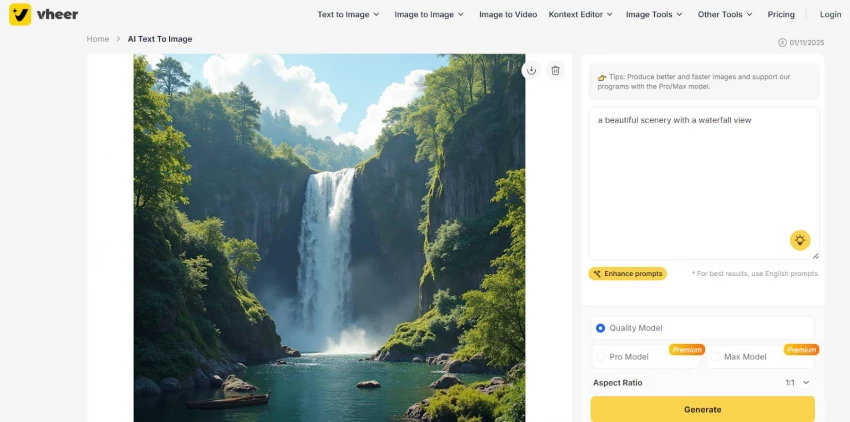
Text‑to‑image in Vheer is less about programming a model and more about negotiating with it.
You bring:
● A rough visual idea.
● A prompt that might not be perfect.
● A tolerance for surprise.
Vheer brings:
● A tendency toward cinematic lighting and stylised output.
● A reasonable understanding of everyday prompts.
● Enough coherence that most results don’t feel unusably random.
Where this relationship works:
● You’re creating thumbnails, social posts, or concept frames and you want some creative interpretation.
● You don’t want to spend 15 minutes crafting each prompt.
● You prefer a tool that meets you halfway rather than demanding super‑technical prompt language.
Where it breaks:
● You need exact compositions or brand‑strict imagery.
● You can’t afford weird hands, warped objects, or inconsistent details.
● You expect the free tier to match the absolute best paid models on realism or precision.
Vheer generally behaves like a collaborator who “gets the vibe” but occasionally mishears the details. For some workflows, that’s a deal you’ll gladly take. For others, it’s a non‑starter.
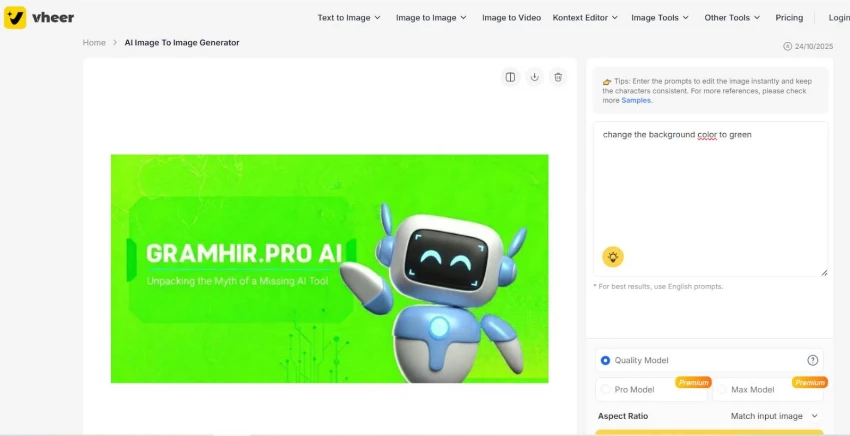
Image‑to‑image is where Vheer is most honest with you: it shows exactly how far it can push an existing idea before it starts to distort it.
You might use it to:
● Take a rough draft and ask, “What if this were darker, more stylised, or anime‑inspired?”
● Preserve composition while shifting palette or mood.
● Explore three or four directions from one base image instead of starting from scratch each time.
The upside:
● You keep ownership of the “seed idea.”
● Vheer becomes more like a critical assistant: “Here’s how this could look if you leaned into X or Y.”
● It speeds up exploration without erasing your initial concept.
The downside:
● If you want Vheer to be a precise retoucher, it will disappoint you.
● As you iterate repeatedly, you can drift further from the original than you intended.
● You still need your own judgment to decide which version actually works.
Used well, Vheer doesn’t replace your eye; it pressures you to refine your taste faster by showing you multiple directions in minutes.
Vheer’s character/context features expose a subtle question: when you say “the same character,” what do you really mean?
For casual creators:
● “Same enough” often means recognisable hair, general face shape, and aesthetic.
● Vheer can usually manage that across multiple images.
● Small shifts are acceptable—even interesting.
For professionals:
● “Same” means repeatable, highly consistent traits across dozens of outputs.
● Minor changes in expression or ratio can be a problem, not a quirk.
● Any drift across frames or scenes can break continuity.
Vheer lands somewhere in the middle:
● Its consistency is strong enough for social series, small campaigns, and creator avatars.
● It’s not strong enough to anchor a high‑end animated production or brand Bible by itself.
The question becomes: where is your line between “good enough continuity” and “this must be identical”? Vheer forces you to define it.
You can treat Vheer’s image‑to‑video tool as a test of how much motion you actually need.
Scenario A: Motion as flavour
● You want a 5–10 second animated teaser, an intro, or a looped background.
● You’re okay with the AI deciding how the camera moves or how depth is simulated.
● You care more about attention and mood than frame‑perfect control.
Scenario B: Motion as foundation
● You’re building a longer narrative or a complex edit.
● You need clear control over timing, transitions, and specific actions.
● AI can help, but the final structure must be deliberate.
Vheer is built almost entirely for Scenario A. It’s strong when:
● You need scroll‑stopping clips, not full episodes.
● You want movement to enhance an idea you already like.
● You accept that the AI’s interpretation is part of the aesthetic.
If you expect it to carry entire story arcs, it will show its limits early. If you treat it as seasoning, not the whole meal, it fits more naturally.
Vheer’s background remover, enhancer, and light editing tools highlight another uncomfortable question: what do you mean when you call an image “done”?
For some workflows:
● “Done” means “good enough for a thumbnail, meme, or internal deck.”
● A quick background removal and mild upscale is plenty.
● You’re optimising for speed.
For others:
● “Done” means “print‑ready, brand‑aligned, and scrubbed for every visual flaw.”
● You need manual masking, layer‑based editing, and advanced retouching.
● You’re optimising for polish.
Vheer comfortably supports the first definition, not the second:
● It’s fast and accessible for straightforward prep work.
● It can clean up many AI images enough to be usable in everyday content.
● It cannot replace a full graphics editor for high‑stakes creative.
The tool itself is neutral; it’s your own standards that determine when you need to move to something more robust.
Vheer’s free tier tempts you to delay a question most creators dread: “When do I start paying for my tools?”
“Free” in this context does a few things:
● Removes the psychological cost of experimentation—you’re not thinking about credits or invoices.
● Encourages reckless testing: many ideas, many prompts, many variations.
● Lets beginners and budget‑conscious users participate in AI creation without financial risk.
But it also hides some realities:
● At a certain level of quality or speed expectation, you will feel the ceiling of the free tier.
● If your output is tied to income or client work, the cost of “slower, less consistent” might outweigh the subscription savings.
● Free can make it harder to notice when a paid, higher‑quality tool would actually be more efficient.

So Vheer’s free plan isn’t just generous, it’s a mirror. It shows you how long you’re willing to run on “good enough” before you decide your time is worth paying for better performance.
How you experience Vheer depends heavily on the role you occupy.
● Vheer relieves immediate pressure: you can create volume quickly.
● The interface is simple enough that you won’t get stuck in menus.
● But you may feel exposed when a campaign demands strict brand control or flawless continuity—the tool won’t shield you from those gaps.
● You’ll notice every artifact, every odd hand, every slight character drift.
● You’ll likely use Vheer as a sketchbook, not as a final production environment.
● The “unlimited” nature is still useful, but you’ll regularly send outputs into more precise tools for finishing.
● The free tier feels almost like a playground.
● Every limitation becomes a prompt to try something else, not a problem.
● You’re least bothered by the gaps and most rewarded by the possibilities.
● Vheer can lower your costs and speed up draft work.
● It can also tempt you into over‑relying on AI in situations where a client expects more polish than the free or base options can deliver.
● Your real challenge becomes deciding which projects can safely rely on Vheer and which cannot.
Vheer’s interface is clearly designed to avoid intimidating people. That’s admirable but simplicity is a double‑edged sword.
Pros:
● New users can get moving in minutes, not hours.
● Most core actions are obvious and visible on one screen.
● There’s very little onboarding friction blocking creative flow.
Cons:
● As you get more advanced, you may feel boxed in by a lack of deeper options.
● You can’t always “pop the hood” and tune the model or pipeline the way you might in more advanced tools.
● Simplicity starts to feel like constraint once your expectations rise.
The question becomes: do you want a tool that grows in complexity with you, or one that stays simple and forces you to graduate to something else when you outgrow it? Vheer chooses the latter.
Trustpilot Review Snapshot
Pros
● Many users praise the intuitive, beginner‑friendly interface and say it is easy to generate images and videos even without prior AI experience.
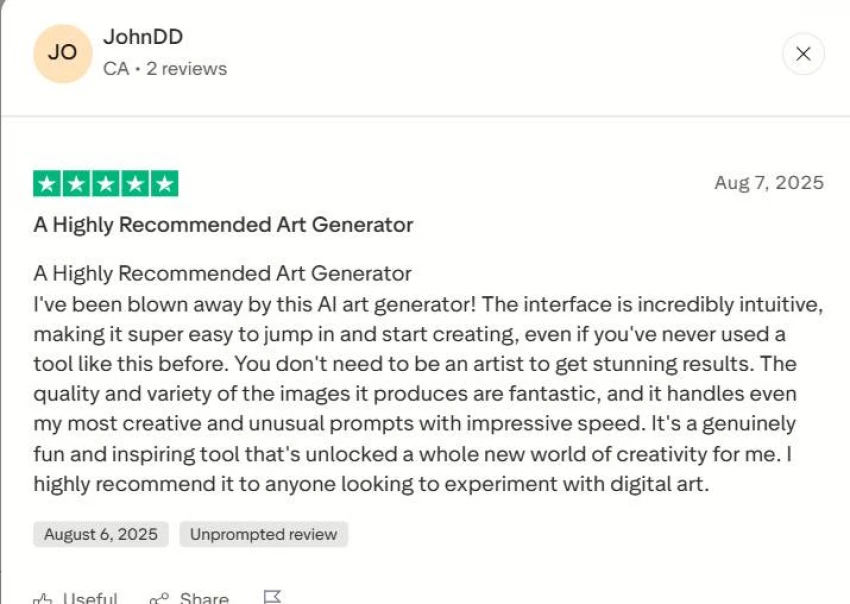
● Reviewers frequently highlight the high quality of images, good prompt adherence, and speed of generation, sometimes saying it rivals or exceeds paid platforms.
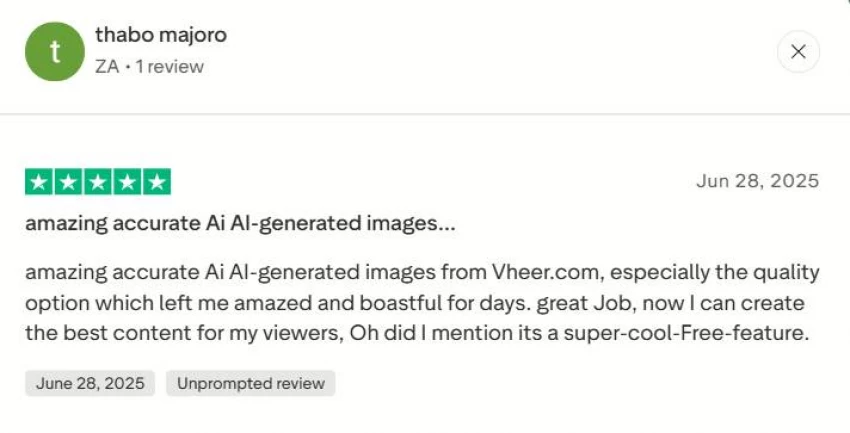
● The free access without strict limits or watermarks is repeatedly described as a major benefit, letting users practice prompts and create content without paying.
Cons
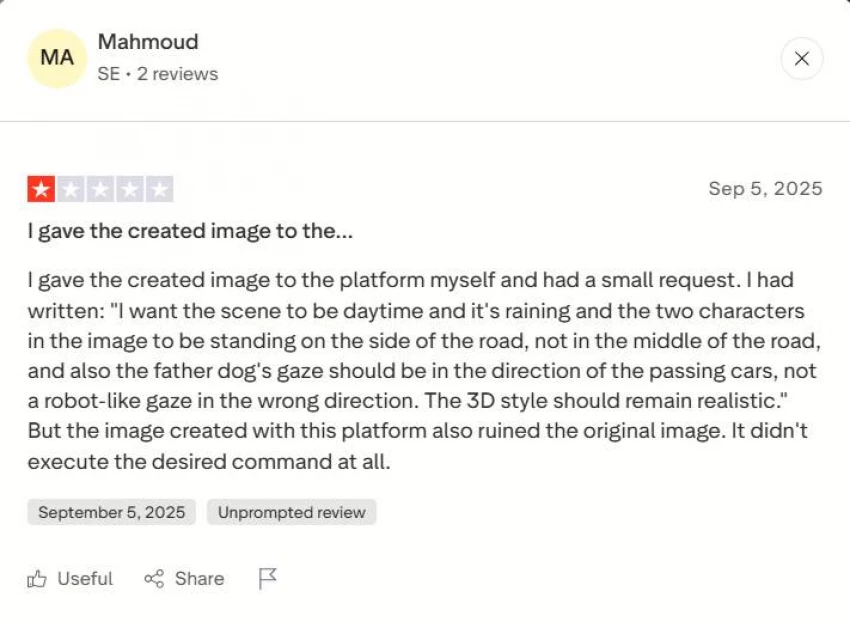
● Some users complain that certain generations ignore parts of the prompt or uploaded photo, leading to outputs they consider unusable.
● Several reviews mention issues with anatomical details, especially fingers and facial consistency, which reduces realism in some images.
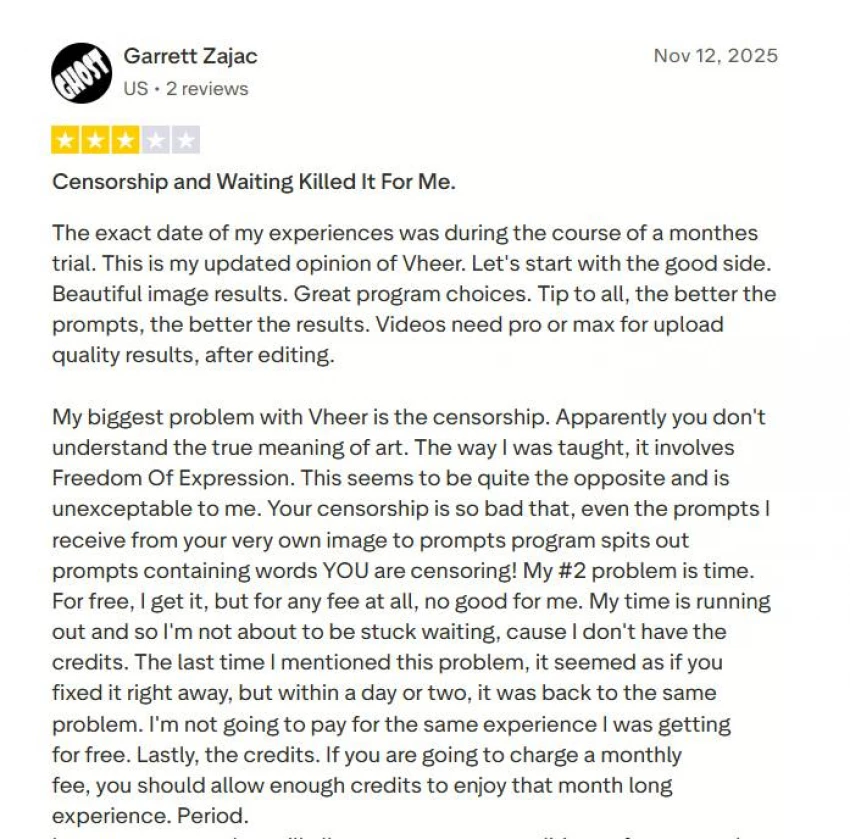
● A minority of users report frustrations around moderation/censorship, waiting times, or finding the results worse than other AI generators for specific types of content.
A tool doesn’t just support your habits; it shapes them.
Vheer nudges you toward:
● Iterating quickly instead of overthinking the first attempt.
● Accepting “good enough” in situations where speed matters more than micro‑detail.
● Exploring more visual ideas than you might have if you paid per attempt.
But it also risks:
● Making you too tolerant of imperfections if you never step outside the free ecosystem.
● Training you to lean on AI even where a small manual tweak would produce a clearly better result.
● Encouraging volume over intentionality if you’re not careful.
So the real evaluation is less about “Is Vheer good?” and more about “Do I like the creator I become when Vheer is my primary tool?”
If you want to be faster, more experimental, and less precious about each iteration, it fits that identity well. If you want to be highly controlled, deeply craft‑focused, and obsessive about detail, Vheer is better treated as a sketchbook—not as your main workshop.
Be the first to post comment!

The first time I realized something was wrong with my content was late at night...
Sakshi Dhingra3 hours ago

Why I looked into Leeco AI in the first placeOver the past few years, I have not...
Sakshi Dhingra2 days ago
When I first came across Skipit, I approached it with a bit of skepticism. The A...
Sakshi Dhingra4 days ago
I didn’t start exploring Dzine AI because I was chasing the latest AI trend. I d...
Sakshi Dhingra5 days ago

The positioning of Promptchan within the AI ecosystem is often misunderstood. Wh...
Sakshi Dhingra1 week ago

A Personal Moment That Made Me Care About Online Coupons AgainA few months ago,...
Parveen Verma2 weeks ago