Gemini Spark Launches on Mac: The Next-Gen Agentic AI Assistant
by Deepak Mehra - 3 months ago - 4 min read
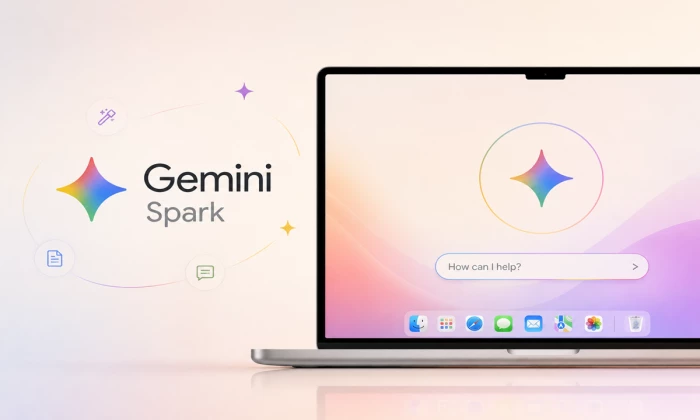
Google is quietly making a big push in the AI assistant world. What started as a mobile and web‑based tool has now arrived on the Mac, bringing with it the full force of agentic artificial intelligence, technology designed not just to answer questions, but to get things done for you.
The assistant at the center of this expansion is Gemini Spark, Google’s so‑called agentic AI. Unlike simple chatbots that only respond to queries, Spark aims to be a partner, one that handles tasks, manages files and works across apps on your computer with increasing independence. With its arrival on macOS, Google is expanding agentic AI beyond phones and browser windows into the desktop workflows of millions of users.
From Chat Tool to Digital Agent
When Google first introduced Gemini Spark earlier this year, it was billed as an AI that could help you navigate your digital life: summarizing emails, drafting documents, organizing information and more. But until now, that help was tied mostly to phones and online apps.
The macOS version changes that. Spark is now part of the Gemini app on Mac, allowing users to interact with files on their computer, sort documents, structure data and perform workflows that would normally take several steps, all through simple commands or tasks you hand off to the assistant.
That’s a significant leap in functionality. Instead of typing questions and waiting for answers, you can ask Spark to sort your Downloads folder, reorganize files, or even create a spreadsheet from invoices you’ve saved locally. It’s a shift from reactive AI to proactive, task‑executing AI, one that blurs the line between the assistant and the operating system itself.
A Strategic Move Into Apple’s Ecosystem
Introducing Spark to macOS is more than a feature update, it’s a strategic play by Google in the ongoing AI assistant wars. Apple’s Siri, Microsoft’s Copilot and other desktop agents have carved out their own positions, but many of them are still limited in capability compared to what Spark promises.
Google’s approach is more ambitious. Real‑time tracking of topics and ability to act across apps puts Spark in a category beyond simple question‑answer bots, edging closer to systems that can think about multiple steps, adapt, and bridge contexts, like moving from your email to your calendar to your files without losing track of the task.
For Mac users, this means a very different kind of assistant, one that can help reduce repetitive task clutter and free up time for more creative or strategic work.
Still in Beta, but Full of Potential
The macOS version of Gemini Spark is currently rolling out as a beta for Google AI Ultra subscribers in the U.S. That means not everyone can use it yet, but the early access gives a glimpse into how agentic assistants could evolve in everyday computing.
Google states that Spark will only access files and apps that users explicitly permit. With deeper system access comes growing questions around privacy, but Google emphasizes a permission‑based model to give users control over what the assistant can see and act upon.
In coming months, integration with apps like Google Tasks and Google Keep, as well as third‑party services such as Dropbox and Canva, may further expand Spark’s usefulness.
Why This Update Matters
At first glance, this might seem like just another app update, but it’s not. Bringing agentic AI to Mac means Google is betting on a future where assistants do more than respond; they execute, automate and streamline real‑world workflows. That’s a step toward AI that doesn’t just help you think faster, but helps you get things done with less effort.
For users, it’s an opportunity to experience a more capable digital partner. For the broader tech landscape, it’s another landmark in the competition to define what AI assistants should actually be in everyday life.