iOS 27 Turns Siri Into a More Useful AI Assistant
by Michael Hicklen - 3 months ago - 6 min read
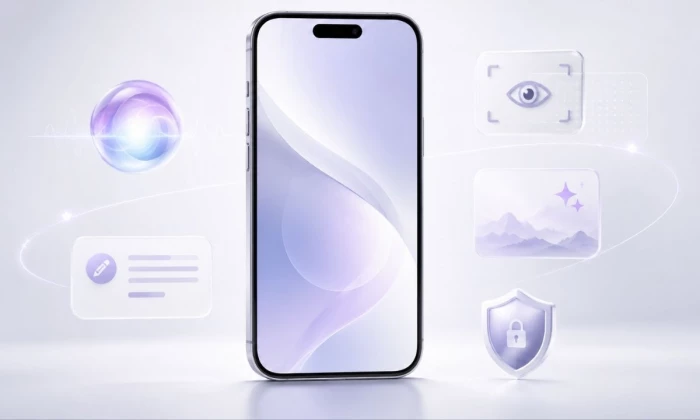
Apple’s iOS 27 update is not only about making Siri smarter. It is about bringing more useful AI features directly into everyday iPhone tasks.
At WWDC 2026, Apple announced the next generation of Apple Intelligence and Siri AI, with deeper app awareness, screen understanding, writing help, image generation, smarter search, and more personal context. Apple says Siri AI can understand what is on a user’s screen, search across apps using personal context, and pull updated information from the web when needed.
The bigger story is that Apple is trying to make AI feel less like a separate chatbot and more like something built into the iPhone experience.
The iPhone AI Upgrade in One View
| Area | What iOS 27 Adds |
|---|---|
| Siri | More conversational Siri AI |
| Screen awareness | Siri can understand what is on screen |
| Personal context | Search across apps, messages, emails and calendar |
| Writing | Edit, rewrite and summarize text |
| Images | Generate and edit visuals through Image Playground |
| Privacy | More on-device processing and Private Cloud Compute |
| Passwords | One-tap help for compromised passwords |
| Availability | Developer beta now, public release expected later in 2026 |
Siri Becomes More Context Aware
The most visible AI update is Siri AI.
Apple says the upgraded assistant can answer questions based on what is currently on the screen and use personal context to search across apps. That means users should be able to ask more specific questions related to messages, emails, notes, calendar events or content already open on the iPhone.
This is a major shift from the older Siri experience, which often struggled with follow-up questions and more complex requests.
For example, instead of manually searching through texts or emails, a user could ask Siri to find travel details, meeting information, or something mentioned in a conversation.
A Dedicated Siri AI App
iOS 27 also brings a more visible Siri experience.
Reports say Apple is adding a standalone Siri app, allowing users to access previous conversations with the AI-powered assistant. This makes Siri feel closer to modern AI assistants such as ChatGPT, Claude and Gemini, while still being tied deeply into the iPhone.
The dedicated app could make Siri more useful for typed questions, longer tasks and ongoing conversations instead of only quick voice commands.
Writing Help Inside Everyday Apps
Apple is also expanding AI writing tools.
The new Siri AI can help edit and write emails, texts and documents. Apple’s developer session describes Siri AI as capable of using natural language abilities to edit and write content across emails, texts and documents.
This could be useful for:
- Rewriting a message in a clearer tone
- Making an email shorter
- Turning rough notes into polished text
- Proofreading documents
- Drafting replies based on context
The goal is not just to generate text, but to help users finish small writing tasks faster inside the apps they already use.
Image Playground Gets More Powerful
iOS 27 also improves Apple’s image-generation tools.
Apple’s developer material says users can create photorealistic images for wallpapers, Contact Posters and system backgrounds using next-generation AI tools in Image Playground.
This makes Apple’s AI image features more practical for personalization. Instead of only creating fun stickers or simple illustrations, users may be able to generate more realistic visuals for everyday iPhone customization.
AI That Understands the Screen
Screen awareness may become one of the most useful iPhone AI features.
If Siri can understand what a user is looking at, it can help without needing a long explanation. For example, a user could open a message, photo, calendar event or webpage and ask Siri what to do next.
Apple says Siri AI can answer questions related to content on a user’s screen.
That could make the assistant more useful for reading, planning, shopping, navigation and productivity.
Personal Search Across Apps
The new AI system is also designed to search across personal information.
That means Siri AI may be able to use details from apps such as Messages, Mail, Calendar and Notes to answer personal questions. Apple says the assistant can draw on personal context to search across apps.
This is one of Apple’s biggest advantages. Unlike standalone chatbots, the iPhone already contains a user’s daily context: conversations, schedules, reminders, photos, files and app activity.
If Apple handles this well, iOS 27 could make AI more useful without forcing users to copy information into another app.
Privacy Remains a Core Selling Point
Apple is still presenting privacy as a key part of its AI strategy.
The company says Apple Intelligence uses a mix of on-device processing and Private Cloud Compute. This allows more advanced AI tasks while limiting how personal data is handled. Apple has also highlighted features such as compromised password help, including one-tap support for updating unsafe passwords.
Privacy will be especially important because iOS 27’s AI features depend heavily on personal context.
Not Every iPhone Will Get Everything
One important detail: iOS 27 support and iOS 27 AI support are not the same thing.
Apple’s software update may run on many iPhone models, but the most advanced Apple Intelligence features may require newer hardware. Reports say iOS 27 supports iPhones from the iPhone 11 onward, while the most advanced on-device AI features are limited to newer models with stronger chips and more memory.
That means some users may get the update but not the full AI experience.
The Bigger Shift for iPhone Users
iOS 27 shows Apple’s AI strategy more clearly.
Instead of only chasing chatbot hype, Apple is trying to place AI inside daily phone habits: writing, searching, editing, organizing, replying, checking information and customizing the device.
That may be more useful than flashy demos. Most iPhone users do not need AI to feel like a separate product. They need it to save time inside the tasks they already do every day.
Final Take
iOS 27 may be remembered as the update where Apple finally moved Siri and Apple Intelligence into a more practical phase.
The new Siri AI is important, but the bigger upgrade is how AI connects with the rest of the iPhone. Screen awareness, personal search, writing help, image tools and privacy-focused processing could make AI feel more natural and less forced.
The real test will be whether these tools work reliably when users need them. If they do, iOS 27 could turn Apple Intelligence from a feature list into a daily habit.