You know that strange moment when an AI-assisted draft is technically fine, but still does not sound like you?
That is the exact problem I tested GPTinf for. I used it on the kind of writing students, bloggers, and freelance writers usually struggle with: clear drafts that still feel too stiff, too patterned, or too clean in a way that makes them hard to trust.
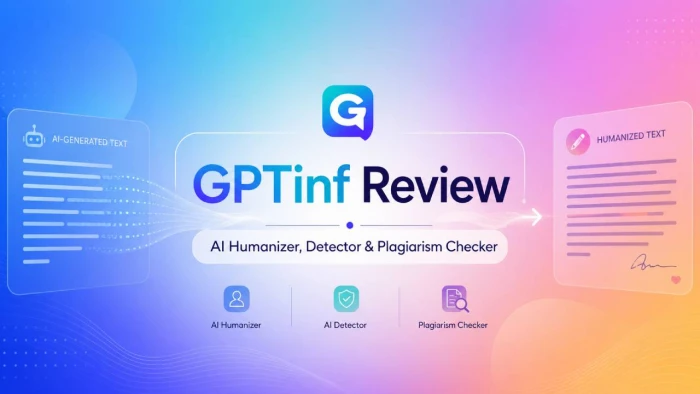
GPTinf is not a full writing tool. It is better understood as a final-draft cleanup suite built around three core services: AI Humanizer, AI Detector, and Plagiarism Checker. The Humanizer is the main reason to use it, but the Detector and Plagiarism Checker make the workflow more complete.
| Category | My take |
| Best for | Students, bloggers, freelance writers, ghostwriters |
| Main use | Cleaning AI-assisted drafts before submission or publishing |
| Strongest feature | AI Humanizer |
| Useful support tools | AI Detector and Plagiarism Checker |
| Starting paid plan | Lite at $4.99/month |
| Biggest limitation | The free limit is too small for serious testing |
| Best plan for regular use | Pro at $12.49/month |
GPTinf worked best when the draft already had a clear point but sounded too mechanical. It improved sentence rhythm, reduced repeated AI-style phrasing, and made paragraphs easier to read.
The catch is simple. GPTinf can polish writing. It cannot fix weak thinking, missing examples, poor research, or copied ideas.
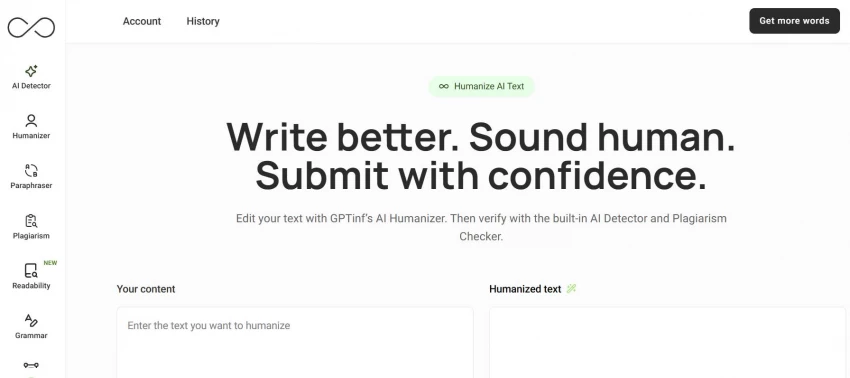
GPTinf is an AI content tool suite for people who already use AI during writing but want the final version to sound more natural and more personal.
Its main product is the AI Humanizer. GPTinf positions this as a proprietary, non-LLM transformation system. In plain English, it is not supposed to work like a normal chatbot rewriter or basic paraphraser. The goal is to restructure sentence patterns, improve variation, and keep the original meaning intact.
That positioning matters. GPTinf is not best framed as a tool for hiding AI use. Its better use case is academic integrity and authentic voice. Students can use it to make sure their final draft reflects their own effort. Writers can use it to make AI-assisted content more publication-ready.
GPTinf is built around three main services. I would treat these as the real pillars of the product.
| Service | What it does | Best use |
| AI Humanizer | Restructures AI-assisted writing so it reads more naturally | Final-draft cleanup |
| AI Detector | Shows how text may appear to automated detection models | Spotting overly patterned writing |
| Plagiarism Checker | Checks copied or closely matched content | Originality review before submission or publishing |
The workflow is simple. You clean the draft with the Humanizer, check the writing pattern with the Detector, and review originality with the Plagiarism Checker.
That makes GPTinf more useful than a single-purpose rewriter. Tone, AI detection concerns, and originality are connected problems now, especially for students and online writers.
The AI Humanizer is the main reason I tested GPTinf.
I started with a stiff AI-generated student paragraph. The paragraph was clear, but it had the usual AI rhythm: every sentence felt balanced, the transitions were too neat, and the tone sounded more like a formal assistant than a real student.
After running it through GPTinf, the result felt less rigid. The sentence length changed more naturally. A few lines sounded more direct. The paragraph still kept the same meaning, but it did not read as heavily polished. That was the strongest result I noticed.
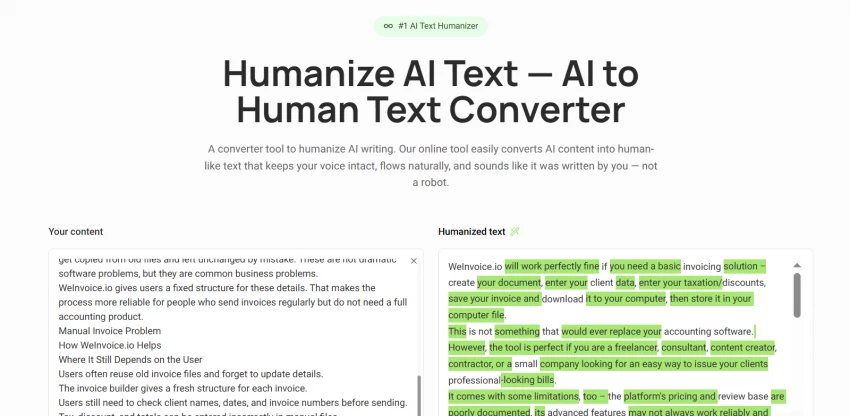
GPTinf did not turn average writing into brilliant writing. No tool does that. But it did make a clear draft feel more human and less machine-shaped.
● The Humanizer worked best on paragraphs that already had a clear idea.
● It improved flow more than vocabulary.
● It reduced repeated sentence patterns.
● It made formal AI-style writing feel more natural.
● It still needed manual review before final use.
The last point matters. Some rewritten lines sounded smoother, but I still had to check whether the meaning stayed exactly the same. I would never copy the output without reading it first.
That said, the Humanizer is more useful than a basic paraphraser because it does not feel like simple word replacement. It focuses more on structure, rhythm, and clarity.
GPTinf should not be described as just another paraphrasing tool.
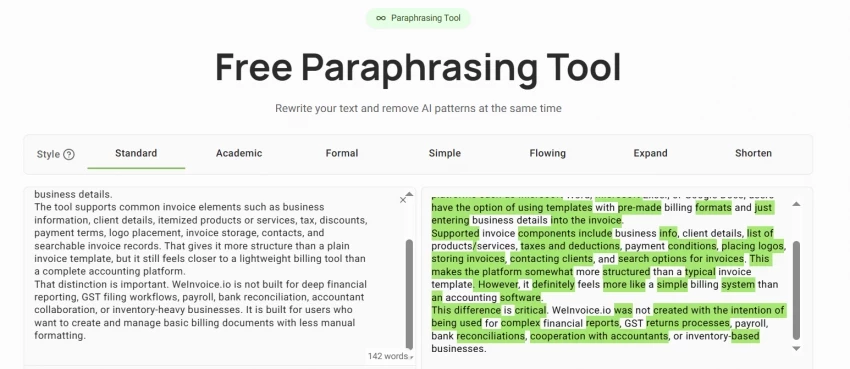
A normal paraphraser usually changes words. It takes a sentence and gives you a different version of the same sentence. Sometimes that helps. Sometimes it makes the writing sound awkward, like someone tried too hard to avoid the original wording.
GPTinf’s Humanizer is different because it is positioned around sentence structure and natural flow. The goal is not just to make the text look different. The goal is to make it read less like machine-shaped writing.
I saw that most clearly when testing an AI-written blog paragraph. The original had all the usual content-writing habits: broad claims, smooth transitions, and a tone that sounded fine but forgettable. GPTinf made the paragraph easier to read, but it did not add missing insight. That is the correct expectation.
Use GPTinf after you have already fixed the argument, examples, and facts. Do not expect it to create substance for you.
GPTinf’s AI Detector is useful, but I would not treat it like a judge.
I tested it after running text through the Humanizer. The main value was not the score itself. The value was that it gave me a reason to look more closely at sections that still felt too even or too polished. That is how students should think about this feature too.
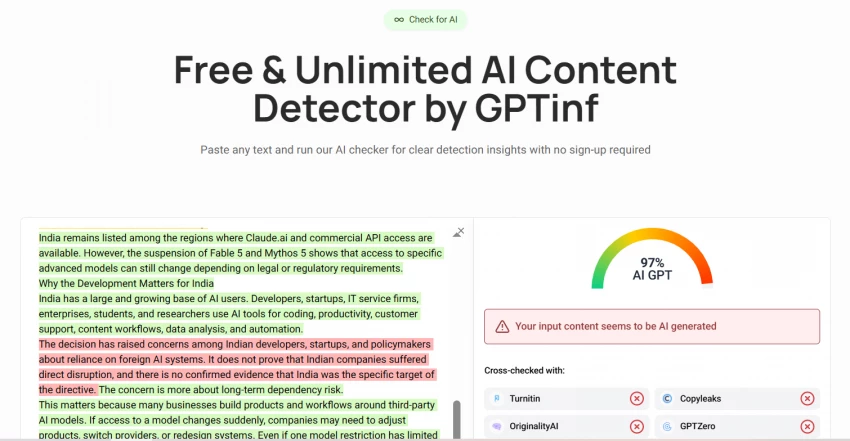
AI detectors can be stressful because they do not fully understand how a piece was written. A student may use AI for brainstorming, rewrite the draft carefully, and still worry that automated systems will misread the final work. GPTinf’s Detector helps by showing how the writing may appear to detection models.
That does not make the detector final proof. It is a signal.
● Use it to find sections that may sound too patterned.
● Use it before final submission or publishing.
● Read the flagged parts yourself before changing anything.
● Do not treat the result as absolute proof of human or AI authorship.
The Detector is useful when it makes you revise better. It becomes risky when people treat it like a truth machine.
For students, the better framing is reducing misclassification risk. If the work is genuinely yours and you used AI only as part of the drafting process, the Detector can help you check whether the final version still sounds too automated.
For bloggers and freelance writers, it is more of a quality check. If a section feels too AI-like, readers may notice even without using a detector.
The Plagiarism Checker is the quiet feature, but it is important.
Human-sounding writing still has to be original. That is especially true for students, researchers, bloggers, and ghostwriters who use AI around source-based content.
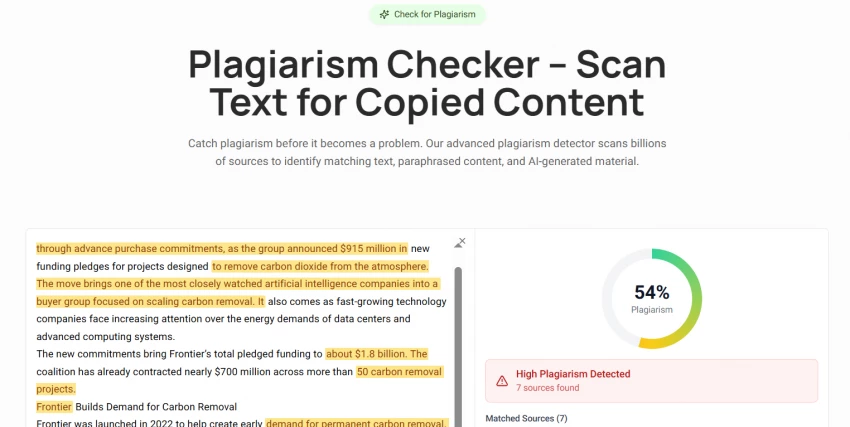
I tested this feature as part of the final review flow. The useful thing is that it keeps originality checking close to the Humanizer and Detector. You are not only asking, “Does this sound human?” You are also asking, “Is this too close to something already published?”
That is the right question.
| User type | Plagiarism access | Limit |
| Anonymous user | No access | 0 checks |
| Free logged-in user | Limited access | 500 words/day total |
| Paid user | Full access | Unlimited checks |
The free logged-in limit is fine for checking a short section. It is not enough for a long essay, research draft, or full article.
Paid users get unlimited plagiarism checks, which makes more sense for regular writing work. If you are a student checking assignments or a freelancer sending client drafts, this feature adds a useful safety layer.
The catch is that plagiarism reports still need judgment. Common phrases, quotes, citations, and technical terms may appear in reports. The percentage is not the whole story. You still need to review the matched sections yourself.
GPTinf’s pricing is based mainly on word limits and usage level. The free version is only for quick testing. The paid plans are where the tool becomes practical.
| Plan | Price | Word limit per process | Monthly word budget | Other |
| Free (anon) | $0 | 120 words | No account needed | — |
| Free (registered) | $0 | 120 words | — | — |
| Lite | $9.99/mo | 500 words | 10,000 words/mo | All modes, unlimited plagiarism checks, customer support |
| Standard | $19.99/mo | Unlimited | 25,000 words/mo | All modes, unlimited selective rephrase, unlimited re-humanizing, unlimited plagiarism checks, customer support |
| Unlimited | $59.99/mo | Unlimited | Unlimited | All modes, unlimited selective rephrase, unlimited re-humanizing, unlimited plagiarism checks, top-tier support |
The free plan is too small for serious testing. A 120-word limit tells you how the tool feels, but not how it handles a real essay, report, or article.
Lite is fine if you only need to clean short sections. The 500-word limit per process means you will probably work paragraph by paragraph.
Standard is the plan I would look at first for regular use. It removes the per-process word limit and gives 25,000 words per month, which is more realistic for students, bloggers, and freelance writers.
Unlimited is for heavy users. A casual student probably does not need it. A ghostwriter, agency writer, or content team might.
GPTinf performed best when the draft already had substance.
That was the biggest lesson from testing it. If the original paragraph had a real point, GPTinf helped make it sound cleaner and more natural. If the paragraph was generic, GPTinf made it smoother but not smarter. That is not a failure. That is just how this kind of tool works.
The Humanizer improved rhythm and readability. The Detector helped identify writing that still felt too patterned. The Plagiarism Checker added a needed originality check before final use.
Here is the practical version:
| Area | Performance |
| Humanizing AI-assisted text | Strongest feature. Best for improving flow and sentence variation |
| Preserving meaning | Good, but still needs manual checking |
| AI Detector | Useful as a warning signal, not a final verdict |
| Plagiarism Checker | Helpful for students, researchers, and publishers |
| Free plan | Too limited for a full review |
| Long-form use | Better on paid plans |
In practice, I would use GPTinf after my own first edit. First, fix the facts. Add examples. Remove weak claims. Make sure the argument works. Then use GPTinf to clean the writing and check for pattern or originality issues.
That workflow gives better results than dropping a raw AI draft into the tool and expecting it to come out ready.
GPTinf is useful because it focuses on a real writing problem. Most AI drafts do not fail because they are unreadable. They fail because they sound too polished, too flat, or too similar from paragraph to paragraph.
The Humanizer addresses that better than a basic rewriter.
I also liked that GPTinf pairs humanizing with detection and plagiarism checking. That makes the workflow more complete. Students are not only worried about tone. They are worried about academic integrity. Writers are not only worried about readability. They are worried about originality and client-ready quality.
The simple interface also helps. The target user is not a technical person. It feels built for someone who wants to paste text, check it, improve it, and move on.
The free limit is the biggest drawback.
A 120-word test is too small to understand how GPTinf performs on real work. Long-form writing is where tools like this show their real strengths and weaknesses.
The output also needs manual review. GPTinf can improve flow, but it cannot understand your exact assignment, professor, client brief, or source material. Some lines may sound smoother while slightly changing emphasis.
The Detector can also be misunderstood. It should help users revise, not create panic. A score should never replace human judgment.
| User | Should they use GPTinf? | Why |
| Student without detector access | Yes | Helps review AI-assisted drafts before submission |
| Blogger | Yes | Makes AI-assisted posts sound less flat |
| Freelance writer | Yes | Useful before sending client work |
| Ghostwriter | Yes | Helps clean rhythm and tone before editing |
| Researcher | Maybe | Good for clarity, but citations still need careful review |
| Educator or reviewer | Carefully | Detector should support review, not decide guilt |
| Free user | Only for testing | 120 words is too limited for real work |
GPTinf is mainly for students who use AI for drafting but want the final work to sound like their own. That is the core audience.
The second audience is freelance writers, bloggers, SEO writers, and ghostwriters who use AI to move faster but still need the final output to sound natural and publication-ready.
For both groups, GPTinf works best near the end of the writing process. Not at the start.
The best workflow is simple. Write or edit the draft first. Add your own examples, arguments, sources, and structure. Then run the parts that sound stiff through GPTinf.
After that, compare the output with your original version. Keep the lines that sound better. Reject the lines that change meaning. Then use the Detector and Plagiarism Checker as final review tools.
A good GPTinf workflow looks like this:
● Use AI for brainstorming or rough drafting only if your school, client, or workplace allows it.
● Edit the draft yourself before using GPTinf.
● Run stiff sections through the Humanizer.
● Compare the original and rewritten text side by side.
● Use the AI Detector as a revision signal, not a final answer.
● Run plagiarism checks before submission or publishing.
● Do one final manual edit before using the content.
That is the responsible way to use GPTinf. Not as a shortcut. As a final pass.
GPTinf makes the most sense when the draft is already yours, but the writing still sounds too much like AI helped.
The Humanizer is the strongest feature. It improves rhythm, sentence variation, and readability without acting like a basic word-swapping tool. The AI Detector gives you a second look at writing that may feel too patterned. The Plagiarism Checker adds an originality check, which matters more than many users realize.
I would not use GPTinf as a replacement for writing, editing, research, or citation. That is not where it helps.
I would use it near the end, when the draft is already done and needs one more pass for tone, pattern, and originality.
That is the practical value of GPTinf. It helps AI-assisted writing feel closer to the person behind it.
Share your thoughts about this article.
Be the first to post a comment!

AI photo editors are becoming increasingly ambitious. Some focus on image genera...
Parveen Verma3 weeks ago
Most presentation tools make you work. You start with a blank slide, choose a te...
Parveen Verma3 weeks ago
The draft looked fine. That was the problem. It had clean grammar, neat paragrap...
Parveen Verma2 months ago
AI-assisted writing often creates a second problem after the draft is finished....
Parveen Verma2 months ago

Blogging consistently without running yourself into the ground isn’t really abou...
Parveen Verma2 months ago

Online shopping has become more complex in 2026. Prices fluctuate faster. Retail...
Parveen Verma6 months ago