The draft looked fine. That was the problem. It had clean grammar, neat paragraphs, and the usual AI smoothness that makes writing feel correct but slightly lifeless.
I tested Humanize AI Pro on that exact type of draft: almost-finished work that still needs to sound more natural before submission or publishing.
The result was useful, but not magical. Humanize AI Pro can improve flow and readability. It cannot add better ideas, fix weak research, or turn a lazy draft into thoughtful writing.
| Category | My take |
| Best for | Students, bloggers, freelancers, SEO writers, ghostwriters |
| Main use | Refining AI-assisted drafts before final use |
| Strongest tool | AI Humanizer |
| Most useful support tool | AI Detector |
| Other tools included | Paraphraser, Grammar Checker, Essay Writer, Plagiarism Checker |
| Free access | 400 words per humanization cycle without an account |
| Starting paid plan | Lite at $4.99/month |
| Best regular plan | Pro at $12 .49/month |
| Biggest caution | The output still needs human review |
Humanize AI Pro is best used near the end of the writing process. You already have a draft. You have checked the facts. The ideas are mostly in place.
Now the writing needs to sound less stiff and more like something a real person would submit or publish.
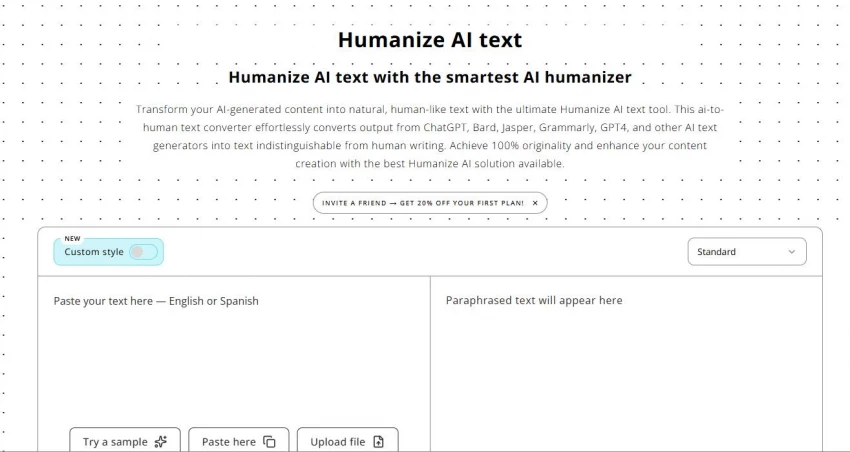
Humanize AI is a specialized AI text refinement platform. Its main job is to improve AI-assisted writing so it reads more naturally.
The two most important tools are the AI Humanizer and AI Detector. The Humanizer works on readability, tone, sentence flow, and structure. The Detector evaluates writing patterns and shows how the text may be interpreted by automated AI-detection systems.
The platform also includes a Paraphraser, Grammar Checker, Essay Writer, and Plagiarism Checker. These tools make the product feel more like a small writing cleanup workspace than a single humanizer button.
| Tool | What it does | Where it fits |
| AI Humanizer | Refines AI-assisted text so it reads more naturally | Main cleanup step |
| AI Detector | Reviews writing patterns against automated detection systems | Pattern check after editing |
| Paraphraser | Reworks specific sentences or short sections | Small wording repairs |
| Grammar Checker | Finds grammar and clarity issues | Final polish |
| Essay Writer | Helps create a starting draft | Early draft support |
| Plagiarism Checker | Checks copied or closely matched text | Originality review |
The product should be framed as an editing and readability tool. It is not a tool for dishonest academic use. It also should not be described as a guarantee against any specific detector.
I tested Humanize AI Pro with drafts that had different problems.
One was a student-style paragraph that sounded too formal. One was a blog section with the right structure but flat wording. Another was a generic AI paragraph that looked polished but said very little.
I checked the same things each time:
● Whether the output kept the original meaning.
● Whether the sentence rhythm felt more natural.
● Whether the tool improved structure instead of only replacing words.
● Whether the result still needed manual editing.
The most important test was meaning. A rewritten paragraph is only useful if it still says what the original meant to say.
The AI Humanizer is the main reason to use Humanize AI Pro. I started with a student-style paragraph that had the usual AI problem. It was clear, but too smooth. Every sentence felt about the same size. The tone sounded like a formal assistant trying to write a safe academic answer.
After running it through the Humanizer, the paragraph felt more readable. The sentence lengths changed. A few stiff lines became more direct. The output still kept the main meaning, but it no longer sounded as boxed in. That was the strongest part of the test.
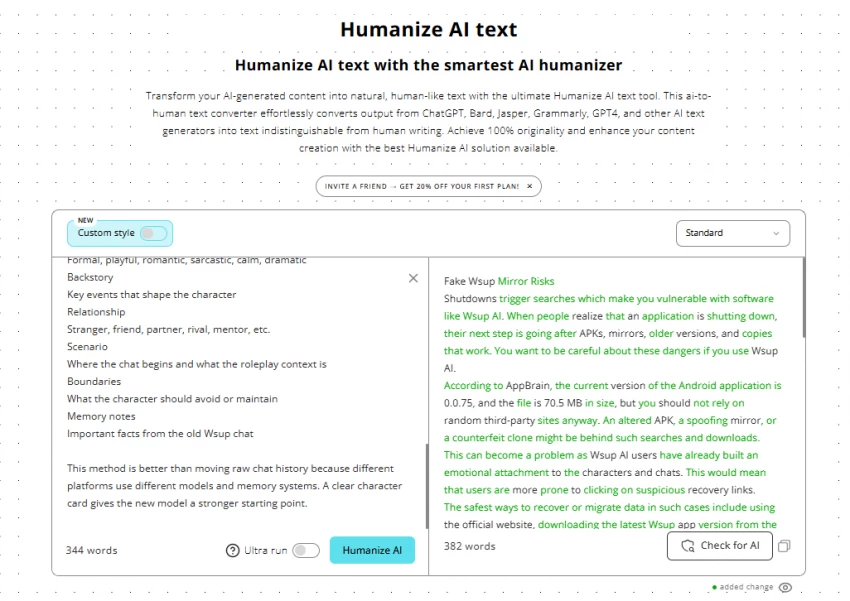
The Humanizer did not make the paragraph smarter. It did not add stronger examples or improve the argument. It improved the way the paragraph moved.
The Humanizer worked best when the original draft already had a clear point. When I gave it a decent paragraph with stiff phrasing, it improved the flow. When I gave it a vague paragraph, it only made the vague paragraph sound smoother. Cleaner, yes. Better thinking, no.
Here is what I noticed:
● It improved sentence variation in paragraphs that felt too evenly paced.
● It made formal AI-style wording sound more natural without making it sloppy.
● It preserved the original meaning better when the input was already clear.
● It worked best after I had already fixed weak points myself.
● It still needed a final read before the text felt ready.
The tool is useful, but it does not remove the writer from the process.
I would not paste a full draft into the Humanizer and accept every line. I would use it section by section, compare the output with the original, and keep only the changes that improve clarity without shifting meaning.
The AI checker is useful when you treat it as feedback. I used the Detector after humanizing the text. That gave me a better sense of whether the revised draft still had patterns that felt too automated.
The Detector’s value was not in giving me a final answer. It helped me notice where the writing still sounded too clean or too uniform. Those sections needed another human edit.
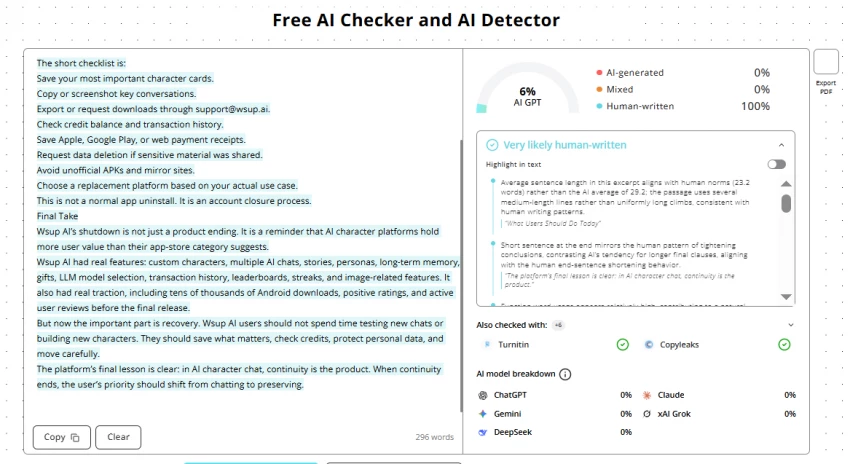
For students, this is probably one of the most important parts of the platform. Many students use AI for brainstorming or rough drafting, then worry that their final work may still look too AI-shaped. Humanize AI Pro fits that concern when it is used to reduce uncertainty and improve readability confidence. It should not be used to misrepresent dishonest work.
The Detector should guide revision, not decide authorship.
AI detectors can misread polished human writing, edited AI drafts, formulaic academic writing, and non-native English writing. A score can be useful, but it cannot understand the whole writing process behind a document.
Here is the practical way to use it:
● Check your draft after you have already edited it yourself.
● Look closely at sections that still feel too patterned.
● Rewrite lines that do not sound like your normal voice.
● Treat the score as a signal, not proof.
● Stop changing the text once the writing becomes less clear.
The last point matters. Chasing a better-looking score can make writing worse. The goal is a clearer draft, not a prettier number.
The Paraphraser is best for small repairs.
I used it on individual sentences that still sounded awkward after humanizing. That is where it made the most sense. If one line felt clunky, the Paraphraser gave me another version without forcing me to process the whole paragraph again.
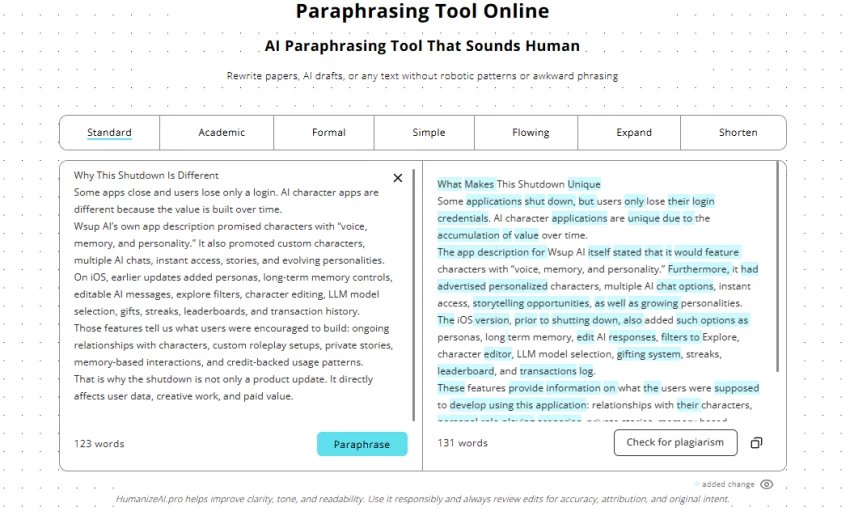
For larger sections, the Humanizer was better. It worked more on the flow of the paragraph. The Paraphraser felt more like a quick sentence-level tool.
| Tool | Best use |
| AI Humanizer | Full paragraph refinement and natural flow |
| Paraphraser | One awkward sentence or short section |
| Manual editing | Meaning, facts, examples, and voice |
I would not use the Paraphraser as the main feature. It is a support tool. Useful, but not the reason I would pay for the platform.
The Grammar Checker is not exciting, but it belongs in the workflow.
I used it after rewriting because that is when small issues can appear. Any time a sentence gets reworked, there is a chance of odd punctuation, awkward phrasing, or a small grammar slip.
The Grammar Checker is useful for catching those final issues before the text goes anywhere important. Students under deadline will appreciate it. Freelancers and bloggers will too, especially when they are moving fast.
It should not be used too early. If the structure is messy, grammar checking will only polish the mess. Fix the draft first. Then run the final sweep.
The Essay Writer is the tool I would use with the most caution. It can help when the blank page is the problem. If you need a starting point, a rough structure, or a first draft to react to, it can save time. But it should not be treated as a finished essay.
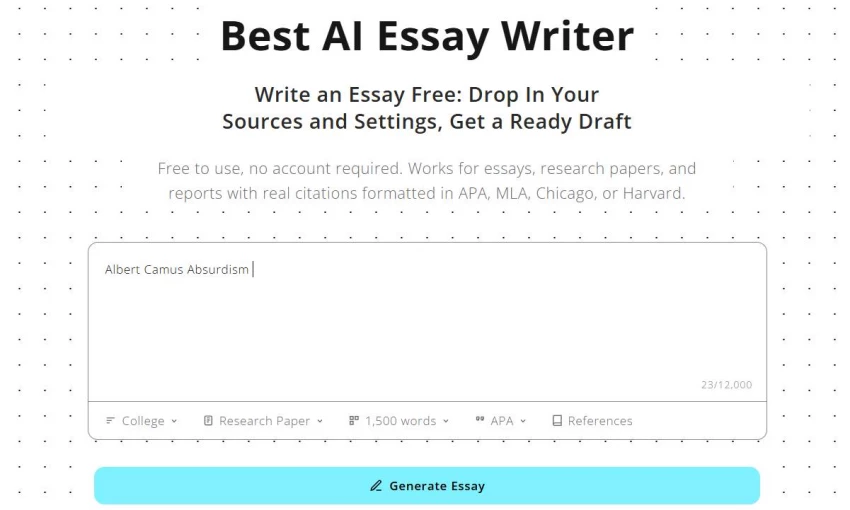
For academic writing, the final version still needs your own argument, examples, references, and editing. An essay tool can give you a skeleton. You still need to add the brain.
I would use it like this:
● Generate a rough starting draft only when you are stuck.
● Rewrite the structure in your own words.
● Add class-specific notes, readings, or examples.
● Check citations and source use yourself.
● Use the Humanizer only after the real editing is done.
The Essay Writer can help you start. It should not be the place where your writing ends.
The Plagiarism Checker matters because natural writing still has to be original.
A paragraph can sound human and still sit too close to a source. That is a real issue for students, researchers, bloggers, and freelance writers working with source-based material.
I would use the Plagiarism Checker near the end of the process. Running it too early does not make much sense because the draft may still change. Running it after the main edits gives you a clearer view of what needs citation, rewriting, or closer review.
| User type | Access | Limit | CTA shown |
| Anonymous | Yes, limited UI | 0 checks | Sign up & get free plagiarism check |
| Free logged-in | Limited | 1 check, max 500 words | Check for plagiarism for free plus upgrade prompt |
| Paid user | Full | Unlimited checks | Feature discovery banner |
The free logged-in plagiarism check is enough for a short sample. It is not enough for a full essay, article, or client draft.
Paid users get unlimited plagiarism checks. That makes more sense for regular writing work.
Still, the report needs judgment. Common phrases, quotes, citations, and technical terms can appear in checks. The percentage is only the starting point. The matched sections are what you actually need to read.
Humanize AI Pro has a useful free entry point because it allows 400 words per humanization cycle without an account.
That is enough to test a real paragraph. Many similar tools give you such a small sample that you cannot judge much. Here, you can at least see whether the Humanizer improves a normal section of writing.
| Plan | Price | Words per process | Monthly budget | Other |
| Free (no account) | $0 | 400 words per single humanization cycle | No daily/session limit on number of runs | No account needed |
| Lite | $4.99/mo | — | 5,000 words/mo | Unlimited plagiarism checks, unlimited freeze keywords, unlimited AI detector checks, built-in AI detector, all rewrite modes; no unlimited re-humanizing or selective rephrase |
| Pro (most popular) | $12.49/mo | — | 25,000 words/mo | Everything in Lite + unlimited re-humanizing, unlimited selective rephrase, priority email support |
| Unlimited | $29.99/mo | — | Unlimited | Everything in Pro + top-tier support, first access to new features |
Lite is fine for light use. If you only clean a few paragraphs each week, 5,000 words per month may be enough.
Pro is the plan I would look at first for regular writing. The 25,000-word monthly budget gives more room for essays, blog posts, and client drafts. It also adds unlimited re-humanizing and selective rephrase, which matter if you revise in multiple passes.
Unlimited is for heavy users. A casual student probably does not need it. A ghostwriter, SEO writer, or content creator using AI-assisted drafts every day might.
Humanize AI Pro is strongest when the draft is already halfway decent.
That sounds modest, but it matters. The tool is not there to rescue a blank page or fix poor research. It is there to refine writing that has a point but sounds too stiff.
The best use case looks like this:
| Situation | How Humanize AI Pro helps |
| Student has a draft that sounds too formal | Humanizer improves flow and tone |
| Blogger has an AI-assisted section that feels flat | Humanizer and Paraphraser clean the wording |
| Freelancer needs a cleaner client draft | Grammar Checker and Humanizer help polish the copy |
| Writer wants to review AI-like patterns | Detector gives a second look |
| User needs an originality check | Plagiarism Checker reviews source similarity |
The tool is most useful when you already know what you want to say.
If you do not know what the draft should argue, Humanize AI Pro will not solve that. It can make the confusion easier to read. That is not the same as making it good.
Humanize AI Pro is mainly for students who use AI during drafting and want their final submissions to read naturally. These users are often under academic deadlines and need a fast way to refine writing without losing their voice.
The second group is professional writers, content creators, freelancers, bloggers, SEO specialists, and ghostwriters. Their concern is usually publication quality. AI-assisted drafts can save time, but they often need a final pass before they sound ready for readers or clients.
| User | Fit | Why |
| Student under deadline | Strong fit | Helps refine AI-assisted drafts before submission |
| Blogger | Strong fit | Useful for cleaning flat sections |
| Freelance writer | Strong fit | Helps polish drafts before client delivery |
| SEO specialist | Strong fit | Makes AI-assisted content less mechanical |
| Ghostwriter | Strong fit | Useful for tone and flow cleanup |
| Researcher | Mixed fit | Helps readability, but citations need careful review |
| Free user | Good for testing | 400 words per cycle is enough for a real sample |
The tool also helps non-native English writers who want cleaner flow without making the writing sound overly formal.
● The free version is useful. A 400-word cycle is enough to test a proper paragraph, not only one or two lines.
● The Humanizer was the strongest tool because it worked on flow and structure. It did not feel like simple word swapping when the input was already clear.
● The AI Detector added a useful second look. I would not treat it as proof, but it helped point out sections that deserved another edit.
● The smaller tools also make sense. The Paraphraser helps with one-line fixes. The Grammar Checker works well as a final sweep. The Essay Writer can help with early drafting if users treat it carefully. The Plagiarism Checker adds a needed originality review.
● The workflow is easy to understand: paste, process, review, refine.
That is what the target user needs. Students have deadlines. Writers have clients. Nobody wants to fight with a complicated workspace when the draft is already late.
● The output still needs a human read.
● Humanize AI Pro can improve flow, but it does not understand your professor, assignment, brand voice, source material, or argument. Some lines may sound better while slightly changing emphasis.
● The AI Detector should not be treated as final authority. Use it to guide revision, not to make hard claims about authorship.
● The Essay Writer needs careful use. It can help with a starting point, but students still need to add their own thinking, examples, and citations.
● Plagiarism checks also need close reading. A report can flag common phrases or properly quoted text. Review the matches, not only the score.
| Feature | Rating | My take |
| AI Humanizer | 4.4/5 | The strongest feature. It improved flow, reduced stiff AI rhythm, and made clear drafts sound more natural. |
| AI Detector | 3.8/5 | Helpful as a revision signal, but I would not treat the score as proof. |
| Paraphraser | 3.7/5 | Useful for fixing awkward lines, but not strong enough for full draft cleanup. |
| Grammar Checker | 3.9/5 | Good final sweep for grammar, punctuation, and clarity issues after rewriting. |
| Essay Writer | 3.4/5 | Helpful for starting a draft, but the output still needs your own ideas and citations. |
| Plagiarism Checker | 4.0/5 | A useful originality check, especially for paid users with unlimited access. |
| Free Plan | 4.1/5 | The 400-word free cycle is enough to test a real paragraph. |
| Pricing Value | 4.2/5 | Lite is good for light use, while Pro gives better value for regular writing. |
| Overall Workflow | 4.2/5 | Works best as a final cleanup desk for tone, structure, grammar, and originality. |
Humanize AI Pro works best as a cleanup desk for AI-assisted drafts.
The AI Humanizer is the main reason to try it. It improves structure, sentence rhythm, readability, and natural flow when the draft already has a clear point. The AI Detector adds a useful second look, especially for users who want to understand how their writing patterns may be interpreted by automated systems.
The extra tools make the platform more practical. The Paraphraser handles small wording repairs. The Grammar Checker catches final issues. The Essay Writer can help with a starting point, but not the final submission. The Plagiarism Checker adds the originality review that serious writing still needs.
I would use it after the first draft is already written, when the content is almost ready but still sounds too stiff, too clean, or too shaped by AI.
Share your thoughts about this article.
Be the first to post a comment!
AI photo editors are becoming increasingly ambitious. Some focus on image genera...
Parveen Verma3 weeks ago
Most presentation tools make you work. You start with a blank slide, choose a te...
Parveen Verma3 weeks ago
You know that strange moment when an AI-assisted draft is technically fine, but...
Parveen Verma2 months ago
AI-assisted writing often creates a second problem after the draft is finished....
Parveen Verma2 months ago

Blogging consistently without running yourself into the ground isn’t really abou...
Parveen Verma2 months ago

Online shopping has become more complex in 2026. Prices fluctuate faster. Retail...
Parveen Verma6 months ago