
AI photo editors are becoming increasingly ambitious. Some focus on image generation, others specialize in background removal, and a few attempt to replace parts of a traditional design workflow. PicWish belongs to the latter group.
Instead of offering one isolated feature, PicWish combines image enhancement, background removal, generative editing, product photography, object removal, and several smaller utilities in one platform. Its main appeal is accessibility: most tools require little editing experience and produce a usable result within a few clicks.
However, convenience does not always mean complete creative control. PicWish works best for quick, repeatable visual tasks rather than detailed pixel-by-pixel editing. This review looks at where the platform performs well, where it remains limited, and who is most likely to benefit from it.
| Category | Details |
| Product type | AI photo editor and visual creation platform |
| Main features | Photo enhancement, background removal, AI Designer, AI product photography, object removal |
| Best suited for | E-commerce sellers, marketers, content creators, small businesses, and casual users |
| Skill level | Beginner-friendly |
| Platforms | Web, Windows, macOS, iOS, and Android |
| Free access | Available with usage and export limitations |
| Paid access | Subscription and credit-based options |
| Main limitation | Less manual control than a traditional editor |
| Overall verdict | A practical choice for fast AI-assisted image editing |
PicWish is a useful all-in-one editor for people who want to improve photos, remove backgrounds, or prepare product visuals without learning complex software. Its strongest tools are the Photo Enhancer and Background Remover, while AI Designer and the product-focused features give the platform a wider range of uses.
Results are generally strongest when the source image is already reasonably clear and the requested edit is straightforward. More complicated scenes, fine edges, reflections, transparent objects, and highly specific generative instructions can produce inconsistent results.
PicWish is therefore better viewed as a time-saving visual production tool than a full replacement for Photoshop or another professional editor. For online sellers, social media managers, and small teams producing images regularly, that distinction may not matter. Speed and simplicity are the main reasons to use it.
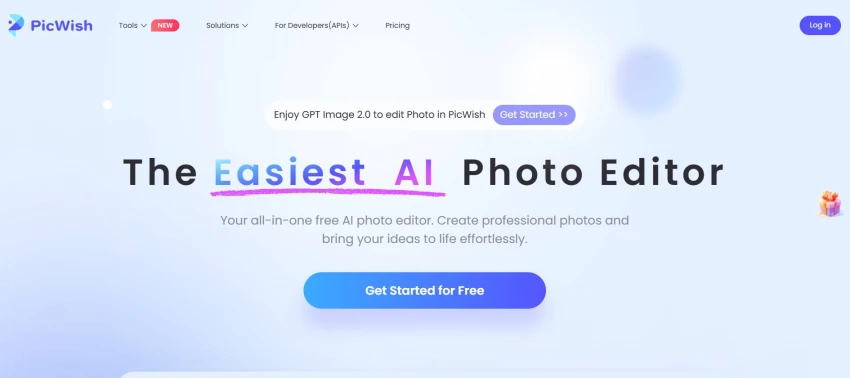
PicWish is an AI-powered photo editing platform designed to automate common image tasks. Its tools cover both corrective editing—such as sharpening a blurry photo—and creative production, including generating or modifying visuals with text instructions.
The interface follows a task-based approach. Rather than opening a large editing workspace filled with layers and controls, users select a specific tool, upload an image, and let the AI process it. This makes PicWish easier to approach than traditional editing software, particularly for users who only need to complete one job.
The platform can be used online, while desktop and mobile versions are also available. This cross-platform availability is useful for people who edit product photos on a computer but also need to prepare quick social media visuals from a phone.
The Photo Enhancer is one of PicWish’s most practical features. It is designed to improve blurry, pixelated, noisy, or low-resolution images automatically.
After processing, edges usually appear sharper and important details become easier to see. The tool can be helpful for product photos, portraits, scanned pictures, older images, and online images that have been compressed.
The process is intentionally simple: upload the image, wait for the enhancement, compare the result, and download it. There is no need to manually adjust sharpness, contrast, noise reduction, or resolution.
The limitation is that enhancement cannot recover information that was never captured. If an image is extremely blurred or heavily compressed, the AI may create details that look plausible without being completely faithful to the original. Faces, text, small product labels, and intricate textures deserve a careful final check.
PicWish can detect the main subject of an image and separate it from the background automatically. The result can then be downloaded with a transparent background or placed on a new color or scene.
This is particularly useful for:
The tool generally performs well with clearly separated subjects. Products with solid edges, people photographed against simple backgrounds, and common household objects are the easiest cases.
Like most automatic background removers, it may struggle with hair, fur, glass, shadows, reflections, or objects whose colors are similar to the background. PicWish provides a faster starting point in these situations, but some images may still require manual correction.
Batch processing is another useful part of this workflow. Businesses working with multiple product images can process a group of files instead of uploading each one separately.
AI Designer introduces prompt-based editing to PicWish. Users can describe the result they want in natural language rather than selecting every change manually.
Depending on the image and instruction, it can be used to:
Scenario presets are also available for users who are unfamiliar with prompt writing. These presets make the feature more accessible, although users will usually get better results when their instructions describe the subject, background, lighting, composition, and intended style clearly.
AI Designer is convenient, but its output is less predictable than PicWish’s more focused tools. A background remover has one clearly defined task; a prompt-based editor has to interpret creative intent. Complex instructions may therefore require several attempts.
AI Listing Image is aimed at e-commerce sellers who need to turn basic product photos into marketplace-ready visuals.
A seller can begin with a simple photo and use AI to create a cleaner presentation, improve the background, or adapt the image to a commercial setting. This can reduce the need for a full product photoshoot, especially when testing new products or preparing a large catalogue.
Typical uses include:
The feature is most convincing when the product itself remains unchanged and the AI is mainly responsible for the setting. Users should inspect logos, packaging, labels, proportions, and smaller details before publishing an AI-generated listing image. Generative tools can occasionally alter product characteristics, which is undesirable for commercial listings.
The Product Background Generator is closely related to the listing image workflow but focuses specifically on creating new environments around an existing product.
It can place a product in a studio composition, a clean minimal setting, or a more contextual lifestyle scene. This is useful for brands that lack photography equipment or need multiple campaign concepts from one source image.
The feature offers a practical middle ground between a plain white-background photo and a traditional commercial shoot. It is fast and relatively accessible, but the lighting and shadows do not always match the product perfectly. The final image should therefore be checked for realism, particularly around the base and edges of the object.
PicWish includes tools for removing unwanted objects, distractions, text, or watermarks from images. The user marks the unwanted area, and the AI attempts to reconstruct the background.
Simple backgrounds are usually easier to repair. Removing an object from a sky, wall, floor, or blurred area can look convincing. Results become less reliable when the missing area contains faces, repeating patterns, architecture, or other detailed elements.
The watermark remover should only be used on images the user owns or has permission to modify. Removing ownership information does not grant the right to reuse copyrighted material.
PicWish also provides several smaller utilities, including:
Not every user will need all of these features, but their presence makes PicWish more flexible than a single-purpose enhancement or background removal tool.
The overall workflow is straightforward. Most tools begin with an upload area, followed by automatic processing and a preview of the result. The interface does not assume that the user understands masks, layers, curves, or other traditional editing concepts.
This simplicity is one of the platform’s main advantages. A beginner can remove a background or sharpen an image without reading a detailed tutorial.
At the same time, the task-based interface can feel fragmented. Moving between enhancement, background removal, product design, and generative editing may involve opening separate tools. Users who prefer to manage every part of a project inside one layered document may find this less efficient than a conventional editor.
Processing time depends on the tool, file size, selected quality, and server demand. Basic edits are generally quicker than generative ones.
E-commerce is probably the clearest use case for PicWish. A typical workflow could look like this:
1. Photograph a product with a phone.
2. Remove the original background.
3. Improve clarity with the Photo Enhancer.
4. Create a clean white-background listing image.
5. Generate lifestyle variations for advertisements.
6. Resize the images for marketplaces and social media.
Completing this workflow traditionally might require a photographer, a studio setup, and manual editing. PicWish cannot always reproduce the precision of that process, but it can reduce the time and cost required for everyday catalogue production.
It is particularly relevant for independent sellers, small online stores, marketplace vendors, and marketing teams working with frequent product updates.
Larger brands may still need professional photography and manual retouching for hero images, printed campaigns, or products with strict visual standards.
Content creators can use PicWish to prepare thumbnails, blog illustrations, profile images, campaign concepts, and social media graphics.
The platform is most useful when production speed matters more than detailed design control. For example, removing a background for a thumbnail is a good fit. Building a complete brand identity system with exact typography, reusable layers, and strict color management is not.
Marketing teams may also find AI Designer useful during the concept stage. It can generate several visual directions before the team commits to a final design. However, generated images should be reviewed for visual errors and brand consistency before publication.
PicWish provides free access to several tools, but free use comes with limitations. Depending on the feature, these may include lower-resolution downloads, daily limits, restricted batch processing, watermarks, or a limited number of AI generations.
Advanced features use credits, and paid subscriptions provide a monthly credit allowance along with additional benefits. Credit consumption can vary because a simple background removal and a generative AI edit do not require the same processing resources.
This structure works reasonably well for occasional users, although it can take time to understand which tools are included and which require credits. Anyone processing a large number of images should estimate monthly usage before choosing a plan.
Because plans and credit allowances can change, current conditions should be checked on the official website before subscribing.
| Area | PicWish | Traditional photo editor |
| Learning curve | Low | Moderate to high |
| Background removal | Mostly automatic | Manual or assisted |
| Photo enhancement | One-click AI processing | Detailed manual adjustments |
| Creative control | Limited to moderate | Extensive |
| Batch production | Convenient for repetitive tasks | Possible but requires setup |
| Generative editing | Prompt-based | Depends on the software |
| Precise retouching | Limited | Strong |
| Best use | Fast everyday production | Professional, detailed editing |
PicWish and traditional editors are not necessarily direct replacements for each other. PicWish is better for speed and automation, while software such as Photoshop is better for precision and control.
Some users may benefit from combining the two: PicWish can complete the initial background removal or enhancement, and a conventional editor can handle the final corrections.
PicWish is a good fit for:
It may be less suitable for:
PicWish is a legitimate image-editing platform with official web, desktop, and mobile versions. As with any cloud-based editing service, users should consider the type of images they upload.
Sensitive documents, private identification, confidential business materials, or unreleased product images should be handled carefully. Users should consult the platform’s current privacy policy and terms before uploading sensitive content.
It is also important to review AI-generated images before using them commercially. An automated tool can introduce inaccurate details even when the overall result looks convincing.
PicWish succeeds because it focuses on common photo-editing problems and makes them easier to solve. Its Photo Enhancer and Background Remover are the most immediately useful tools, while AI Designer and the e-commerce features extend the platform beyond basic image correction.
The platform is not flawless. Generative edits can be inconsistent, complicated cutouts may require cleanup, and professionals will miss the fine control of a layer-based editor. The free plan is also better suited to testing and occasional use than continuous commercial production.
Still, PicWish offers a practical balance of speed, simplicity, and functionality. It is especially relevant for online sellers and small marketing teams that need to produce many visual assets without building a full photography and editing workflow.
Overall, PicWish is worth considering if the goal is to create cleaner, more usable images quickly. It is less compelling as a complete professional design environment, but that is not really the role it is trying to fill.
Overall rating: 8.2/10
PicWish offers free access to several tools, but usage, export quality, batch processing, and AI generation may be limited. Paid plans and credits unlock additional capacity and features.
It is mainly used to enhance photos, remove backgrounds, create product images, remove unwanted objects, and generate or edit visuals with AI.
It is useful for creating listing images, white-background photos, and lifestyle product scenes. However, sellers should check that the AI has not altered the product, packaging, colors, or proportions.
It can replace Photoshop for some quick tasks, including automatic enhancement and background removal. It cannot provide the same level of manual control, layered editing, or precision.
Yes. In addition to its web and desktop versions, PicWish is available on iOS and Android.
Yes. Most features use an upload-and-process workflow, making the platform accessible to users with little or no photo-editing experience.
Its main limitations are restricted free usage, inconsistent generative results, occasional cutout errors, and less manual control than professional editing software.
Share your thoughts about this article.
Be the first to post a comment!
Most presentation tools make you work. You start with a blank slide, choose a te...
Parveen Verma3 weeks ago

You know that strange moment when an AI-assisted draft is technically fine, but...
Parveen Verma2 months ago

The draft looked fine. That was the problem. It had clean grammar, neat paragrap...
Parveen Verma2 months ago

AI-assisted writing often creates a second problem after the draft is finished....
Parveen Verma2 months ago

Blogging consistently without running yourself into the ground isn’t really abou...
Parveen Verma2 months ago

Online shopping has become more complex in 2026. Prices fluctuate faster. Retail...
Parveen Verma6 months ago