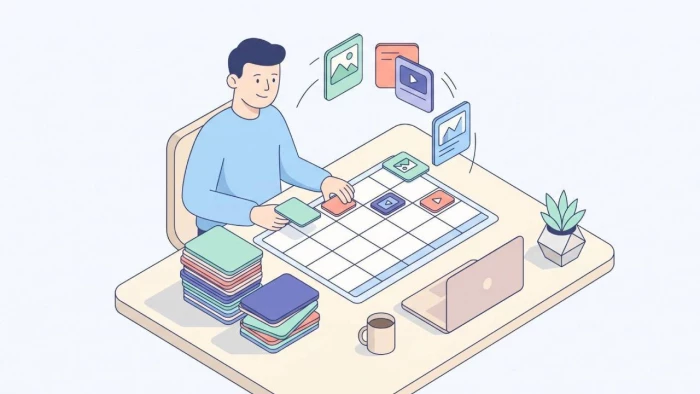
Posting on social media sounds simple until you are doing it live, every day, across five different apps. You open Instagram to post a Reel, remember you meant to share something on LinkedIn, realize you forgot Facebook entirely, and by Thursday, the whole thing has quietly fallen apart. Sound familiar?
The problem is rarely a lack of ideas. It is the busywork. The logging in, the resizing, the copy-pasting, the "I'll do it later" that turns into nothing. Scheduling fixes most of that, but only if you set it up properly. Done well, you plan once, queue everything, and spend the rest of the week actually talking to people instead of fighting with upload screens.
Here is a practical walkthrough for building a posting schedule that runs itself, without the daily scramble.
Posting in the moment feels authentic, and for the occasional reaction or live update, it is. But as your main system, it has three problems.
First, consistency. Algorithms and audiences both reward showing up regularly. When posting depends on you remembering in the moment, you will miss days, and the gaps add up fast.
Second, context switching. Stopping to write and publish a post pulls you out of whatever you were doing. Do that six times a day across platforms and you have lost an hour to nothing but app-juggling.
Third, timing. The moment you happen to be free is rarely the moment your audience is most active. Real-time posting usually means publishing to a quiet room.
Scheduling solves all three. You batch the creative work into one focused block, queue posts for the times your audience is actually online, and free up the rest of your week. The trade is small: a little planning up front for a lot less daily friction.
Before you schedule anything, decide how often you can genuinely post on each platform. Not the aspirational number, the one you can sustain for months.
A rough starting point for most creators and small teams:
- Instagram: 3 to 5 times a week, mixing Reels, carousels, and stories
- Facebook: 3 to 5 times a week
- LinkedIn: 2 to 4 times a week, weekdays
- X: once a day or more, since the feed moves quickly
- TikTok: 3 to 5 times a week, leaning on video
- YouTube: weekly or biweekly for long-form, more often for Shorts
These are guardrails, not rules. The point is to pick a number you will not resent in week six. A steady three posts a week beats an ambitious daily plan you abandon after ten days. Once the rhythm holds, you can always add more.
Write your chosen cadence down per platform. That number becomes the skeleton of your calendar, and it tells you exactly how many pieces you need to prepare in each batch.
_1779800753.webp)
A scheduled post is only as good as the slot you put it in. Publishing at 3 a.m. your time, when half your audience is asleep, wastes good content.
The honest answer to "when should I post" is "when your specific audience is online," and the only way to know that for sure is your own analytics. But you do not have to start from a blank page. General engagement patterns give you a solid default to test against, and they differ a lot by platform. Instagram, for example, tends to peak around mid-morning and early evening on weekdays, with different patterns for Reels versus feed posts. PostFast keeps an updated breakdown of the best times to post across platforms, which is a useful baseline before you have enough data of your own.
Use those windows as a starting hypothesis, schedule into them for a few weeks, then check your numbers and adjust. Over time, your own data should override any general guide. Two quick tips: stagger posts across platforms by a few minutes instead of firing everything at once, and avoid always publishing on the exact same minute, which can look automated.
This is where scheduling earns its keep. Instead of creating posts one at a time, you make them in batches.
Pick one block of time, say a couple of hours on a Monday, and prepare a full week of content at once. Write the captions, pick or create the visuals, and sort everything by platform and day. Working this way keeps you in a single creative headspace, which is faster and more consistent than starting cold six times a day.
A simple weekly structure helps. Give each day a loose theme so you are never staring at a blank calendar:
- Monday: a tip or how-to
- Tuesday: behind the scenes
- Wednesday: a customer story or result
- Thursday: an opinion or industry take
- Friday: something lighter or community-focused
You do not have to follow that exactly. The value is in having a repeatable frame so planning takes minutes, not hours. Repurpose ruthlessly, too. One solid idea can become a Reel, a carousel, a LinkedIn post, and a couple of X posts with small tweaks for each platform's tone. Batching plus repurposing is how a small team produces a steady stream of content without burning out.
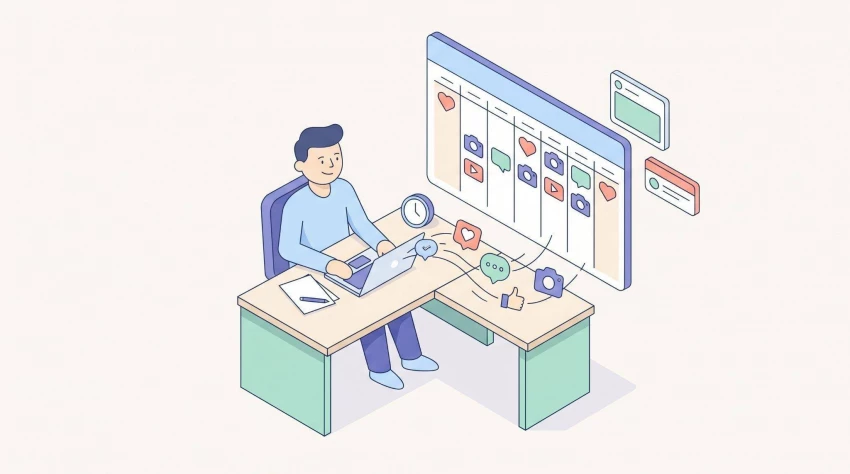
Once you have a calendar, you need somewhere to queue it. The right tool depends on your platforms and your workflow, but a few features matter for almost everyone:
- Multi-platform support, so you publish everywhere from one place
- A calendar view, so you can see your week at a glance and spot gaps
- Per-platform customization, so the same idea can be tailored rather than copy-pasted identically
- Analytics, so you can see what works without opening each app
- Reliability, because a scheduler that silently fails to publish is worse than none at all
Plenty of tools cover the basics, from Buffer to Hootsuite to newer, more modern options like PostFast, and the best choice is the one that matches the platforms you actually use. Schedulers are increasingly adding automation, and AI assists too, like suggested posting times or help drafting captions, which can shave even more time off the weekly batch. Whatever you pick, the principle is the same: one place to plan, queue, and review, so the daily busywork folds into a single workflow.
Scheduling is not "set it and forget it." The whole point of clearing the busywork is that you finally have time to look at what is working.
Once a week, scan your numbers. Which posts earned the most engagement? Which times performed best? Which formats fell flat? You are looking for patterns, not perfection. Maybe carousels consistently beat single images, or your audience clearly prefers evenings to mornings. Feed those lessons back into the next batch.
Over a month or two, this loop quietly compounds. Your cadence settles, your timing sharpens, and your content improves because you are deciding from data instead of guesses. That is the real payoff: not just saved time, but a feedback loop that keeps getting better while you focus on everything else.
A few traps catch almost everyone:
- Over-queuing. Stuffing the calendar with low-effort posts just to hit a number trains your audience to scroll past you. Fewer, better posts win.
- Posting identical content everywhere. What works on LinkedIn rarely lands the same way on TikTok. Tailor the tone and format.
- Ignoring engagement. Scheduling handles publishing, not conversations. Still show up in the comments and DMs.
- Forgetting to refresh. Set a reminder to revisit your cadence and timing now and then, since audiences and platforms shift.
Avoid those, and your schedule stays an asset instead of quietly turning into noise.
Scheduling social media well is not about posting more; it is about posting consistently without letting it eat your week. Set a cadence you can sustain, publish when your audience is actually online, batch your content, queue it in a tool that fits your workflow, and check your results often enough to keep improving. Do that, and the daily scramble turns into a calm, repeatable system. The busywork disappears, and you get to spend your energy on the part that actually matters: making things people want to see.
Share your thoughts about this article.
Be the first to post a comment!

For ticketing operators, not to mention fans, high-demand on-sales events can cr...
Parveen Verma1 week ago

If you've been asked to shore up your organization's threat detection this year,...
Parveen Verma1 month ago

Rising medical costs and increasing healthcare needs have made health insurance...
Parveen Verma2 months ago

Personal data circulates across hundreds of websites most people never knowingly...
Parveen Verma2 months ago

You spent an hour writing the perfect cold email. The subject line is sharp. The...
Parveen Verma3 months ago

UX and creative teams typically don't miss deadlines due to a lack of ideas. Whe...
Parveen Verma3 months ago