If you have ever finished solid work and then waited weeks to actually get paid, you already know the real problem with billing. The invoice itself is rarely the hard part. The pain sits in the follow-up emails, the quiet "did you get my invoice?" messages, the retainer you forgot to send, and the scramble to find clean records when tax season arrives.
That is where invoice automation tools earn their place. Good automation is not only about making a PDF faster. It is about sending the right invoice on time, reminding clients without awkward manual emails, tracking what is actually paid, and keeping records tidy enough that tax season is boring instead of stressful.
There is no single best invoice software for everyone. The right pick depends on whether you need simple invoices, full accounting, recurring retainers, time tracking, proposals, or in-person payments. A solo designer billing five clients a month wants something different from a small agency tracking hours, or a contractor taking card payments on site.
This guide compares seven widely used options, from invoicing tools for freelancers to full small business invoicing tools, with honest notes on where each one saves time, where it can create problems, and what to check before you commit.
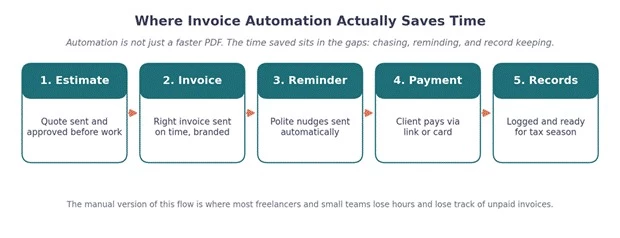
Where the time actually goes: automation helps most in the gaps between sending and getting paid.
Short on time? Start here, then read the detailed sections for the tools that match your situation.
| User Need | Best Tool to Consider | Reason | Main Caution |
| Solo freelancer sending simple invoices | Wave or Zoho Invoice | Quick, clean invoices without paying for accounting you will not use | Check what is free versus paid and whether reminders can be customized |
| Consultant billing retainers | FreshBooks or Zoho Invoice | Solid recurring invoice software with reminders and a professional look | Confirm recurring schedules and late fee handling fit your clients |
| Small agency needing time tracking | FreshBooks or Bonsai | Time tracking that flows into invoices for hourly and project work | Verify how multiple team members and rates are handled |
| Service business taking in-person payments | Square Invoices | Invoices and card payments connected in one ecosystem | Review payment fees and any ties to Square accounts or hardware |
| Team needing full accounting | QuickBooks Online or Xero | Invoicing tied to bookkeeping, reports, and accountant access | Expect a learning curve and check that your accountant supports it |
| User needing a free invoicing option | Wave (and Zoho Invoice for many users) | Budget-friendly billing automation tools for simple workflows | Confirm current free terms, support level, and regional availability |
| Business already using accounting software | The invoicing built into that software, or Zoho Invoice | Avoid duplicate records by keeping billing where your books live | Check that integrations sync cleanly before switching |
This is the high-level view. The detailed sections below add the nuance behind each row.
| Tool | Best For | Key Automation Feature | Payment Support | Main Limitation | Best-Fit User |
| FreshBooks | Service pros billing by time or project | Recurring invoices plus time tracking | Online card payments (verify processor and fees) | Cost can rise as you add team members | Consultants and freelancers who bill hours |
| QuickBooks Online | Teams needing accounting with invoicing | Invoicing tied to bookkeeping and reports | QuickBooks Payments (verify availability and fees) | More than simple billers need | Small teams that need real books |
| Zoho Invoice | Invoicing depth without a full suite | Recurring billing, reminders, client portal | Multiple gateways (verify by region) | Best value inside the Zoho ecosystem | Freelancers wanting strong invoicing only |
| Wave | Simple, budget-conscious billing | Invoices plus basic accounting | Online payments (verify fees and regions) | Lighter features and support | Solo freelancers with simple needs |
| Xero | Growing teams wanting clean financials | Invoicing plus reconciliation and reporting | Via payment integrations (verify options) | Learning curve for solo users | Small teams scaling their finances |
| Bonsai | Freelancers running proposals to payment | Proposals and contracts into invoices | Online payments (verify processors) | Not a full accounting system | Creatives and solo agencies |
| Square Invoices | Service providers who take payments | Invoices and recurring billing with card payments | Square card and in-person payments | Tied to the Square ecosystem | Contractors and in-person service teams |
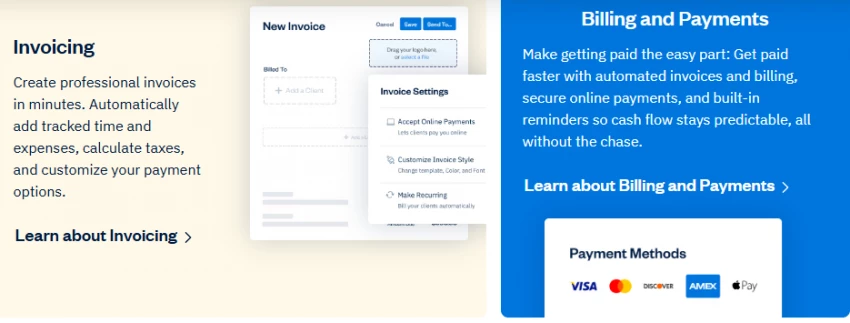
Practical overview. FreshBooks built its name around invoicing for service professionals, and it shows. It blends invoices, estimates, time tracking, expense logging, and client communication in a tool that feels made for people who bill clients rather than run a warehouse.
Best automation features. Recurring invoices for retainers, automated payment reminders, estimate-to-invoice conversion, and time tracking that drops billable hours straight onto invoices. Invoices look polished out of the box.
Payment and reminder workflow. You can attach online payment options so clients pay from the invoice, and set reminders to nudge late payers automatically. Confirm which payment processor is available in your region and what the fees are.
Where it saves the most time. For hourly and project work, the time-tracking-to-invoice path removes the worst part of billing: reconstructing what you actually did.
Main limitation. Costs can climb as your needs grow, especially once you add team members or want deeper accounting than FreshBooks is built for.
Best-fit user. Consultants, freelancers, and small service providers who bill hourly or by project and want professional invoices with light bookkeeping.
Small business caution. If you need full double-entry accounting and detailed financial statements, confirm whether FreshBooks goes deep enough before committing.
Reviewer verdict. If your business is mostly billing time and projects to clients, FreshBooks is one of the easiest tools to live in day to day. Just keep an eye on cost as your team grows.
Official site: freshbooks.com
Practical overview. QuickBooks Online is accounting software first, with invoicing as one part of a larger bookkeeping system. It connects invoices to expenses, bank feeds, reports, taxes, and accountant access.
Best automation features. Recurring invoices, reminders, and estimates sit alongside automated bank feeds and reporting, so invoicing data flows into your books without re-entry.
Payment and reminder workflow. QuickBooks Payments can let clients pay invoices online, and reminders help with overdue accounts. Availability and fees vary, so verify both officially.
Where it saves the most time. When invoicing, cash flow, and accounting need to live together, QuickBooks removes the gap between billing and bookkeeping at tax time.
Main limitation. For a solo freelancer who only needs to send a few clean invoices, QuickBooks can feel like more system than the job requires.
Best-fit user. Small teams that need real bookkeeping, not just invoices, and want their accountant in the same system.
Small business caution. Match the plan tier to what you actually need. It is easy to overbuy features you will not touch.
Reviewer verdict. Strong when accounting depth matters. If you mainly want fast invoices and reminders, lighter tools will feel less heavy.
Official site: quickbooks.intuit.com
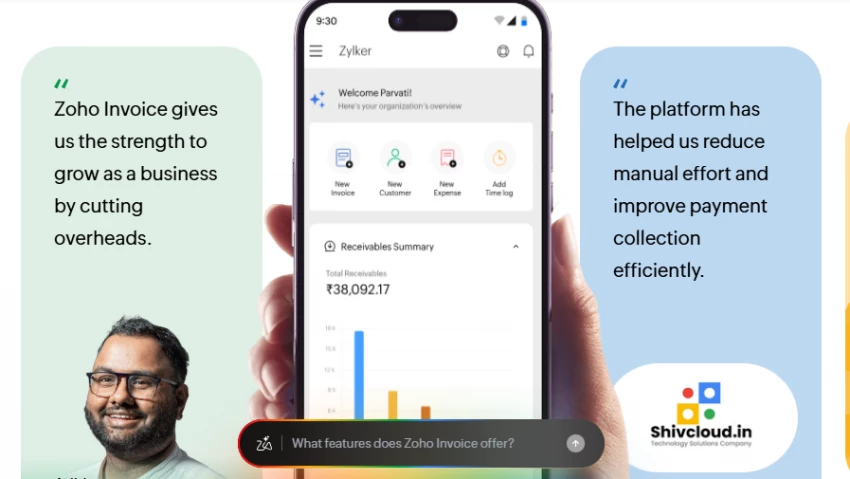
Practical overview. Zoho Invoice focuses on invoicing done well, with custom invoices, recurring billing, reminders, estimates, expenses, time tracking, and a client portal, all inside the broader Zoho ecosystem.
Best automation features. Recurring invoice software with customizable reminders, estimate conversion, and a client portal where customers view and pay. Time tracking is included for billable work.
Payment and reminder workflow. Zoho Invoice supports multiple payment gateways and automated reminders, though available gateways and features differ by region, so verify yours.
Where it saves the most time. You get serious invoicing depth without paying for a full accounting suite, which suits freelancers who want capability without bloat.
Main limitation. It shines most when you are comfortable in the Zoho ecosystem, and some features or regional options vary by country.
Best-fit user. Freelancers and small businesses who want strong invoicing first and can grow into Zoho Books later if they need accounting.
Small business caution. If you later need full accounting, plan for the step up to Zoho Books or another system.
Reviewer verdict. A practical, invoicing-first pick that punches above its price. Check regional payment and tax support before you rely on it.
Official site: zoho.com/invoice
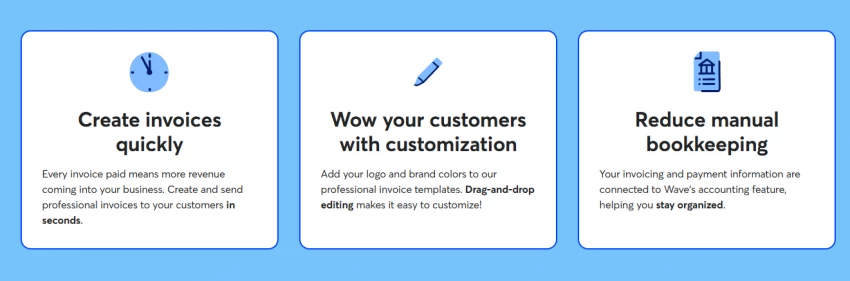
Practical overview. Wave made its name as approachable, low-cost billing for very small businesses, pairing invoice creation with basic accounting and online payments.
Best automation features. Recurring invoices, reminders, and online payments, plus simple bookkeeping so income and basic records stay in one place.
Payment and reminder workflow. Clients can pay invoices online, and reminders help collect overdue amounts. Payment fees and availability vary by country, so check current rates.
Where it saves the most time. For simple, low-volume billing, Wave gets invoices out the door without the cost or complexity of bigger suites.
Main limitation. Advanced features, deeper reporting, and support can be lighter than paid competitors, and availability differs by region.
Best-fit user. Solo freelancers and small service businesses with straightforward billing and a tight budget.
Small business caution. If your business grows or you need multi-currency, robust tax handling, or strong support, re-check whether Wave still fits.
Reviewer verdict. A reasonable starting point for simple, budget-conscious billing. Confirm current free terms and regional support before depending on it.
Official site: waveapps.com
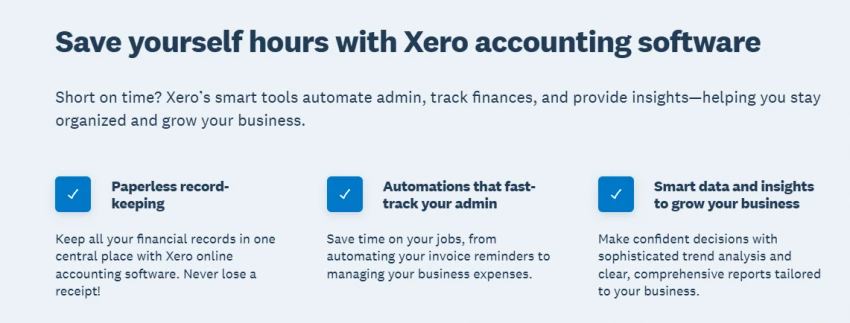
Practical overview. Xero is full accounting software aimed at growing small businesses, with invoicing, bank reconciliation, reporting, and a large integration marketplace.
Best automation features. Recurring invoices, reminders, and quotes sit inside a system built for reconciliation and financial reporting, with many add-ons for specific needs.
Payment and reminder workflow. Online payments typically come through payment integrations, and reminders help with collection. Confirm which payment options work in your region.
Where it saves the most time. When financial reporting and accountant collaboration matter, Xero keeps invoicing and the books aligned as you scale.
Main limitation. For solo users who only need simple invoices, the learning curve and cost can outweigh the benefit.
Best-fit user. Small teams growing beyond simple invoices that want clean financial visibility.
Small business caution. Lower tiers may cap how many invoices or bills you can send. Check the limits against your volume.
Reviewer verdict. A strong choice when you are building real financial operations. Heavier than needed if you only send a handful of invoices.
Official site: xero.com
Practical overview. Bonsai is built around the freelancer workflow that starts before the invoice, bundling proposals, contracts, invoicing, payments, time tracking, and project features in one place.
Best automation features. Proposals and contracts that flow into invoices, recurring billing, reminders, and time tracking, so the whole client lifecycle lives together.
Payment and reminder workflow. Clients can pay online, and reminders chase overdue invoices. Confirm which payment processors and options apply in your region.
Where it saves the most time. When billing really starts at the proposal and contract stage, Bonsai removes the handoffs between separate tools.
Main limitation. It is not a full accounting platform, so businesses needing deep bookkeeping will likely pair it with something else.
Best-fit user. Freelancers, creatives, consultants, and solo agencies who want proposals, contracts, and invoices in one workflow.
Small business caution. If you need full accounting and financial statements, plan to connect Bonsai to a bookkeeping tool.
Reviewer verdict. Excellent for solo professionals who want one place from pitch to payment. Less suited to teams that need real accounting depth.
Official site: hellobonsai.com
Practical overview. Square Invoices extends Square's payment ecosystem into billing, with invoices, estimates, recurring billing, and payment links connected to Square's card and in-person payments.
Best automation features. Recurring invoices, estimates, and payment links, with the real strength being how directly clients can pay by card.
Payment and reminder workflow. Payment is the highlight here. Clients pay by card from the invoice, and the same account can handle in-person payments. Reminders help with overdue invoices. Verify payment fees, which apply per transaction.
Where it saves the most time. For businesses that already take Square payments, billing and collection sit in one place with easy card payment for clients.
Main limitation. You are tied to the Square ecosystem, and per-transaction payment fees affect margins.
Best-fit user. Consultants, contractors, and small service teams, especially those already using Square, who want clients to pay easily.
Small business caution. Weigh per-transaction fees against your volume and margins, and confirm what requires a paid plan.
Reviewer verdict. A natural fit when easy payment is the priority and you live in the Square ecosystem. Watch the transaction fees as volume grows.
Official site: squareup.com
Different businesses bill in different ways. Use this to narrow your shortlist by how your work actually flows.
| Business Type | Main Billing Need | Tools to Shortlist | Buying Caution |
| Freelance writer or designer | Simple, professional invoices and reminders | Wave, Zoho Invoice, Bonsai | Confirm free terms and reminder customization |
| Consultant | Recurring retainers and time-based billing | FreshBooks, Zoho Invoice | Check recurring schedules and late fee handling |
| Coach | Recurring sessions and easy client payment | Square Invoices, Zoho Invoice | Verify recurring billing and payment fees |
| Marketing agency | Time tracking across a team and project billing | FreshBooks, Bonsai, Xero | Confirm multi-user support, rates, and reporting |
| Contractor | Estimates and on-site card payments | Square Invoices, FreshBooks | Review payment fees and mobile invoicing |
| Small professional services team | Invoicing tied to accounting and reports | QuickBooks Online, Xero | Expect a learning curve and accountant support |
| Creator or solo business | Low-cost, fast invoicing | Wave, Zoho Invoice | Check regional availability and support level |
| Local service provider | Quick invoices and simple card payments | Square Invoices, Wave | Confirm fees and whether hardware is needed |
Run a candidate through these questions before you subscribe. If you hit a dealbreaker signal, keep looking.
| Decision Point | Question to Ask | Dealbreaker Signal |
| Invoice volume | How many invoices do I send each month? | Plan limits fall below your real volume |
| Recurring billing | Can it bill retainers automatically on my schedule? | No flexible recurring schedules |
| Payment methods | Which payment methods can my clients actually use? | Your clients' preferred method is unsupported |
| Payment fees | What are the per-transaction fees in my region? | Fees that erase your margin |
| Tax support | Does it handle my GST, VAT, or sales tax correctly? | No support for your local tax |
| Multi-currency | Can it bill international clients properly? | Single-currency only when you bill abroad |
| Time tracking | Does it track billable hours into invoices? | Manual hour entry for hourly work |
| Estimates and proposals | Can quotes convert into invoices? | Re-keying every approved quote |
| Client portal | Can clients view and pay in one place? | Endless email back-and-forth |
| Reminder customization | Can I control reminder timing and tone? | Rigid or no reminders |
| Accounting integration | Does it sync with my books or accountant? | Duplicate entry across systems |
| Mobile app | Can I invoice and check status on my phone? | No usable mobile option for on-site work |
| Export options | Can I export records for tax and review? | Locked-in data with poor export |
| Branding options | Can invoices match my brand? | Generic, unprofessional templates only |
| Support quality | Is help available when billing breaks? | Slow or no support for a money-critical tool |
| Cancellation terms | How easily can I leave and take my data? | Hard exit or data held hostage |
This snapshot reflects general fit for consultants, freelancers, and small teams, not a universal quality ranking. Your best tool depends on your billing needs.
| Rank | Tool | Best Use Case | Strongest Advantage | Biggest Trade-Off |
| 1 | FreshBooks | Service pros billing time and projects | Invoicing plus time tracking that feels effortless | Cost grows with team size |
| 2 | Bonsai | Freelancers running pitch to payment | Proposals and contracts into invoices | Not a full accounting system |
| 3 | Zoho Invoice | Invoicing-first freelancers and small teams | Strong invoicing depth for the price | Best inside the Zoho ecosystem |
| 4 | QuickBooks Online | Teams needing accounting with invoicing | Deep bookkeeping and reporting | Heavier than simple billers need |
| 5 | Xero | Growing teams wanting clean financials | Reconciliation and reporting at scale | Learning curve and tier limits |
| 6 | Square Invoices | Service providers who take card payments | Easy client payment in one ecosystem | Per-transaction fees and lock-in |
| 7 | Wave | Simple, budget-conscious billing | Low-cost, approachable invoicing | Lighter features, support, and regional limits |
Rank reflects fit for the target readers, not absolute quality. Verify current details before deciding.
If you want fewer billing headaches, match the tool to how you actually work rather than to the longest feature list. FreshBooks and Bonsai are strong for service professionals, especially when time, projects, proposals, and contracts are part of the job. QuickBooks Online and Xero are the better call when accounting depth, reporting, and accountant collaboration matter more than simplicity.
Zoho Invoice is a practical, invoicing-first option that gives you real capability without a full accounting bill. Wave can work well for simple, budget-conscious billing, and Square Invoices fits businesses that prioritize easy card payments and already live in the Square world.
In the end, the best of these invoice automation tools is simply the one that gets invoices sent on time, makes paying easy for your clients, keeps your records clean, and does not create extra admin work later. Whichever you shortlist, confirm current pricing, payment fees, tax support, templates, client portal options, accounting integrations, and regional availability on the official site first, because invoicing and payment features change often.
Share your thoughts about this article.
Be the first to post a comment!