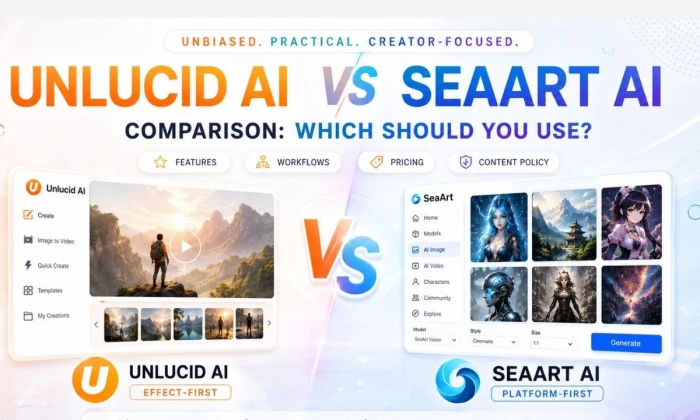
Comparing Unlucid AI and SeaArt AI is less about which one has more buttons and more about what kind of creator you are. These are two different species of tool. Lining up their feature lists side by side misses the point, so this comparison runs them through real creative workflows instead.
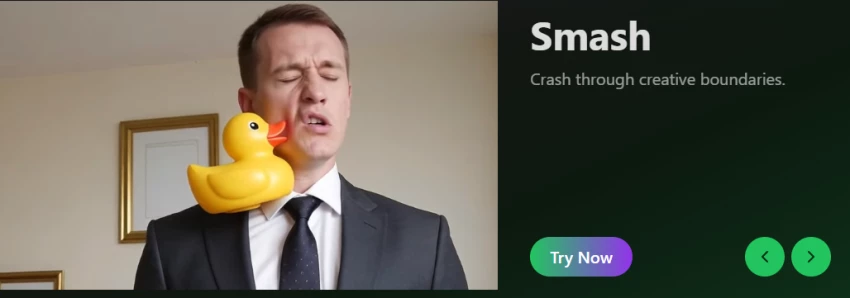
Unlucid AI appears more focused on quick AI video effects, image animation, and fast, unrestricted creative experimentation. It is the kind of browser playground where you drop in an image, pick an effect, and get a short clip in a minute.
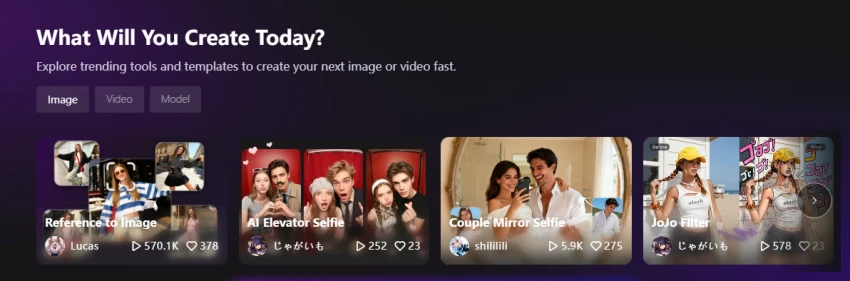
SeaArt AI feels broader, an AI creativity community and platform with image generation, video tools, characters, a large model library, and community-based creation built around more control and depth.
Neither is automatically better, and a tool is not better just because it sounds more powerful or more permissive. The right choice in this Unlucid AI vs SeaArt AI comparison depends on whether you want fast visual effects, broader AI art generation, character workflows, community models, or safer, more controllable creative output. The sections below sort that out workflow by workflow, with honest notes on cost, content policy, and publishing risk for both.
A fast shortlisting aid. Match the need, then read the relevant section and verify the caution before committing.
| Creator Need | Better Choice | Reason | Main Caution |
| Fast AI video effects | Unlucid AI | Preset effects animate images quickly | Output consistency varies; verify quality |
| Image-to-video experiments | Unlucid AI | Built around quick image animation | Short clip length; check limits |
| AI art generation | SeaArt AI | Broad models and styles | Learning curve and credit use |
| Anime-style image creation | SeaArt AI | Strong anime and stylized models | Filter community content carefully |
| Character-based visuals | SeaArt AI | Character and model workflows | Test consistency across images |
| Community model discovery | SeaArt AI | Large community model library | Vet model sources and rights |
| Prompt-heavy creative work | SeaArt AI | Deeper prompt and model control | Requires more prompt skill |
| Social media visuals | Depends | Unlucid for effects, SeaArt for art | Match to your output type |
| Beginner experimentation | Unlucid AI | Low-friction effect playground | Free credits run out fast |
| Safer publishing workflow | Verify both | Policy clarity matters more than brand | Check content and commercial rules |
The cleanest lens for this comparison is effect-first versus platform-first.
• Unlucid AI: best reviewed as an effect-first creative tool, centered on video effects, image animation, and quick generation
• SeaArt AI: best reviewed as a broader AI creative platform with image generation, models, community tools, video features, and character creation
• Unlucid appeals to: users who want fast, experimental outputs with minimal setup
• SeaArt appeals to: users who want more control, model variety, and creative ecosystem depth
• The deciding factors: output type, control, content-policy comfort, and publishing goals
The positioning map shows the split.
| Comparison Lens | Unlucid AI | SeaArt AI | Practical Meaning |
| Main creative identity | Effect-first playground | Platform-first ecosystem | Different tools for different jobs |
| Best output type | Short effect videos | AI art and varied media | Pick by primary output |
| Image generation | Text-to-image, simpler | Many models and styles | SeaArt for art depth |
| Video generation | Effect clips, expanding | Flow-style video tools | Both evolving; verify limits |
| Animation and effects | Preset effects focus | Effects within a suite | Unlucid for quick effects |
| Character workflows | Limited | Character creation focus | SeaArt for characters |
| Model variety | Narrower | Large model library | SeaArt for model choice |
| Community ecosystem | Lighter | Active community and remix | SeaArt for inspiration |
| Prompt control | Simpler controls | Deeper prompt control | SeaArt for fine control |
| Publishing readiness | Verify content policy | Verify rights and filtering | Check both before publishing |
This is the heart of the comparison: real jobs, not spec sheets. The better-choice column reflects general fit, so confirm with a quick test in your own style.
| Workflow | Unlucid AI Fit | SeaArt AI Fit | Better Choice |
| Turn an image into a short effect video | Strong | Supported | Unlucid AI |
| Create anime-style artwork | Basic | Strong | SeaArt AI |
| Generate social media visuals | Good for clips | Good for art | Depends on output |
| Make character concepts | Limited | Strong | SeaArt AI |
| Create quick experimental edits | Strong | Workable | Unlucid AI |
| Build a repeatable art style | Limited | Strong with models | SeaArt AI |
| Explore community models | Limited | Core strength | SeaArt AI |
| Create AI video clips | Effect-led clips | Flow-style video | Test both |
| Design blog or article visuals | Workable | Strong | SeaArt AI |
| Test prompt variations | Basic | Strong | SeaArt AI |
On image generation, the two diverge sharply. Unlucid AI keeps things simple and fast, while SeaArt AI offers depth through its model library and controls. SeaArt's official pages describe it as an all-in-one AI creativity community and image and video creation platform, but current model counts, available filters, and free usage limits must be verified before publishing.
| Image Factor | Unlucid AI | SeaArt AI | Review Takeaway |
| Prompt control | Simpler, fewer knobs | Deep, with parameters | SeaArt for control |
| Style variety | Several preset styles | Large model range | SeaArt for variety |
| Model selection | Narrow | Extensive library | SeaArt for choice |
| Image quality | Decent, varies | Strong with right model | Test on your prompt |
| Consistency | Varies | Better with fixed models | SeaArt for repeatability |
| Negative prompts | Verify availability | Commonly supported | Confirm both |
| Image-to-image | Basic editing | Supported with control | SeaArt for depth |
| Creative flexibility | Fast and loose | Broad and tunable | Match to your goal |
| Beginner friendliness | Higher | Moderate | Unlucid to start fast |
This is Unlucid AI's home turf for quick effects, while SeaArt approaches video as one part of a wider suite. Unlucid AI's official pages describe video AI, effects AI, animation, image generation, and editing tools, but exact limits, credits, and rights must be checked directly from the platform before publishing.
| Video Need | Unlucid AI | SeaArt AI | Better Fit |
| Text-to-video | Expanding feature | Flow-style text-to-video | Test both |
| Image-to-video | Core strength | Supported | Unlucid AI |
| Animation effects | Preset effects library | Effects within suite | Unlucid AI |
| Viral-style effects | Built for this | Less effect-focused | Unlucid AI |
| Video length | Short clips | Verify per plan | Confirm limits |
| Motion quality | Varies by effect | Varies by model | Test on real input |
| Export quality | Higher-res claimed | Verify per plan | Confirm export |
| Watermark rules | Verify on free tier | Verify on free tier | Check both |
| TikTok, Reels, Shorts use | Quick and direct | Workable | Unlucid AI |
| Editing needed after | Often light | Varies | Depends on output |
Community and character work is where SeaArt's platform nature shows most. Its remix culture and shared models can shortcut the learning curve, but the same openness raises sourcing and rights questions worth weighing.
| Creative Community Area | Unlucid AI | SeaArt AI | Practical Takeaway |
| Character design | Limited | Strong | SeaArt for characters |
| Model discovery | Narrow | Large library | SeaArt for variety |
| Remix culture | Light | Active | SeaArt for remixing |
| Prompt sharing | Limited | Common in community | SeaArt for inspiration |
| Community inspiration | Lighter feed | Strong feed | SeaArt for ideas |
| Repeatable styles | Harder | Easier with models | SeaArt for consistency |
| User-generated models | Limited | Widely available | Vet sources and rights |
| Content moderation | Verify policy | Verify policy | Confirm both |
| Originality risks | Verify content rules | Open models raise risk | Check sourcing and rights |
Setup effort tracks each tool's ambition. The points worth weighing:
• Account setup: both are browser-based; Unlucid tends to get you generating sooner
• First generation speed: Unlucid is fast for an effect; SeaArt takes longer to set up a good result
• Interface clarity: Unlucid is simpler; SeaArt packs more options into the screen
• Prompt help: SeaArt's community prompts help; Unlucid leans on presets
• Templates or effects: Unlucid's preset effects are the quick win
• Model browsing: a SeaArt strength and also its main learning curve
• Editing controls: Unlucid keeps them minimal; SeaArt offers more depth
• Download and export: verify watermark and resolution on each free tier
• Learning curve: lower for Unlucid, steeper for SeaArt
Balanced note: Unlucid AI may feel easier for quick effect-based experiments, while SeaArt AI takes longer to explore because it offers broader creative options. Beginners should start with one simple project rather than testing every feature at once.
Speed and control pull in different directions, and the right balance depends on the work. Quick AI tools are useful for fast outputs but may give less repeatable control. Larger creative platforms can offer more model depth but may require more prompt skill. Character consistency, style matching, and multi-image coherence should be tested before relying on either for a series. Social media creators may value speed; designers and AI artists may value control.
| Creative Priority | Better Tool to Test First | Reason |
| Speed | Unlucid AI | Fast effects and quick outputs |
| Style control | SeaArt AI | Model and parameter depth |
| Repeatable character looks | SeaArt AI | Fixed models aid consistency |
| Prompt experimentation | SeaArt AI | Deeper prompt controls |
| Video effects | Unlucid AI | Preset effect library |
| AI art depth | SeaArt AI | Broad styles and models |
| Community inspiration | SeaArt AI | Active feed and shared models |
| Commercial workflow | Verify both | Rights and policy clarity decide it |
This section matters more than usual here, because both tools touch permissive territory. A tool that markets itself as unrestricted or uncensored is not automatically better, and it can create more publishing risk if its content policies are unclear. Treat policy clarity as a feature, not a limitation.
Regardless of platform, avoid non-consensual edits, fake nude content, deceptive face swaps, harassment, celebrity misuse, any content involving minors, political deception, and misleading commercial claims. Check whether each platform documents content moderation rules, avoid uploading sensitive personal images unless privacy terms are clear, and confirm commercial rights before publishing. AI art can still raise copyright, likeness, and brand-safety concerns even when a tool allows it.
| Risk Area | Safe Practice | Risk if Ignored |
| Real-person likeness | Use only with clear consent | Privacy harm and legal exposure |
| Sensitive uploads | Avoid unless privacy terms are clear | Sensitive data exposed or reused |
| Copyrighted characters | Avoid unless permitted | Infringement and takedowns |
| Brand logos | Do not recreate without rights | Trademark issues |
| Adult or explicit prompts | Avoid; never involving minors | Severe legal and platform risk |
| Commercial use | Confirm rights before publishing | License breaches |
| Community model use | Vet model source and license | Hidden rights and consent issues |
| Watermarks | Check free-tier watermark rules | Unusable or flagged output |
| Data handling | Read retention and deletion terms | Loss of control over uploads |
| Misleading edits | Label or avoid deceptive edits | Loss of trust and legal claims |
• You want quick AI effects without setup
• You want fast image-to-video experiments
• You prefer simple, effect-based outputs
• You are creating short-form experimental content
• You want to test visual ideas quickly
• You are less focused on deep model selection
• You want a lightweight creative playground
• You want broader AI art generation
• You want access to many styles or models
• You care about prompt control
• You want character-based creation
• You want community inspiration and shared models
• You create anime, fantasy, realistic, or concept art
• You want image plus video tools inside a wider creative ecosystem
| Tool | Pros | Cons |
| Unlucid AI | Fast creative experimentation; AI effects and animation focus; simple visual workflows; useful for short-form experiments | Content-policy clarity must be checked; may offer a less deep art and model ecosystem; output consistency needs testing; commercial and privacy terms must be verified |
| SeaArt AI | Broader creative ecosystem; AI image, video, and character workflows; community and model discovery; stronger fit for AI art creators | More features may create a learning curve; model or credit details need verification; community content may require careful filtering; commercial rights should be checked before business use |
When the comparison blurs, this rule-based table settles it. Find the goal, pick the tool.
| If Your Main Goal Is | Choose | Reason |
| Viral effect video | Unlucid AI | Preset effects are quick and direct |
| AI art generation | SeaArt AI | Broad models and styles |
| Anime character visuals | SeaArt AI | Strong anime and character models |
| Quick image animation | Unlucid AI | Image-to-video effects focus |
| Community model discovery | SeaArt AI | Large shared model library |
| Experimental visual edits | Unlucid AI | Fast, low-friction edits |
| Blog or social visuals | SeaArt AI | Stronger art generation |
| Short-form content effects | Unlucid AI | Built for effect clips |
| Repeatable creative style | SeaArt AI | Fixed models aid consistency |
| Simple beginner testing | Both, by output | Unlucid for clips, SeaArt for art |
After running both through real workflows, the split is clear. Unlucid AI is likely the better fit for users who want quick, effect-driven AI videos and experimental visual edits. SeaArt AI is likely better for users who want a broader AI art platform with image generation, models, characters, and community discovery.
Neither tool should be chosen only because it sounds more powerful or more permissive. The best choice depends on whether you value speed, control, model depth, safety clarity, or publishing reliability. And whichever you pick, the permissive corners of both platforms put more responsibility on you to keep consent, rights, and a review step in place before publishing.
The Practical Rule – Choose Unlucid AI if your workflow starts with fast effects and short-form experiments. – Choose SeaArt AI if your workflow starts with AI art, models, characters, and repeatable creative control. – Test both with the same prompt before paying, and judge by usable output, not feature count. |
Share your thoughts about this article.
Be the first to post a comment!

What Artlist AI is in 2026Artlist began as a royalty-free music library. By 2026...
Deepak Mehra3 days ago

Most AI tool failures do not announce themselves. There is no crash, no angry em...
Nitin1 week ago

How this assessment was carried outFindings come from primary sources: the publi...
Deepak Mehra1 week ago

Joyland AI won its audience on one promise: an anime character library that keep...
Deepak Mehra1 week ago
Character AI logs around twenty million monthly active users who spend close to...
Deepak Mehra1 week ago

“Useful” is a slippery word for a coding assistant. A tool can be brilliant at o...
Sakshi Dhingra1 week ago