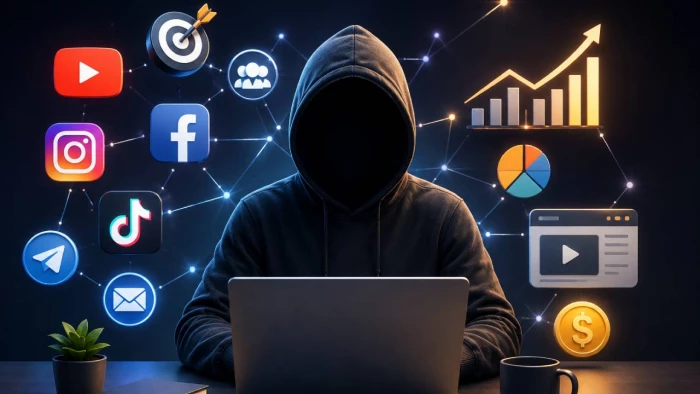
Here’s my story.
I never planned to build a faceless channel. It happened out of necessity. I wanted to build content around a niche I was genuinely passionate about, but I wasn't ready to put my face in front of a camera and commit to that being my brand. So I figured out how to make it work without one. And so, two years later, I'm running channels across YouTube, Instagram, and TikTok, and I haven't appeared on camera once.
Faceless YouTube channels and TikTok accounts now represent 38% of all new creator monetization ventures. The top performers are earning as much as $80,000 monthly!! Honestly, I'm not at those numbers (yet). But I'm building toward them, and the workflow I've developed is genuinely sustainable.
Here are the six tools that make it run.
Every piece of content I produce starts here, and it's the tool I use more than any other in the stack. ChatGPT handles the research layer, the outline, the full script draft, and the SEO angle. I describe the topic, the niche, the target audience, the intended video length, and the hook I want to lead with. What comes back is a working first draft that I edit for voice and accuracy before anything else moves.
What I've learned over time is that the quality of what ChatGPT produces is almost entirely determined by how specifically I brief it. A vague prompt produces generic content. A detailed prompt with word count targets, tone direction, specific sub-points to hit, and examples of what I don't want produces something I can publish with moderate editing rather than a full rewrite.
For faceless channels specifically, scripting is the entire creative foundation. There's no personality, no charisma, no on-camera delivery to carry weak material. The script has to do all of that work alone. ChatGPT has made me a better scriptwriter partly because working with it forces you to be precise about what you actually want to say and in what order.
After the script is edited and approved, the next stop is ElevenLabs. As you are aware, voice is everything in faceless content. It's the only human element in the production, and if it sounds robotic or flat, viewers leave. ElevenLabs is the reason my channels don't have that problem.
I use a cloned version of my own voice, trained on a short recording sample. The result sounds like I recorded the narration professionally, even when I generated it from a script at 11pm without touching a microphone. The Eleven v3 model handles emotional range well enough that the delivery varies naturally between sentences rather than landing at the same flat register throughout.
The practical workflow is simple: paste the edited script, select the voice, adjust speed slightly if the pacing feels off, generate. A 10-minute narration script comes back in under two minutes. I do a review pass to catch any mispronounced terms or moments where the pacing goes awkward, regenerate those specific lines, and export.
Thumbnails determine whether anyone clicks. On YouTube especially, the thumbnail competes against dozens of others in a sidebar, in search, in the home feed. And it has approximately just half a second to win! I've tested different approaches, and nothing has produced more consistent click-through improvement than Midjourney-generated concepts.
My thumbnail workflow involves generating multiple style options in Midjourney, then bringing the strongest one into Canva for text overlays and final polish. Midjourney V7 specifically is where my CTR noticeably improved. The V7 architecture produces richer, more cinematically composed outputs than V6, and the personalization feature has started to tune the results toward the aesthetic I've been selecting for across hundreds of generations.
For faceless channels, thumbnails do double duty: they establish the visual identity of the content and they generate the click without any recognizable human face to trigger recognition. That means the composition, color palette, and mood of the image carry everything. Midjourney's strength is exactly this. It produces images that feel art-directed rather than randomly generated, with the kind of visual weight that competes against professional design.
Once the narration is done and the visual assets are assembled, everything goes into CapCut for editing. I use it across all three platforms (YouTube long-form, YouTube Shorts, and Instagram Reels) and the AI features built into the platform have compressed what used to be the most time-consuming part of my workflow significantly.
Auto-captions are accurate enough to publish with minor corrections, which removes what used to be a manual task that added 30-45 minutes to every video. The AI auto-cut feature analyzes the narration track and removes silences and filler automatically. Now, a rough cut that used to take an hour now takes five minutes. Background removal works cleanly enough for the kind of stock footage and AI-generated visual overlays I use throughout faceless content.
The reframing tool is where CapCut earns its place for cross-platform production. A horizontal 16:9 video can be converted to 9:16 vertical with intelligent subject tracking in a single click. This means one edit session produces a YouTube video and a TikTok/Reels cut simultaneously, without rebuilding the timeline from scratch.
I resisted Canva for longer than I should have. And I have my share of regret. I thought it was a beginner tool for people who couldn't design. What I discovered when I finally committed to it is that it's a brand consistency engine disguised as a design tool. And for faceless channels running across multiple platforms, consistent branding is how you build recognition when you're never on camera.
The Brand Kit stores my color palette, fonts, and logo across every template I use. Every thumbnail I finish in Canva, every Instagram post, every YouTube end card pulls from the same visual identity automatically. That consistency compounds over time. By video 30 or 40, my audience recognizes the visual style before they see the title.
The Bulk Create feature changed how I handle Instagram specifically. I can upload a CSV of topic variations, and Magic Write generates caption drafts for each while Design Autogenerate produces matching post layouts simultaneously. What used to take two hours of copy-paste formatting now runs in under twenty minutes.
The one thing a faceless channel has always been missing is a human face. Not because the content needs one to perform (it doesn't), but because a consistent, recognizable on-screen presence builds the kind of audience familiarity that drives retention and return visits. Artlist's AI Avatars changed how I think about that problem.
The feature lets you generate character-led videos from just an image and an audio input. There’s no need for a camera, an actor, or a studio. I created a branded avatar persona for one of my channels and started using it as the consistent "presenter" across videos. The avatar appears at the top and tail of each video and in key explainer sections, giving the channel a visual identity that audiences associate with across episodes.
The models powering Avatars in Artlist AI, HeyGen Avatar 4, OmniHuman 1.5, Fabric 1.0, and Creatify Aurora, each handle different production needs. For videos requiring natural full-body movement, OmniHuman 1.5 is what I reach for. For fast-turnaround ad-style content, Creatify Aurora is my go-to. For the consistent branded persona across the channel, Fabric 1.0 holds character identity best. The multilingual dubbing capability via HeyGen Translate has also let me produce localized versions of existing videos without rebuilding them.
Faceless channels work because the content matters more than the creator's identity. AI tools have made it possible to produce content at a quality level that would have required a full team two years ago. The workflow I've built around these six tools produces YouTube videos, Instagram Reels, and TikTok content consistently, at a cost and time investment that scales.
None of the individual tools is magic. But the combination of scripting, voice, visuals, editing, design, and avatar creation in a coordinated workflow removes every bottleneck that used to make consistent publishing feel impossible. That's why it works and why I'm still doing it.
Share your thoughts about this article.
Be the first to post a comment!
Choosing an advertising partner is not simply about buying impressions or findin...
Parveen Verma2 weeks ago
Imagine 2,000 orders hitting your Shopify store on a Tuesday afternoon. Your war...
Parveen Verma3 months ago
Gone are the days of limited shopping choices. E-commerce has expanded into a va...
Parveen Verma10 months ago
Most WordPress hosting services promise speed and reliability, only to buckle wh...
Parveen Verma11 months ago
SEO in 2026 is no longer about simple keyword repetition or basic search engine...
Parveen Verma11 months ago
So, you’re a digital marketer. A brand strategist. Or a growth leader trying to...
Parveen Verma1 year ago