Home > Company > CorelDRAW
CorelDRAW

CorelDRAW

Professional graphic design software

CorelDRAW Overview

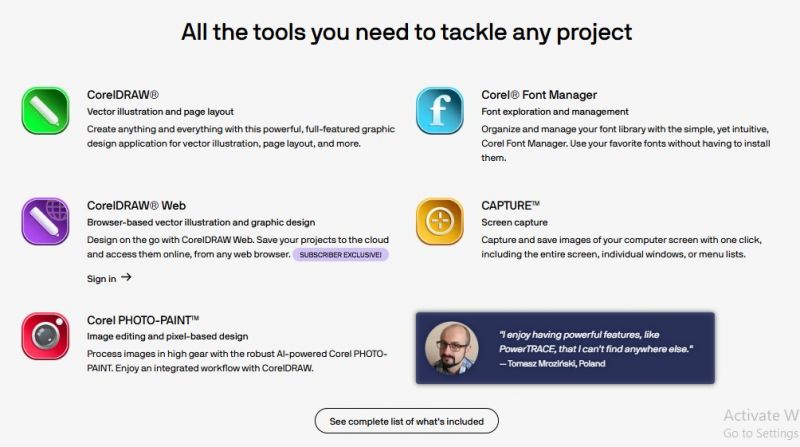
CorelDRAW deliver everything needed to create eye-catching designs across print, web, and social media. Whether for designing logos, brochures, websites, or social media content, CorelDRAW offers a robust set of features that simplify the design process and allow for complete creative freedom.

CorelDRAW Features

Vector Illustration Tools Page Layout & Typography Photo Editing & Enhancements Multi-Device Sync Extensive File Compatibility Customizable Workspace

Key Features:

  • Vector Illustration Tools: Precision tools for creating detailed, scalable vector art.
  • Page Layout & Typography: Advanced text tools for designing intricate, beautiful typography.
  • Photo Editing & Enhancements: Integrated photo editing with support for RAW files and advanced color correction tools.
  • Multi-Device Sync: Access your designs from anywhere with cloud integration and seamless cross-platform support.
  • Extensive File Compatibility: Open, edit, and share multiple file formats, including AI, PSD, PDF, JPG, and more.
  • Customizable Workspace: Tailor your workspace to fit your workflow with flexible layout options and dockable panels.

Pros & Cons

Pros:

Robust Toolset

Cross-Platform Support

Customization

File Compatibility

Cons:

Steep Learning Curve for Beginners

Frequent Updates
Company

CorelDRAW

Contact

+1 (844) 759-9903

Headquarter

Corel Corporation, Ottawa, Ontario, Canada

Follow Us

CorelDRAW Demo & Screenshots

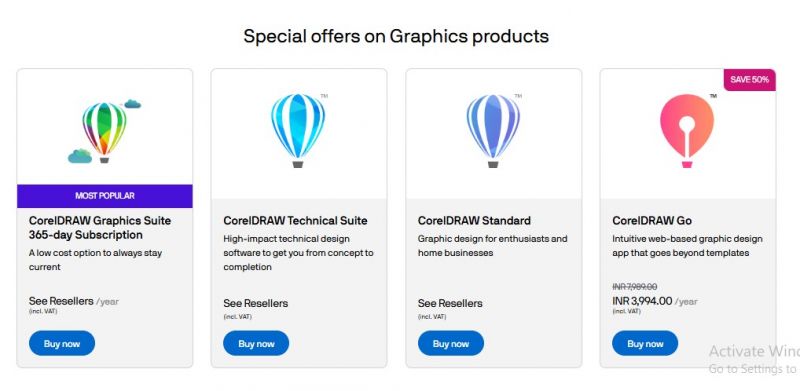
CorelDRAW Pricing

CorelDRAW Pricing Screenshot

*Price last updated on Feb 26, 2026. Visit coreldraw.com's pricing page for the latest pricing.

CorelDRAW Reviews

CorelDRAW Category

CorelDRAW Alternatives