
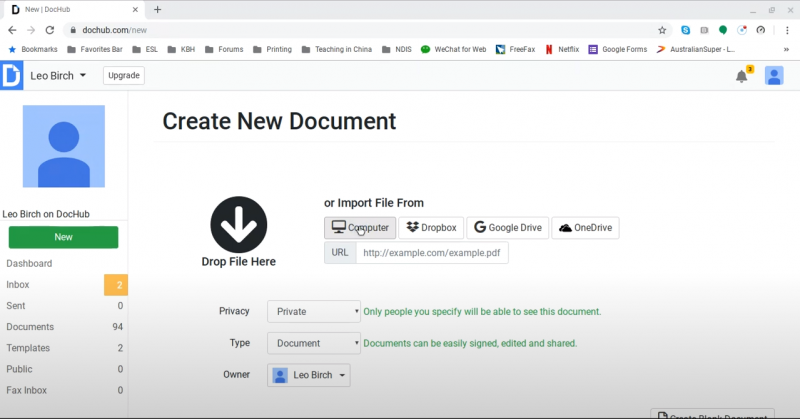
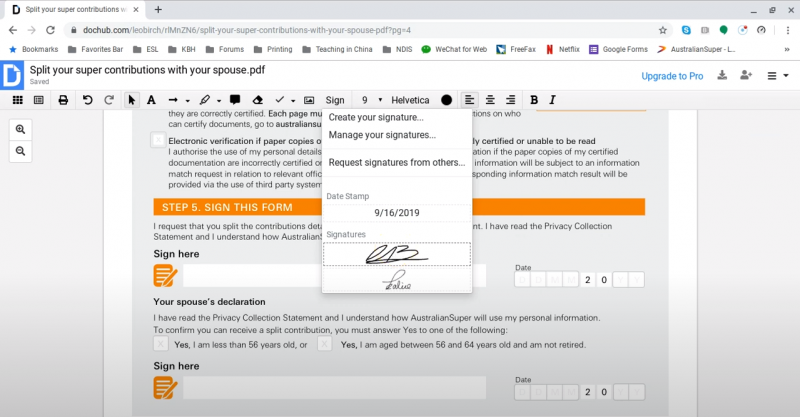
DocHub transforms the document lifecycle by centralizing editing, signing, distribution, and collaboration into a single, secure cloud platform. Users can upload documents from their computer, Gmail, Google Drive, Dropbox, or even from a public URL, then edit the content using drag-and-drop tools, annotate, insert text or images, and apply legally binding eSignatures. Templates and fillable forms can be created and shared in seconds, boosting productivity for both recurring business processes and ad-hoc needs.
Bulk signature and legal sign workflows.
Fast fillable PDF creation from Google Drive.
No constant upgrade prompts.
Edits sometimes fail to save on images.
Subscription charges after single-use purchase reports.
No auto-detect for signature fields.
DocHub reviews
DocHub Create New Doc
DocHub Signature
Features
Features
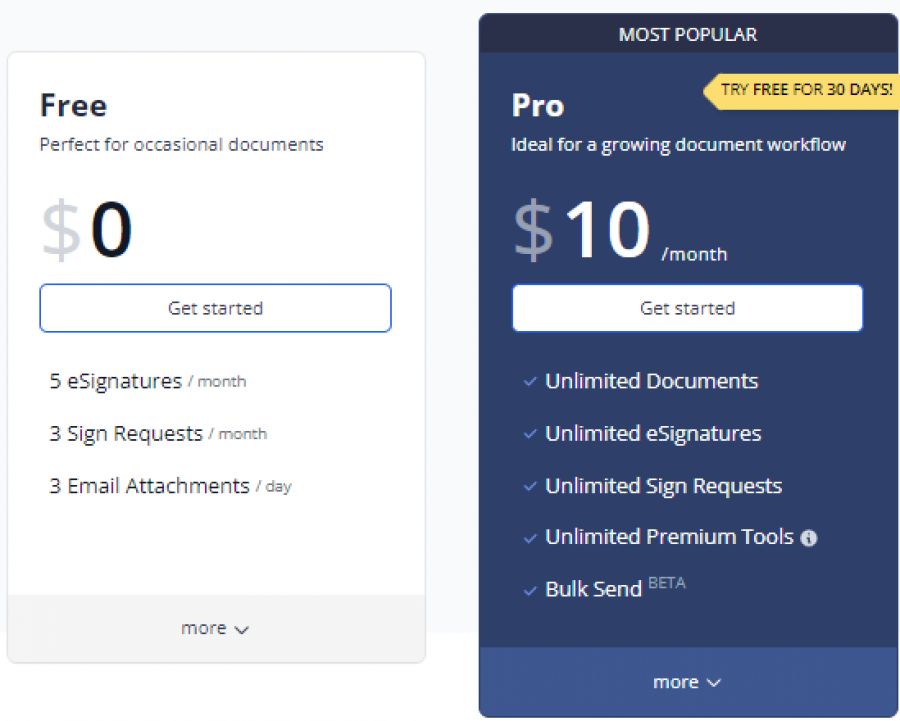
*Price last updated on Oct 13, 2025. Visit dochub.com's pricing page for the latest pricing.