
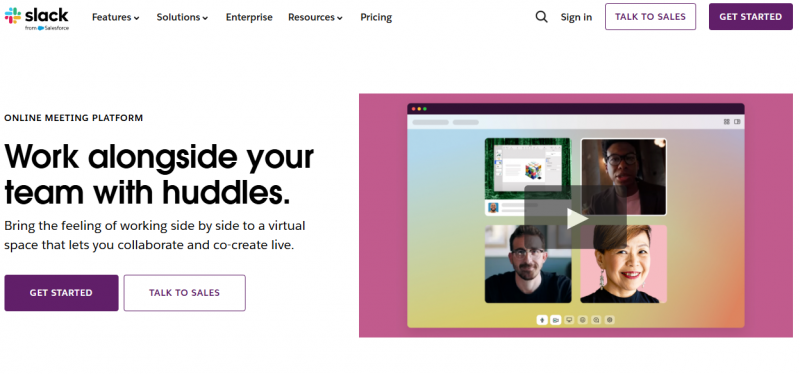
Slack Huddles enable instant audio or video connections within channels or direct messages. Users start huddles by clicking the headphones icon to recreate quick, informal office discussions. All huddles begin as audio-only and expand to video, screen sharing, and a dedicated thread for notes that saves automatically to the channel. Participants share screens with up to two simultaneous sharers, draw on them, and use reactions, stickers, or GIFs. Available on desktop, mobile, and iPad, huddles support up to 50 participants on paid plans and two on free plans. Live captions in English and huddle themes add options during sessions.
Turns meetings into instant notes without manual writing
Preserves shared links so nothing important gets lost afterward
Joins meetings instantly from any channel or direct message
Audio-first design makes meetings faster and less disruptive overall
Lacks advanced meeting controls found in more mature platforms like Zoom.
Audio issues on Linux may disrupt calls and reduce reliability.
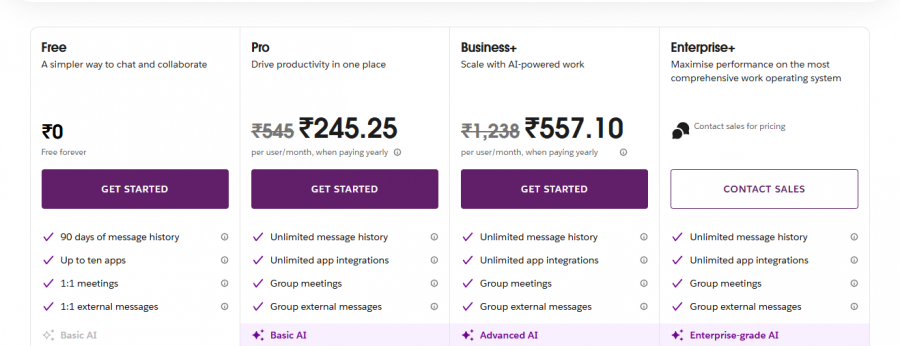
*Price last updated on Jun 10, 2026. Visit slack.com's pricing page for the latest pricing.