Creating content no longer means spending the entire day switching between research documents, writing applications, video editors and design platforms.
AI tools can now help creators generate ideas, organise research, draft scripts, produce marketing copy, build videos and convert complicated information into visual content. The difficulty is no longer finding an AI tool. It is choosing one that solves a real production problem without adding another unnecessary subscription.
A blogger may need help developing detailed outlines and repurposing articles. A marketing team may care more about maintaining a consistent brand voice. A faceless YouTube creator may want to turn scripts into videos, while a consultant may need to convert reports into attractive infographics.
This guide compares seven AI tools already widely associated with these workflows: ChatGPT, Jasper, Copy.ai, Synthesia, InVideo AI, VEED and Piktochart AI.
How We Researched These Tools
GeniusFirms reviewed official product pages, feature documentation, pricing information and publicly documented workflows for every platform included in this guide.
We did not purchase and test every paid plan or advanced feature. Therefore, this article should be understood as a research-based comparison rather than a hands-on laboratory test.
Vendor-reported capabilities are identified as such, and practical workflow examples show how each tool could be used rather than claiming that GeniusFirms completed those exact projects.
Features, prices and usage limits can change. Readers should verify the latest plan details directly before purchasing.
Best AI Tools for Content Creators at a Glance
Tool
Best for
Free access
Main limitation
ChatGPT
Research, writing and content repurposing
Yes
Outputs require fact-checking and editorial direction
Jasper
Brand-controlled marketing content
Trial or access conditions may vary
Better suited to teams than casual creators
Copy.ai
Repeatable marketing and content workflows
Limited tools or demo access
Increasingly focused on business automation
Synthesia
AI-avatar explainers and training videos
Yes
Less personal than creator-recorded video
InVideo AI
Prompt-to-video and faceless content
Yes
Generated scenes often require manual correction
VEED
Browser-based video editing and AI assistance
Yes
Free exports and AI usage are restricted
Piktochart AI
Infographics and visual reports
Yes
Less flexible than a complete design platform
How to Choose the Right AI Content Tool
We compared the seven platforms using the factors that matter most in a real content workflow.
Evaluation factor
What it means for creators
Core use case
The main content problem the tool is designed to solve
Output control
How easily creators can change tone, layout, visuals or structure
Editing required
How much work is likely needed after AI generation
Workflow fit
Whether the tool works for solo creators, teams or both
Learning curve
How quickly a new user can understand the basic process
Free access
Whether users can evaluate the platform before paying
Pricing clarity
How easy it is to understand plans, credits and restrictions
Limitations
Situations where the tool may produce weak or unsuitable results
No tool received a numerical score because we did not run a controlled hands-on test across identical tasks.
ChatGPT
ChatGPT remains one of the most widely adopted AI systems in creative workflows because it functions less like a template generator and more like a collaborative assistant. Clearscope’s review emphasizes how AI writing tools have evolved from simple content spinners into structured ideation partners, and ChatGPT exemplifies that shift.
What makes ChatGPT powerful is its adaptability across use cases. It can generate blog drafts, outline YouTube scripts, refine brand tone, rewrite headlines for emotional impact, summarize research papers, draft LinkedIn thought leadership posts, and even simulate interviews for case studies. Its strength lies in iterative refinement. A creator can produce five variations of an introduction, then instruct the system to adopt a more authoritative tone, inject storytelling, or align with SEO goals.
However, ChatGPT requires strong prompt engineering. Weak prompts produce predictable, generic writing patterns. The tool does not inherently “know” brand voice unless explicitly guided. Furthermore, it does not include built-in SEO competitor scoring or keyword optimization dashboards like specialized SEO platforms. It is best used as a creative drafting partner rather than an autonomous publishing engine.
For content creators who understand direction and structure, ChatGPT becomes a multiplier. For those expecting instant perfection, it often disappoints.
Who should choose ChatGPT?
ChatGPT is best suited to bloggers, newsletter writers, YouTubers, researchers, freelancers and small content teams needing one flexible tool for several different tasks.
Jasper
Jasper appears frequently in AI writing comparisons because it was built with marketers in mind rather than general users. According to industry evaluations like Clearscope’s comparison, Jasper distinguishes itself through campaign-based workflows rather than open-ended prompts.
Jasper excels in environments where a creator needs structured output for sales pages, email funnels, ad variations, and landing pages. Its brand voice memory allows teams to maintain tone consistency across multiple pieces of content. For agencies managing several clients, that continuity is operationally valuable.
However, Jasper’s pricing tiers are significantly higher than some competitors, and long-form content still requires human editing to avoid repetitive phrasing. It is optimized for conversion-focused writing rather than deep narrative storytelling. Creators focused on editorial journalism or nuanced thought leadership may find its outputs overly templated without customization.
Its true strength lies in scaling marketing operations rather than artistic expression.
Who should choose Jasper?
Jasper is best suited to marketing departments, agencies and multi-person content teams that need consistent messaging across several formats.
Copy.ai
Copy.ai, visible through its tools overview, targets speed over literary depth. It shines when generating email subject lines, ad copy, product descriptions, and short-form social posts.
What differentiates Copy.ai from broader AI systems is its template ecosystem. Rather than prompting from scratch, users select content categories, define parameters, and generate multiple variations rapidly. For growth marketers running A/B tests, this dramatically reduces turnaround time.
However, Copy.ai is less suited for 2,000-word analytical blog posts or investigative long-form content. Its outputs are optimized for persuasion and brevity rather than depth. Many creators use Copy.ai in combination with broader systems like ChatGPT to handle different layers of workflow.
Its role in the content ecosystem is tactical acceleration, not comprehensive authorship.
Who should choose Copy.ai?
Copy.ai is best suited to agencies, content operations teams and businesses producing similar marketing assets at scale.
Synthesia
Synthesia represents a different category of AI creativity: avatar-based video production. Instead of filming a presenter, creators input a script and generate a polished spokesperson video using AI avatars capable of speaking multiple languages.
This tool is particularly powerful for training modules, onboarding videos, internal corporate communication, product explainers, and multilingual campaigns. Its efficiency lies in eliminating filming logistics. No cameras, no lighting setups, no studio rentals.
However, Synthesia’s realism is optimized for clarity rather than cinematic storytelling. It is not meant to produce dramatic narratives or emotionally layered films. It excels in structured communication. For businesses requiring consistency across global teams, Synthesia can significantly reduce production costs and localization timelines.
It replaces logistical friction rather than creative artistry.
Who should choose Synthesia?
Synthesia is best suited to educators, software companies and business teams producing repeatable explanatory or training content.
InVideo AI
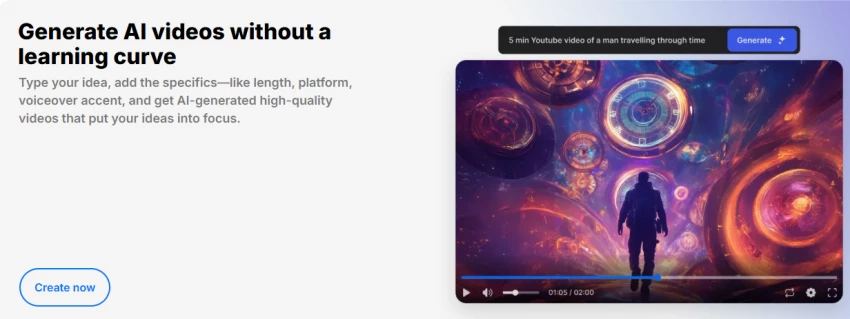
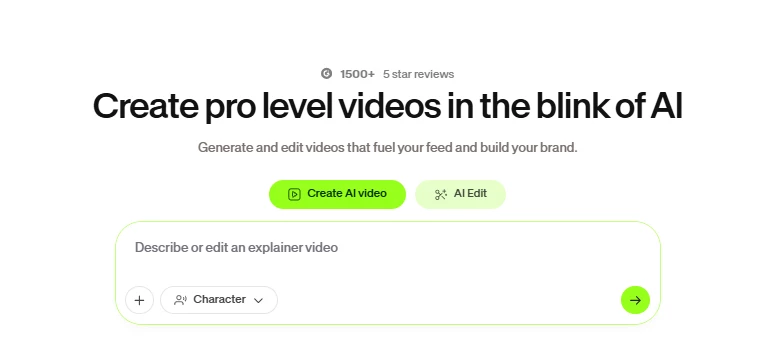
InVideo’s AI generator converts written prompts into structured social-ready videos with automated visuals, transitions, and captions. It targets creators who need rapid output for Instagram, TikTok, or YouTube Shorts.
Its strength lies in accessibility. A non-editor can input a concept and receive a visually organized video draft within minutes. For short-form creators operating on high posting frequency, this tool compresses production cycles dramatically.
The limitation is creative uniqueness. AI-generated visuals often require manual refinement to avoid looking templated. High-end cinematic storytelling still benefits from manual editing.
InVideo works best for speed-driven creators, not film purists.
Who should choose InVideo AI?
InVideo AI is best suited to faceless YouTube creators, social media teams and marketers who value production speed and are willing to edit the generated draft.
VEED
VEED, accessible at https://www.veed.io/tools/ai-video, focuses on editing optimization rather than raw generation. It automates captions, silence removal, background noise reduction, translation, and formatting adjustments.
For podcasters and YouTubers, this eliminates the most tedious post-production steps. Captioning alone can save hours per week.
VEED does not replace creativity, but it dramatically improves efficiency. Its impact is measured in saved time rather than artistic novelty.
Who should choose VEED?
VEED is best suited to podcasters, interview creators, educators and social media teams that already have footage and need faster browser-based editing.
Piktochart AI
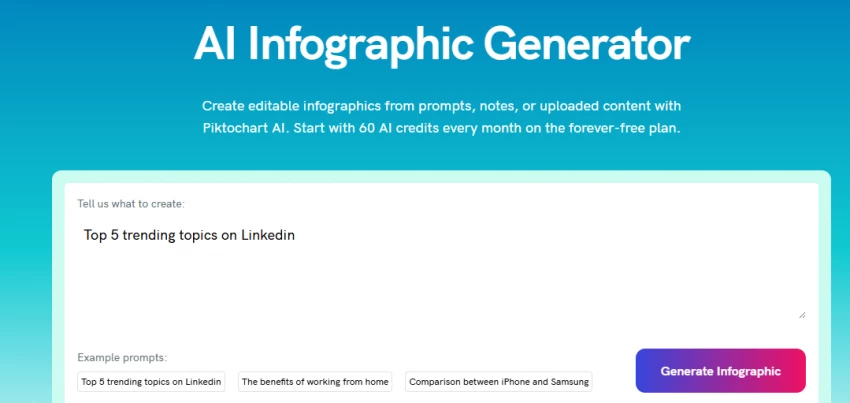
Piktochart’s social AI guide highlights AI’s role in infographic and visual storytelling automation. Piktochart excels at converting raw text or statistics into structured visual slides and presentations.
For LinkedIn creators publishing carousel-style educational posts, this tool reduces design workload significantly. It helps translate information into digestible visual formats.
However, brand-level design precision still requires manual adjustment. It simplifies structure but does not eliminate aesthetic responsibility.
Who should choose Piktochart AI?
Piktochart AI is best suited to consultants, educators, data-led creators, marketers and businesses that regularly turn written information into visual reports.
Community Insight: How Creators Actually Combine Tools
A common workflow might involve ChatGPT for ideation, Jasper for email refinement, InVideo for short-form clips, VEED for polishing, and Piktochart for visual storytelling.
The winning formula is not “one tool to rule them all.” It is intelligent combination.
Which Tool Is Best for Your Content Type?
Creator type
Best choice
Why
Blogger
ChatGPT
Useful for research organisation, outlining and repurposing
YouTube scriptwriter
ChatGPT
Strong for scripting, hooks and content structure
Faceless video creator
InVideo AI
Can generate scripts, scenes, narration and captions
Educator
Synthesia
Suitable for structured presenter-led lessons
Podcast creator
VEED
Useful for captions, editing and short clips
Marketing agency
Jasper
Stronger brand control across repeated campaigns
Content operations team
Copy.ai
Designed for repeatable workflows and automation
Data-led creator
Piktochart AI
Converts reports and statistics into visual content
Solo creator on a budget
ChatGPT
Provides broad functionality through a free plan
Business training team
Synthesia
Useful for repeatable and multilingual video communication
Best Tool for Writing Content
ChatGPT is the strongest general option for flexible writing tasks.
It can help creators plan articles, organise information, create scripts and repurpose finished content. Jasper may be a better choice when several team members must follow the same brand rules.
Copy.ai makes more sense when content production follows a repeatable workflow involving multiple automated steps.
Best Tool for AI Video Creation
InVideo AI is the strongest option in this list for generating an initial video from a prompt.
Synthesia is better when the video requires an AI presenter, especially for structured training or product education.
VEED is the better option for creators who already have recordings and want help editing, captioning and repurposing them.
Best Tool for Visual Content
Piktochart AI is the most specialised visual platform in this comparison.
It is particularly useful for creators making infographics, reports and educational visuals based on written information or data.
It is not intended to replace a complete professional design application, but it can significantly reduce the work involved in creating a first visual layout.
Final Verdict
ChatGPT is the strongest overall option for creators who need one flexible tool for research, writing, scripting and content repurposing.
Jasper is more suitable for marketing teams that need consistent messaging across campaigns, while Copy.ai is better aligned with repeatable business and content workflows.
For video production, InVideo AI is the most practical choice for generating faceless video drafts from prompts. Synthesia is better for structured AI-presenter videos, particularly in education, training and customer onboarding.
VEED is the stronger option for creators who already record videos and need help with captions, editing and social repurposing.
Piktochart AI is the most focused option for converting reports, data and written material into visual explainers.
The best tool is not necessarily the platform with the longest feature list. It is the one that removes a repeated bottleneck while still allowing the creator to control quality, accuracy and originality.