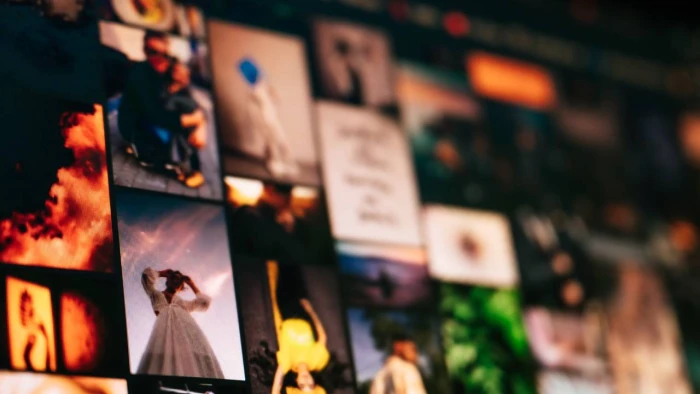
Creating professional-looking visuals no longer requires advanced photography or design skills. In 2026, AI photo tools make it easier to edit pictures, remove backgrounds, enhance images, and produce engaging content in minutes.
The best AI photo editor depends on what you want to achieve. Some platforms focus on improving existing photographs, while others help users create marketing graphics, product images, or social media content.
A useful tool should offer certain benefits. It should be easy to use, offer reliable editing results, and come at a reasonable price. Free access is also important for individuals and small businesses that do not need professional subscriptions.
Here are 5 AI-powered tools worth considering in 2026.
PicCollage is a practical choice for anyone who wants to combine several photographs into an attractive visual without learning complicated editing techniques. Its online collage maker allows you to upload pictures, choose from ready-made templates and arrange images using different layouts. You can also adjust photo sizes and other design elements before downloading their finished work.
The browser-based editor is particularly convenient because it requires no application download. Its piccollage online experience makes it suitable for creating invitations, photo collections, social media posts and personal projects. You can use its AI-powered features for tasks like background removal and image extension.
Pricing: The online tools are free, although usage limits apply. Paid options are available through the mobile app.
Best for: Beginners, social media users and anyone who wants polished collages without spending time on complicated editing.
Canva combines photo editing with a comprehensive graphic design platform. Its AI-powered Magic Studio includes tools for generating images, modifying existing photographs and removing unwanted elements.
You can also access thousands of templates for presentations, advertisements, posters and social media graphics. This makes Canva especially useful when photographs need to become part of a larger visual project.
Pricing: The free plan provides access to basic editing and selected AI features. However, some advanced tools and higher usage allowances require a Canva Pro subscription.
Best for: Content creators, marketers, students and small businesses.
Adobe Photoshop remains a strong option for users who need greater control over their images. Its generative fill feature can add, remove or replace elements using text instructions. Generative Expand also allows you to extend images beyond their original boundaries. These capabilities are useful for repairing photographs and creating more complex compositions.
Pricing: Photoshop is a paid product, although trial access may be available. Its extensive editing controls also make it less suitable for beginners seeking simple, one-click adjustments.
Best for: Professional photographers, designers and experienced editors.
Photoroom specializes in creating clean product images for online stores and marketing campaigns. It has a background remover that separates products from their original surroundings. You can also use its AI tool to generate alternative settings.
Other features include AI shadows, image enhancement, and batch editing. These capabilities help online sellers produce consistent product catalogs without organizing expensive photography sessions.
Pricing: A limited free plan is available. Paid subscriptions provide additional AI credits, advanced features and higher export allowances.
Best for: E-commerce businesses, retailers and independent online sellers.
Picsart offers a broad collection of photo editing and AI-powered creative tools. You can remove objects, enhance image quality, change backgrounds and modify photographs. Its mobile-friendly interface also makes it convenient for people who primarily create content using smartphones.
Pricing: The platform has a free option, but access to premium tools, additional storage and AI credits requires a subscription.
Best for: Social media creators, casual photographers and users who enjoy experimenting with visual effects.
The best AI photo tool depends on the type of visual content you create. PicCollage is particularly convenient for quick collages, while Canva offers broader graphic design capabilities. Photoshop provides greater creative control, and Photoroom is especially useful for product photography. For beginners, starting with a free platform is a sensible approach. You can explore different editing features before committing to a paid subscription.
Share your thoughts about this article.
Be the first to post a comment!

Trust has become one of the most valuable assets in the digital economy. From fi...
Parveen Verma5 days ago
Three-dimensional content is no longer limited to game studios and specialist an...
Parveen Verma2 months ago

The rise of remote and hybrid work has made meetings constant and often overwhel...
Parveen Verma7 months ago

When is the right time to invest in scaling technology infrastructure for...
Parveen Verma1 year ago