Home > Company > Adobe Podcast
Adobe Podcast

Adobe Podcast

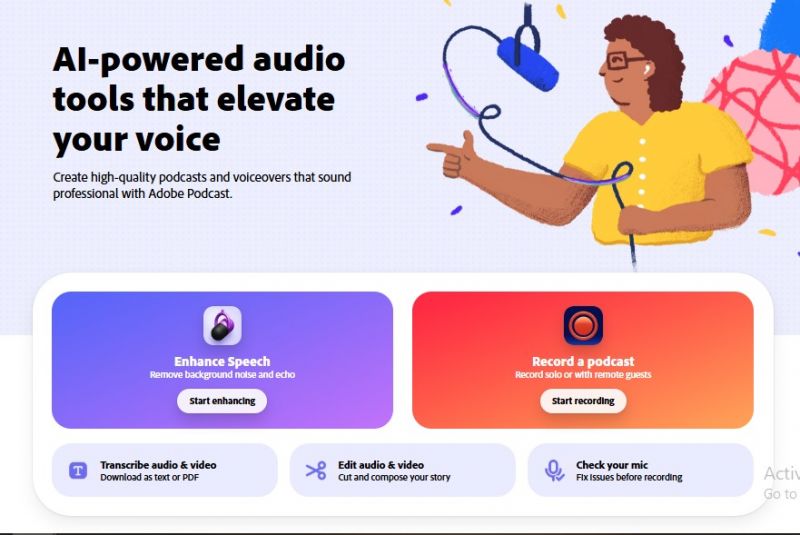
AI-powered audio tools that elevate your voice

Adobe Podcast Overview

Adobe Podcast is an AI-powered audio recording and enhancement tool designed to help creators make voice recordings sound cleaner, clearer, and more professional. Its most popular feature is Enhance Speech, which can reduce background noise, soften echo, and improve voice clarity directly from the browser. The platform is useful for podcasters, YouTubers, educators, interviewers, voiceover creators, and content teams that need quick audio cleanup without learning complex audio editing software. Adobe Podcast also includes Studio features for recording, editing, transcribing, and exporting podcast-style projects.

Adobe Podcast Features

AI-Powered Audio Editing Multitrack Recording Speech-to-Text Seamless Integration Customizable Templates Cloud Sync AI-Driven Transcriptions

Key Features

  1. AI-Powered Audio Editing: Automatically enhance audio quality, remove unwanted noise, and improve clarity.
  2. Multitrack Recording: Record multiple tracks simultaneously, perfect for interviews and collaborative podcasts.
  3. Speech-to-Text: Convert your podcast episodes into searchable text for better accessibility.
  4. Seamless Integration: Integrates easily with other Adobe tools like Audition for professional-grade editing.
  5. Customizable Templates: Start with professional templates tailored to various podcasting styles and themes.
  6. Cloud Sync: Automatically sync projects across devices for easy editing on the go.
  7. AI-Driven Transcriptions: Transcribe your podcasts with high accuracy using Adobe’s machine learning models.

Use Cases

  1. Cleaning podcast episode recordings before publishing.
  2. Improving guest interview audio recorded on basic microphones.
  3. Reducing background noise, echo, fan sound, or room reverb from voice recordings.
  4. Enhancing YouTube voiceovers and talking-head video audio.
  5. Improving online course lessons, webinars, and training recordings.
  6. Cleaning audio for short-form videos, reels, and social media clips.
  7. Making client calls, meeting recordings, and internal business videos sound clearer.
  8. Preparing voiceovers for product explainers, tutorials, and marketing videos.
  9. Helping freelancers and content editors quickly improve audio before delivery.
  10. Fixing speech-heavy recordings where the voice needs to sound cleaner and more professional.

Alternatives

AlternativeBest ForWhy Consider It
DescriptTranscript-based editingBetter for editing audio and video like a document
RiversideRemote podcast/video recordingBetter for high-quality interviews and video podcasts
AlituSimple podcast productionBetter for podcast creation, cleanup, and publishing workflow
AudacityFree manual audio editingBetter for users who want full control without paying
ZencastrRemote podcast recordingBetter for distributed podcast interviews
Adobe AuditionProfessional audio productionBetter for advanced users and studio-level editing

Pros & Cons

Pros:

Easy to use for beginners.

Strong voice enhancement quality.

Good background noise removal.

Helpful for quick podcast cleanup.

Works well directly in the browser.

Saves time compared with manual editing.

Good for recordings made without studio equipment.

Cons:

Limited advanced editing options.

AI cleanup can feel too aggressive sometimes.

Audio may sound slightly unnatural in some cases.

Not ideal for professional-level mixing.

Poor source audio may still need manual correction.
Company

Adobe Podcast

Contact

N/A

Headquarter

San Jose, California, USA

Follow Us

Adobe Podcast Demo & Screenshots

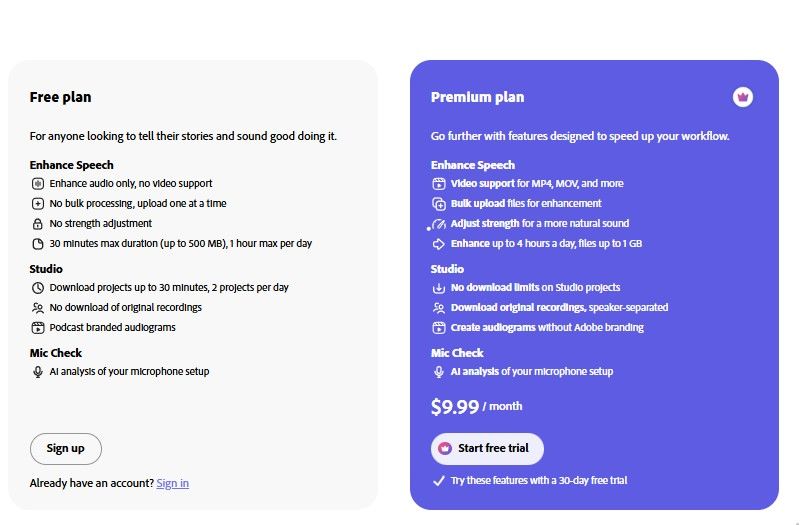
Adobe Podcast Pricing

Free

$0/Monthly

Features

  • Enhance audio only, no video support
  • No bulk processing, upload one at a time
  • No strength adjustment
  • 30 minutes max duration (up to 500 MB), 1 hour max per day
  • Download projects up to 30 minutes, 2 projects per day
  • No download of original recordings
  • Podcast-branded audiograms
  • AI analysis of your microphone setup

Premium

$10/Monthly

Features

  • Video support for MP4, MOV, and more
  • Bulk upload files for enhancement
  • Adjust the strength for a more natural sound
  • Enhance up to 4 hours a day, files up to 1 GB
  • No download limits on Studio projects
  • Download original recordings,speaker-separated
  • Create audiograms without Adobe branding
  • AI analysis of your microphone setup
Adobe Podcast Pricing Screenshot

*Price last updated on Jul 9, 2026. Visit podcast.adobe.com's pricing page for the latest pricing.

Adobe Podcast Reviews

Adobe Podcast Category

Adobe Podcast Alternatives